Appendix

The following section guides you through the process of installing and configuring the Duo Security in the ADFS server.

Installing the Duo Security in the ADFS Server

  1. Launch the Duo ADFS installer package provided by Duo Security in the ADFS server.

  2. Click Next.

_images/duoadfs_adapter-setup.png

Duo ADFS MFA Adapter Setup

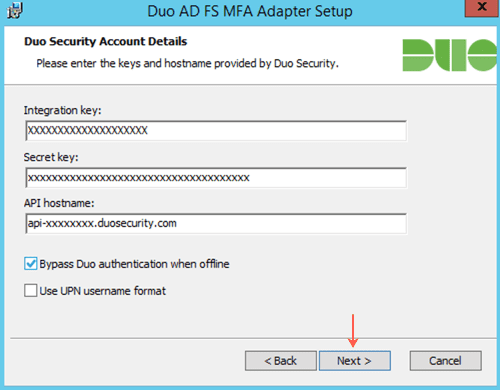
  1. Enter the Integration key.

  2. Enter the Secret key.

  3. Enter the API hostname.

    Note

    Refer to the Appendix section of the Duo Security Manual to retrieve the Integration key, the Secret key, and the API hostname.

  4. Select Bypass Duo authentication when offline to enable login when the Duo Security is offline.

  5. Click Next.

_images/duoadfs_account-details.png

Duo Security Account Details

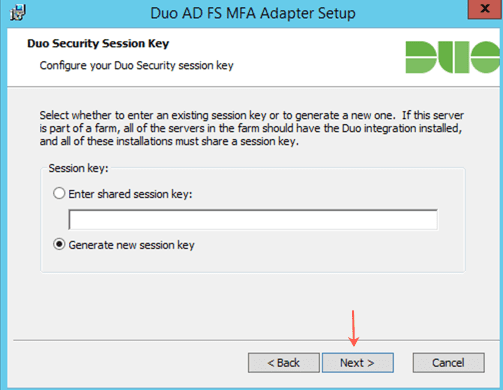
  1. Select Generate new session key.

  2. Click Next.

_images/duoadfs_gen-session-key.png

Generating New Duo Security Session Key

  1. Click Install.

_images/duoadfs_mfa-adapter.png

Installing Duo ADFS MFA Adapter

  1. Click Finish.

_images/duoadfs_setup-adapter-completed.png

Completing the Duo ADFS MFA Adapter Setup Wizard

Selecting Duo Security in the ADFS Server

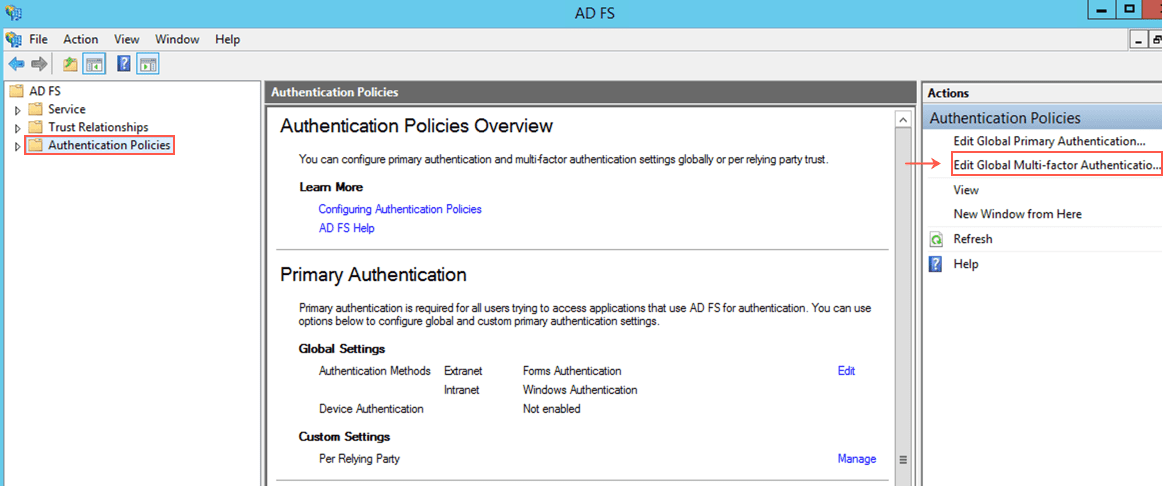
  1. Go to the ADFS Server >> ADFS >> Authentication Policies.

  2. Click Edit Global Multi-factor Authentication.

_images/duo-adfs_authentication_global.png

Authentication Policies

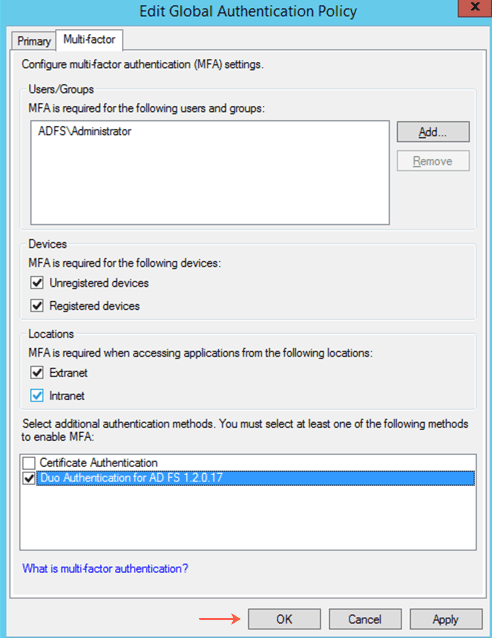
  1. Select Duo Authentication for ADFS 1.2.0.17.

  2. Click OK.

_images/duo-adfs_authentication_global_policy.png

Edit Global Authentication Policy Panel


Helpful?

We are glad this guide helped.


Please don't include any personal information in your comment

Contact Support