
This dashboard consists of the following widgets:
Widget Name |
Description |
|---|---|
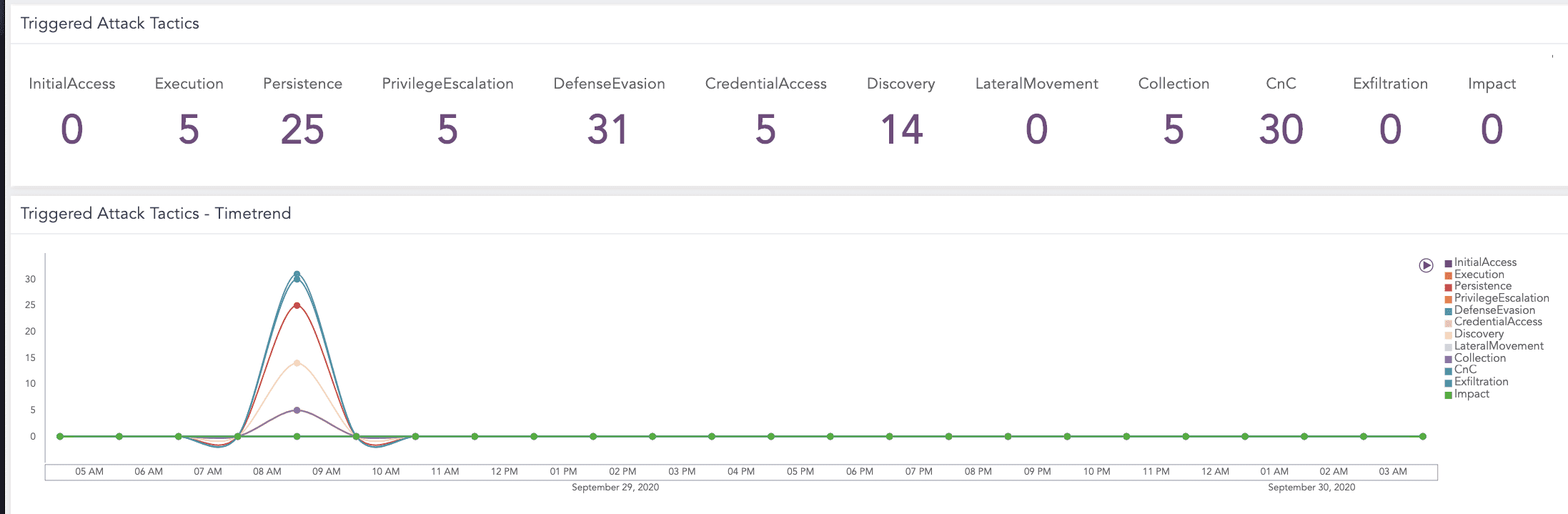
Triggered Attack Tactics |
The count of tactics that the attacker may use to perform an attack. The tactics are Initial Access, Execution, Persistence, Privilege Escalation, Defense Evasion, Credential Access, Discovery, Lateral Movement, Collection, Command and Control, Exfiltration and Impact. |
Triggered Attack Tactics - Timetrend |
A time trend for the attack tactics that the attacker used to perform an attack. |
Mitre Att&ck Matrix |
An ATT&CK chart, a heatmap describing the attacks carried out in a system in the form of attack tactics, techniques and procedures defined by MITRE. |
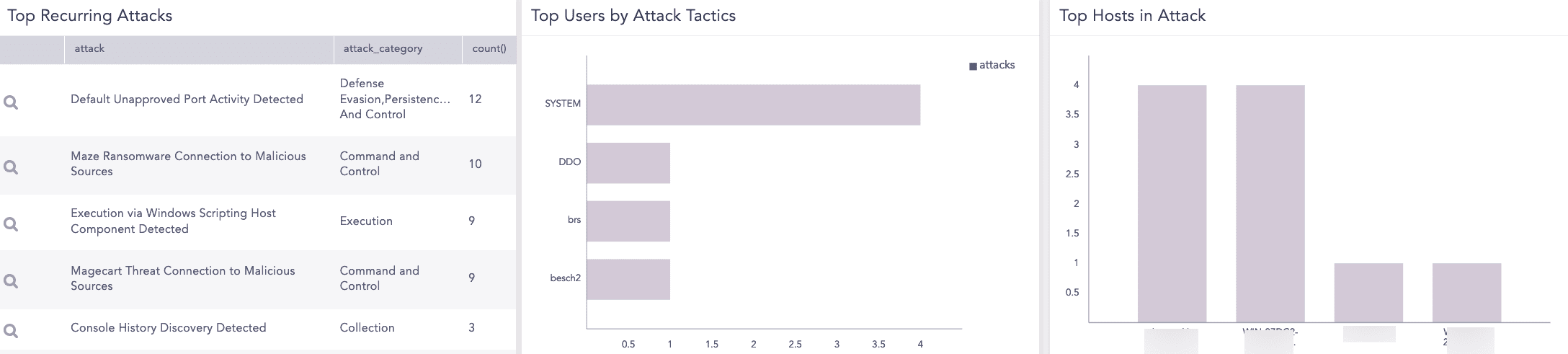
Top Recurring Attacks |
The most recurring attacks, their attack category and the count of attacks. For example, Console History Discover Detected is an attack, Collection is its attack category and the attack occurred three times. |
Top Users by Attack Tactics |
The top users based on attack tactics. |
Top Hosts in Attack |
The count of top hosts by attack category. |
Go to Settings >> Knowledge Base from the navigation bar and click Dashboards.
Select VENDOR DASHBOARD from the drop-down.
Click Add from Actions.
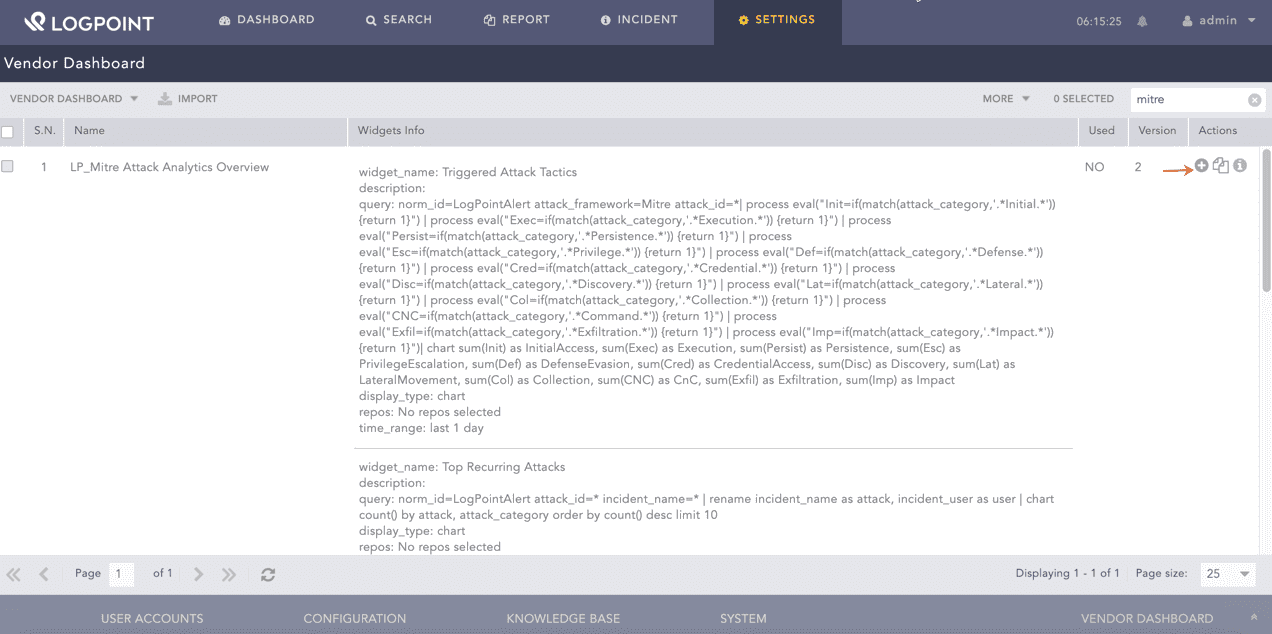
Adding the Alert Rules Dashboard
Click Choose Repos.
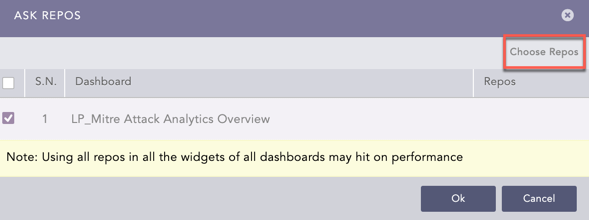
Selecting Repos
Select the repo and click Done.
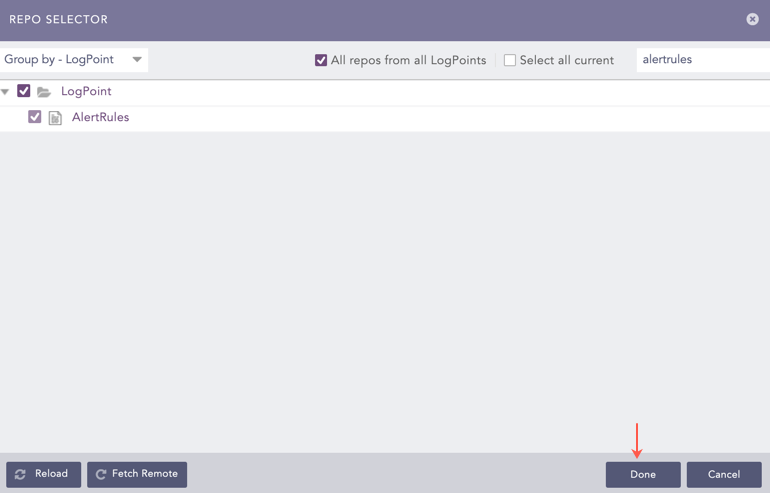
Selecting Repos
Click Ok.
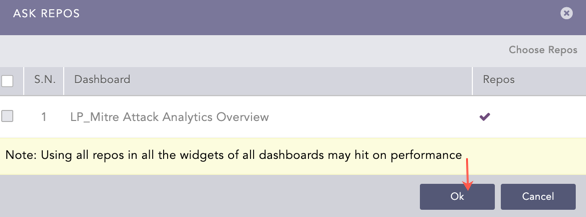
Confirmation for Repo
You can find the Alert Rules dashboard under Dashboards.

Alert Rules Dashboard
Alert Rules Dashboard
Alert Rules Dashboard