
Go to Settings >> Knowledge Base from the navigation bar and click Alert Rules.
Click the Clone Alert Rule icon under the Actions column for the rule.
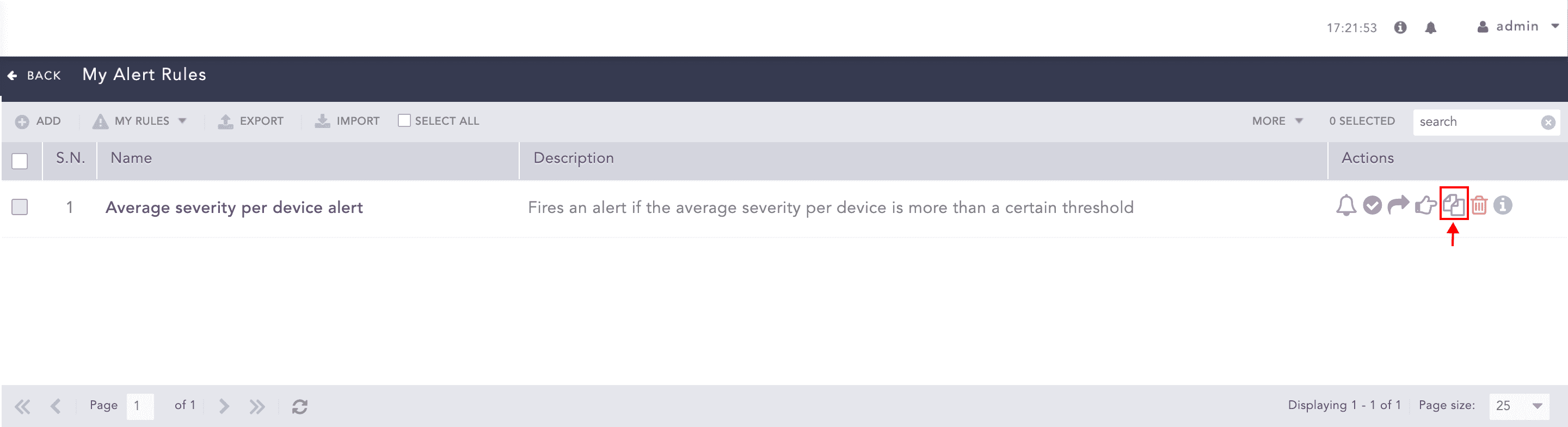
Cloning an Alert Rule
To clone multiple alert rules, select the alert rules. Click the More drop-down and select Clone Selected Alert Rules.
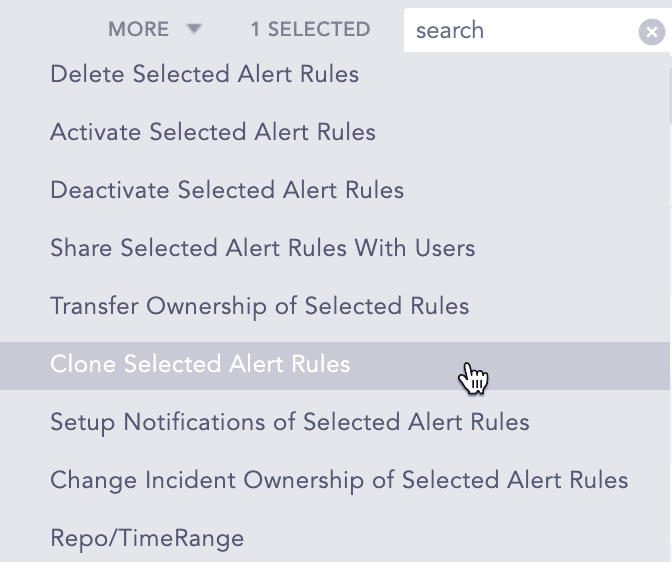
More Drop-down - Clone Selected Alert Rules
To clone all the alert rules, click Select All. Go to the More drop-down and select Clone All Alert Rules.
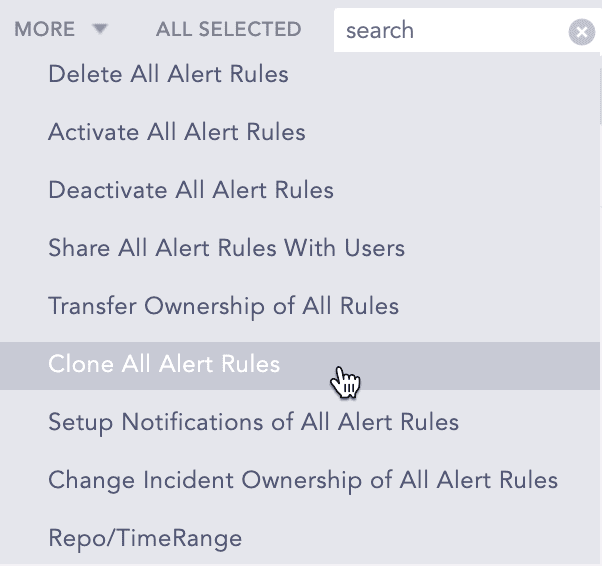
More Drop-down - Clone All Alert Rules
Enter a new Name for the cloned rule.
Check the Replace Existing? checkbox to replace an existing rule with the same name.
Click Clone.