
Go to Settings >> Knowledge Base from the navigation bar and click Alert Rules.
Select the Alert Rules to change the Time/Repo and click the More drop-down.
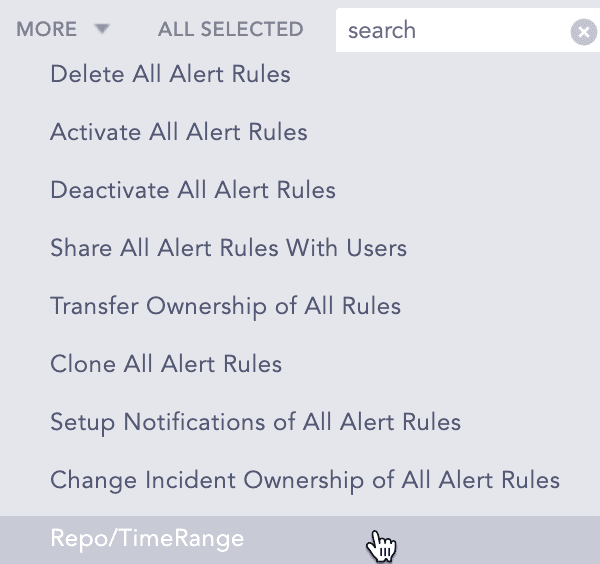
Changing Repo/TimeRange
Select Repo/TimeRange.
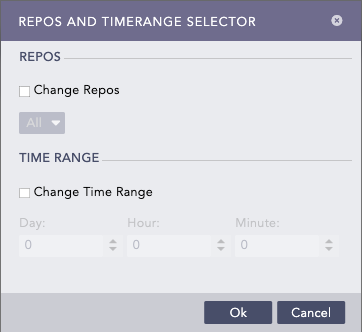
Repos and Timerange Selector panel
Enable Change Repos and select the repos.
Enable Change Time Range and select the time range.
Click Submit.