
You can transfer alert rule ownership from one user to another. It is important to transfer alert rule ownership when a user who owns alert rules needs to be deleted. This is also relevant when a user becomes part of a different User Group and no longer needs to own the same alert rules.
To transfer the ownership of Alert Rules:
Go to Settings >> Knowledge Base from the navigation bar and click Alert Rules.
Click My Rules from the dropdown next to +Add.
Click the right hand pointer icon under the Actions column of the alert rule.
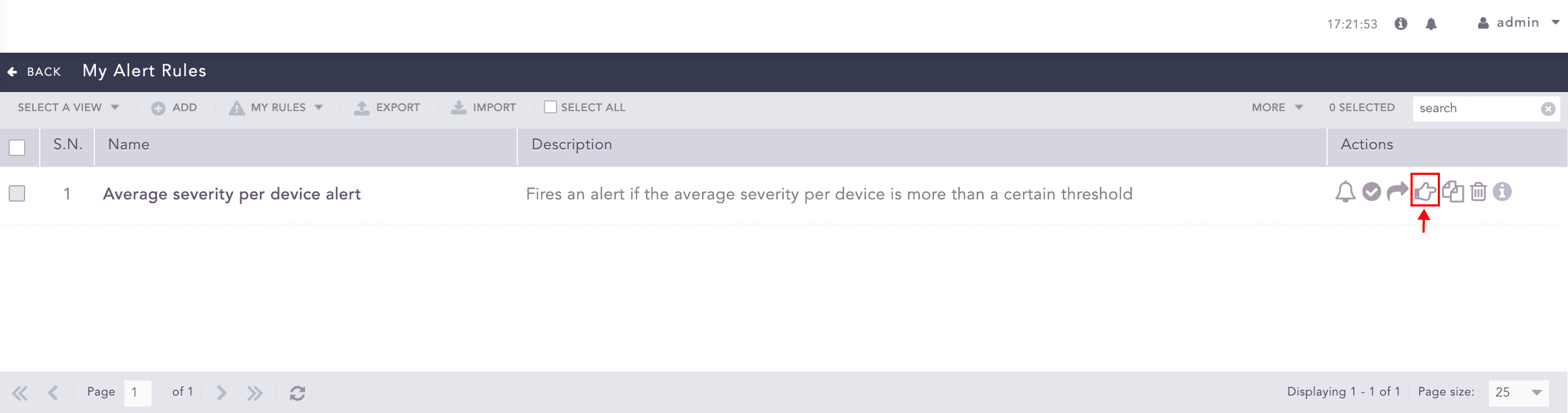
Transfer Ownership of an Alert Rule
To transfer ownership:
of multiple alert rules, select them. Click the More drop-down and select Transfer Ownership of Selected Rules.
of all alert rules, click Select. Click the More drop-down and All select Transfer Ownership of All Rules.
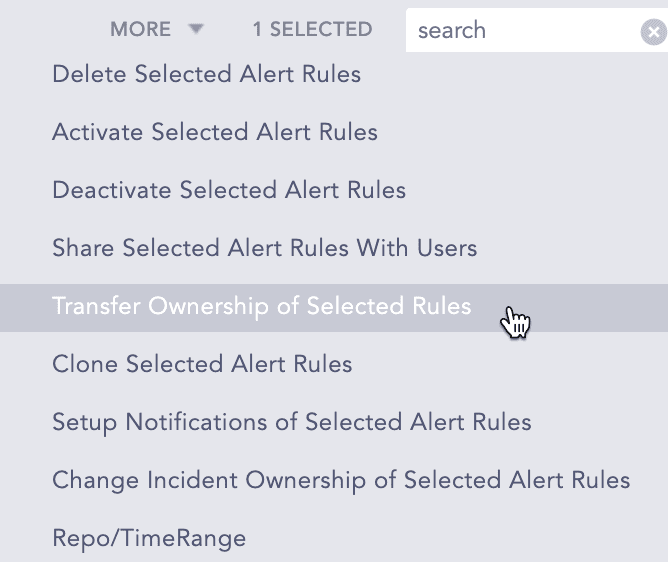
More Drop-down - Transfer Selected Alert Rules
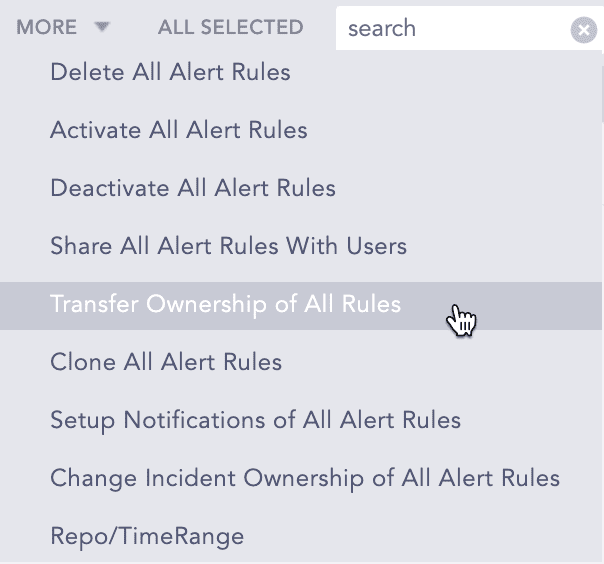
More Drop-down - Transfer All Alert Rules
Select a User from the drop-down.
Click OK.
To view transferred alert rules, go to Settings >> Knowledge Base >> Alert Rules. Click the USED RULES dropdown and go to Transferred Rules.
When you delete a user who has shared alert rules you must delete the shared alert rule or transfer the alert rule’s ownership to another user.
Go to Settings >> User Accounts from the navigation bar and click Users.
De-activate the user by clicking the De-Activate User icon under the Actions column.
Click Manage De-Activated Users.
Click the Delete icon under the Actions column of the user.
Click Yes.
To transfer the ownership, select a user from the list of active users in the drop-down and click Submit.
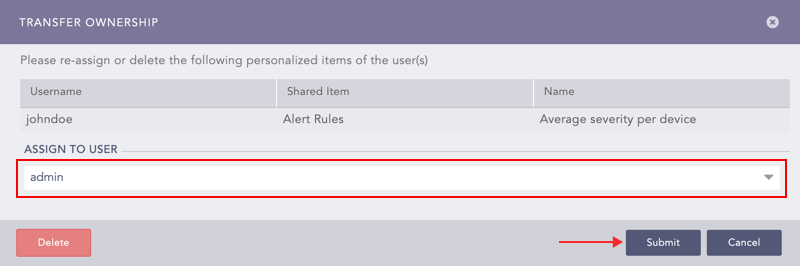
Transferring the Ownership of a Shared Alert Rule
To delete the user and user’s alert rule without transferring their ownership, click Delete.
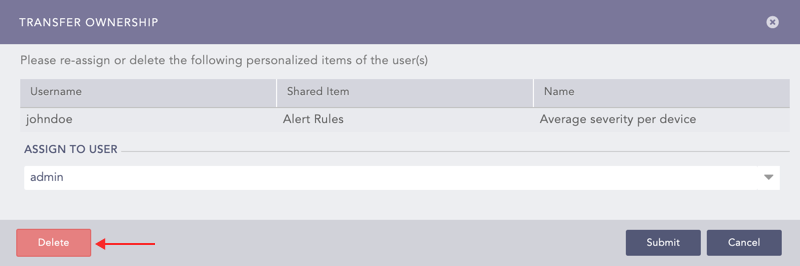
Deleting a Shared Alert Rule’s Owner