
AAHC retrieves the medical journal logs via a remote Logpoint server. You have to configure the Logpoint server in AAHC.
Select LP Configuration from the left navigation bar.
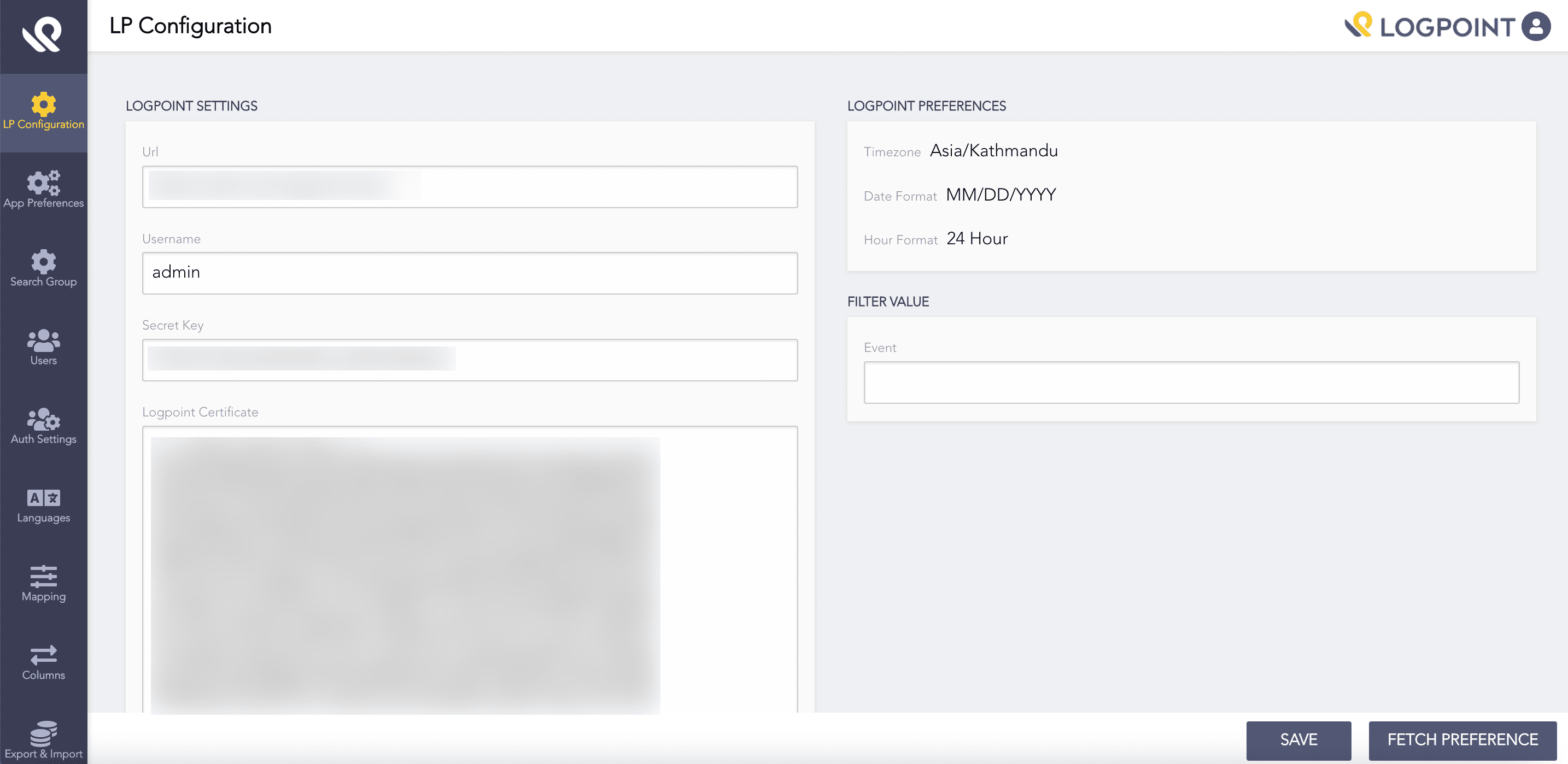
Logpoint Settings
Provide the search URL in the Logpoint Settings section. The URL must be in the following format:
https://aahc.lwa.logpoint.local

or

https://<qualified domain name of the remote Logpoint server>
Provide a Logpoint Username.
Provide the Secret Key to fetch the logs from the Logpoint server. You can get the secret key from the API Access Key tab in the Preferences panel in Logpoint.
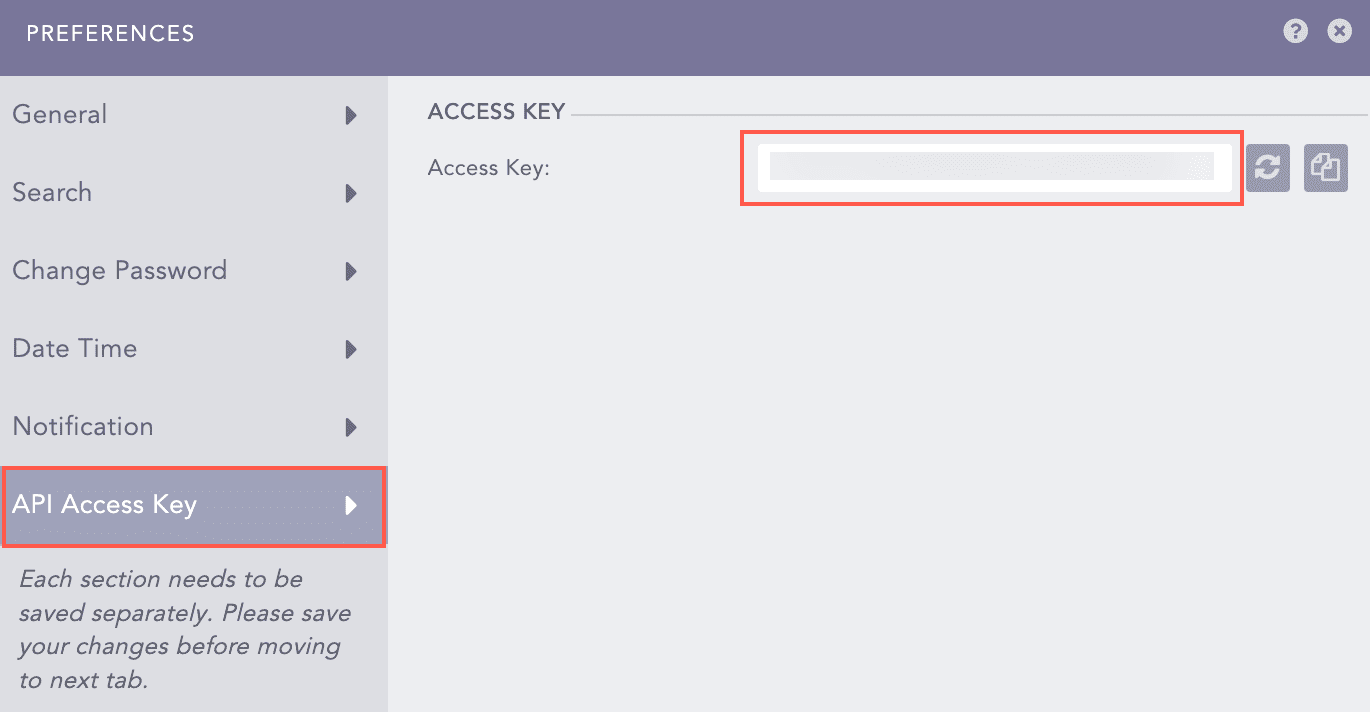
Getting Logpoint Secret Key
Upload the SSL certificate for the Logpoint server in the Logpoint Certificate field. AAHC requires the same certificate as uploaded in the Logpoint’s HTTPS system settings in Settings >> System >> System Settings >> HTTPS. See the Important Considerations for Installation section for details.
Click Fetch Preference to get the timezone, date format, and hour format from the Logpoint server.
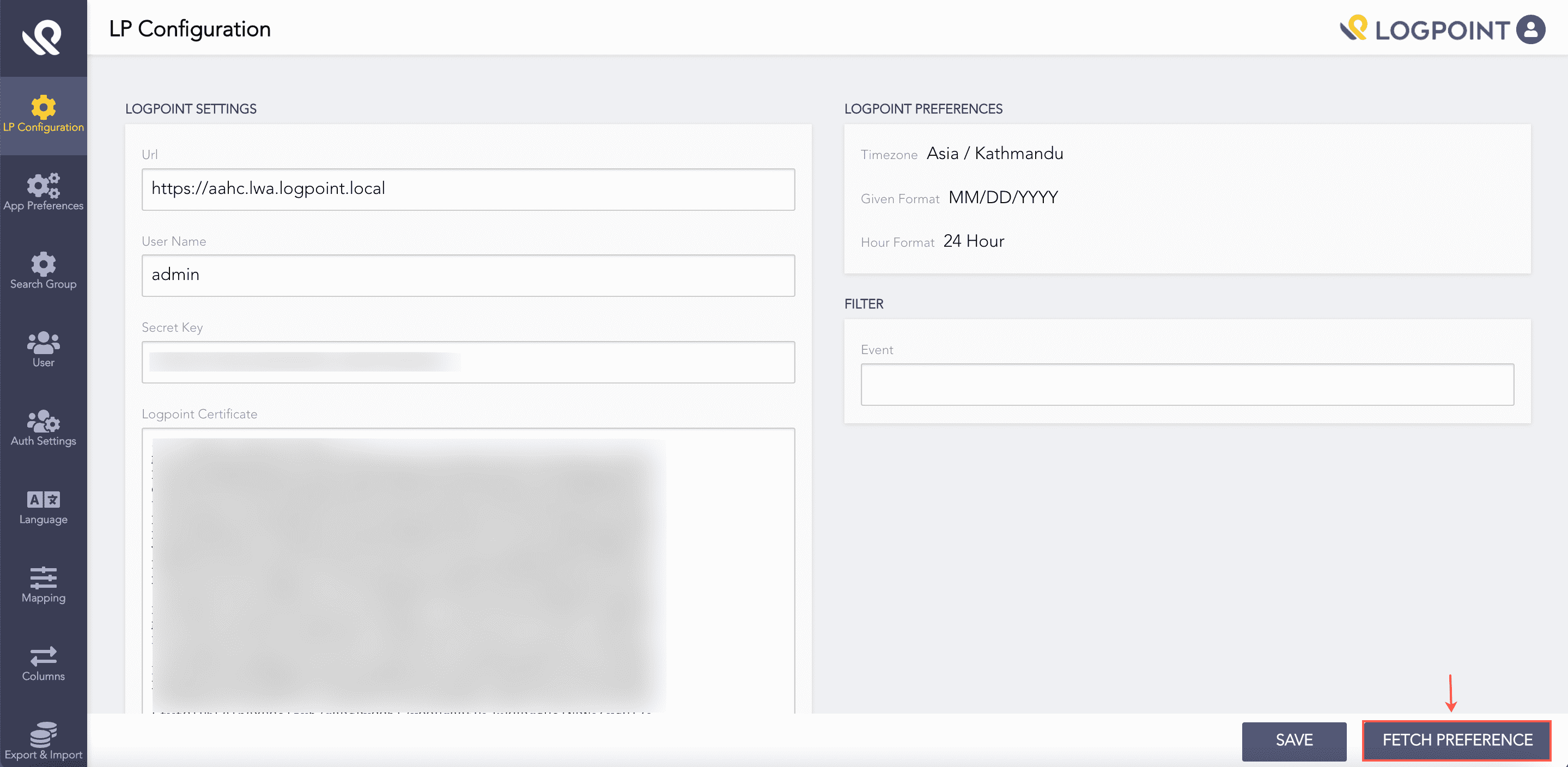
Fetch Preference
Note
You must click Fetch Preference every time you change the Logpoint URL.
In the Filter Value section, enter the event list reconfigured in the Logpoint. AAHC uses this list to filter the search results. See the Event List for AAHC section to create the required event list.
Click Save.