
You can configure the IdP settings for authorization and configure the role settings from Auth Settings. However, you must be logged in as an admin user.
IDP (Identity Provider) Settings are configurations that enable AAHC to integrate with an Identity Provider (IdP) for user authentication.
Go to Auth Setting from the navigation bar.
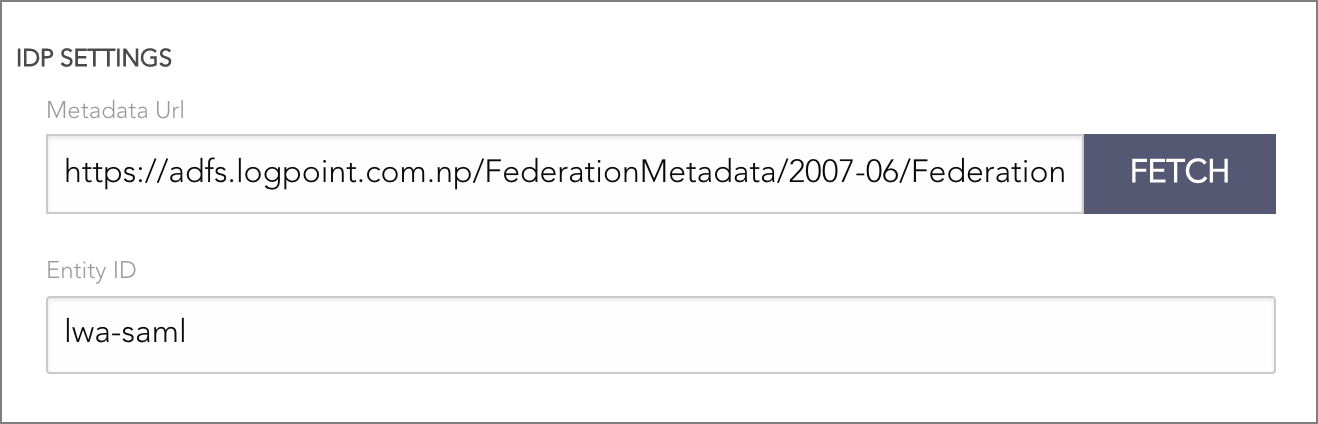
IDP Settings
Enter the Metadata URL of your IdP server.
Click Fetch to get the metadata containing entity ID, login URL, logout URL, and the token signing certificate for AAHC. This metadata is exchanged between AAHC and IdP (Identity Provider) for secure and seamless authentication.
IDP Mapping links Identity Provider (IDP) user groups to roles and permissions within AAHC, ensuring secure and seamless access control based on attributes in SAML token.
Click Create IDP Mapping.
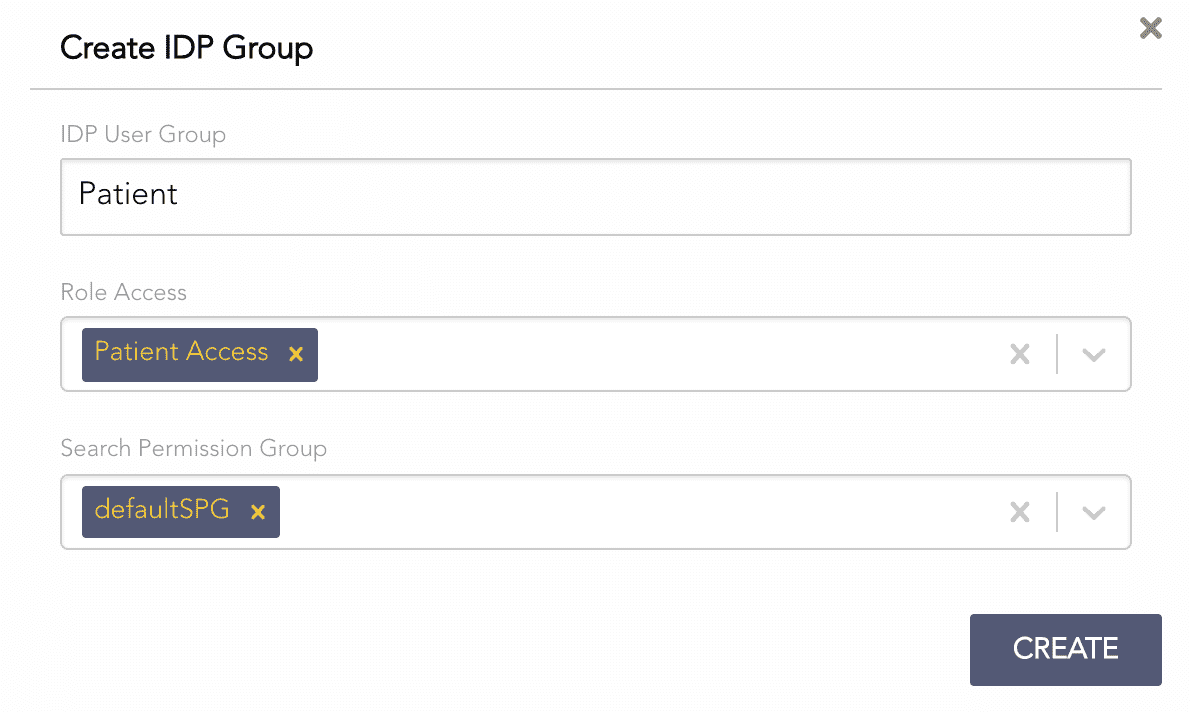
Creating an IDP Mapping
Enter the IDP User Group. An IDP user group is the value roles attribute in the SAML token.
Select Role Access.
User Access allows you to search by User ID.
Patient Access allows you to search by Patient SSN.
All Access allows you to search by both User ID and Patient SSN.
Report Access allows you to only view the AAHC reports.
Report Admin allows you to view the AAHC reports and delete the archived reports.
Super Admin allows you to create predefined search queries and report schedulers.
Select Search Permission Group.
Click Create.
The AAHC metadata is essential for integrating with an Identity Provider (IdP). It contains the configuration details required for secure Single Sign-On (SSO). Exporting the metadata enables the IdP to communicate with AAHC.
To export the metadata:
Go to Auth Setting from the navigation bar.
Click Export on the bottom right.
An XML file with the AAHC metadata is downloaded.
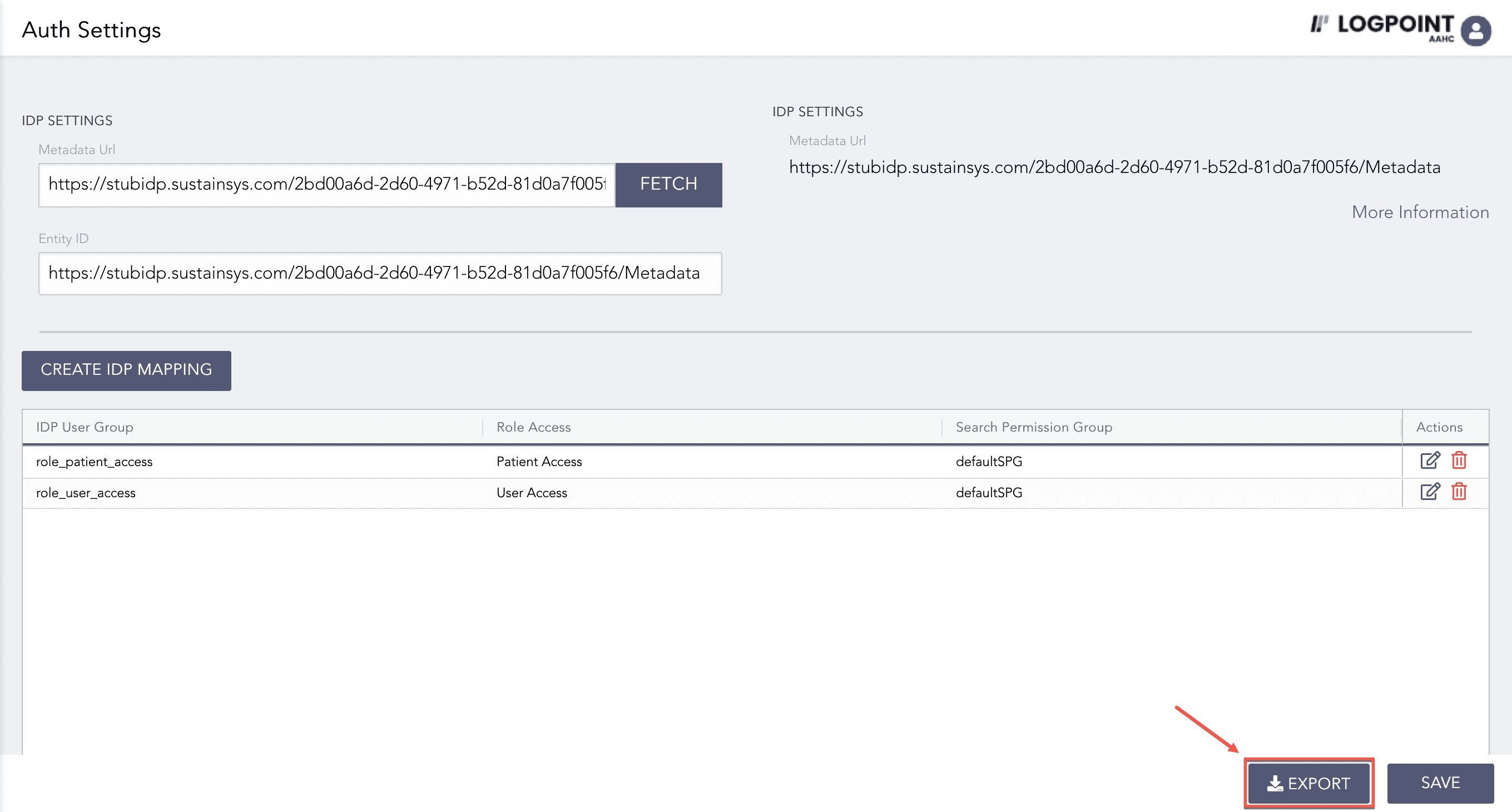
Exporting AAHC Metadata