
AAHC allows the Admin User to select the fields that the search user can view when performing a search. For this purpose, the admin user can create column templates specifying the columns for the result. There are two types of column templates:
User type: The template for displaying the fields searchable by users with the User Access role.
Patient type: The template for displaying the fields searchable by users with the Patient Access role.
Select Columns from the left navigation bar.
AAHC provides two default column templates. By default, the Log Date field is in both column templates.
Default user search with the fields of the User column configured in the previous version of AAHC.
Default patient search with the fields of the Patient column configured in the previous version of AAHC.
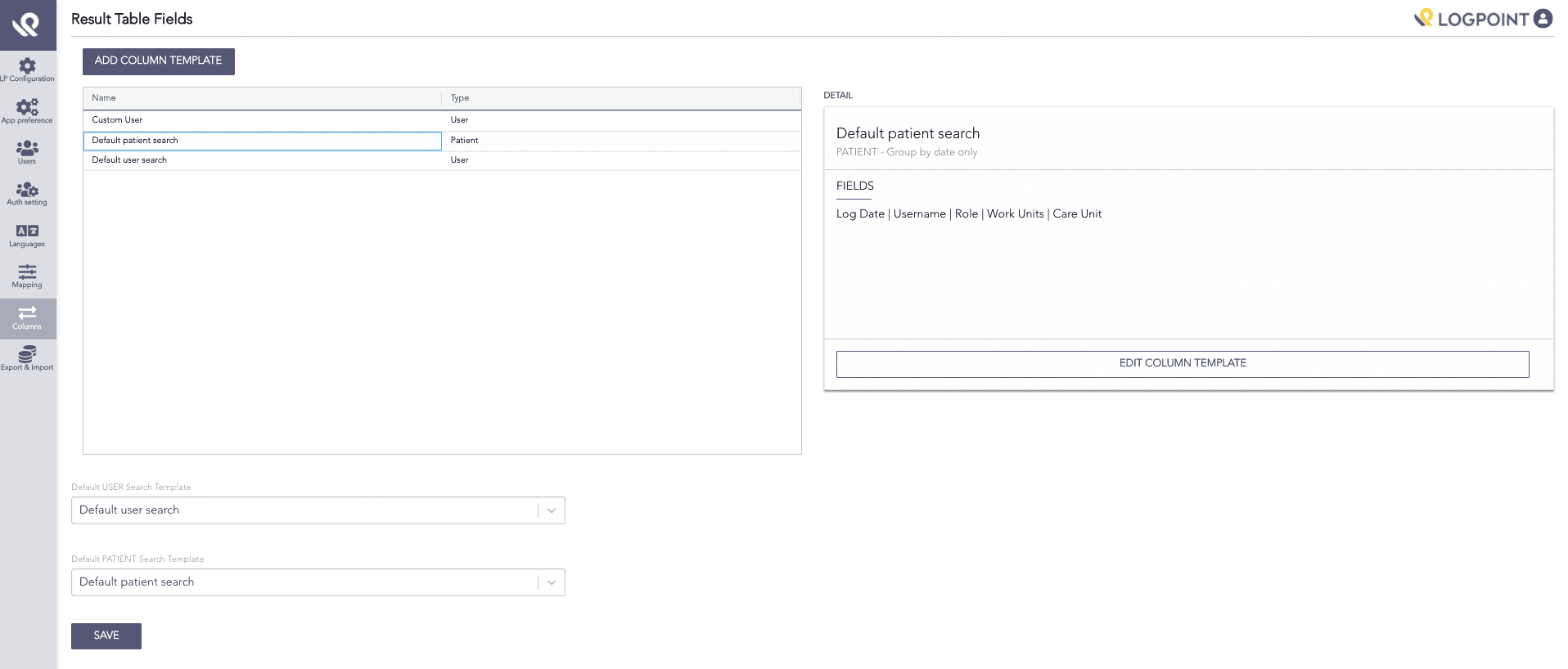
Columns
Click Add Column Template.
On the Create Column Template panel, provide the following parameters:
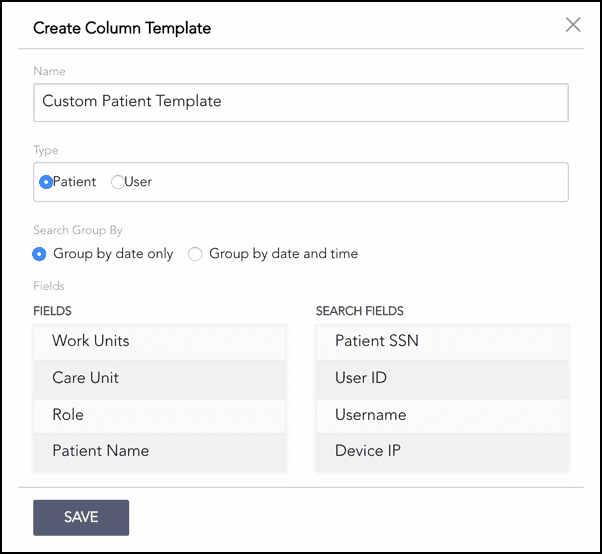
Create Column Template
A Name for the template.
The Type of the template. The template can be either Patient type or User type.
Select an option to group the search results either by Date only or by Date and time.
The Group by Date option groups the search results by the Log Date field and displays a single entry for identical events occurring on the same day.
The Group by Date and time option groups the search results by the Log Timestamp (log_ts) field and displays a single entry for identical events occuring at the same timestamp. Thus, this option allows you to view multiple entries for identical events occurring on the same day.
Drag the fields from the Fields table on the left side to the Search Fields table on the right side.
Click Save.
The Result table fields page enlists the added column template in a table. You can edit or delete the added templates from the page.
You can select a custom column template as a default search template for search users. Based on the column template type, the default search template can be one of the following:
Default USER Search template: the default column template for the search user with the Search Access role.
Default PATIENT Search template: the default column template for the search user with the Patient Access role.
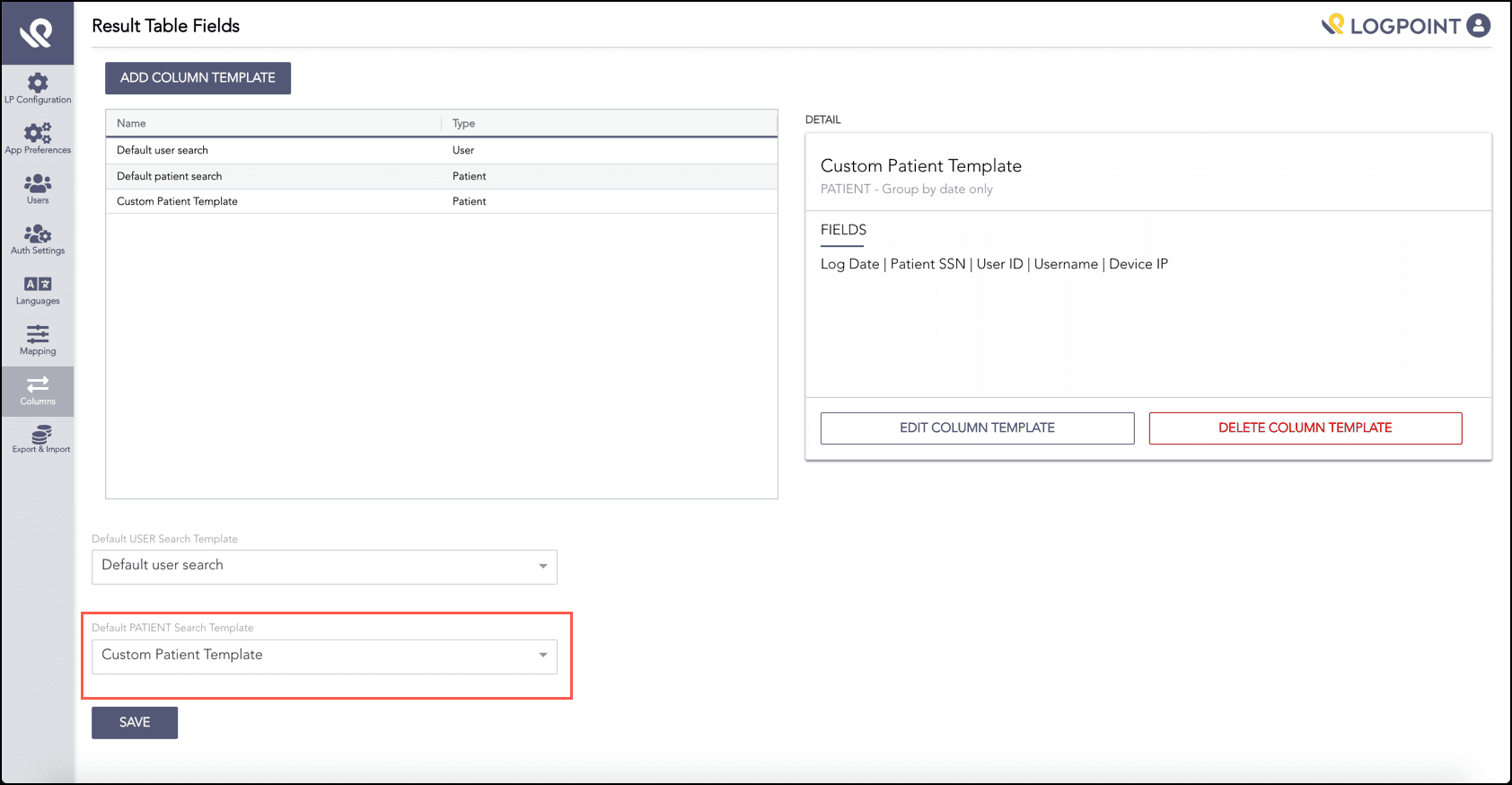
New Column Template Added