
This dashboard consists of the following widgets:
Widget Name |
Description |
|---|---|
Attack Count |
The count of attacks such as DDOS attacks, forceful browsing, protocol violations, limits violation and other to gain unauthorized access to a computer, computing system or computer network with the intent to cause damage. |
Attack Timetrend |
A time span observation providing a dynamic view of attacks in the hope of forecasting future attacks. |
Top 10 Attack Events |
The top ten attack events that have or might lead to unauthorized data access, processing, corruption, alteration, transfer or disclosure of data. |
Top Distinct Attacks by Source Locations |
The sources of top distinct attacks and their destinations based on source country, action and destination address. |
Total Attackers |
The distinct count of total attackers based on source address. |
Top Actions Taken on Traffic |
The top actions taken on traffic by a firewall to block attack traffic while allowing valid traffic through the firewall with no impact on the quality of experience of the valid traffic. |
Top 10 Errors from Client |
The top ten client-side error codes such as Invalid Request (status code 400), Authentication Failed (401), Not Found (status code 404), Method Not Allowed (status code 405) and Invalid Post Data (status code 415) that occurred on a client-server system, such as a web application. Client-side errors caused by problems with the client’s web browser or device, rather than the server. |
Top 10 Protocols |
The top ten protocols applied by a firewall to establish a secure communication between different devices for the exchange of data. |
Injection Attack Details |
Details of an injection attack such as blind SQL injection or SSI injection. An attacker injects code into a program or query, or injects malware onto a computer to execute remote commands that can read or modify a database, or change data on a web site. |
DOS Attack Details |
Details of DOS attack such as buffer overflows or flood attacks, where an attacker use a false IP address to flood the targeted host or network with illegitimate service requests. |
Top 10 Users in Attack Events |
The top ten remote or local users involved during an attack. |
Attack Details |
Details of the attack including source address, source country, attack type, destination address, destination country, request method, URL, rule type and actions. |
This dashboard consists of the following widgets:
Widget Name |
Description |
|---|---|
Top 10 Action |
The top ten actions taken to inspect incoming and outgoing traffic using a set of security rules to identify and block threats. |
Top 10 Mail Destinations Domain |
The top ten destination addresses domains where emails were sent, for a firewall to allow or block the destination IP address. |
Top 10 Source Address |
The top ten source addresses of a device or user that sent data across the network. It allows an administrator to specify which source addresses are allowed or denied access to the network or choose to block all traffic from a particular source address. |
Top 10 Mail Sender |
The top ten email senders whose behavior on the server is monitored. Problem senders are blocklisted based on their IP address and domain name. |
Top 10 Mail Receiver |
The top ten email receivers can help administrators decide what kind of filters to apply to incoming emails in addition to removing spam. |
User Login - List |
The user logins activity list by login timestamp, username and actions. |
Time trend of Action |
A dynamic view of actions that can help forecast future threats. |
Top 10 Destination Address |
The top ten destination addresses of servers where you want to grant access to a service. |
Message Category - RECV and SCAN services |
The data on RECV services indicating a message was handled by the MTA and processing stopped and SCAN service indicating the message was scanned and processing may have stopped or it may have been sent to outbound processing for delivery. |
Message Category - SEND services |
The data on SEND services, such as delivered message, rejected message, deferred message and expired message indicating the status of outbound delivery. It is the only message that may appear multiple times for a given message ID. |
Top 15 Event Category by Reason Code |
The top fifteen Barracuda event categories by reason code, such as Virus, Banned Attachment or RBL Match to identify an error condition. |
Top 10 Hosts in Barracuda Blocklist Category |
The top ten hosts linked to junk emails in the block list category. |
Top 10 Senders in Barracuda Blocklist Category |
The top ten senders in the block list category from which you would not receive emails. |
Top 10 Receivers in Barracuda Blocklist Category |
The top ten receivers in the block list category who would not receive incoming mails. |
Top 10 Hosts in Virus Category |
Top ten hosts categorized as Virus of Barracuda RECV and SCAN services. |
Top 10 Senders in Virus Category |
Top ten senders categorized as Virus of Barracuda RECV and SCAN services. |
Top 10 Receivers in Virus Category |
Top ten receivers categorized as Virus of Barracuda RECV and SCAN services. |
Top 10 Receivers in Banned Attachment Category |
The top ten receivers in the Band Attachment category of Barracuda RECV and SCAN services based on filename patterns you specify, common text attachment file types and attachment MIME types. |
Top 10 Senders in Banned Attachment Category |
Top ten senders in the Band Attachment category of Barracuda RECV and SCAN services. |
Top 10 hosts in Banned Attachment Category |
Top ten hosts in the Band Attachment category of Barracuda RECV and SCAN services. |
Top 10 host in Spam Fingerprint Found Category |
The top ten hosts in the Spam Fingerprint Found category of Barracuda RECV and SCAN services through which hackers create a network map that helps them identify vulnerabilities for a successful attack. |
Top 10 Sender in Spam Fingerprint Found Category |
Top ten senders in the Spam Fingerprint Found category of Barracuda RECV and SCAN services. |
Top 10 receiver in Spam Fingerprint Found Category |
Top ten receivers in the Spam Fingerprint Found category of Barracuda RECV and SCAN services. |
This dashboard consists of the following widgets:
Widget |
Description |
|---|---|
Barracuda Web Filter Details - List |
A list of Barracuda Web Filters activities based on timestamp, source address, destination address, URL, action, reason, content type (HTML or jpeg), data size, matched part and category. |
Top 10 Source Address |
The top ten source addresses to prevent malicious traffic. |
Top 10 Destination Address |
The top ten destination addresses to prevent certain data from flowing into a destination. |
Top 10 Action with Reason |
The top ten actions performed by Barracuda Web Filter, along with the reasons for the actions taken. For example, a device scanned as a threat is detected. |
URL Details - List |
A list of the frequently visited URLs based on action, reason, matched part and category. |
Top Content Type - List |
A list of the top website contents filtered by Barracuda Web Filters. |
Top Matched Part - List |
A list of the top regular expressions, domain names or keywords that matched to a URL. |
Top Matched Category - List |
A list of the top built-in or customized web content categories that matched with your regular expressions, domain names or keywords. |
Go to Settings >> Knowledge Base from the navigation bar and click Dashboard.
Select VENDOR DASHBOARD from the drop-down.
Click the Use icon from Actions.
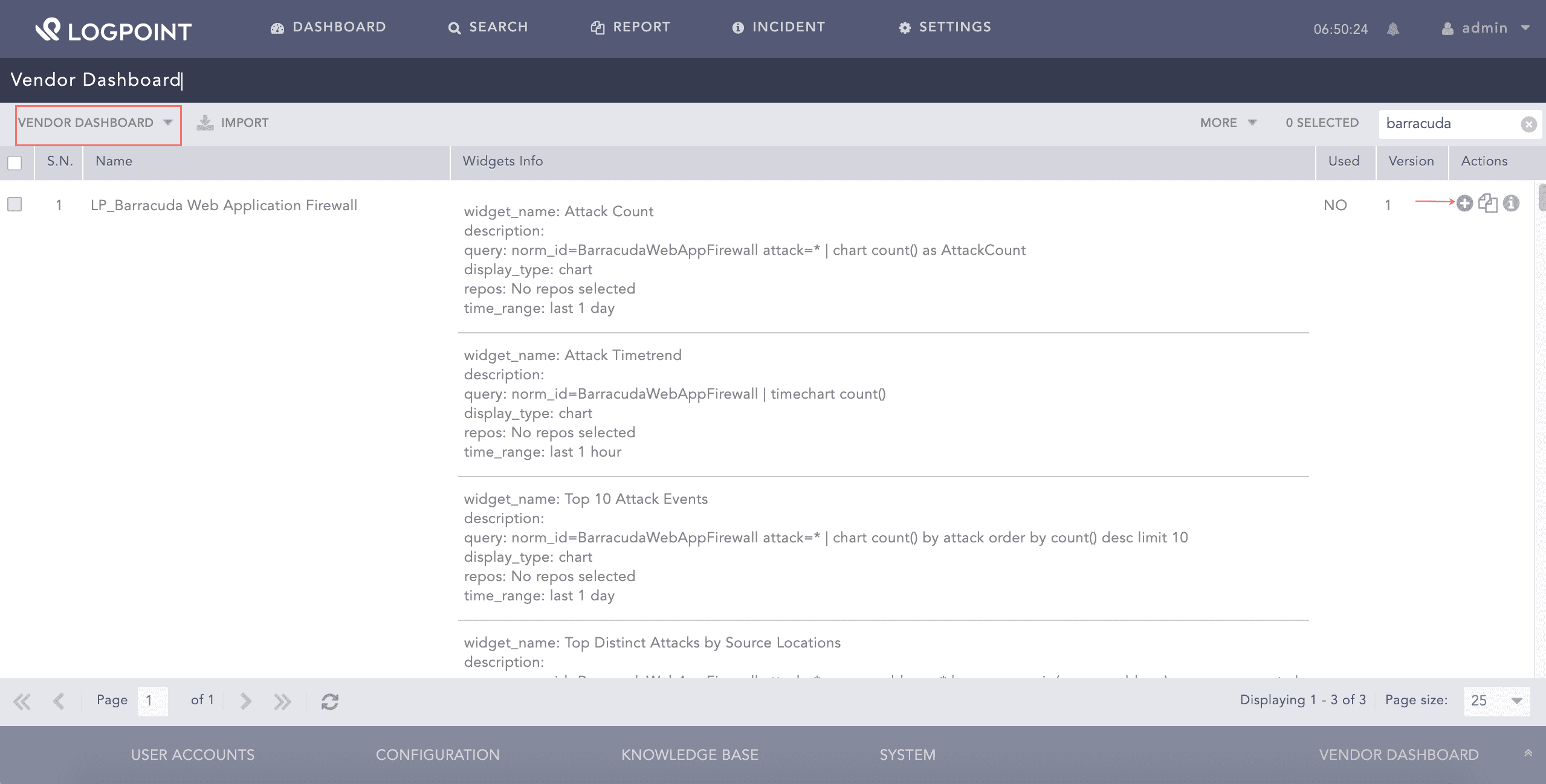
Adding the Barracuda Dashboard
Click Choose Repos.
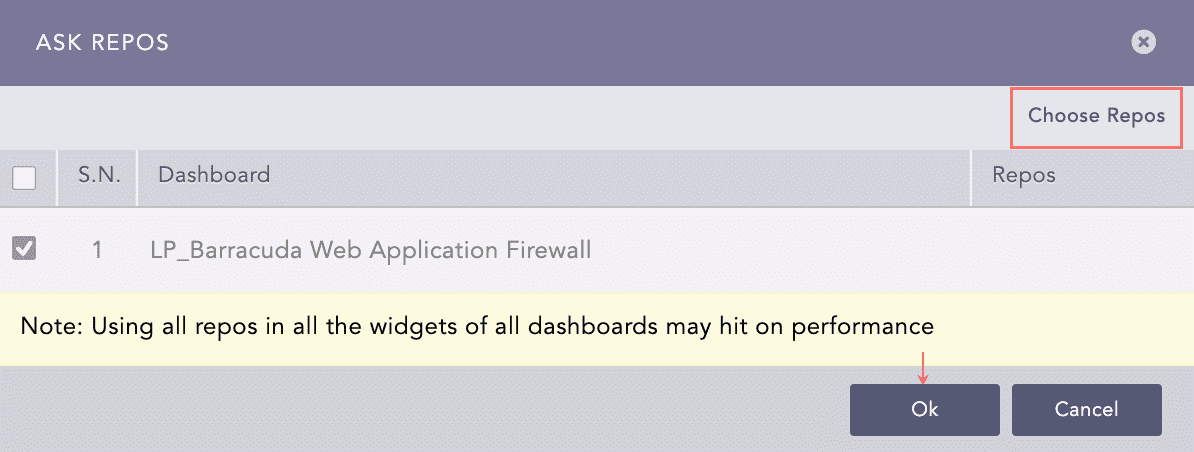
Selecting Repos
Select the repo and click Done.
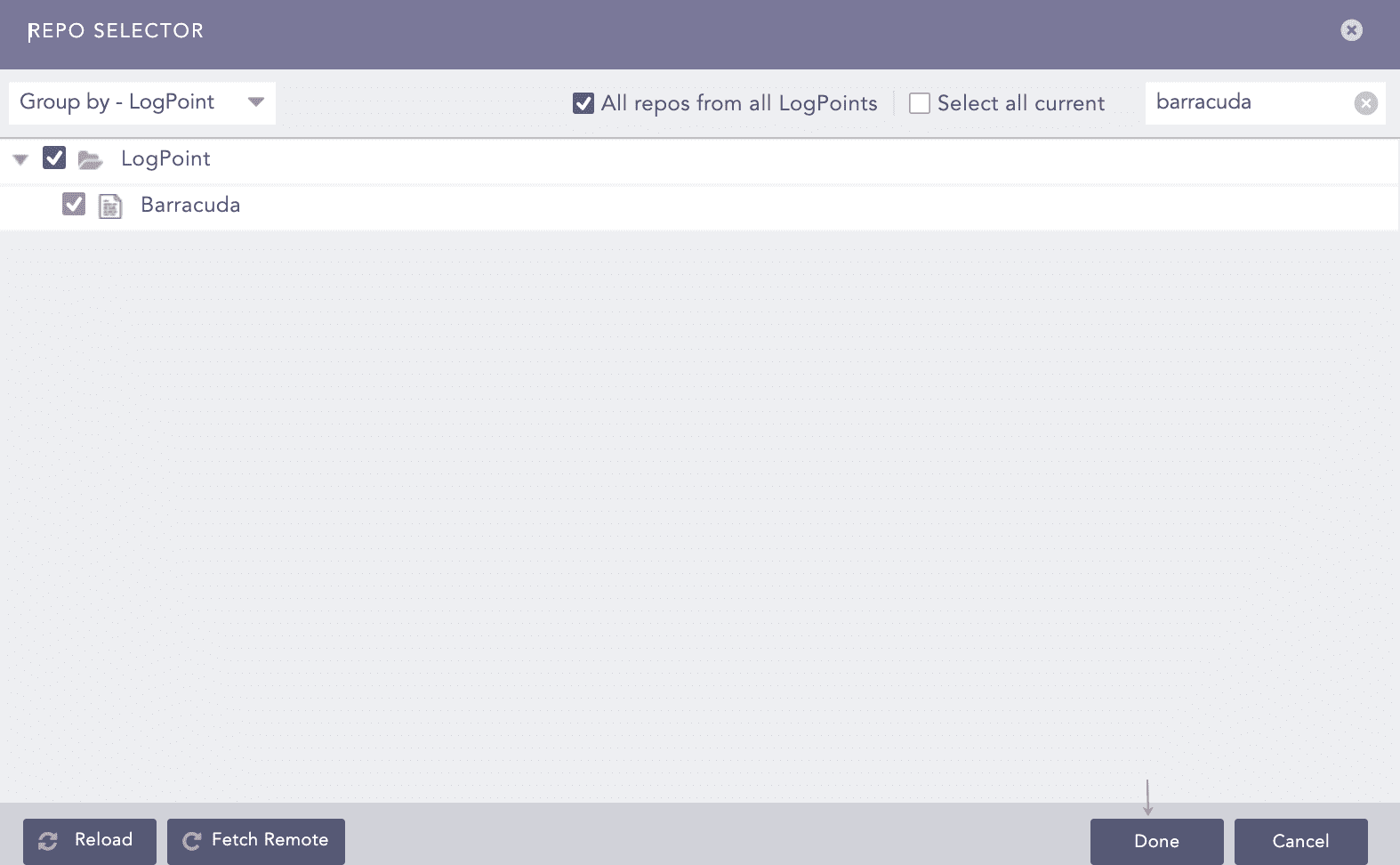
Selecting Repos
Click Ok.
You can find the Barracuda dashboards under Dashboard.
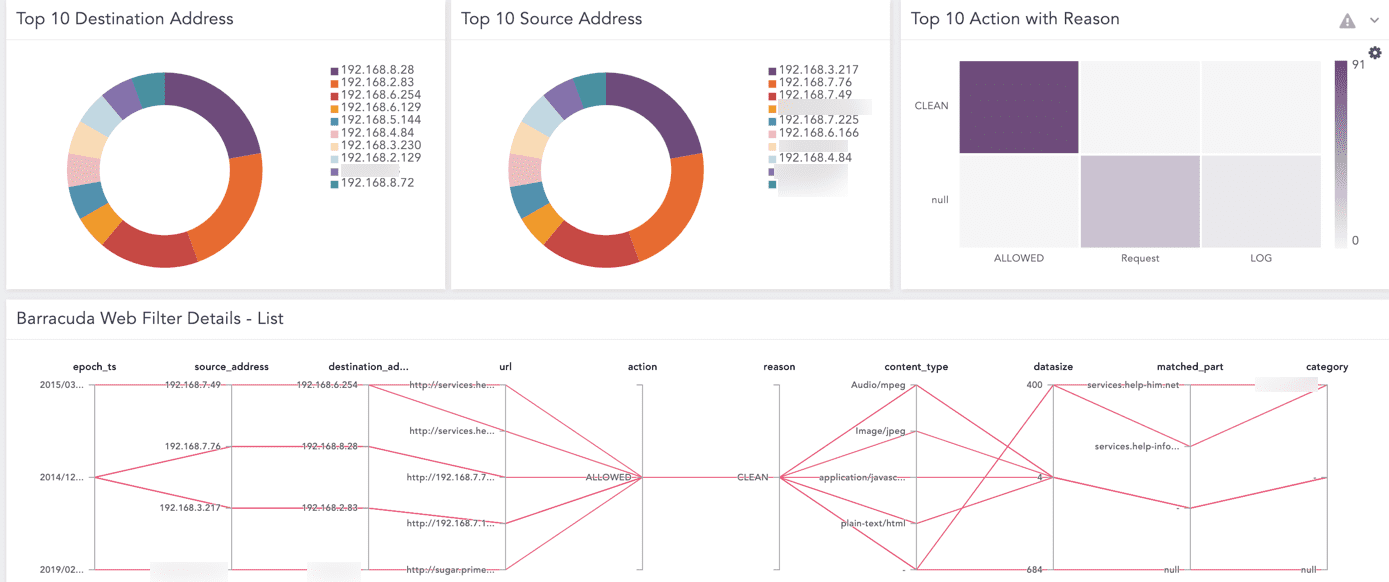
Barracuda Dashboard
Labels available in LP_Barracuda NG Firewall are:
Labels |
Description |
|---|---|
Allow |
Events with the Allow or LocalAllow action. |
Deny |
Events with the Deny or LocalDeny action. |
Drop |
Events with the Drop and LocalDrop action. |
Detect |
Events with the Detect or LocalDetect action. |
ARP |
Events with the ARP action. |
Normal, Operation |
Events with the Normal Operation message. |
Balance, Session, Idle, Timeout |
Events with the Balanced Session Idle Timeout message. |
Block, Rule |
Events with the Block by Rule message. |
Connection, Rese, Source |
Events with the Connection Reset by Source message. |
Session, Idle, Timeout |
Events with the Session Idle Timeout message. |
Connection, Reset |
Events with the Connection Reset by Destination message. |
Acknowledge, Timeout |
Events with the Last ACK Timeout message. |
TCP,Packet, Not, Active, Session |
Events with the TCP Packet Belongs to no Active Session message. |
ARP, Duplicate, MAC |
Events with the ARP reply duplicate and MAC differs message. |
ICMP, Packet, Ignore |
Events with the ICMP Packet is Ignored message. |
Connection, Timeout |
Events with the Connect Timeout message. |
Timeout |
Events with the Unreachable Timeout message. |
Block, Broadcast |
Events with the Block Broadcast message. |
Timeout |
Events with the Halfside Close Timeout message. |
Application, Control |
Events with the Application Control message. |
Detect, Not, Allow, Port |
Events with the Unallowed Port Protcol Detected message. |
Reverse, Routing, Interface, Mismatch |
Events with the Reverse Routing Interface Mismatch message. |
Accept, Timeout |
Events with the Accept Timeout message. |
TCP, Header, Invalid |
Events with the TCP Header has an Invalid SEQ Number message. |
IPS, Warning |
Events with the IPS Warning message. |
Drop, Not, Allow, Port, Detect |
Events with the Drop due to Unallowed Port Protocol message. |
MAC, Address, Change |
Events with the MAC Address Change message. |
Local, Socket, Not, Present |
Events with the No Local Socket Present message. |
Policy, Block, URL, Category |
Events with the URL Category Blocked by Policy message. |
Block, Not, Rule, Match |
Events with the Block no Rule Match message. |
Not, Active, Session, ICMP, Packet |
Events with the ICMP Packet Belongs to no Active Session message. |
TCP, Header, Invalid |
Events with the TCP Header has an Invalid ACK Number message. |
Internal, SSL, Error |
Events with the Internal SSL Error message. |
Invalid, Synchronization, Establish, TCP, Session |
Events with the Invalid SYN for Established TCP Session message. |
Drop, TCP, RST |
Events with the Drop guessed TCP RST message. |
IPS, Drop, Log |
Events with the IPS Drop Log message. |
IPS, Alert |
Events with the IPS Alert message. |
Block, Local, Loop |
Events with the Block Local Loop message. |
Terminate, Content |
Events with the Terminated due to content message. |
IP, Header, Incomplete |
Events with the IP Header is Incomplete message. |
Request, IPS, Policy, Terminate |
Events with the IPS Policy Requested Termination message. |
Duplicate, IP, Detect, Match |
Events with the Duplicate IP Detection Matched message. |
TCP, Header, Incomplete |
Events with the TCP Header is Incomplete message. |
TCP, Header, Checksum, Invalid |
Events with the TCP Header Checksum is Invalid message. |
TF-Sync |
Events with the TF-Sync message. |
Block |
Events with the Block or LocalBlock action. |
Remove |
Events with the Remove or LocalRemove action. |
Fail |
Events with the Remove or LocalRemove action. |
Labels available in LP_Barracuda Web Filter are:
Labels |
Description |
|---|---|
Allow |
Events with the ALLOWED action. |
Block |
Events with the BLOCKED action. |
Detect |
Events with the DETECTED action. |
Clean |
Events with the CLEAN reason. |
Virus |
Events with the VIRUS reason. |
Skyware |
Events with the SPYWARE reason. |