
To access the logs forwarded by the Cloud Connector to Logpoint SaaS:
The status of Cloud Connection should be Enabled.
The Connection status should be Connected.
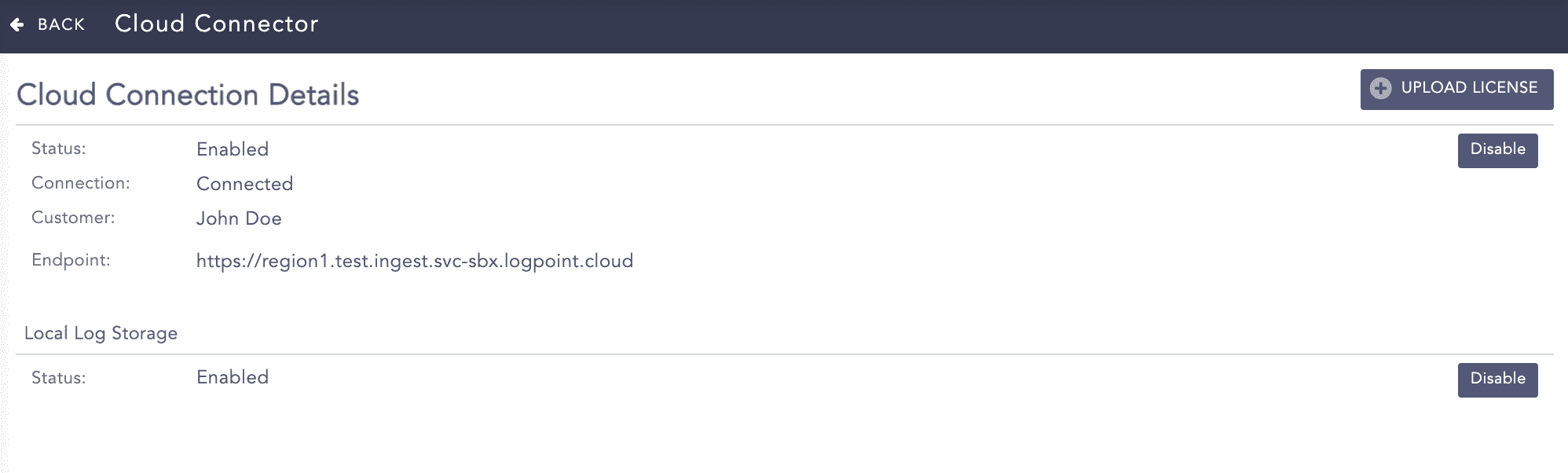
Connection Established with Logpoint SaaS.
When there is a slower network connection or connection failure, log forwarding stops, and logs are stored in a dedicated buffer storage in your on-premise disk storage. After the connection is restored, buffer-stored logs are forwarded in sequential order to Logpoint SaaS’s data ingestion endpoint. The logs are compressed before they are forwarded to minimize the network bandwidth requirement.
Default hardware requirements for Cloud Connector Appliance ensure that your device has enough disk space to store 1-day’s worth of data. This space is necessary to prevent data loss in case your device temporarily loses its connection to Cloud Service.
A warning message is generated every minute if your on-premise disk storage space drops to less than 10 GB.
Log forwarding and buffering stops if your on-premise disk storage space drops to less than 512 MB. LogPoint generates an audit log specifying there is insufficient disk space to store logs. LogPoint resumes the process when enough space becomes available.