
This section guides you through the process of retrieving your Integration Key, Secret Key, and API Hostname.
Go to the Duo login page and enter your credentials to access your account.
Click Applications to open the Applications panel.
Click Protect an Application.
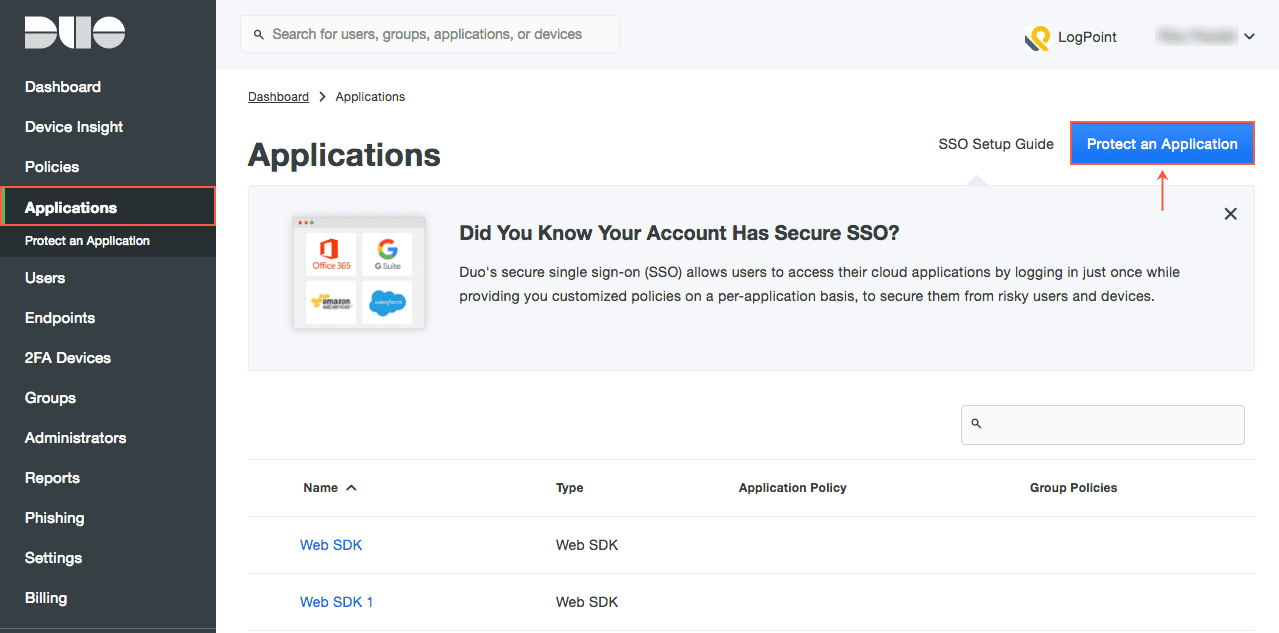
Applications Panel
Find “Web SDK” and click Protect this Application.
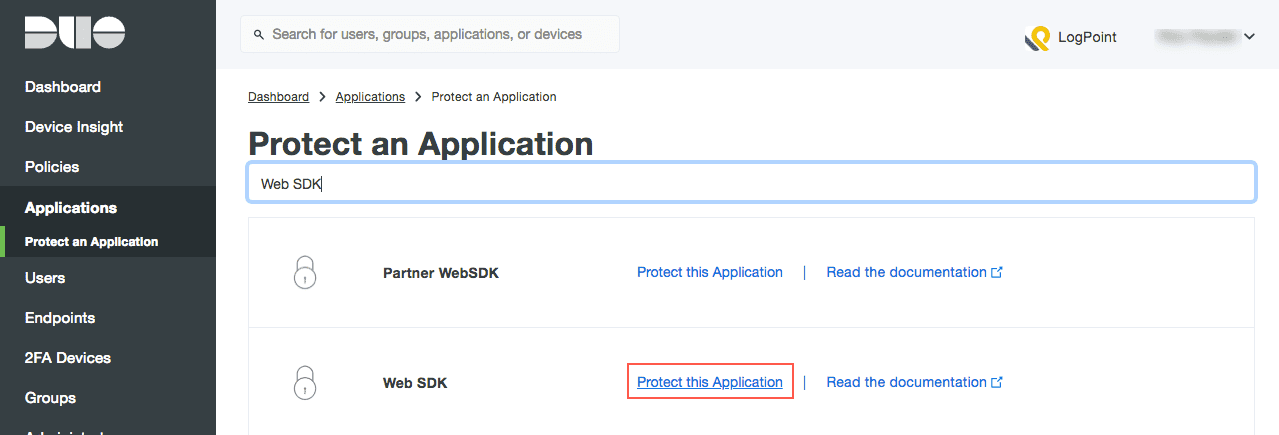
Protect an Application Panel
You can view your Integration Key, Secret Key, and API Hostname under the Details column.
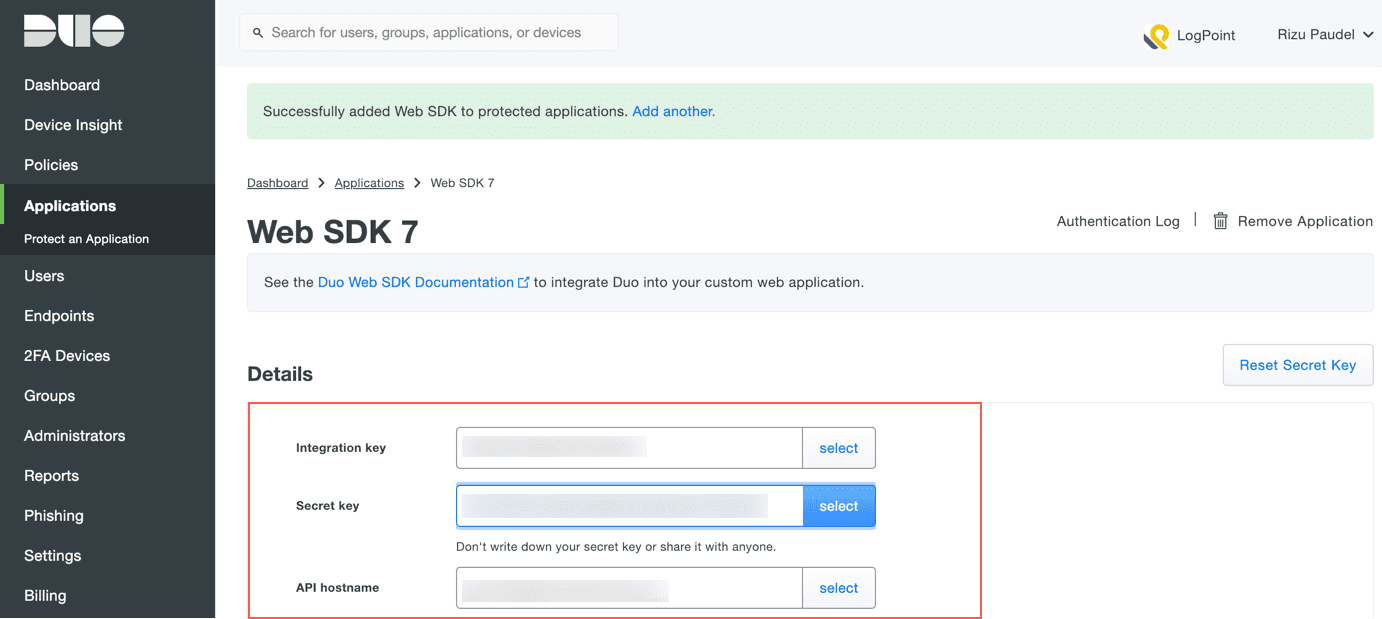
Details