
Go to the Logpoint login page.
Log in using your preferred authentication option.
Click Start setup.
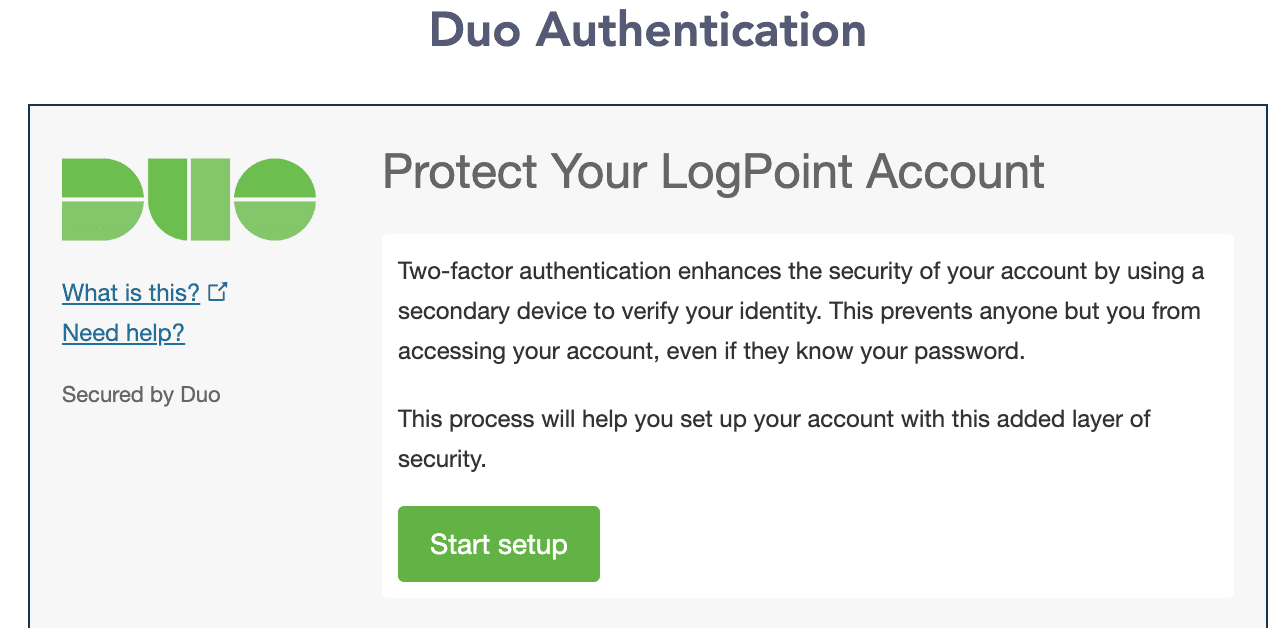
Duo Authentication
Select a device for two-factor authentication.
4.1. Select Mobile phone to get the One-Time Password (OTP) in it. We recommend using Mobile phone as your two-factor authentication device.
4.2. Select Tablet to install Duo Mobile on your tablet and get an One-Time Password (OTP) in it.
4.3. Select Landline to use a landline telephone for verification. Duo calls the landline to verify your identification.
4.4. Select Security Key to enroll a security key and log in using it.
4.5. Select Touch ID to enroll your fingerprint and log in using it.
Click Continue.
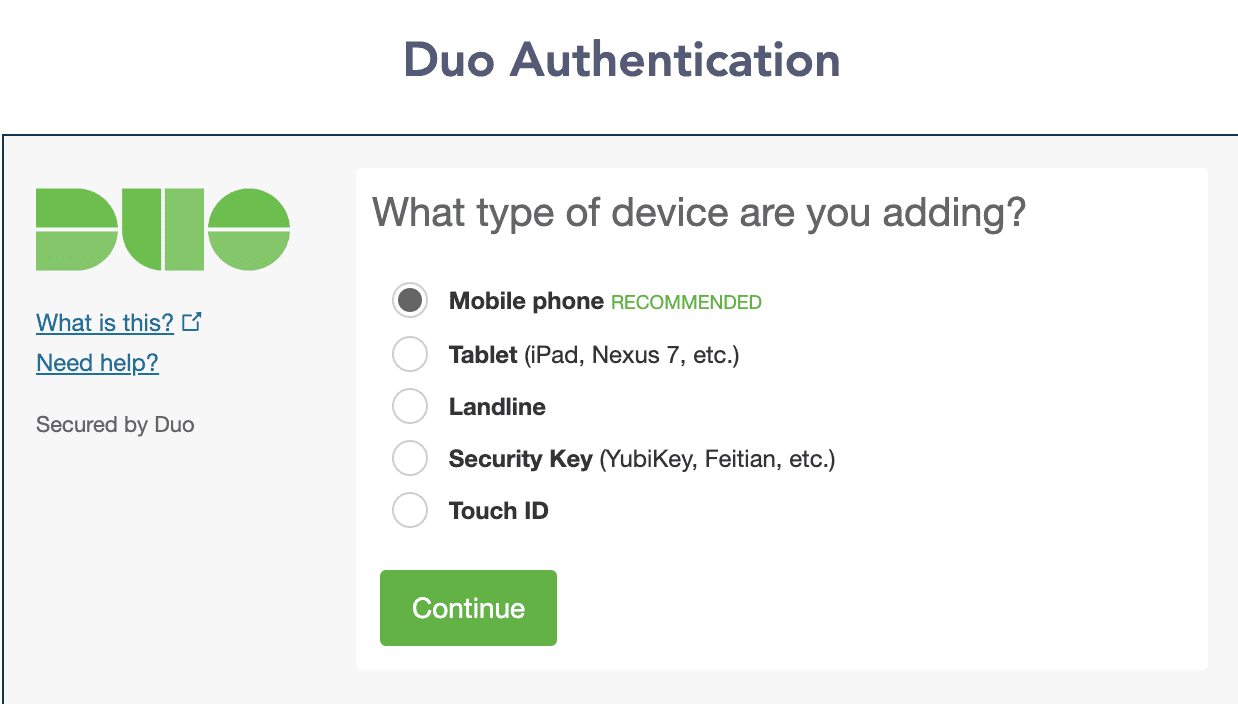
Adding a Device
Select a country.
Enter a phone number.
Select Is this the correct number to verify the number.
Click Continue.
Select the Type of Phone.
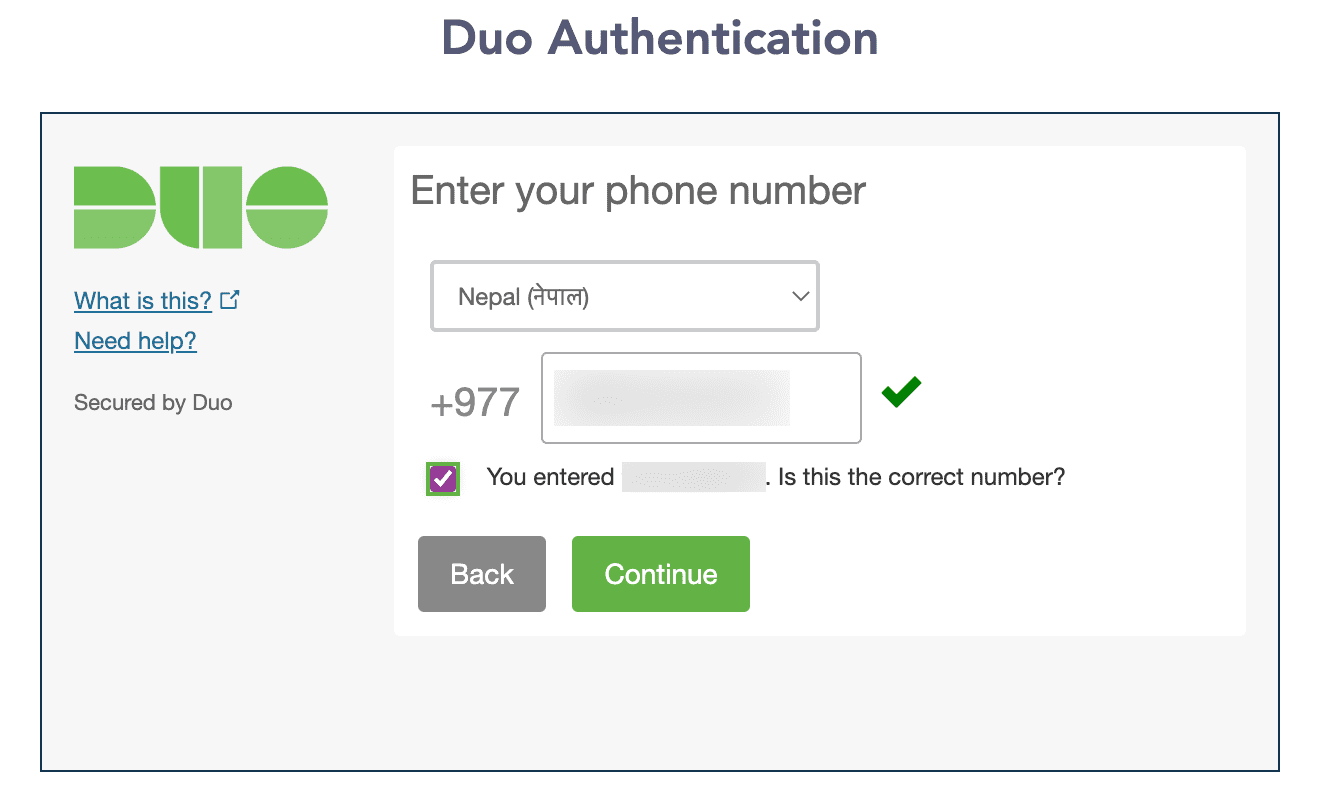
Entering Phone Number
Click Continue.
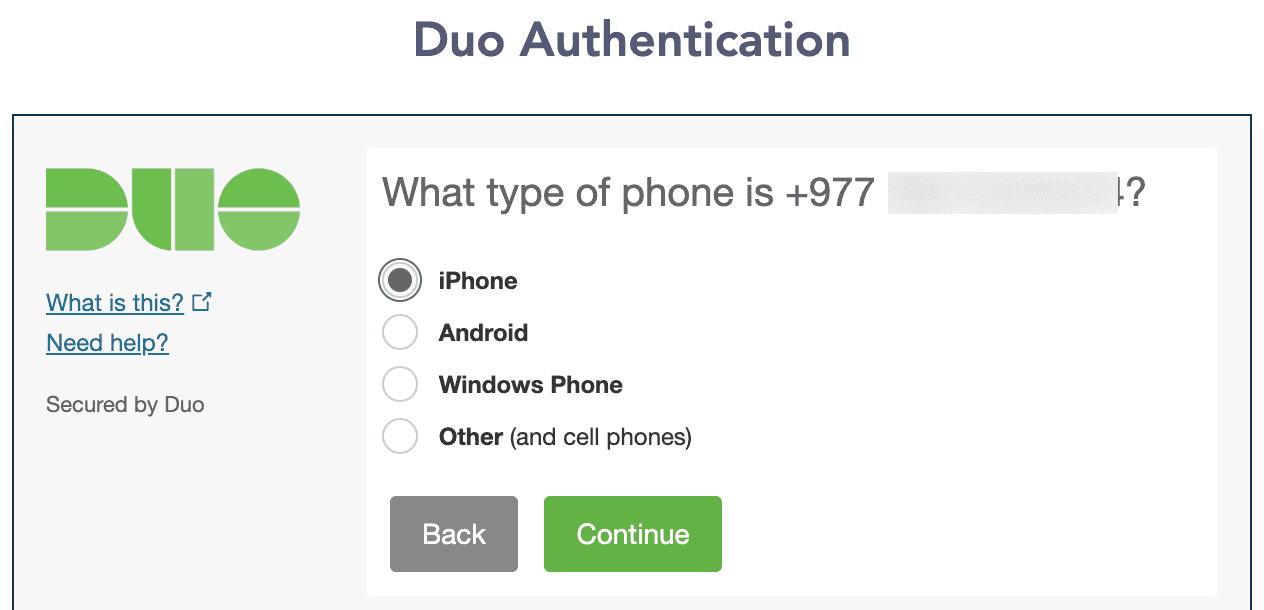
Type of Phone
Click Text me to receive a 6-digit code from Duo Security to verify the ownership of the phone number you have entered.
Enter your 6-digit code that you received from Duo Security via text message.
Click Continue.
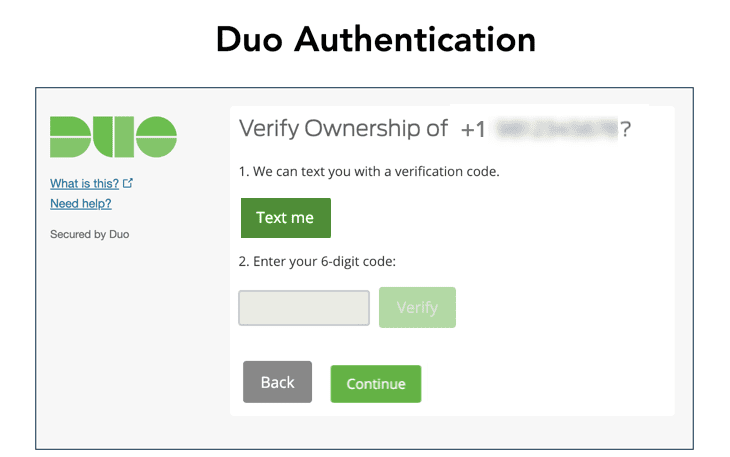
Verifying Ownership
Select Ask me to choose an authentication method in When I log in.
Click Continue to Login.
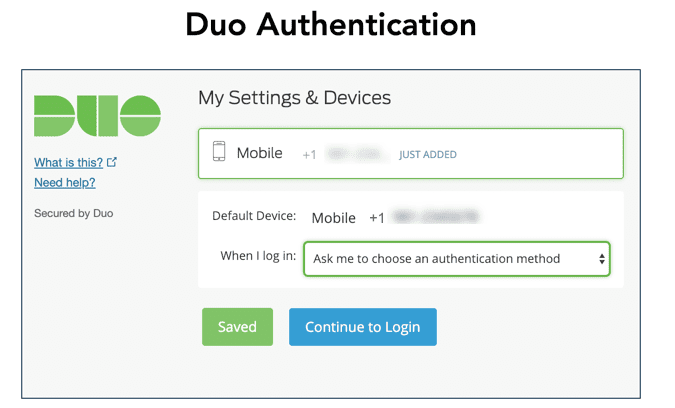
Continue to Login
Click Enter a Passcode.
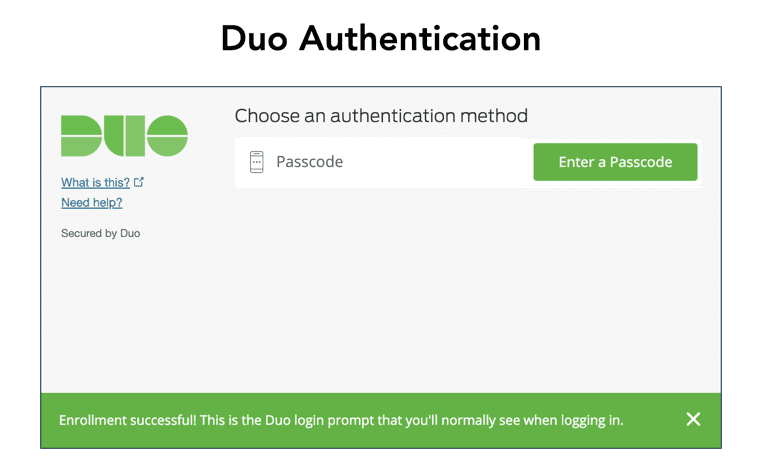
Entering Passcode
Click Text me new codes to receive an OTP from Duo Security.
Enter the OTP you received from Duo Security via text message as the passcode.
Click Log In.
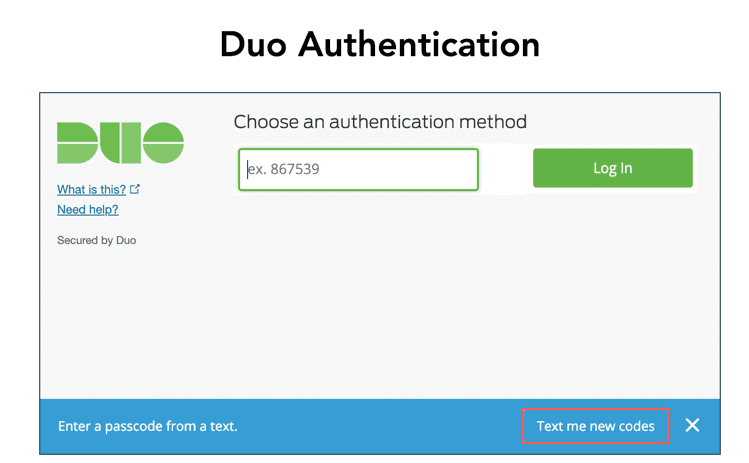
Duo Authentication