
The Relational expression is an expression that returns a boolean value, i.e., True or False, based on whether the relation specified by the relational operator is satisfied or not.
Generic syntax:
| process eval("identifier = first_operand relational_operator second_operand")
This function compares two operands. It returns True if the first operand is less than the second operand, else returns False.
Example:
| process eval("is_loss=Selling_price<cost_price")
| chart count() by Selling_price, cost_price, is_loss
The above example compares the values of the cost_price and Selling_price fields. It returns true in the is_loss identifier if the cost_price is less than the Selling_price, else returns false.
The chart count() command displays the count of the combination of cost_price and Selling_price values as a chart and in a tabular form.
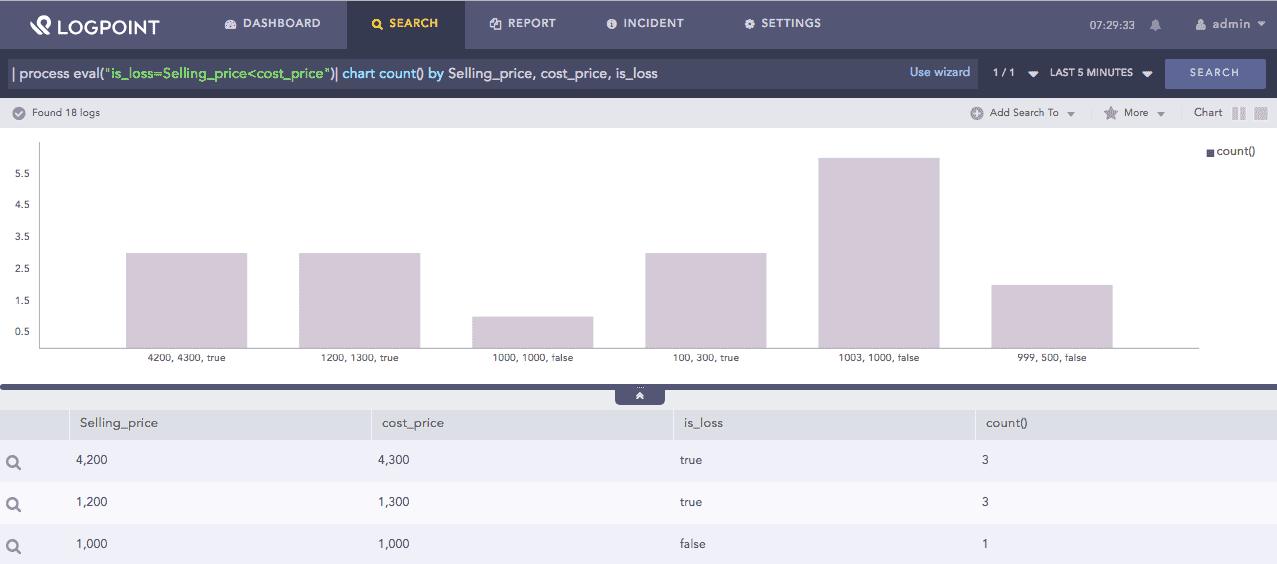
Less than function
This function compares two operands. It returns True if the first operand is greater than the second operand, else returns False.
Example:
| process eval("is_profit=Selling_price>cost_price")
| chart count() by Selling_price, cost_price, is_profit
The above example compares the values of the Selling_price and cost_price fields. It returns true in the is_profit identifier if the Selling_price is greater than the cost_price, else returns false.
The chart count() command displays the count of the combination of Selling_price, cost_price, and is_profit values as a chart and in a tabular form.
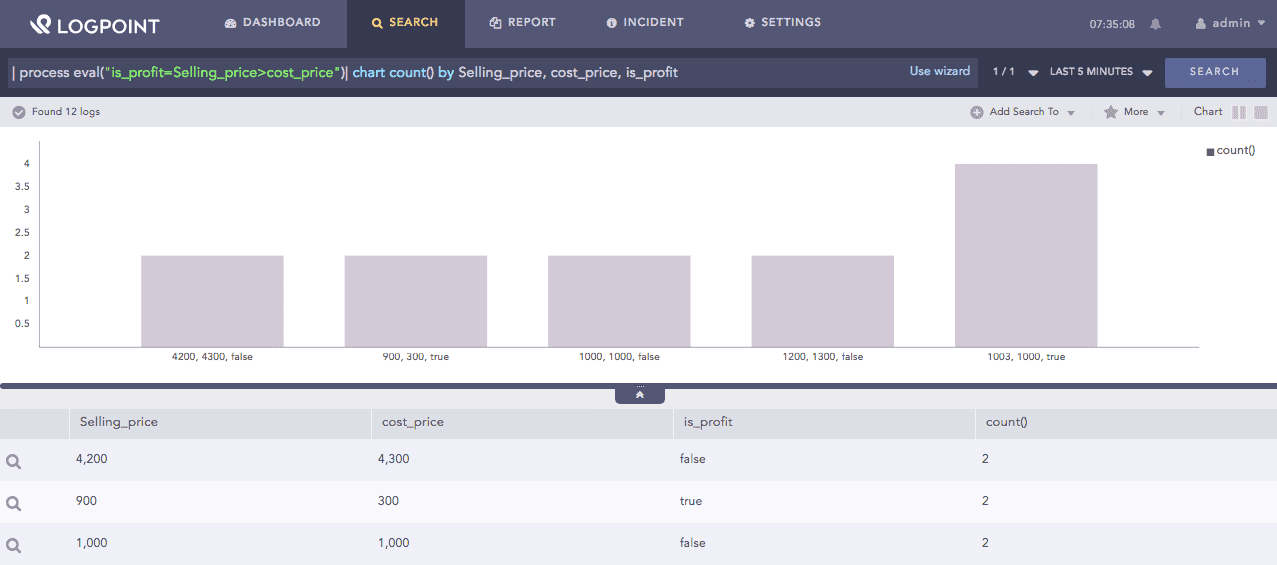
Greater than function
This function compares two operands. It returns True if the first operand is less than or equal to the second operand, else returns False.
Example:
| process eval("is_less_discount=discount<=50")
| chart count() by discount, is_less_discount
The above example compares the value of the discount field with 50. It returns true in the is_less_discount identifier if the discount is less than or equal to 50, else returns false.
The chart count() command displays the count of the combination of discount and is_less_discount values as a chart and in a tabular form.
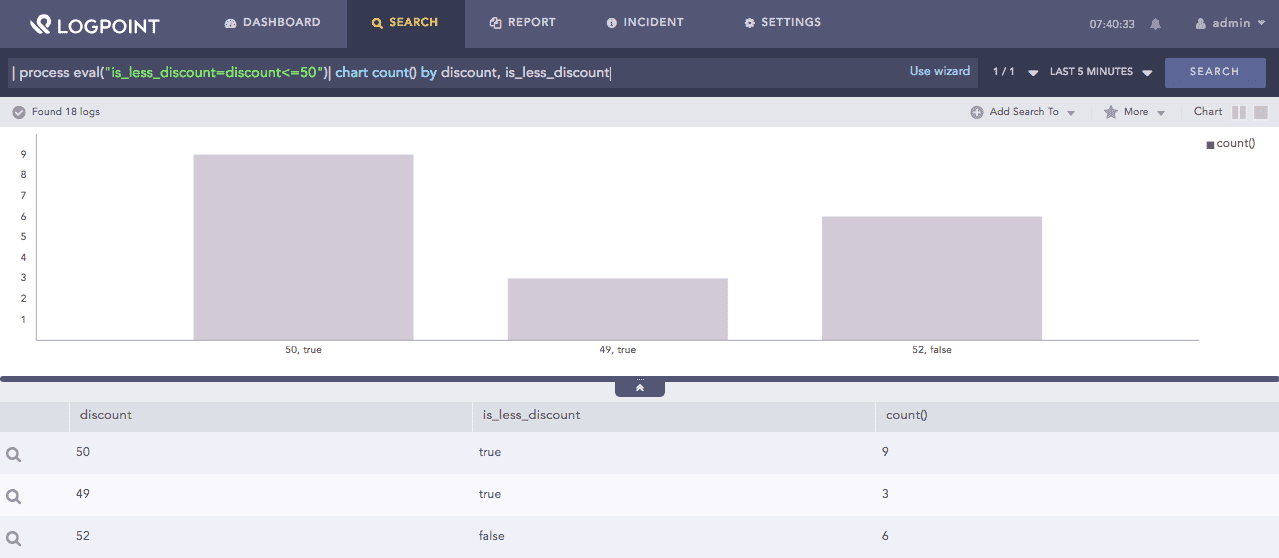
Less than or equals function
This function compares two operands. It returns True if the first operand is greater than or equal to the second operand, else returns False.
Example:
| process eval("is_more_discount=discount>=51")
| chart count() by discount, is_more_discount
The above example compares the value of the discount field with 51. It returns true in the is_more_discount identifier if the discount is greater than or equal to 51, else returns false.
The chart count() command displays the count of the combination of discount and is_more_discount values as a chart and in a tabular form.
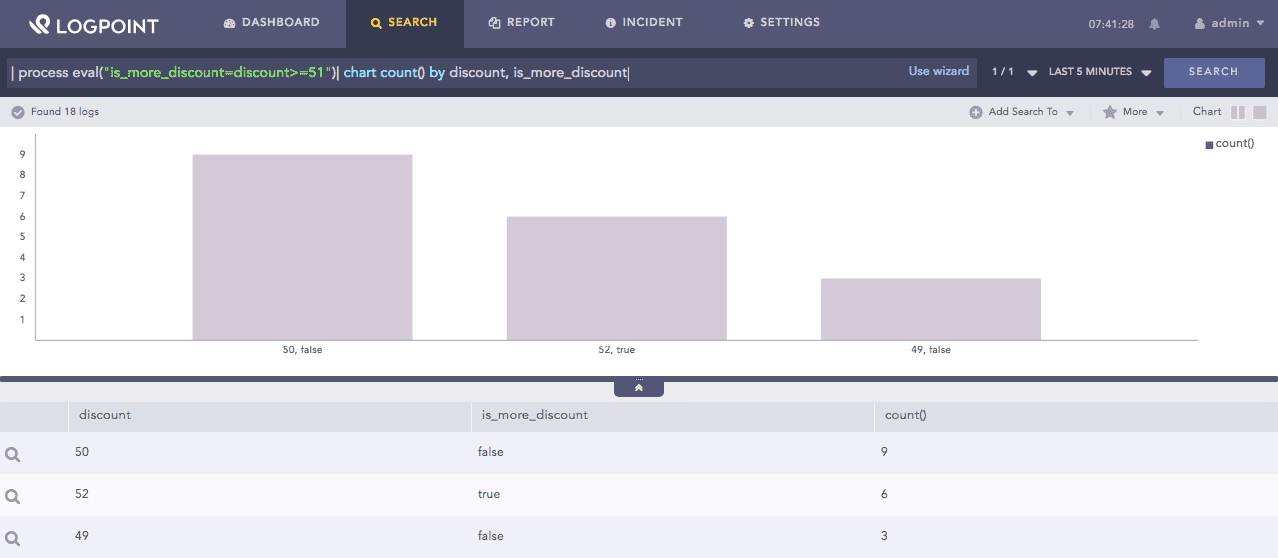
Greater than or equals function
This function compares two operands. It returns True if the first operand is not equal to the second operand, else returns False.
Example:
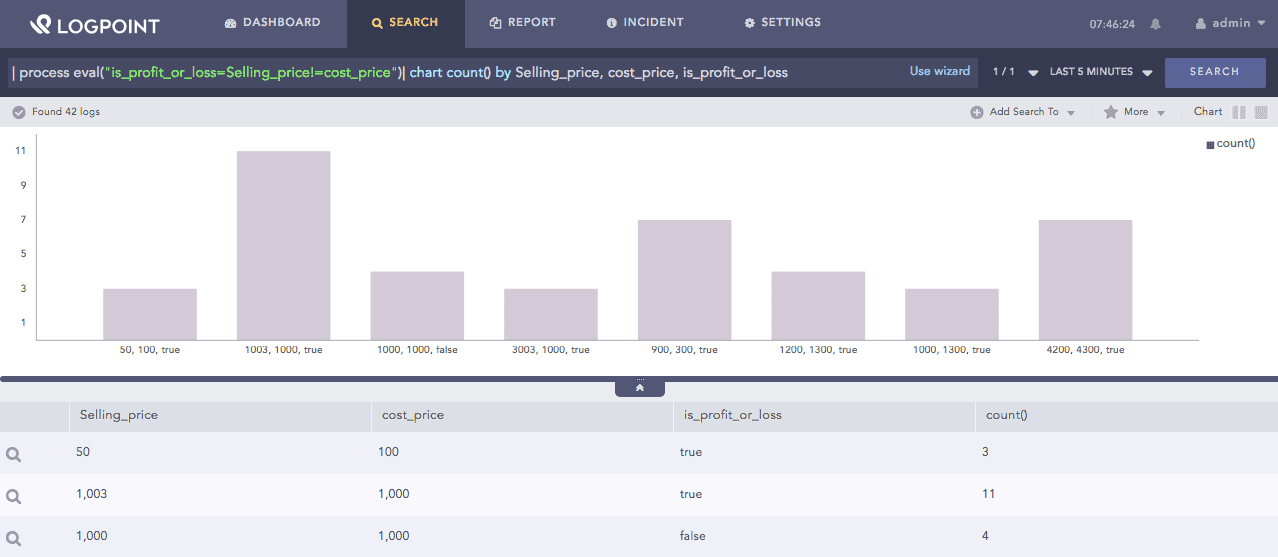
| process eval("is_profit_or_loss=Selling_price!=cost_price")
| chart count() by Selling_price, cost_price, is_profit_or_loss
The above example compares the value of the Selling_price field with the cost_price field. It returns true in the is_profit_or_loss identifier if the Selling_price is not equal to the cost_price, else returns false.
The chart count() command displays the count of the combination of Selling_price, cost_price, and is_profit_or_loss values as a chart and in a tabular form.
Not equals function
This function compares two operands. It returns True if the first operand is equal to the second operand, else returns False.
Example:
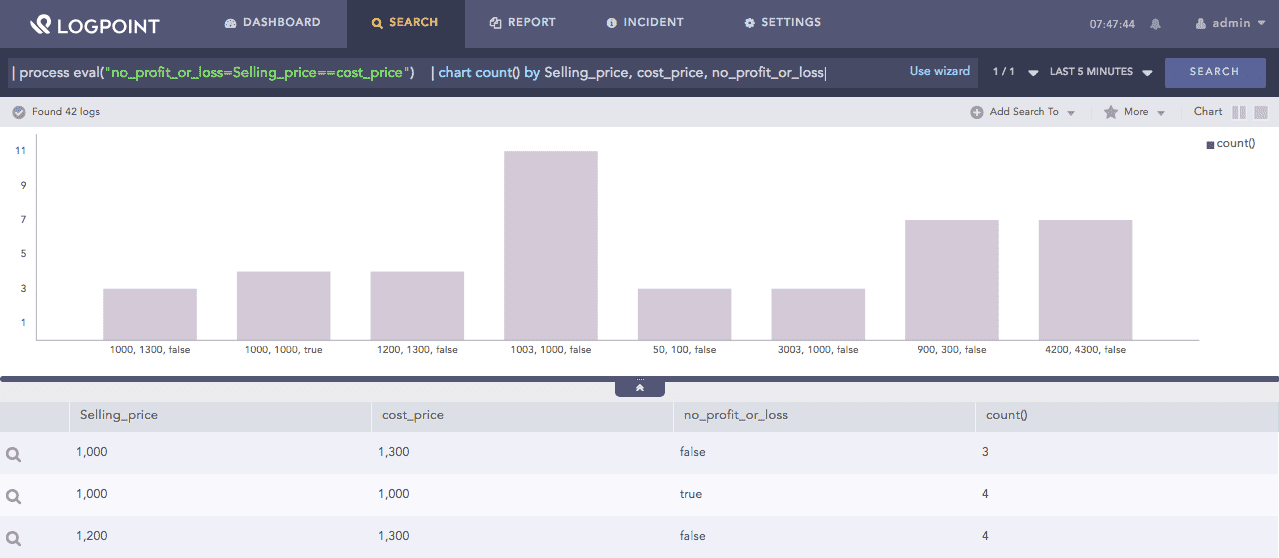
| process eval("no_profit_or_loss=Selling_price==cost_price")
| chart count() by Selling_price, cost_price, no_profit_or_loss
The above example compares the value of the Selling_price field with the cost_price field. It returns true in the no_profit_or_loss identifier if the Selling_price is equal to the cost_price, else returns false.
The chart count() command displays the count of the combination of Selling_price, cost_price, and no_profit_or_loss values as a chart and in a tabular form.
Equals function