
Evaluation Process Plugin installs the eval process command. This command evaluates mathematical, boolean and string expressions during a Logpoint search and adds the evaluation result in an identifier as a new field.
When you use the eval process command, make sure
Identifier name is not the same as an existing field name. If it is, Logpoint discards the value of the identifier.
When using a string value in an eval expression, always place the string within single quotes (‘’).
Eval expressions use an existing key from an event.
Invalid expression or syntax mismatches do not generate an exception or error.
Syntax:
| process eval("identifier=expression")
Identifier: Contains the result of evaluating expressions.
Expression: A combination of numbers, variables, operators, functions, brackets and punctuation marks grouped to represent a value.
Example:
| process eval("Revenue=unit_sold*Selling_price")
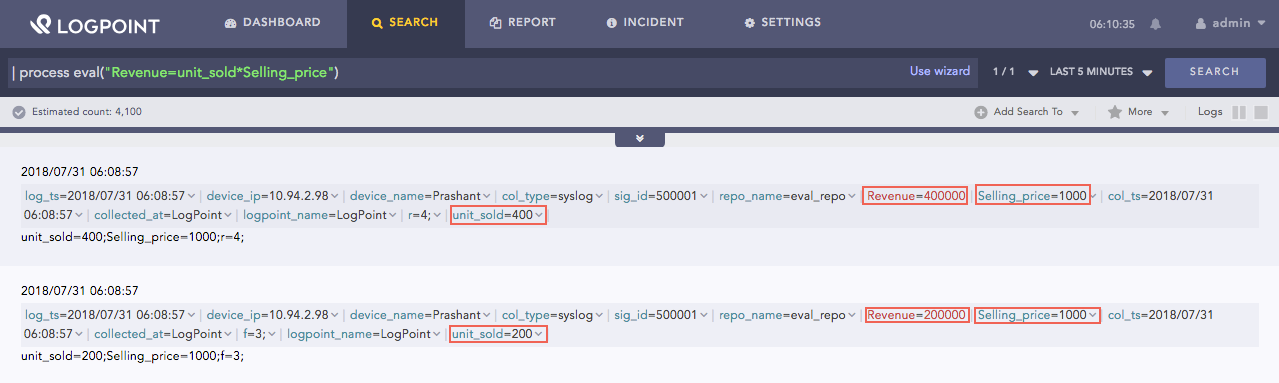
Using eval Expression
Here, the query calculates the value of Revenue by multiplying the values of unit_sold and Selling_price.