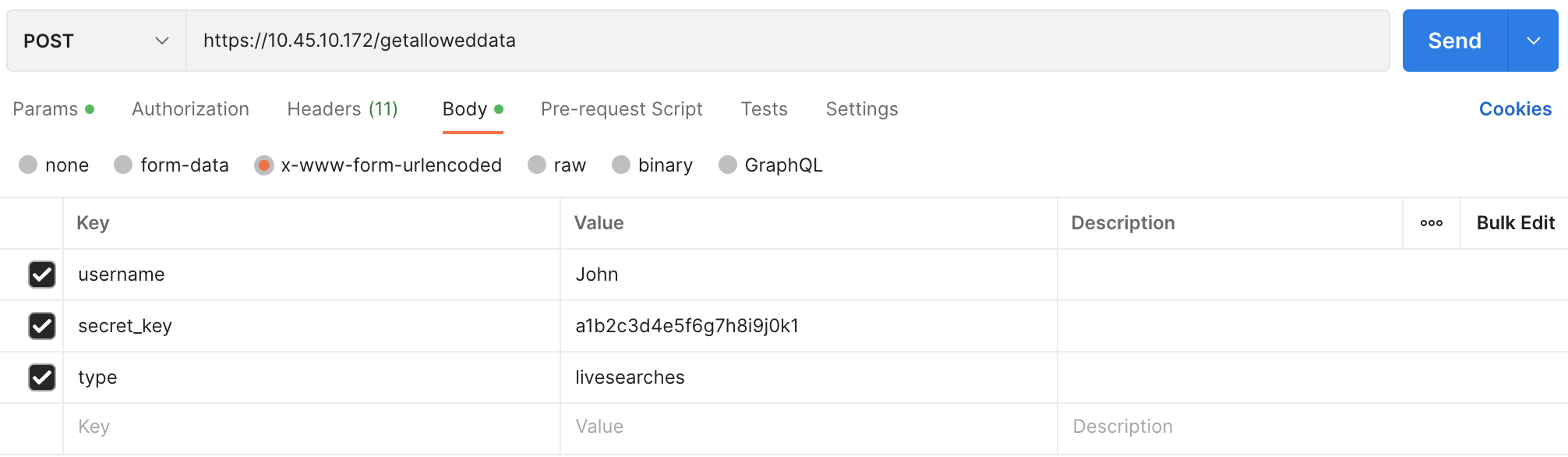
You can retrieve information about your Logpoint using getalloweddata. It has five API actions and two mandatory parameters: username and secret_key. They are required for Authorization and Authentication. It includes an additional parameter, type, which specifies the type of information to be retrieved from Logpoint.
While the following endpoints use the POST method, they function as GET.
API Action |
Request Type |
Additional Parameter |
Parameter Value |
|---|---|---|---|
POST |
type |
user_preference |
|
POST |
type |
loginspects |
|
POST |
type |
logpoint_repos |
|
POST |
type |
devices |
|
POST |
type |
livesearches |
To retrieve timezone and date and time format.
POST
https://Logpoint-IP/getalloweddata
Parameter |
Value Type |
Description |
|---|---|---|
username |
String |
Logpoint username |
secret_key |
String |
Access key to uniquely identify an authorized user. Go to Finding the Access Key for information on retrieving it. |
type |
String |
An identifier for the API action. Its value must be user_preference. |
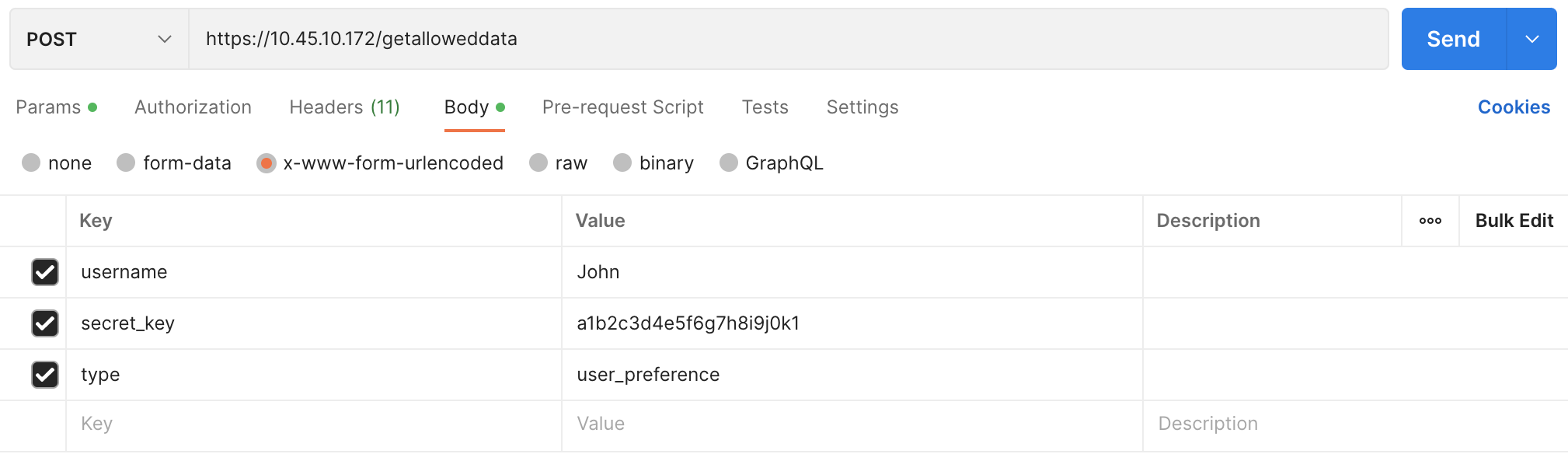
Parameters are data sent along with the request to retrieve information. It should be included in the request body as x-www-form-urlencoded. Content-Type, Content-Length, and Host must be passed in the request header. Content-Type should be application/x-www-form-urlencoded.
{
        "username" : "John",
        "secret_key" : "a1b2c3d4e5f6g7h8i9j0k1",
        "type" : "user_preference"
}
curl --location 'https://10.45.10.172/getalloweddata' \
--header 'Content-Type: application/x-www-form-urlencoded' \
--data-urlencode 'username=John' \
--data-urlencode 'secret_key=a1b2c3d4e5f6g7h8i9j0k1' \
--data-urlencode 'type=user_preference'
{
        "success": true,
        "timezone": "UTC",
        "date_format": "%Y/%m/%d",
        "hour_format": "24 Hour"
}
Response Parameters |
Value Type |
Description |
|---|---|---|
success |
Boolean |
Returns True if the API call is successful; otherwise it returns False. |
timezone |
String |
Returns the timezone associated with the user’s settings. |
date_format |
String |
Returns the format associated with the user’s settings. The format %Y/%m/%d represents the date as a four-digit year, month, and day separated by slashes. (Example: 2024/09/18) |
hour_format |
String |
Returns the format associated with the user’s settings. |
To retrieve name and IP address of all the Logpoint configured in a distributed setup.
POST
https://Logpoint-IP/getalloweddata
Parameter |
Value Type |
Description |
|---|---|---|
username |
String |
Logpoint username |
secret_key |
String |
Access key to uniquely identify an authorized user. Go to Finding the Access Key for information on retrieving it. |
type |
String |
An identifier for the API action. Its value must be loginspects. |
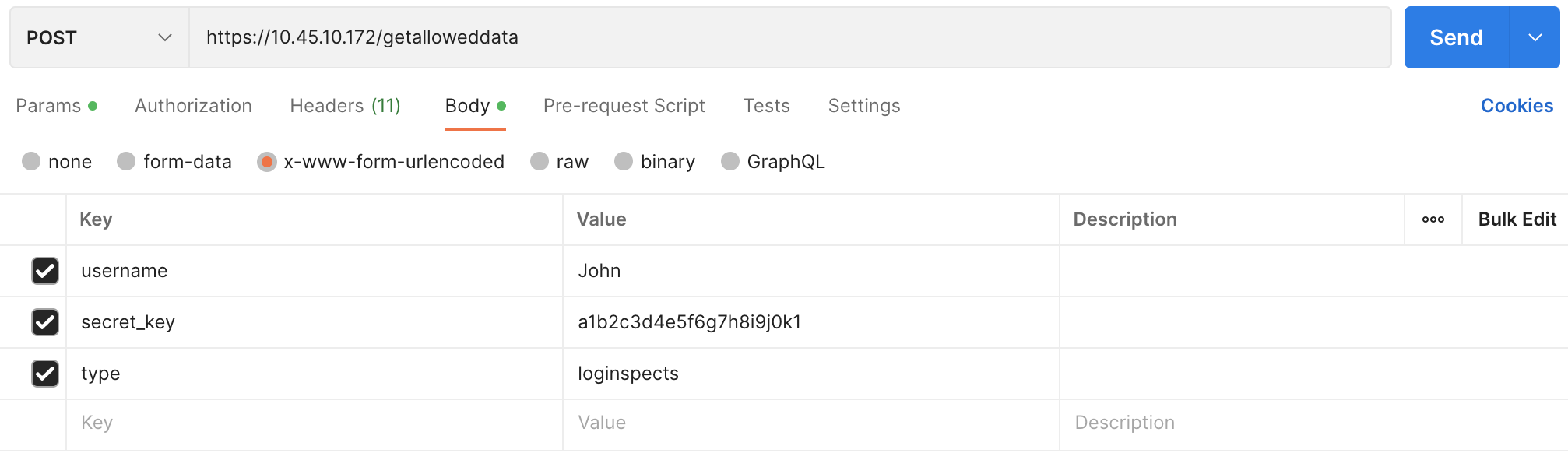
Parameters are data sent along with the request to retrieve information. It should be included in the request body as x-www-form-urlencoded.
{
        "username" : "John",
        "secret_key" : "a1b2c3d4e5f6g7h8i9j0k1",
        "type" : "loginspects"
}
curl --location 'https://10.45.10.172/getalloweddata' \
--header 'Content-Type: application/x-www-form-urlencoded' \
--data-urlencode 'username=John' \
--data-urlencode 'secret_key=a1b2c3d4e5f6g7h8i9j0k1' \
--data-urlencode 'type=loginspects'
{
        "success": true,
        "allowed_loginspects": [
        {
                "name": "Logpoint",
                "ip": "127.0.0.1"
        }
        ]
}
Response Parameters |
Value Type |
Description |
|---|---|---|
success |
Boolean |
Returns True if the API call is successful; otherwise it returns False. |
allowed_loginspects |
Array |
Returns a list of Logpoint name and their IP address configured in the distributed setup. |
To retrieve name and IP address of all the repos configured in a Logpoint.
POST
https://Logpoint-IP/getalloweddata
Parameter |
Value Type |
Description |
|---|---|---|
username |
String |
Logpoint username |
secret_key |
String |
Access key to uniquely identify an authorized user. Go to Finding the Access Key for information on retrieving it. |
type |
String |
An identifier for the API action. Its value must be logpoint_repos. |
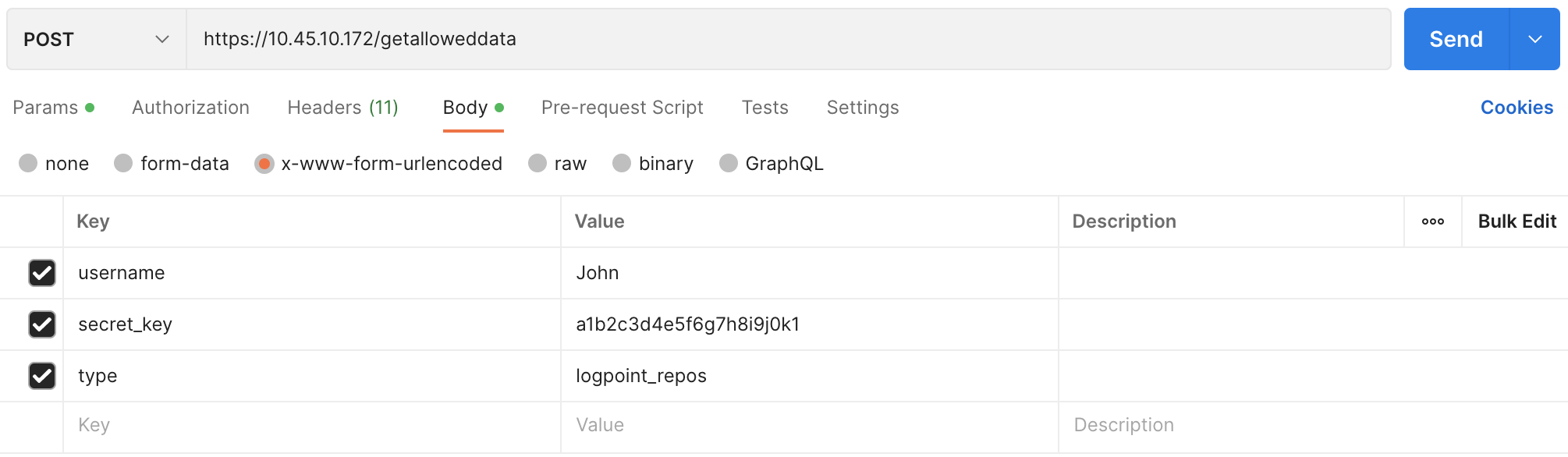
Parameters are data sent along with the request to retrieve information. It should be included in the request body as x-www-form-urlencoded.
{
        "username" : "John",
        "secret_key" : "a1b2c3d4e5f6g7h8i9j0k1",
        "type" : "logpoint_repos"
}
curl --location 'https://10.45.10.172/getalloweddata' \
--header 'Content-Type: application/x-www-form-urlencoded' \
--data-urlencode 'username=John' \
--data-urlencode 'secret_key=a1b2c3d4e5f6g7h8i9j0k1' \
--data-urlencode 'type=logpoint_repos'
{
        "success": true,
        "allowed_repos": [
                {
                        "repo": "default",
                        "address": "127.0.0.1:5504/default"
                },
                {
                        "repo": "_Logpoint",
                        "address": "127.0.0.1:5504/_Logpoint"
                }
                ....
                ....
                ],
        "Logpoint": [
                {
                        "name": "Logpoint",
                        "ip": "127.0.0.1"
                }
        ]
}
Response Parameters |
Value Type |
Description |
|---|---|---|
success |
Boolean |
Returns True if the API call is successful; otherwise it returns False. |
allowed_repos |
Array |
Returns a list of name and IP address of all the repos configured in a Logpoint. |
To retrieve name and IP address of all the devices configured in a Logpoint.
POST
https://Logpoint-IP/getalloweddata
Parameter |
Value Type |
Description |
|---|---|---|
username |
String |
Logpoint username |
secret_key |
String |
Access key to uniquely identify an authorized user. Go to Finding the Access Key for information on retrieving it. |
type |
String |
An identifier for the API action. Its value must be devices. |
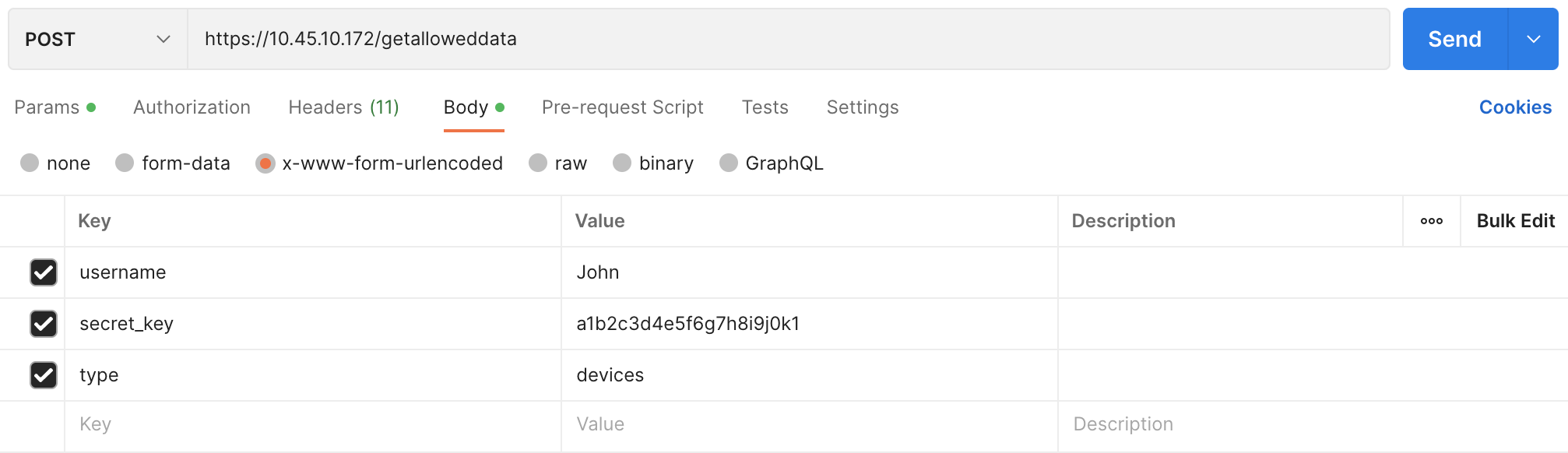
Parameters are data sent along with the request to retrieve information. It should be included in the request body as x-www-form-urlencoded.
{
        "username" : "John",
        "secret_key" : "a1b2c3d4e5f6g7h8i9j0k1",
        "type" : "devices"
}
curl --location 'https://10.45.10.172/getalloweddata' \
--header 'Content-Type: application/x-www-form-urlencoded' \
--data-urlencode 'username=John' \
--data-urlencode 'secret_key=a1b2c3d4e5f6g7h8i9j0k1' \
--data-urlencode 'type=devices'
{
        "success": true,
        "allowed_devices": [
                {
                        "127.0.0.1/127.0.0.1": "localhost",
                        "127.0.0.1/::1": "localhost",
                        "127.0.0.1/10.45.3.107": "107"
                }
                ],
        "Logpoint": [
                {
                        "name": "Logpoint",
                        "ip": "127.0.0.1"
                }
        ]
}
Response Parameters |
Value Type |
Description |
|---|---|---|
success |
Boolean |
Returns True if the API call is successful; otherwise it returns False. |
allowed_devices |
Array |
Returns a list of name and IP address of all the devices configured in a Logpoint. |
To retrieve information related to the live searches performed for dashboards and alerts.
POST
https://Logpoint-IP/getalloweddata
Parameter |
Value Type |
Description |
|---|---|---|
username |
String |
Logpoint username |
secret_key |
String |
Access key to uniquely identify an authorized user. Go to Finding the Access Key for information on retrieving it. |
type |
String |
An identifier for the API action. Its value must be livesearches. |
Parameters are data sent along with the request to retrieve information. It should be included in the request body as x-www-form-urlencoded.
{
        "username" : "John",
        "secret_key" : "a1b2c3d4e5f6g7h8i9j0k1",
        "type" : "livesearches"
}
curl --location 'https://10.45.10.172/getalloweddata' \
--header 'Content-Type: application/x-www-form-urlencoded' \
--data-urlencode 'username=John' \
--data-urlencode 'secret_key=a1b2c3d4e5f6g7h8i9j0k1' \
--data-urlencode 'type=livesearches'
{
        "success": true,
        "livesearches": [
                {
                        "searchname": "device_ip",
                        "description": "",
                        "query": "| chart count() by device_ip",
                        "query_info": {
                                "fieldsToExtract": [],
                                "aliases": [
                                        "count()"
                                ],
                                "success": true,
                                "query_filter": "",
                                "columns": [
                                        "count()"
                                ],
                                "query_type": "chart",
                                "lucene_query": "",
                                "grouping": [
                                        "device_ip"
                                ]
                        },
                        "timerange_day": 0,
                        "timerange_hour": 0,
                        "timerange_minute": 1,
                        "timerange_second": 0,
                        "limit": 100,
                        "tid": "",
                        "generated_by": "dashboard",
                        "vid": "",
                        "flush_on_trigger": false,
                        "life_id": "3287dec3b4012b50f63e15fd6cbe6f77dc56aa4b"
                        }
                ]
}
Response Parameters |
Value Type |
Description |
|---|---|---|
success |
Boolean |
Returns True if the API call is successful; otherwise it returns False. |
livesearches |
Array of objects |
Returns an array of live search details performed on the dashboard or alert. |
searchname |
String |
Name of the live search. |
description |
String |
Information about the live search |
query |
Object |
The search query executed in Logpoint |
query_info |
String |
Contains metadata of the search query, including extracted fields, aliases, filter criteria, and query type. |
fieldsToExtract |
Array of strings |
Lists fields extracted from the data during the live search. |
aliases |
Array of strings |
Defines aliases used in the search query, if any. |
query_filter |
String |
Specifies any filters applied to the query. |
columns |
Array of strings |
Lists the columns returned by the query, such as count(). |
query_type |
String |
Defines the type of query executed (Example: chart). |
lucene_query |
String |
Represents any Lucene query filters applied to the data. |
grouping |
Array of strings |
Specifies fields used to group the search results (Example: device_ip). |
timerange_day |
Integer |
Specifies the day range of the live search data. |
timerange_hour |
Integer |
Specifies the hour range of the live search data. |
timerange_minute |
Integer |
Specifies the minute range of the live search data. |
timerange_second |
Integer |
Specifies the second range of the live search data. |
limit |
Integer |
Defines the maximum number of records that the live search query will return. |
tid |
String |
The task ID associated with the live search, if applicable. |
generated_by |
String |
The origin of the live search, such as dashboard. |
vid |
String |
View ID associated with the live search, if applicable. |
flush_on_trigger |
Boolean |
Returns True if the live search flushes data when triggered; otherwise, it returns False. |
life_id |
String |
A unique identifier associated with the live search session. |