
The User-defined Lists API allows you to retrieve and view values that can be used to filter search query results and import a static list. You must create a JWT using the following scope to use the alert rule API. Go to Creating a JSON Web Token for more information.
Scope name |
Function |
|---|---|
search:read |
|
search:write |
To list the user-defined lists, use /UserDefinedList/lists_api.
Endpoint URL
Method
GET
Request Header
Authorization = Bearer <TOKEN>
Parameters
Parameters are data sent with the API request. You must include them in parameters as Key and Value.
Field |
Type |
Description |
|---|---|---|
limit |
integer |
The number of user-defined lists to display. By default, it is 25. Optional Field. |
page |
integer |
The user-defined lists page to display. By default, it is 1. Optional Field. |
return_all_data |
boolean |
Whether to display all user-defined lists. By default, it is false. Optional Field. |
Request Example:
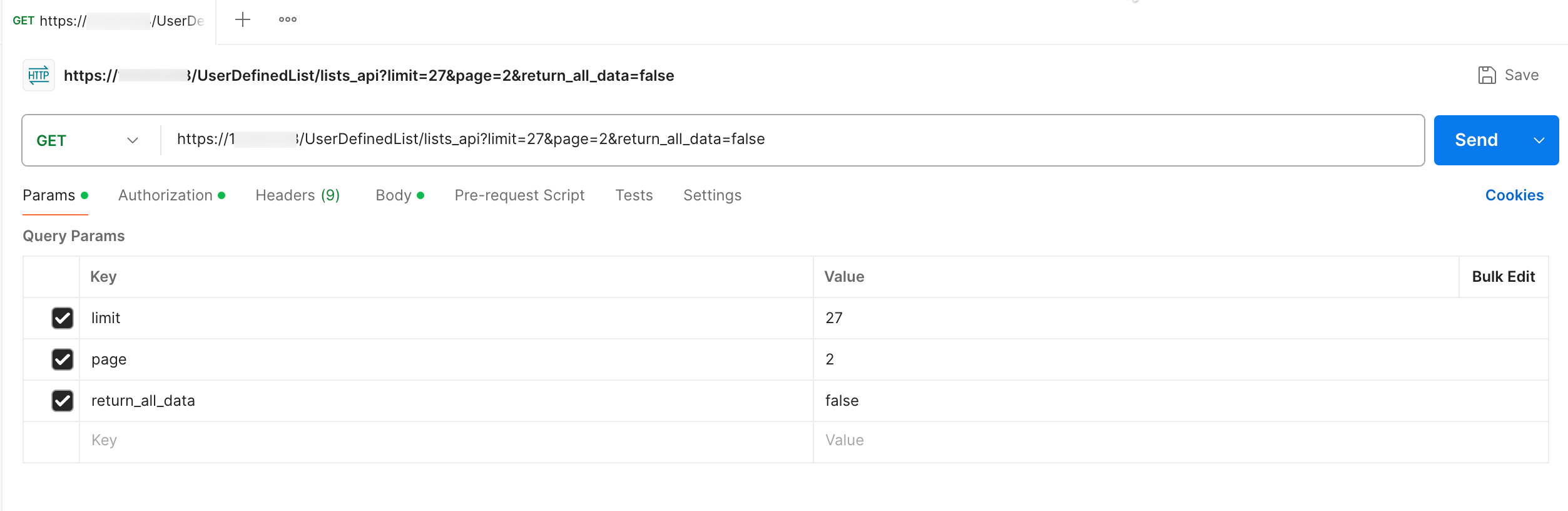
List User-Defined Lists using Postman
A successful response returns an HTTP status code 200.
Success Response:
{
    "rows": [
        {
        "name": "QBOT_DOMAINS",
        "vid": "VID_1234",
        "list_type": "static_list",
        "id": "67f8ae6fbe9edae2fcfbc1ee"
        }
    ],
    "total": 1
}
To import static list, use /UserDefinedList/import_api.
Endpoint URL
Method
POST`
Request Headers
Content-Type = multipart/form-data
Authorization = Bearer <TOKEN>
Parameters
Parameters are data sent with the API request. You must include them in the request body as form-data. Only one file can be imported at a time.
Field |
Type |
Description |
|---|---|---|
package_import_name |
string |
Name of the list to be imported. Mandatory Field. |
package_import |
file |
Static list to be imported: CSV or TXT. Mandatory Field. |
Request Example:
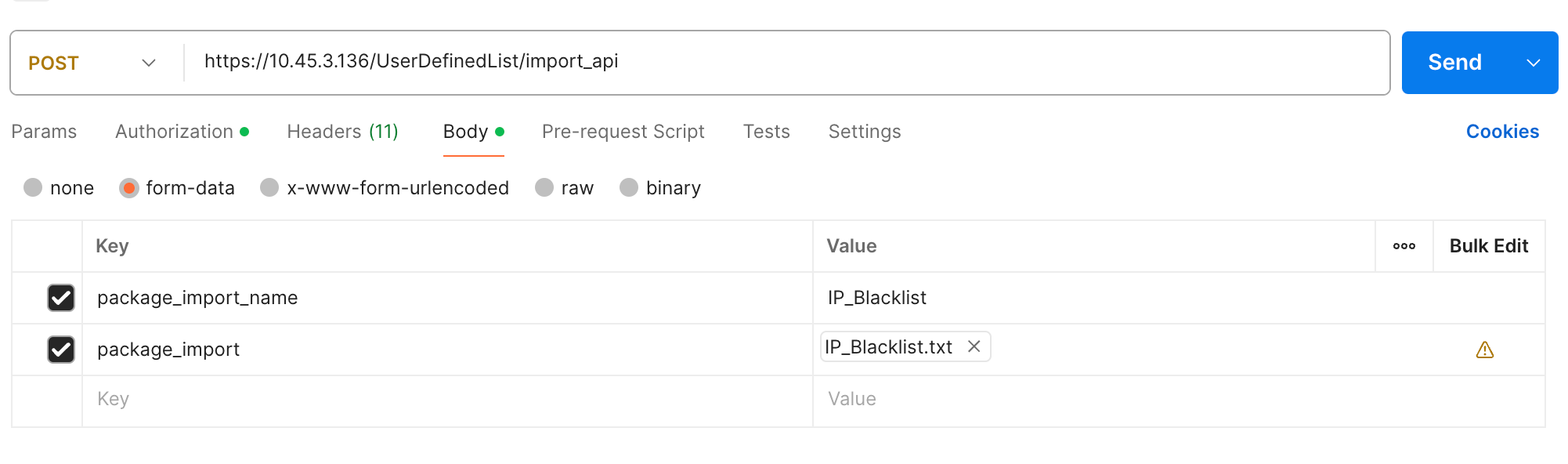
Import Static Lists using Postman
A successful response returns an HTTP status code 200, and a validation error returns a 422 status code. For a validation error, the response body includes errors in a nested format, allowing you to identify the error field.
Success Response:
{
    "success": true,"summary":"string","message": "string"
}
Validation Error Response:
{
    "success": false,
    "message": "{string}"
}