
Logpoint v7.6.0 or later
Debian x86_64
Windows 64-bit
Windows Server 2016 / 2019 / 2022
Windows 10 / Windows 10 Pro / Windows 11 / Windows 11 Pro
Linux Operating System - Ubuntu 22.04, 20.04 and 18.04
AgentX uses the following ports of Logpoint that are opened by default:
Port |
Direction |
Function |
|---|---|---|
Port 1514 |
Agent to Logpoint |
TCP port used to transfer data from Windows or Linux to Logpoint and sync configuration files. |
Port 1515 |
Agent to Logpoint |
TCP port used to register Windows or Linux to Logpoint. |
Port 55000 (on Logpoint) |
Logpoint(localhost) to Logpoint(localhost) |
Internally used by Logpoint to connect to AgentX server (There is no need to adjust external firewall for it). |
Port 1516 (on Logpoint) |
Logpoint worker node to Logpoint master node |
TCP port used to connect worker node Logpoint to master node Logpoint in cluster service |
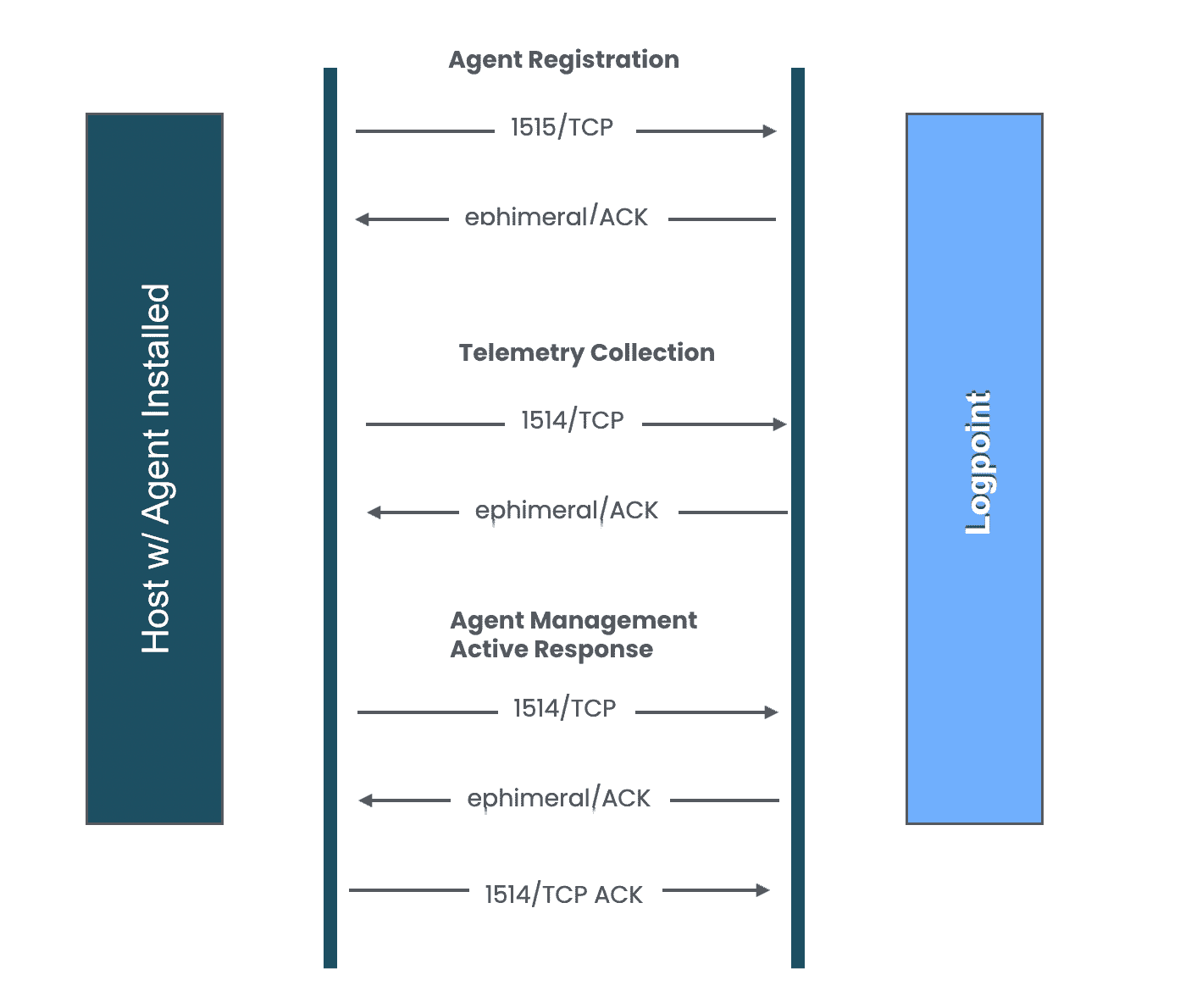
Communication between AgentX Server and Agent Client
AgentX consists of AgentX Manager, AgentX Client, OSSEC, osquery, AgentX Server, AgentXKB and Playbooks. All these, except for OSSEC and osquery, must be downloaded from the Help Center and installed. After the installation, you must also configure AgentX Manager.
Installation/Upgrade Flow For AgentX
Install AgentX Server in Logpoint.
Install AgentX Manager in Logpoint.
Install AgentX KB in Logpoint.
Configure AgentX Manager in Logpoint
Install AgentX Client in endpoints:
5.1. Windows
5.2. Debian Linux