
You can monitor the status of each playbook run and its actions from the Playbooks Monitoring page.
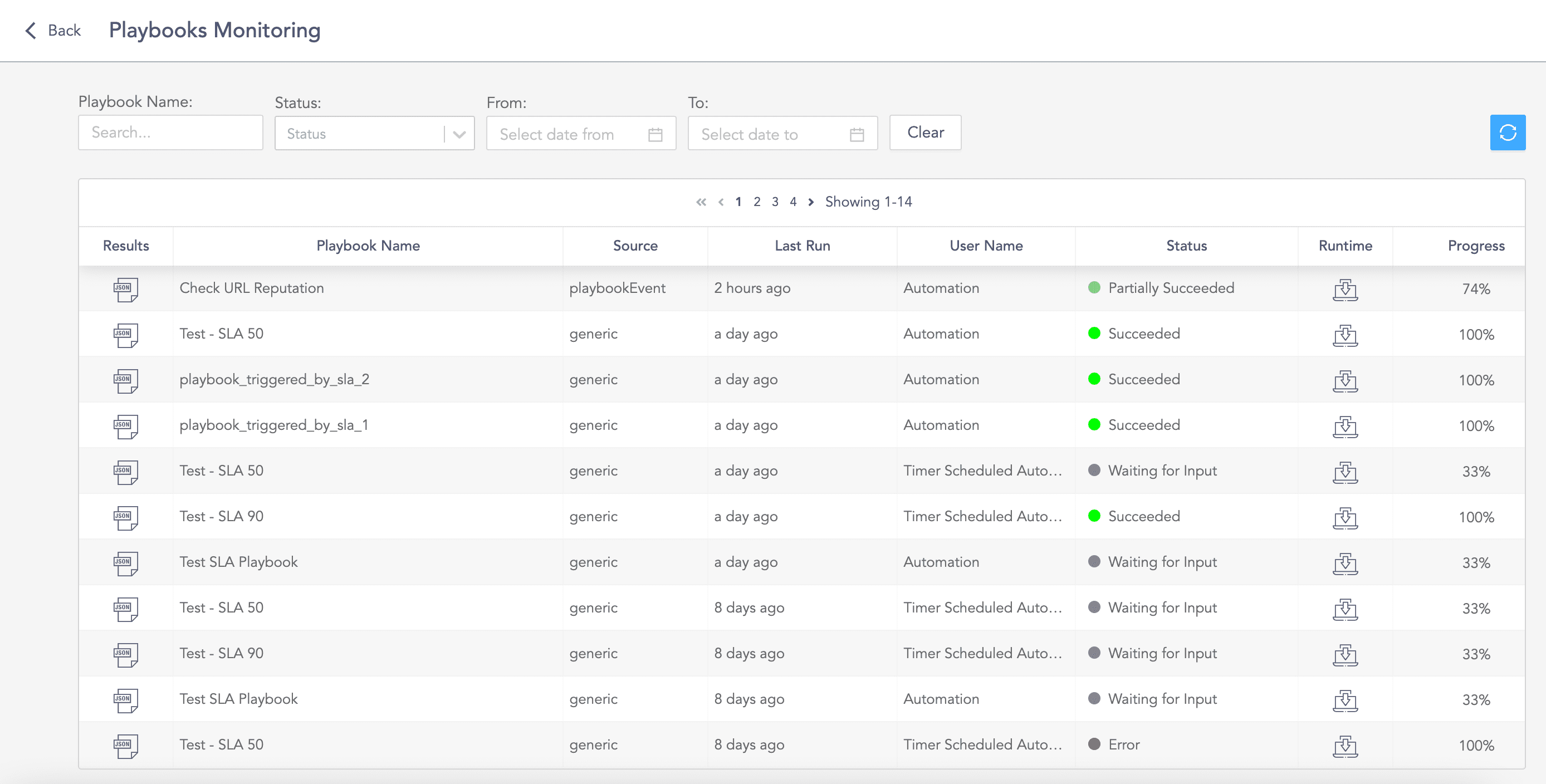
Playbooks Monitoring Page
In the Playbooks page, click the Monitoring button to go to the Playbooks Monitoring page.
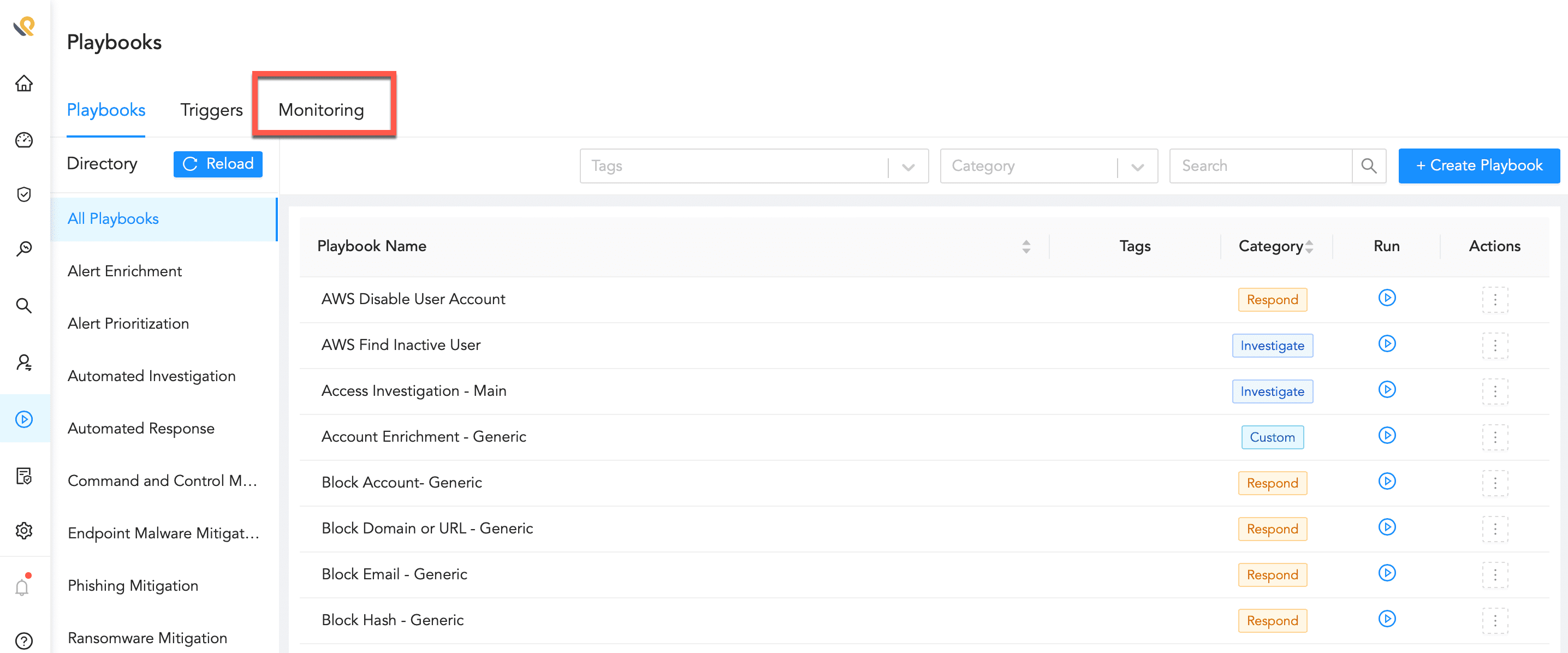
Monitoring Playbooks
You can filter the results based on the Playbook Name, Status of the runs, and date-range. You can also refresh the list by clicking the Refresh icon.
The table in displays the following fields for each run of the playbooks:
Results of the run in the JSON format.
Playbook Name
Source
Last Run time.
User Name of the user who triggered the playbook.
Status of the run.
Runtime takes you to the playbook’s Runtime Mode where you can see the status of all the actions.
Progress of the run in percentage.
Number of Total Actions in the playbook.
Number of Completed actions.
Start time
End time
Duration of the run.