
Go to Settings >> Configuration from the navigation bar and click Recorded Future.
You can find an overview of the fetched information from Recorded Future in General Information. It displays the total number of logs enriched in Total Records. It also displays details of risk lists found in the fetched information. A risk list is a list of entities that have been identified as posing a potential risk to an organization. These entities may be associated with known security threats, vulnerabilities or malicious activity.
The following information is displayed on the risk list:
Column |
Description |
|---|---|
Name |
Name of the entity risk lists. |
Type |
Type of entity. |
Last Successful Fetch |
Date and time on which the data was last fetched. |
Status |
Status if the data is fetched. It can be Fetching, Completed or Error. |
Number of Records |
Total number of data fetched of the entity type. |
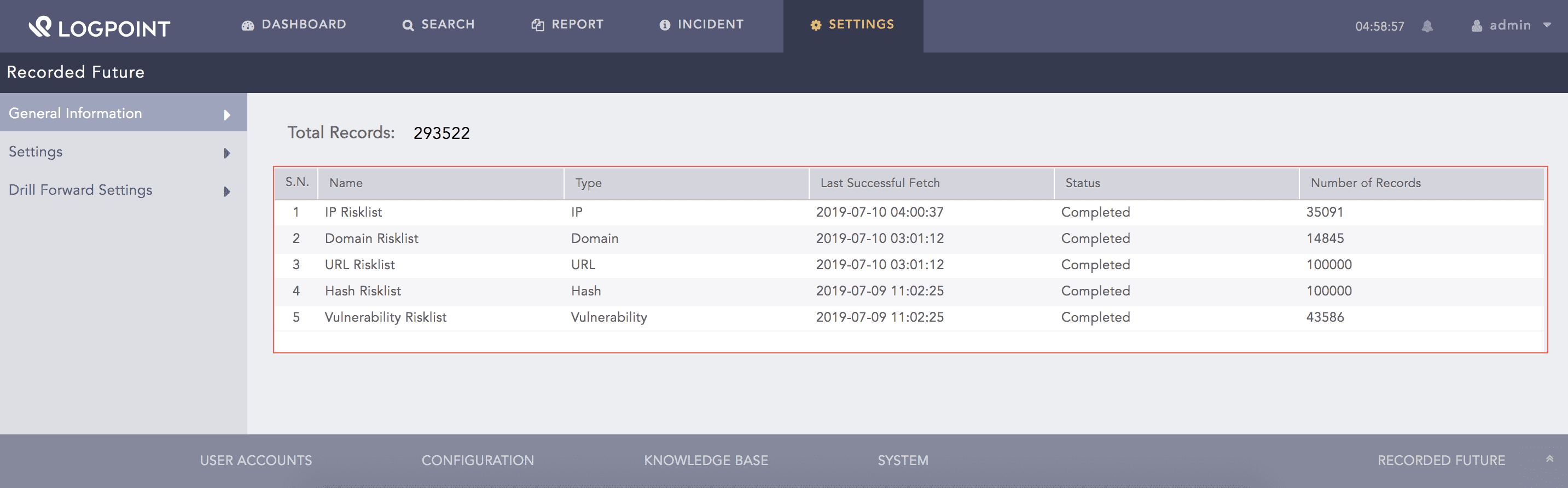
General Information
All the risk lists are updated according to a particular interval and use API credits as mentioned below:
Risk List |
Update Interval |
Total API Credits per day |
|---|---|---|
IP Address |
Every one hour |
120 credits |
Domain |
Every two hours |
60 credits |
URL |
Every two hours |
60 credits |
Hash |
Once a day |
5 credits |
Vulnerability |
Once a day |
5 credits |
Your total API credit is 250 per day if you select all the entities.
You can configure Recorded Future from Settings.
Go to Settings >> Configuration from the navigation bar and click Recorded Future.
Select Settings.
Enable Source to activate the Recorded Future threat intelligence source.
Enter the Recorded Future API Key.
Note
To obtain the Recorded Future API Key:
Log in to the Recorded Future Portal.
Click the menu in the upper right and click User Settings.
Select API Access in User Settings dropdown and click Generate New API Token.
Select the required Entities. Recorded Future fetches and stores data of the selected entities only.
Enable Proxy to connect to Recorded Future via a proxy server.
In Proxy Configuration:
7.1. Enter the IP address and the Port number of the proxy server.
7.2. Select the HTTP or HTTPS protocol as required.
Click Submit.
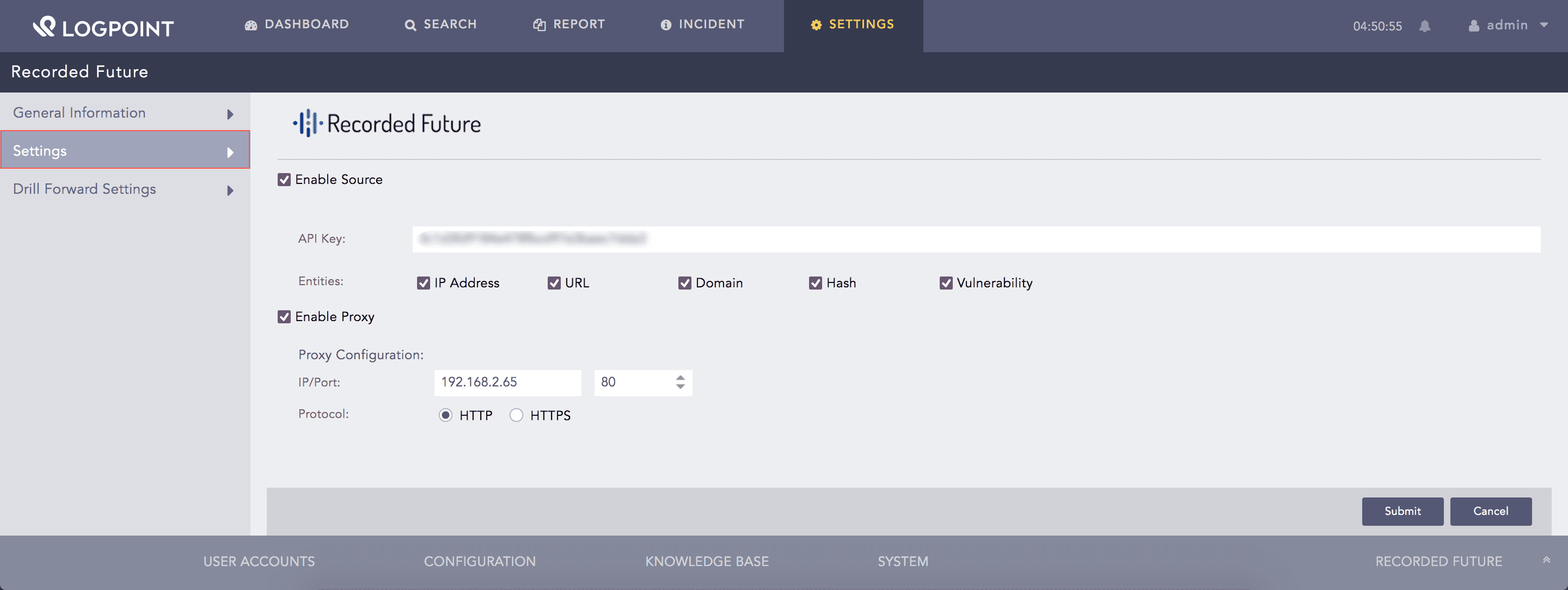
Configuring Recorded Future
Note
The data fetched from Recorded Future is stored in the Threat Intelligence database. You must use the Threat Intelligence enrichment source while creating an enrichment policy for Recorded Future.
After Recorded Future enriches the incoming logs, you can further drill forward on their fields to access an Intelligence Card. This intelligence card summarizes all the threat information in the log. You can configure settings for the drill forward in Drill Forward Settings.
To configure the drill forward settings:
Go to Settings >> Configuration from the navigation bar and click Recorded Future.
Click Drill Forward Settings.
Select Enable Drill Forward.
Select the Type of the field from the drop-down.
Enter the LogPoint Taxonomy Field to map it with the Recorded Future entity type.
Click Add.
Click Submit.
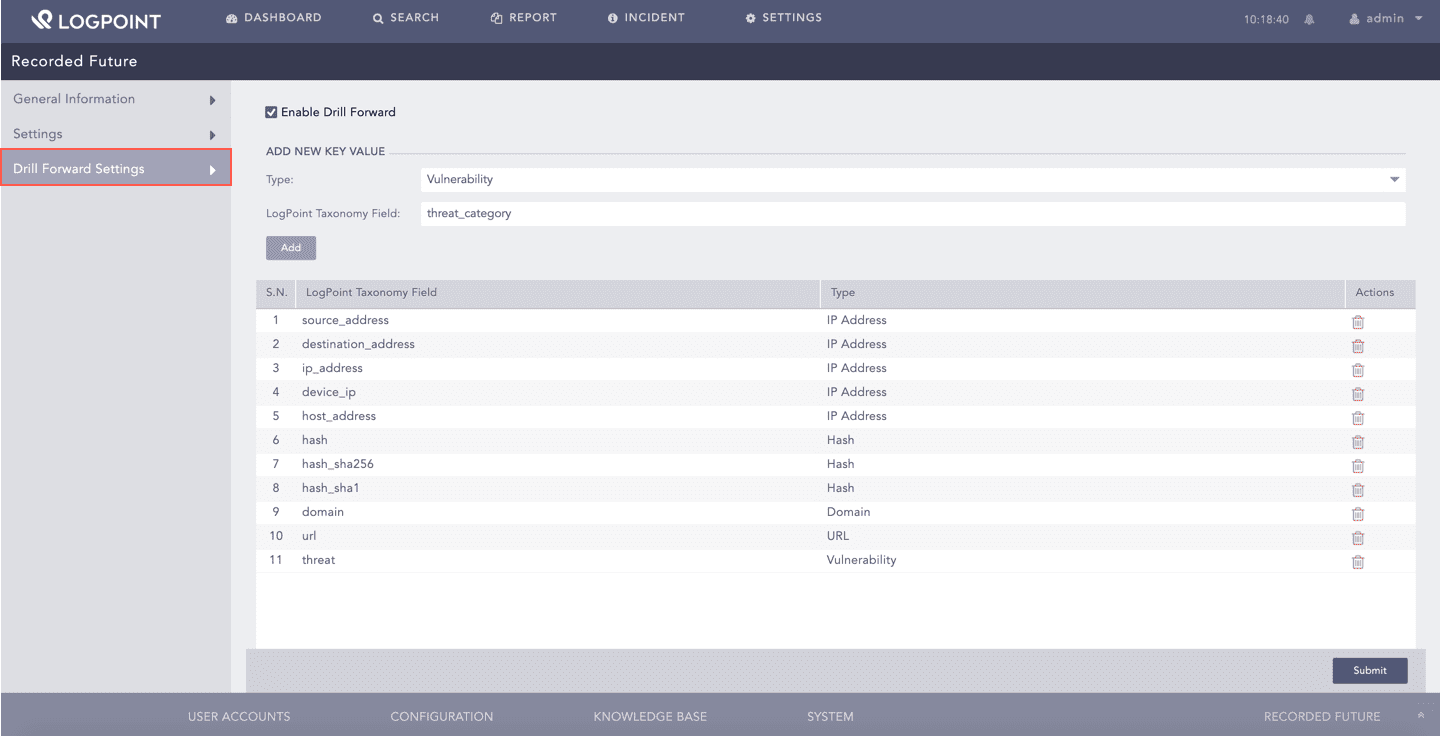
Enabling Drill Forward
Recorded Future maps the following fields by default:
LogPoint Taxonomy Field |
Recorded Future Entity Type |
|---|---|
source_address |
IP Address |
destination_address |
IP Address |
ip_address |
IP Address |
device_ip |
IP Address |
host_address |
IP Address |
hash |
Hash |
hash_sha256 |
Hash |
hash_sha1 |
Hash |
domain |
Domain |
url |
URL |
threat |
Vulnerability |