
Click ASSETS from the navigation bar.
Select the package(s) from the list. You can select multiple or all packages except for the Patch type.
After selecting any package, an option of selecting all packages appears on the left of PACKAGE NAME.
Click INSTALL.
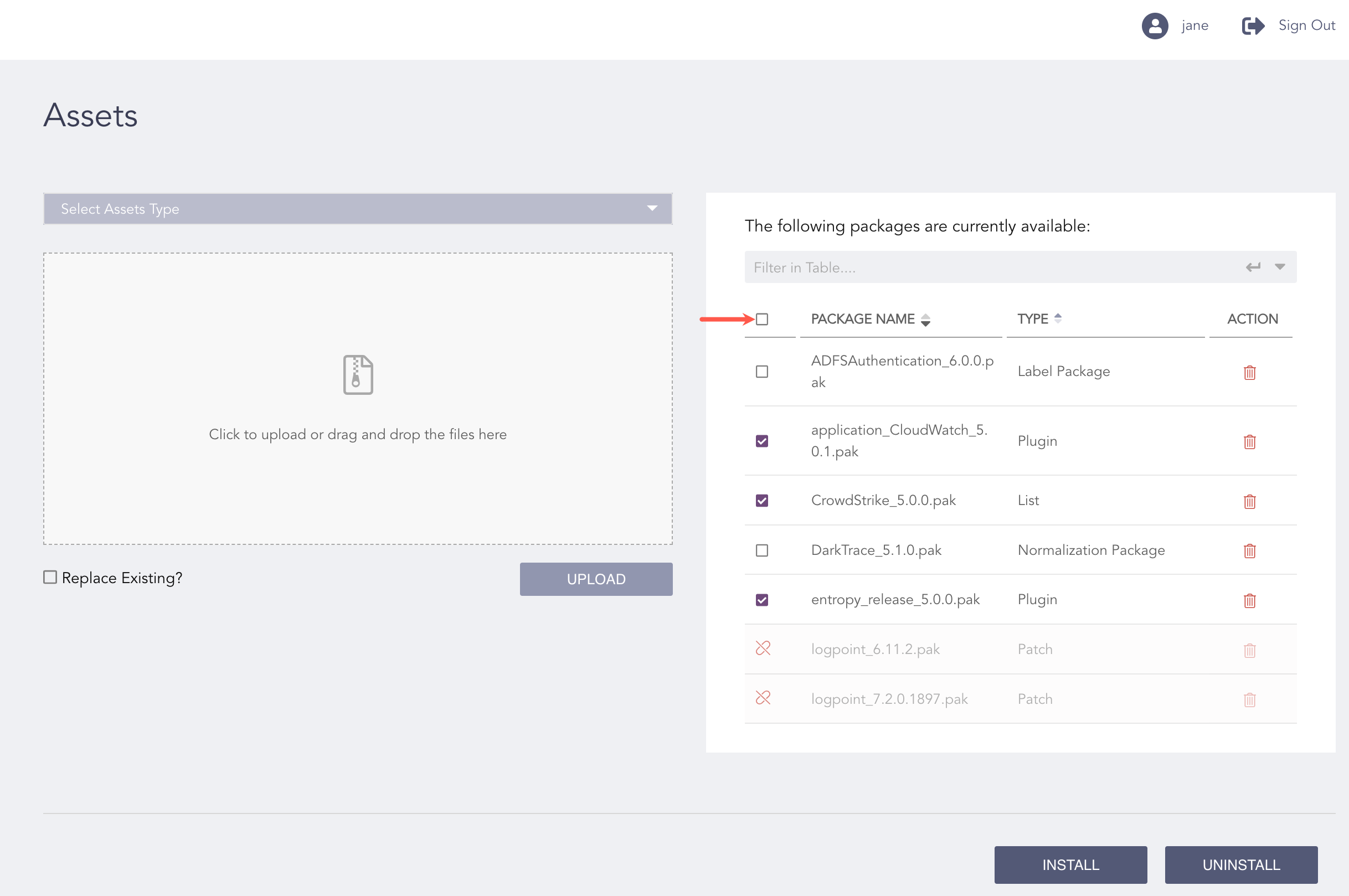
Selecting a Package
Select the Logpoint instances where you want to install the package. You can select multiple Logpoint instances from different pools.
For an IPLookup, select the Logpoint instances and enter the IP Lookup Table Name.
Click NEXT.
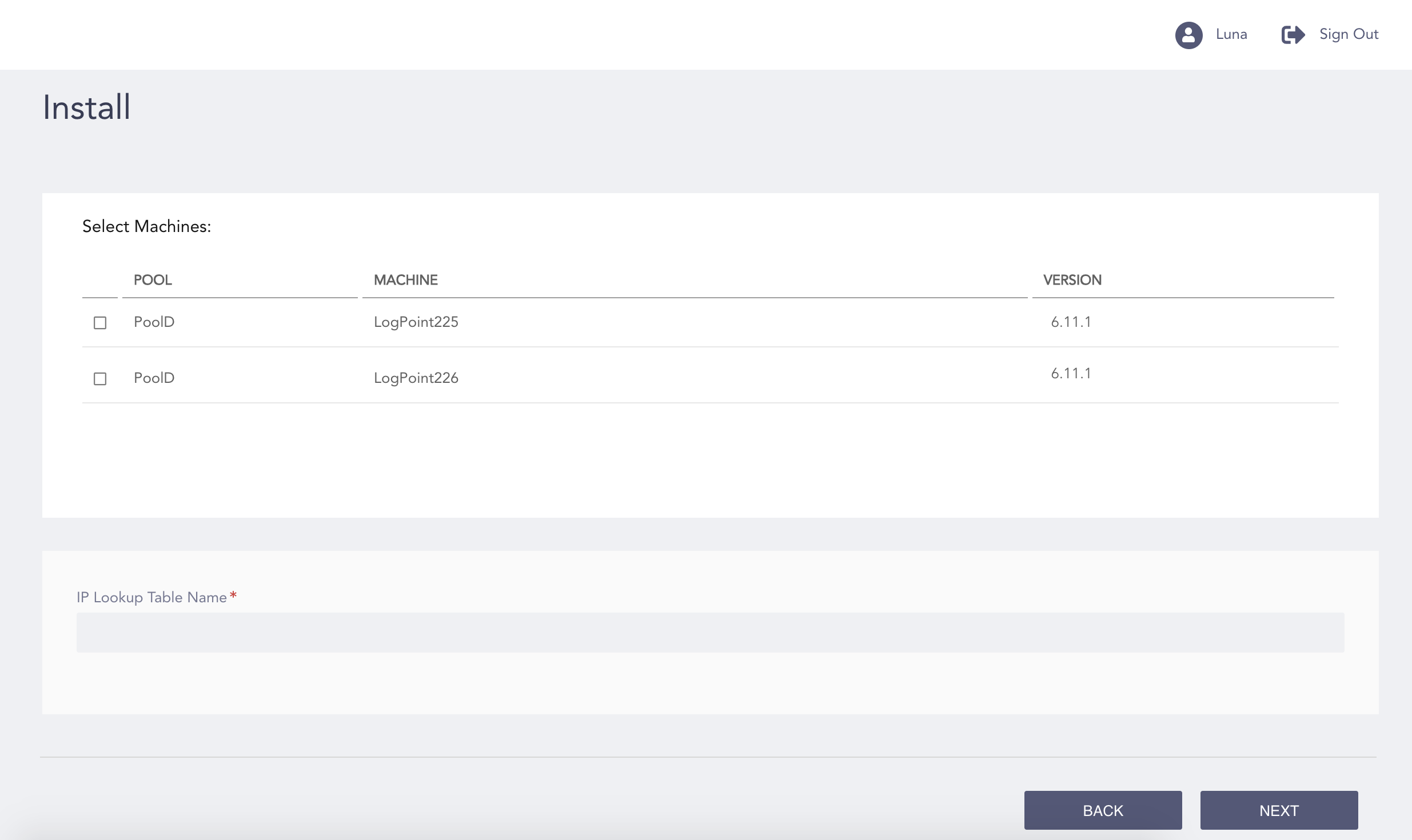
Selecting Logpoint Instances
Review your changes. You can go BACK to make any changes if necessary.
Click INSTALL.
Click OK.