
Go to Config View.
Right-click the LogPoint node where you want to create a new entity, collector, or fetcher.
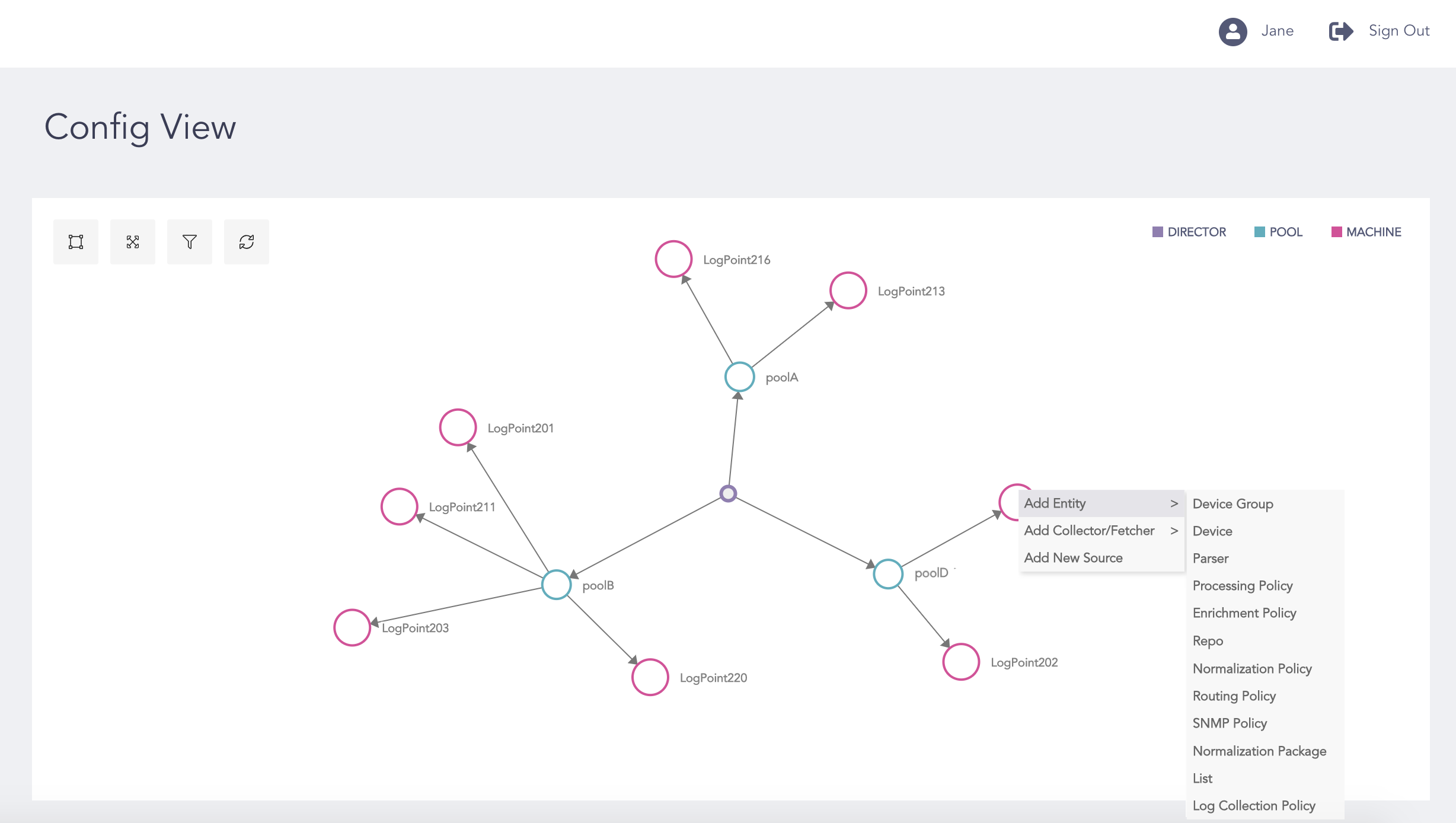
Creating New Entity, Collector or Fetcher
Select Add Entity to add a new entity or Add Collector/Fetcher to add a new collector or fetcher.
Select the entity, the collector, or the fetcher you want to add from the list.
Select the LogPoints from Select Configuration Location. You can select multiple LogPoint instances from different pools.
Click Next.
Note
Refer to the Configuring Entities section for details on how to create entities and built-in collectors/fetchers.