
Director Console allows you to create label packages in multiple Fabric-enabled LogPoint instances. Label packages are the collection of labeling rules. Labeling rules are search terms that apply specific labels to log messages. Using labels, you can group similar logs. Refer to the Label Packages section in LogPoint for more details.
Note
You can configure label packages for Fabric-enabled LogPoint v6.10.0 and later.
Go to Configure >> Entities >> Label Packages.
Select the LogPoint instances where you want to configure the label package.
Click Next.
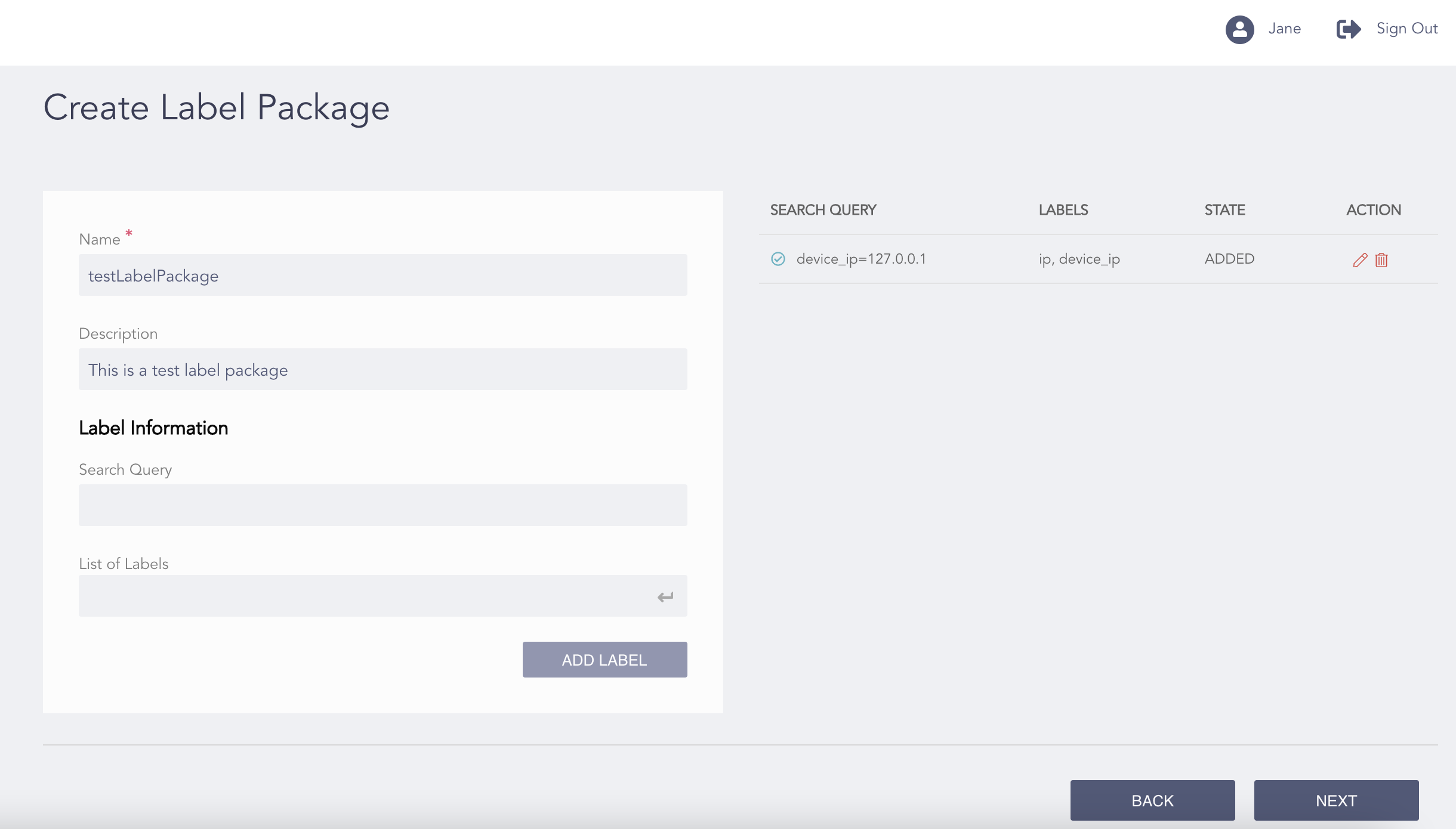
Configuring the Label Package
Enter a Name and a Description for the label package.
Enter a Search Query and a List of Labels you want to add to the query in the Label Information section.
Click Add Label.
Click Next.
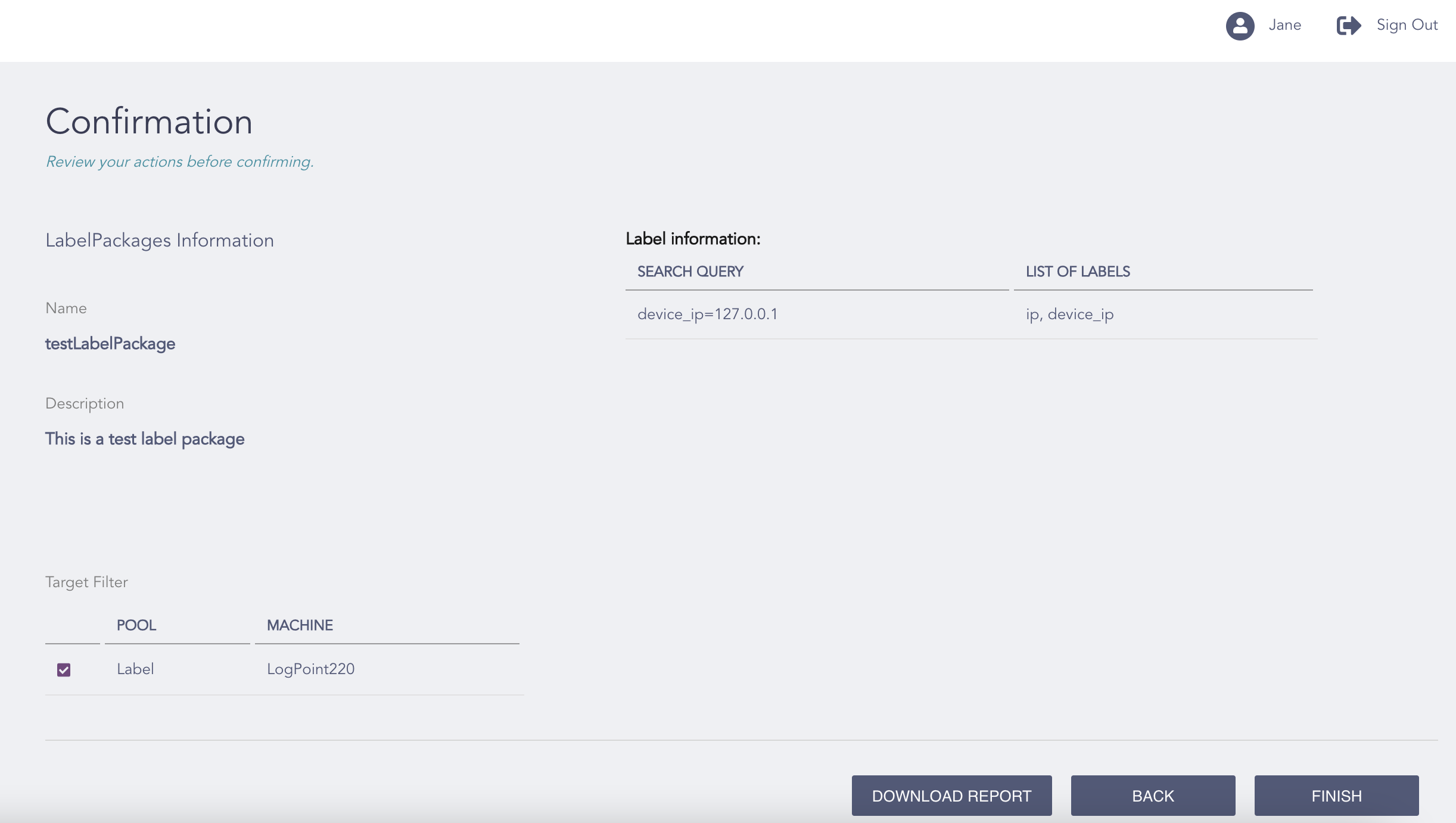
Confirming the Changes
Review your changes. You can go Back to make any changes if necessary.
Note
Click Download Report to save the summary of the task as a PDF.
Click Finish.
Click OK.