Integrations

The following integrations are configurable on the Plugins page in a fabric-enabled Logpoint:

Configurable Integrations and their Guides

Integrations

Guides

CiscoAMP

CiscoAMP

CiscoUmbrella

CiscoUmbrella

CSV Enrichment Source

CSV Enrichment

Google Cloud Platform

Google Cloud Platform

Google Workspace/GSuite

Google Workspace/Gsuite

Microsoft Defender ATP

Microsoft Defender ATP

Mimecast

Mimecast

StixTaxii

StixTaxii

Threat Intelligence

Threat Intelligence

Configuring an Integration

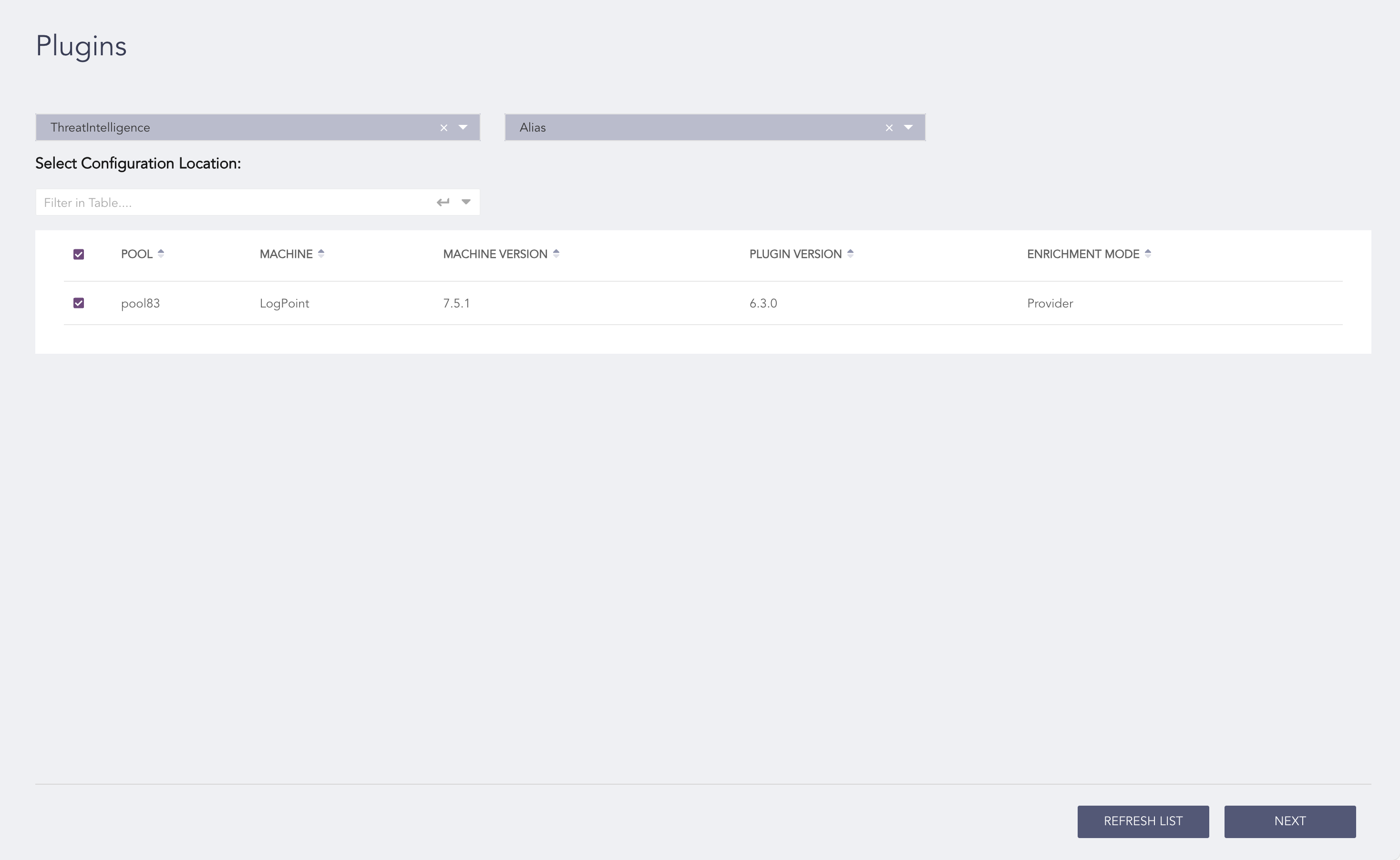
  1. Go to Configuration >> Settings >> Plugins.

  2. Select Plugin Type.

  3. Select the POOL.

  4. Select the Plugin Sub-type.

../_images/plugins.png

Plugins Page

  1. Click Next.

  2. Select Create. Follow the guide to configure the integration.

  3. Click Finish.

  4. Click Ok.

Editing an Integration

  1. Go to Configuration >> Settings >> Plugins.

  2. Select Plugin Type.

  3. Select the POOL.

  4. Select the Plugin Sub-type.

  5. Click Next.

  6. Select List. Follow the guide to edit the integration.

  7. Click Finish.

  8. Click Ok.


Helpful?

We are glad this guide helped.


Please don't include any personal information in your comment

Contact Support