
A normalization policy is a combination of one or more normalization packages. You can select different normalization packages and group them under a normalization policy.
Go to Configure >> Entities >> Normalization Policies.
Select the LogPoint instances where you want to configure the normalization policy.
Click Next.
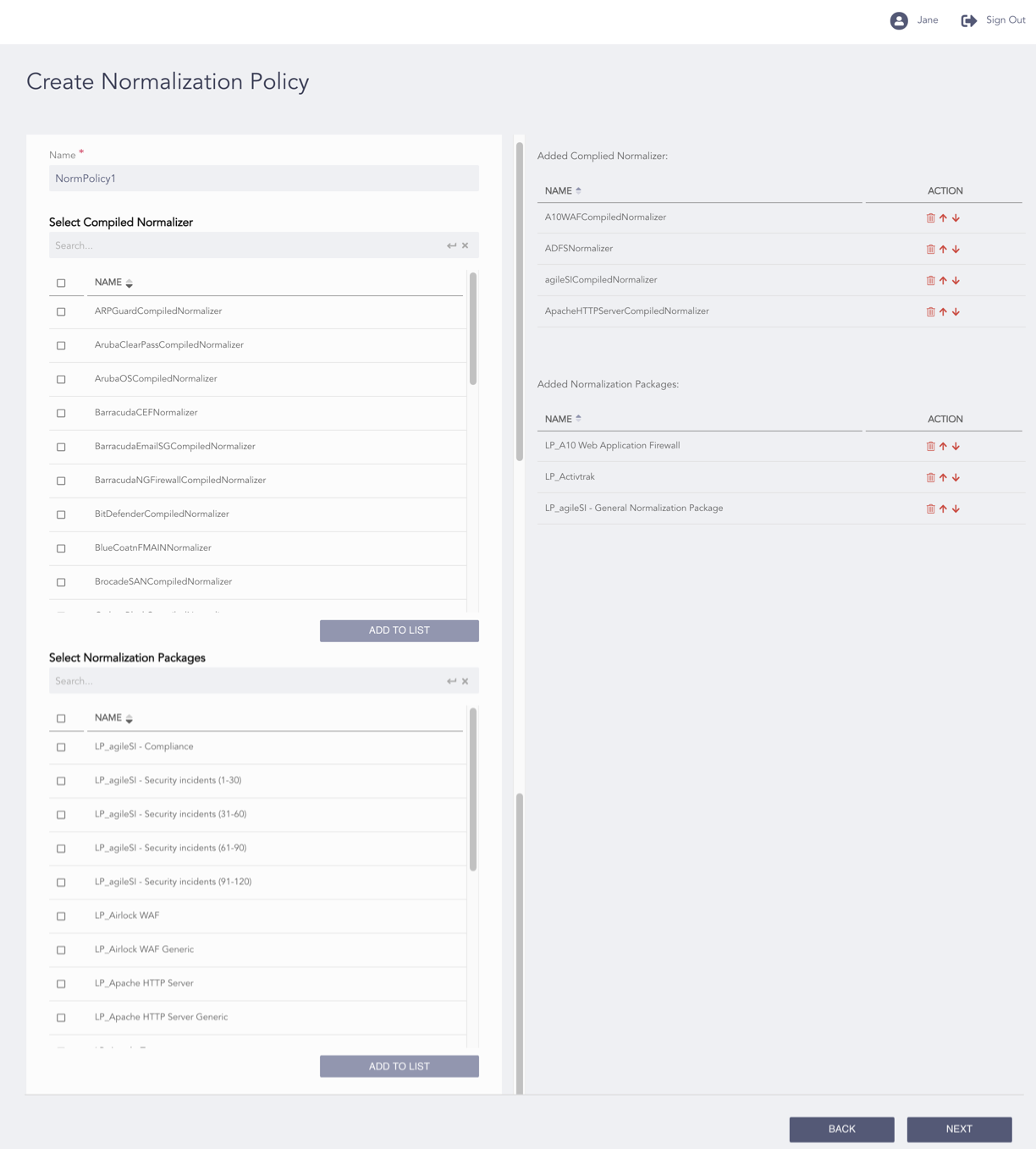
Configuring the Normalization Policy
Enter a Name.
Select the Compiled Normalizers to be applied to the normalization policy.
The normalization policy first uses the compiled normalizers to normalize the incoming logs. The regex-based normalizers are only used if all the compiled normalizers fail to normalize the logs.
Click Add to List.
Select the Normalization Packages to be applied to the normalization policy.
Click Add to List. The added compiled normalizers and normalization packages are listed on the right side of the page.
Note
To reorder the compiled normalizers and normalization packages, click Move Up and Move Down in the Action column.
To delete the compiled normalizers and normalization packages, click Delete from the Action column.
Click Next.
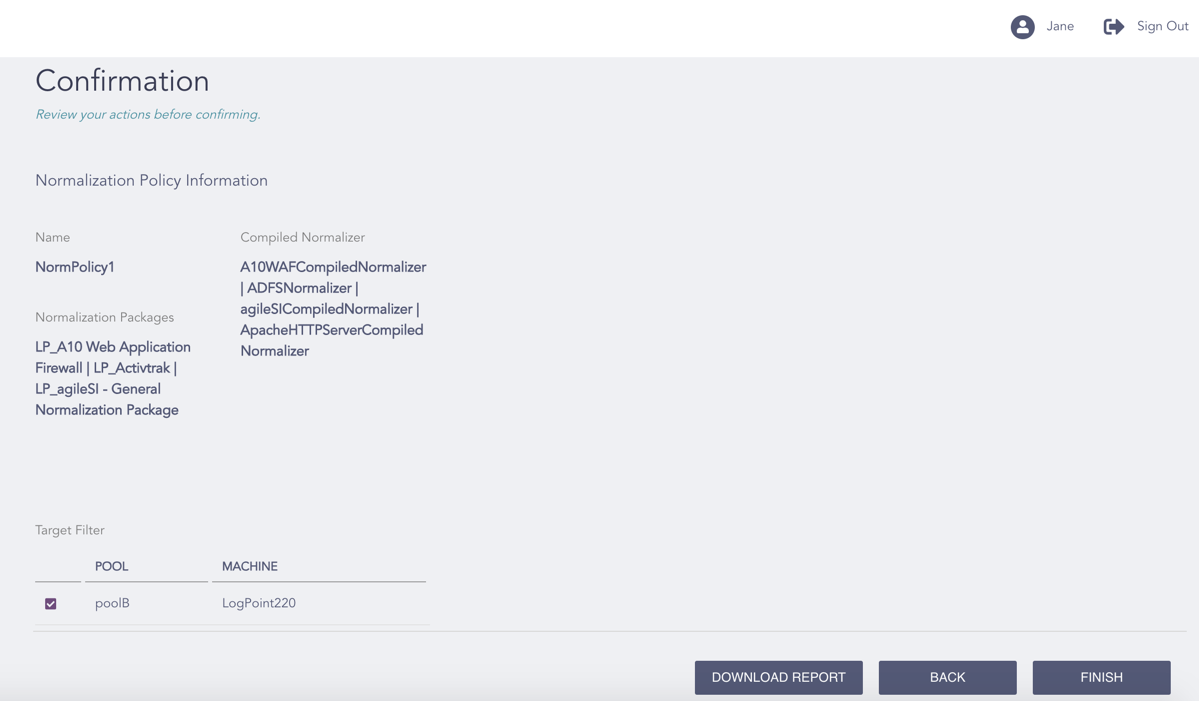
Confirming the Changes
Review your changes. You can go Back to make any changes if necessary.
Note
Click Download Report to save the summary of the task in PDF.
Click Finish.
Click OK.