
Go to Settings >> Configuration >> Normalization Policies.
Click Add.
Enter a Policy Name.
Select SymantecCloudSecurityCompiledNormalizer.
Click Submit.
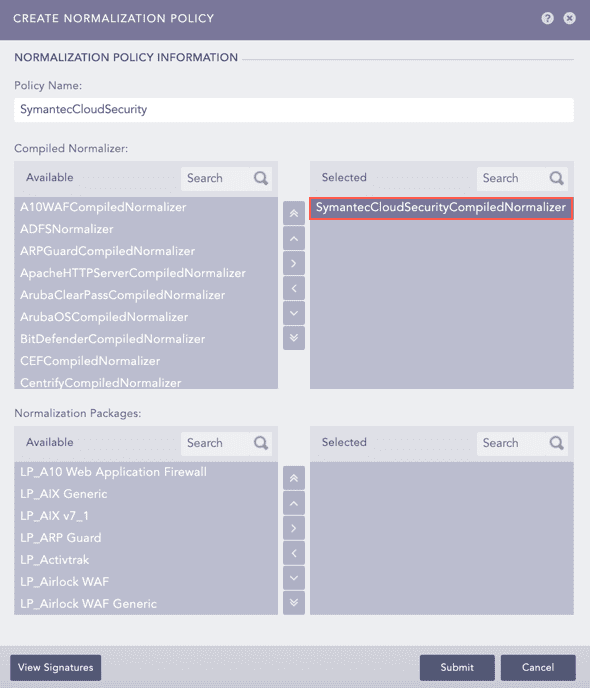
Adding a Normalization Policy
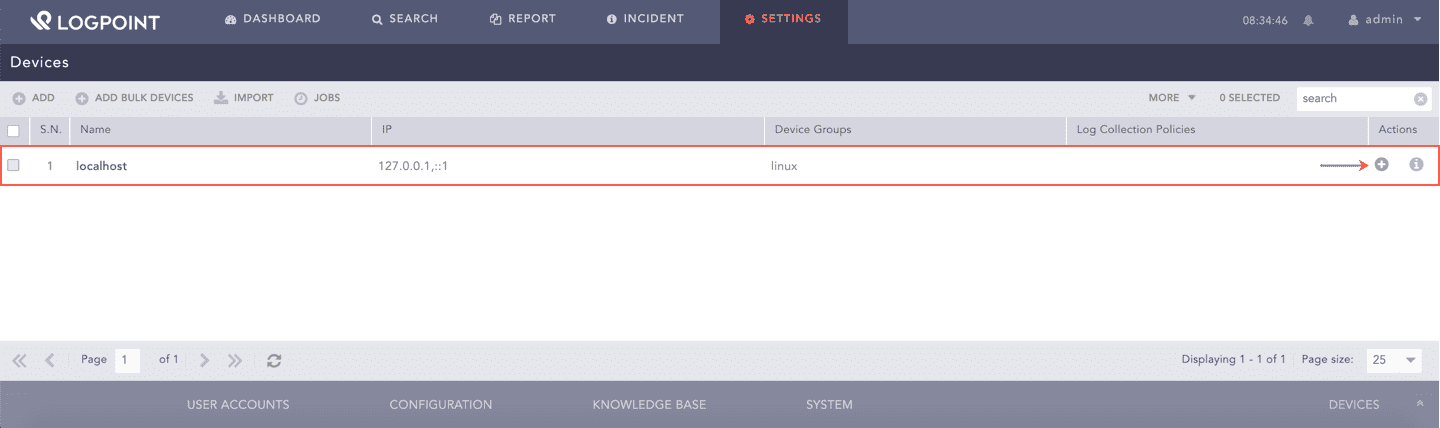
Go to Settings >> Configuration >> Devices.
Click Add collectors/fetchers ( ) under Actions of the localhost device.
Click SymantecCloud Fetcher.
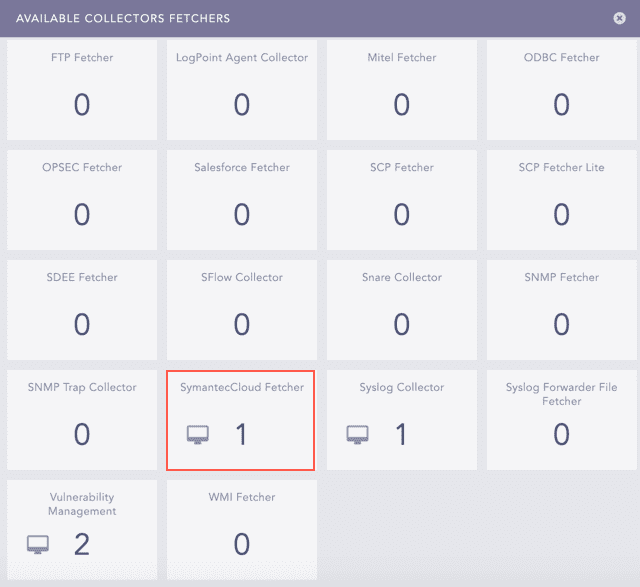
Available Collectors Fetchers
Click Add.
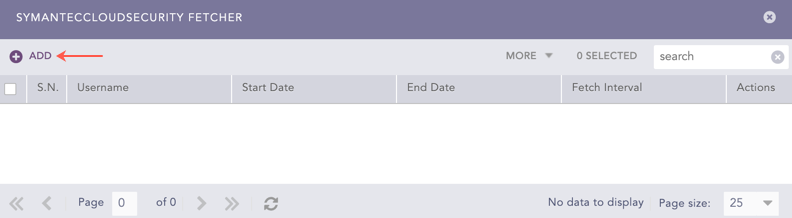
SymantecCloudSecurity Fetcher
Enter your API credentials of Symantec Web Security Service in Username and Password.
Select the Fetch Interval in minutes.
Select the Start Date. Symantec Cloud Security fetches logs from the specified date.
Select the End Date. Symantec Cloud Security fetches logs until the specified date.
Select a Processing Policy that uses the previously created normalization policy.
Select the Charset.
Select Enable Proxy to use a proxy server.
In Proxy Configuration:
12.1 Enter the IP address and the Port number of the proxy server.
12.2 Select HTTP or HTTPS protocol as required.
Click Submit.
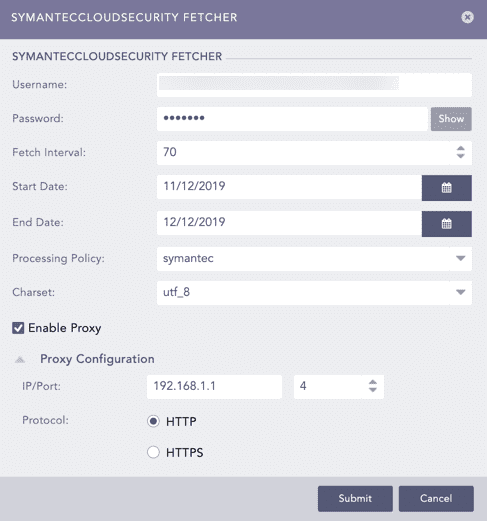
Adding a New Configuration for SymantecCloud Fetcher