
Sync allows you to export and import various configurations which can be synchronized with other Logpoint(s). It consists of primary and secondary settings.
You can sync the following settings.
Primary Settings |
Secondary Settings |
|---|---|
Device Groups |
Devices |
Normalization Packages |
Repos |
Normalization Policies |
Log Collection Policies |
Processing Policies |
|
Enrichment Policies |
|
Labeling Rules (Search Labels) |
Before syncing Logpoints, there are a few things you should do.
Before importing configurations, install CSV Enrichment Source and configure the enrichment source with the same CSV source file in the same way as the Logpoint used to sync. You should also install ODBC Enrichment Source, LDAP Enrichment Source, and Threat Intelligence Enrichment Source, and should have the exact configuration in each source.
Go to Settings >> System Settings from the navigation bar and click Sync.
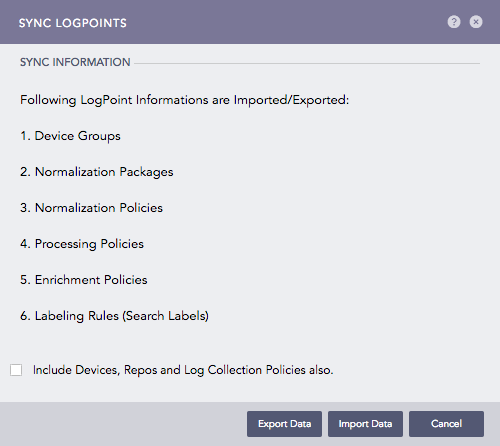
Sync Logpoints
Select the Include Devices, Repos, and Log Collection Policies also if you want to include their configurations as well.
Click Export Data to export configurations. All the selected configurations are downloaded in your machine in a .json file. In addition, the .json file also includes all configurations about:
User Accounts, except the Incident User Groups.
Configuration, except the Distributed Collectors, Raw Syslog Forwarder, /Distributed Logpoints, and Export Management.
Knowledge Base.
Logon to the Logpoint where you want the same configuration. Go to Settings >> System Settings from the navigation bar and click Sync.
Select the Include Devices, Repos, and Log Collection Policies also.
Click Import Data to import configurations.
Click Import Data.
Browse for the JSON file and click Upload.
After successfully importing the data, all the settings saved in the uploaded file are replicated in your machine.
Note
While using the Import Data, you can manually remove the configurations from the JSON file according to your requirements. However, remember not to remove important data.