
Updates allow you to upload and install new patch files to keep your Logpoint up to-date and secure. It displays the description, status, release date, installation date and time, and checksum of the installed packages. To view the status of patch uploads and installations, click JOBS in Updates. Click on the status of each package to view its install logs.

Updates
Download the .pak file from the service desk.
Go to Settings >> System Settings from the navigation bar and click Updates.
Click Upload Patch.
Browse to the downloaded .pak file.
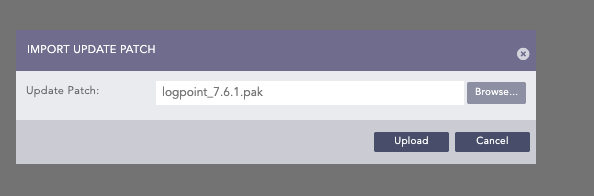
Upload Patch
Click Upload.
Click the install icon ( ) under Actions.