UEBA Analytics Report
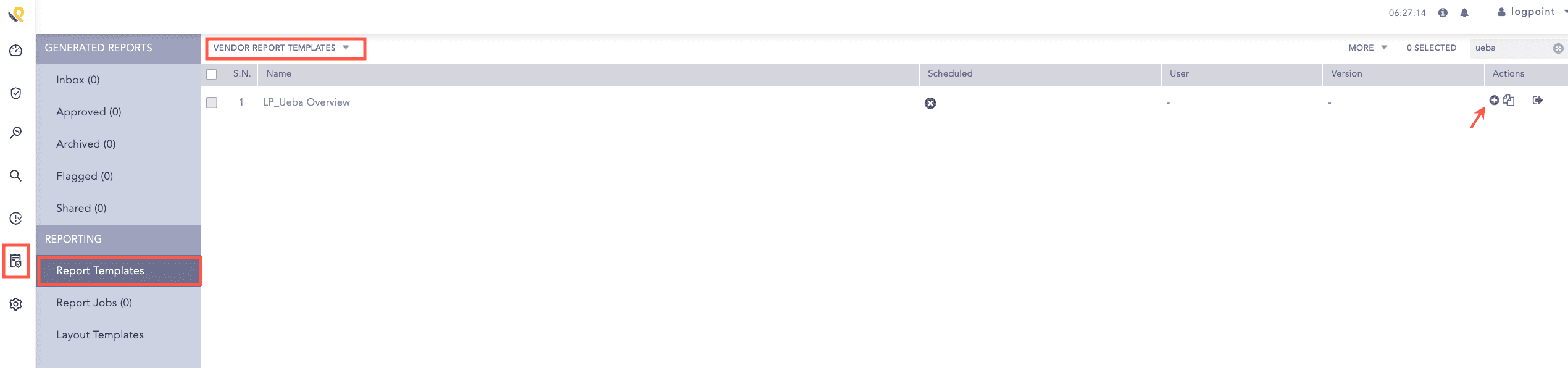
Go to Reports >> Report Templates >> VENDOR REPORT TEMPLATES.
Click Use Vender Report from Actions of LP_Ueba Overview.
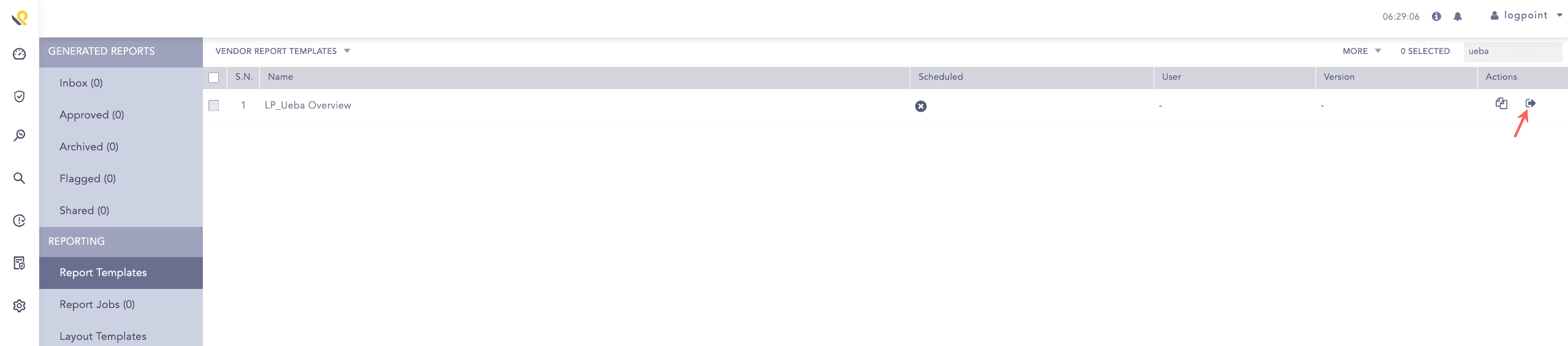
Click Run This Report from Actions.
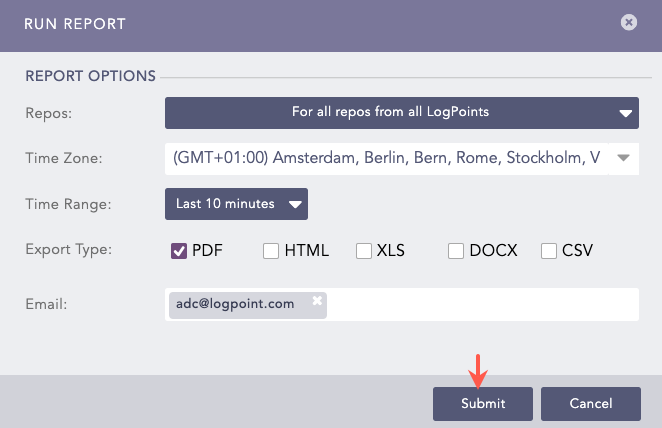
Select Repos, Time Zone, Time Range, Export Type, and enter the Email address.
Click Submit.
To view the generating reports, click Report Jobs. Go to Inbox and click PDF or HTML from Download to download the generated reports.
Widgets in reports enable you to analyze data in various ways, like text, lists, graphs and time trends. Time-bound reports summarize incidents during a specific period, such as the last five minutes or 24 hours. While creating a report, you can customize the calendar period to suit your needs.
The LP_Ueba Overview report provides:
An overview of the risk distribution (Extreme, High, Medium and Low) detected.
An overview of the risk distribution (Extreme, High, Medium and Low) by Possible Defense Evasion, Possible Exfiltration, Possible Collection, Possible Execution, Possible Initial Access, Possible Credential Access, Possible Impact, Possible Discovery, Possible Internal Recon, Possible Infected Host, Possible Data Exfiltration, Possible Compromised Account and Possible Account Misuse.
In the case of risk distribution:
Risk Level |
Risk Count |
|---|
Extreme |
Above 74. |
High |
Below 74 and above 49. |
Medium |
Below 50 and greater than 24. |
Low |
Below 25. |