
Prerequisites
Director Fabric v2.6.0 or later
Director Console v2.6.0 or later
Logpoint v7.5.0 or later
To install Universal REST API Fetcher in Director Console:
Log in to Director Console.
Click ASSETS in the navigation bar.
Select Plugins from the Assets Type drop-down.
Upload the Universal REST API Fetcher .pak file. Select Replace Existing? to replace the old file with new one.
Click UPLOAD.
Once uploaded, the .pak file is displayed in the list of available packages.
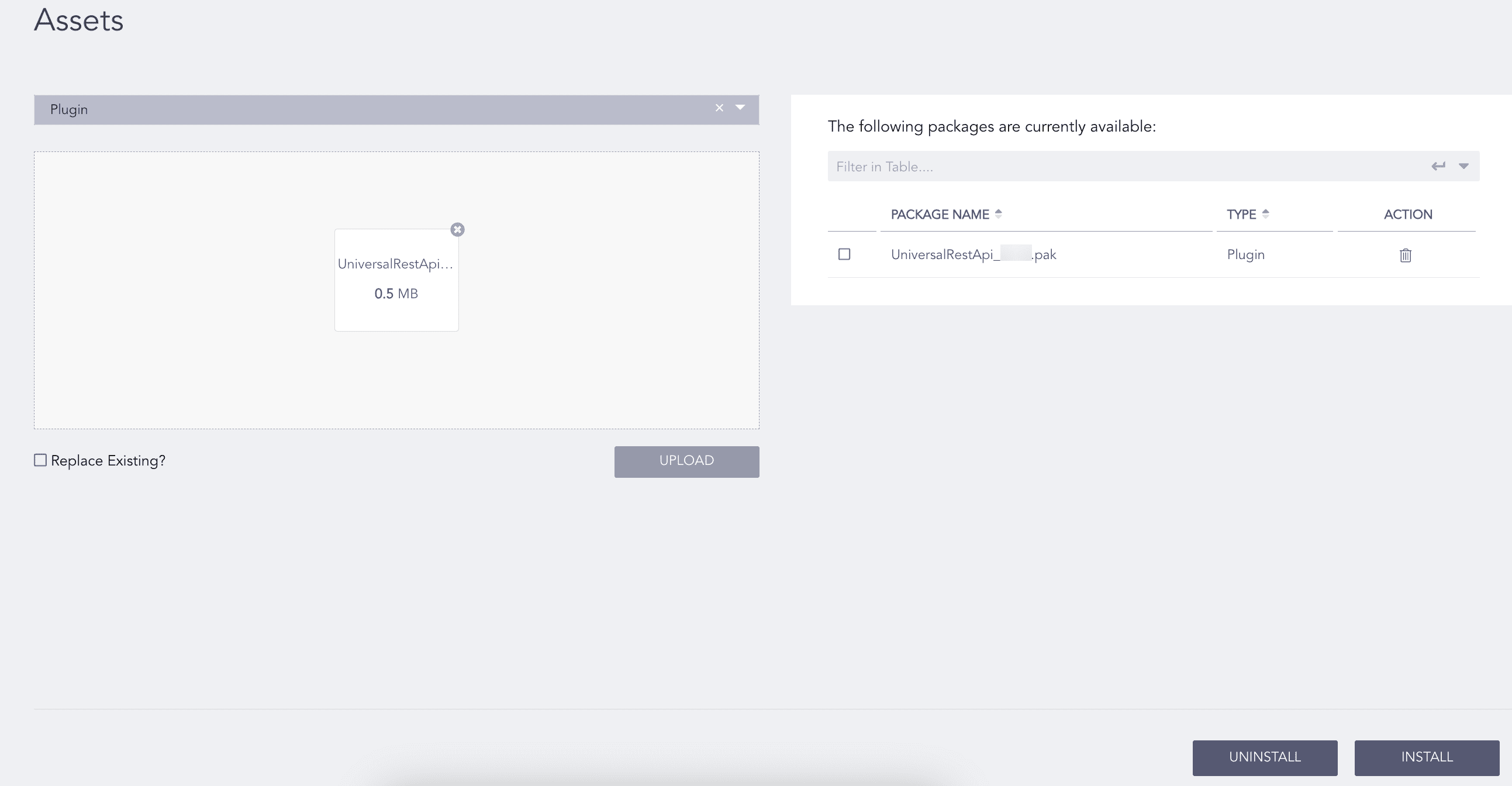
Universal REST API Fetcher .pak file upload
Select Universal REST API Fetcher .pak from the list of available packages.
Click INSTALL.
Select the pool and Logpoint to install Universal REST API Fetcher. You can select multiple Logpoint from different pools.
Click NEXT.
Review your changes. You can go BACK to make necessary changes.
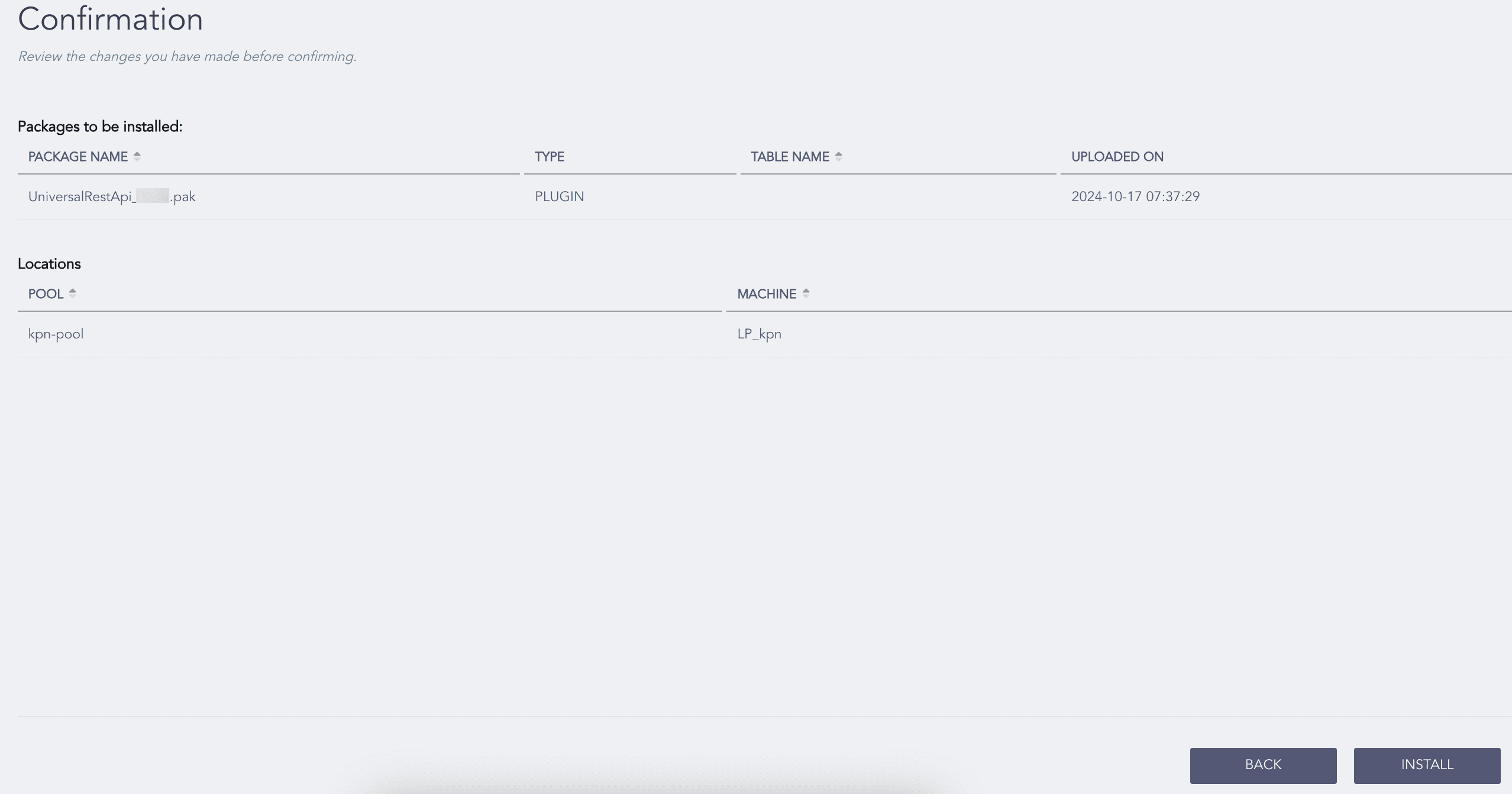
CiscoUmbrella Installation Confirmation
Click INSTALL and click OK to confirm.
You are redirected to TASKS, which displays the installation progress.
To uninstall Universal REST API Fetcher, you must first remove its configurations and also uninstall Duo Security and Cybereason.
To remove Universal REST API Fetcher configurations:
Click CONFIGURE in the navigation bar.
Under Entities, click LOG SOURCES.
Click the ( ) icon of Universal REST API Fetcher and click Delete.
Click Delete.
To uninstall Universal REST API Fetcher, Duo Security and Cybereason:
Click ASSETS in the navigation bar.
Click UNINSTALL.
Select the Logpoint where Universal REST API Fetcher, Duo Security, and Cybereason are installed. You can select multiple Logpoint from different pools.
Select Universal REST API Fetcher, Duo Security and Cybereason from the list of available packages.
Click NEXT.
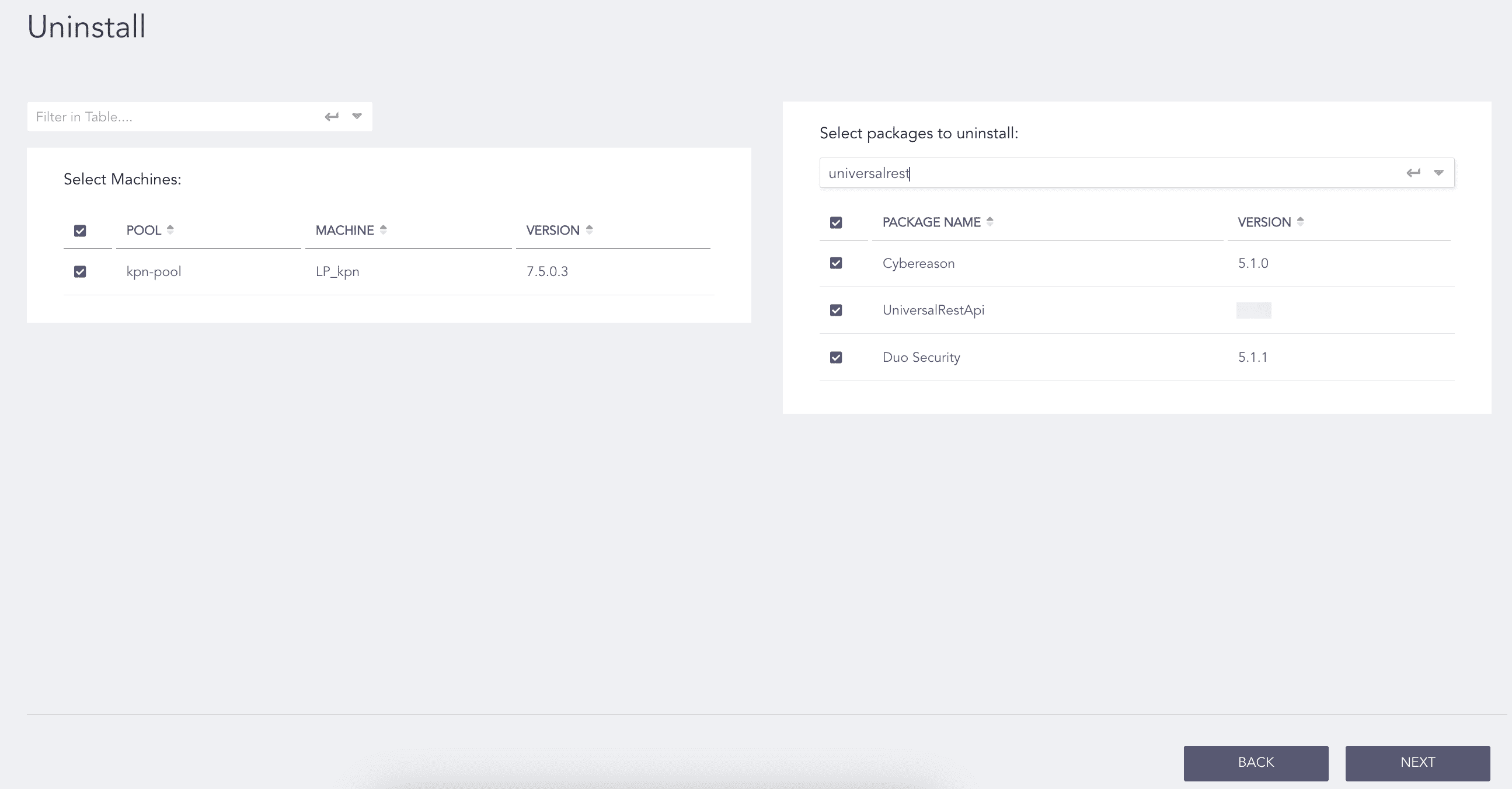
Selecting Package
Review your changes. You can go BACK to make necessary changes.
Click UNINSTALL and click OK to confirm.
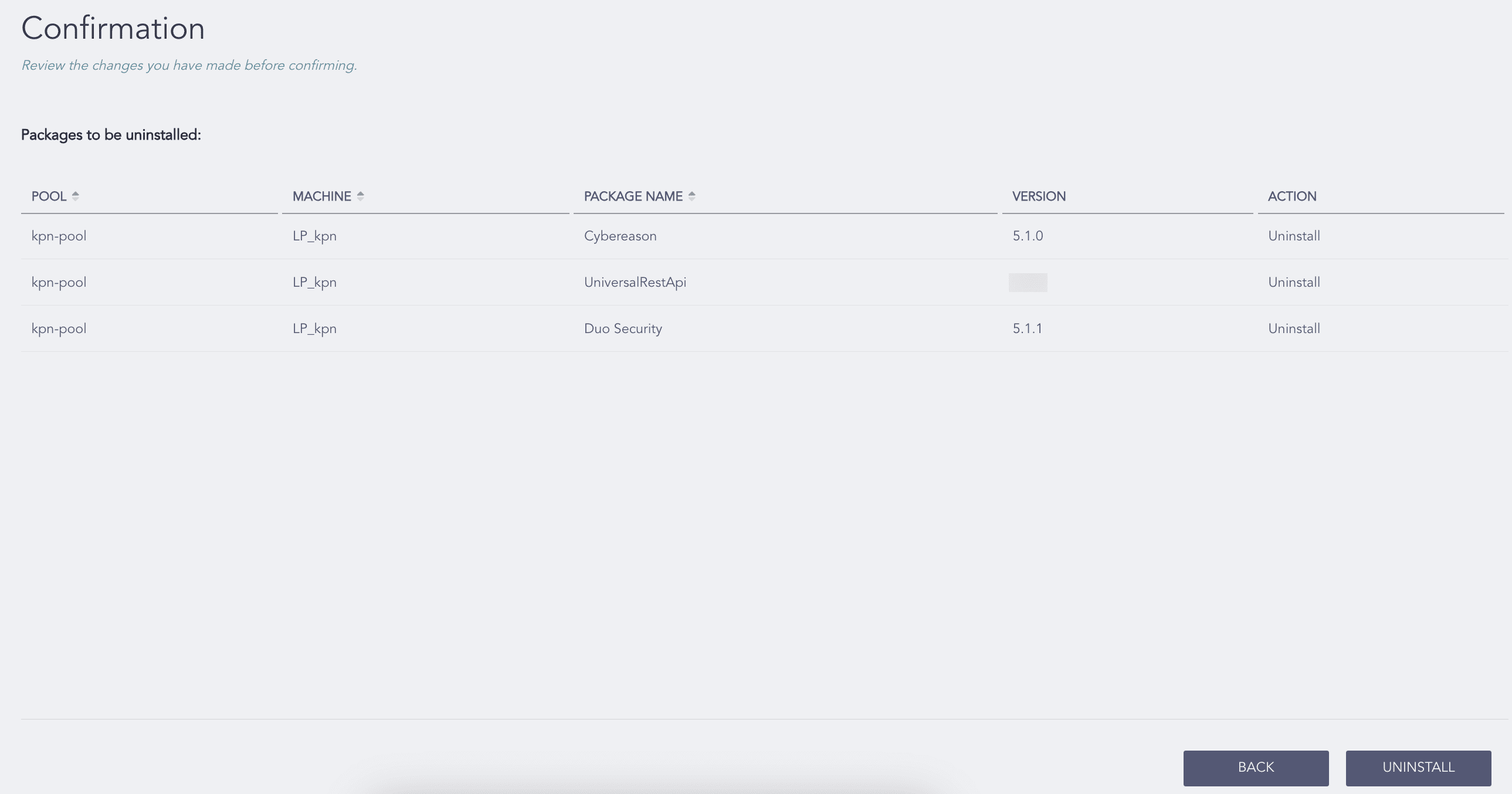
Confirming the Changes
You are redirected to TASKS, which displays the uninstall progress.