Unix Analytics

Unix Dashboards

Adding the Unix Dashboards

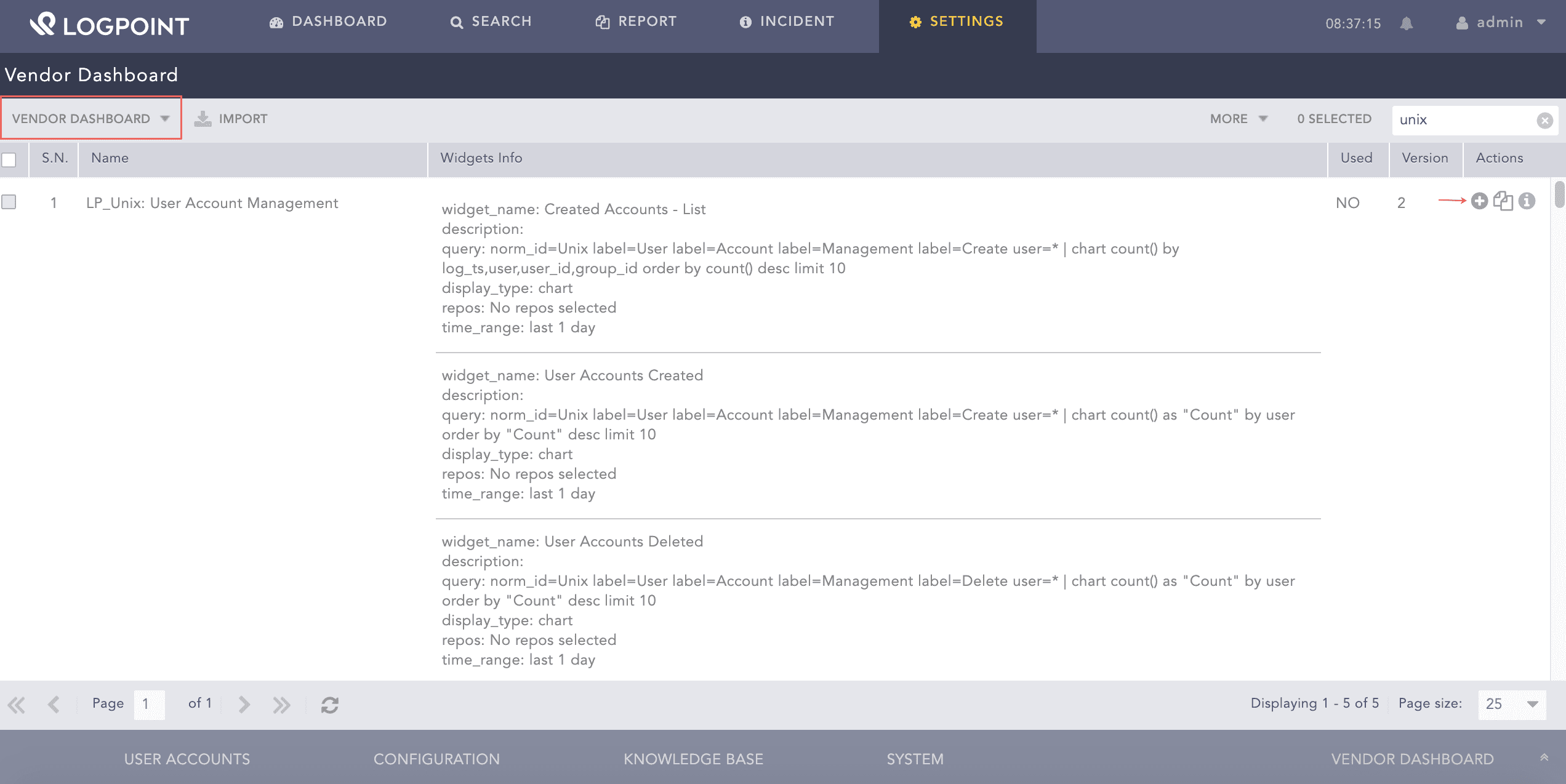
  1. Go to Settings >> Knowledge Base >> Dashboards.

  2. Select Vendor Dashboard from the drop-down.

  3. Click Add.

Dashboard

Adding the Unix Dashboard

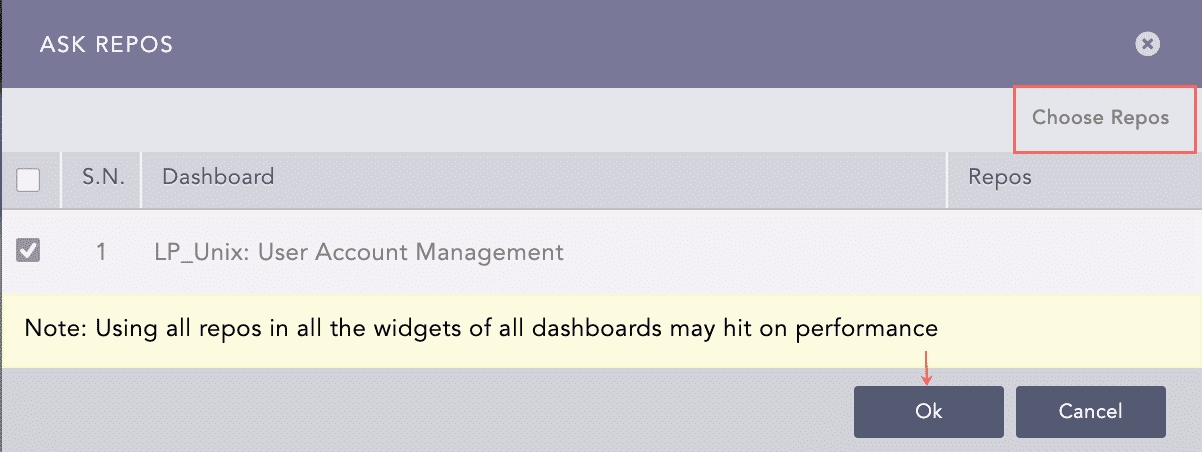
  1. Click Choose Repos.

Unix Ask Repos Panel

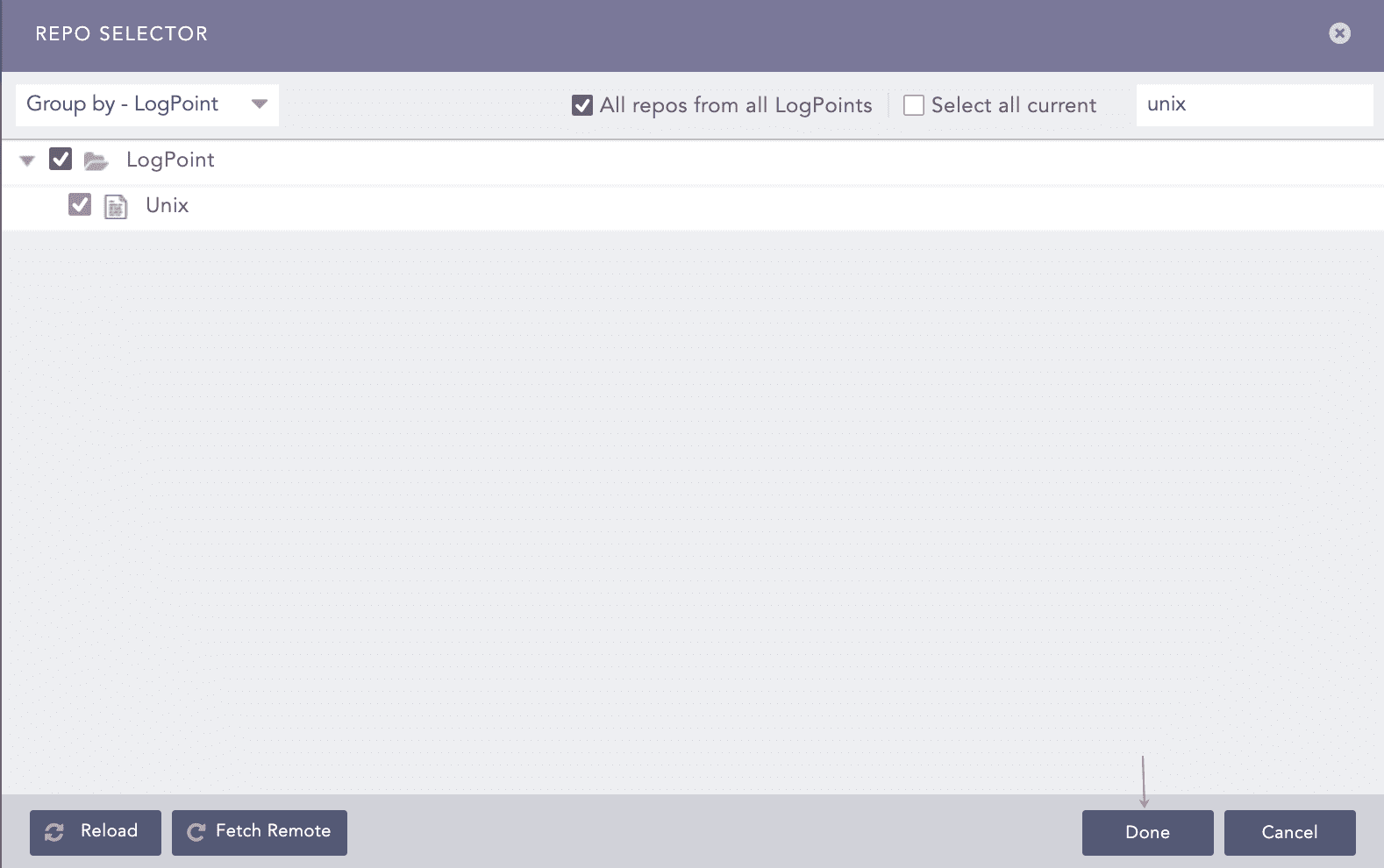
Selecting a Repo

  1. Select the repo and click Done.

Unix Ask Repos Panel

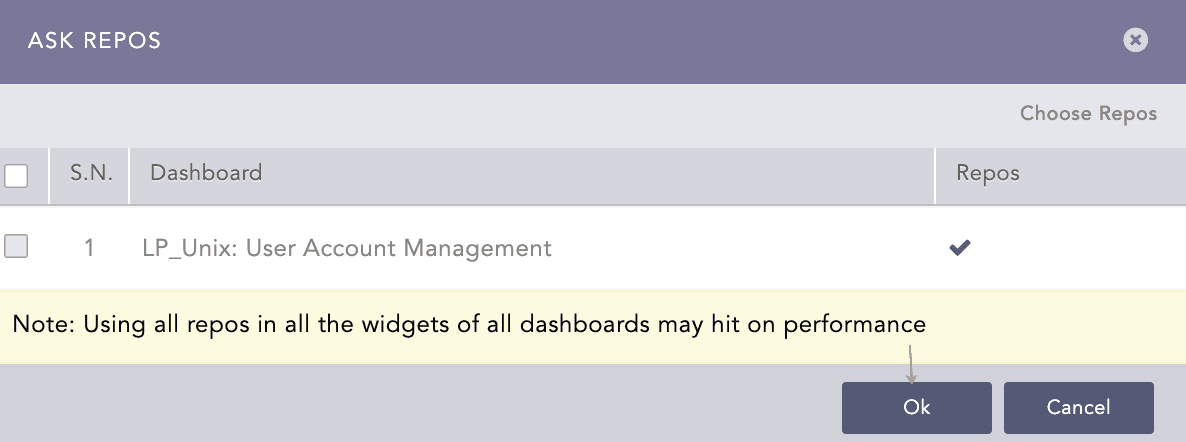
Selecting a Repo

  1. Click Ok.

Confirmation for Repo

Confirmation for Repo

You can find the Unix dashboards under Dashboards.

Unix Dashboard
Unix Dashboard

Unix Dashboard

Unix Widgets

The following widgets are available in LP_Unix Overview:

Widget Name

Description

Top 10 Process Running

The widget provides an overview of the top 10 Unix processes, such as parents or child processes, zombie or orphan processes, or even list running processes.

Events Timetrend

The widget displays a time trend of the Unix events.

Top 10 Commands Used

The widget displays the top 10 most used Unix commands, such as sudo.

Top 10 Sudo Commands

The widget provides an overview of the top 10 sudo commands that allows you to run programs with the security privileges of another user (by default, as the superuser).

Top 10 Sources in Denied Connection

The widget provides an overview of the top 10 denied source addresses.

Top 10 Users in Successful Logins

The widget provides an overview of the top 10 users who successfully logged in.

Top 10 Users in Failed Logins

The widget provides an overview of the top 10 users who failed to log in.

Top 10 Sources in Successful User Logins

The widget provides an overview of the top 10 source addresses in successful user logins.

Top 10 Sources in Failed User Logins

The widget provides an overview of the top 10 source addresses in failed user logins.

User Login Status

The widget provides the status of user login, which may be a successful login or failed login.

The following widgets are available in LP_Unix Privilege Escalation:

Widget Name

Description

Session Duration

The widget provides an overview of Unix user session so you can see the full context of what happened through the session by session start timestamp, session end timestamp, user, root ID, and session ID.

Root Privilege Command Execution

The widget provides an overview of the commands executed that require privileges not granted to a standard UNIX user account by root session start timestamp, root session end timestamp, user, command execute timestamp, and command.

Top 10 Users in Privilege Escalation

The widget provides an overview of the top 10 users in privilege escalation who have gained elevated access to resources that are normally protected from an application or user.

Top 10 Command Executed

The widget provides an overview of the top 10 Unix commands executed.

The following widgets are available in LP_Unix:Authentication:

Widget Name

Description

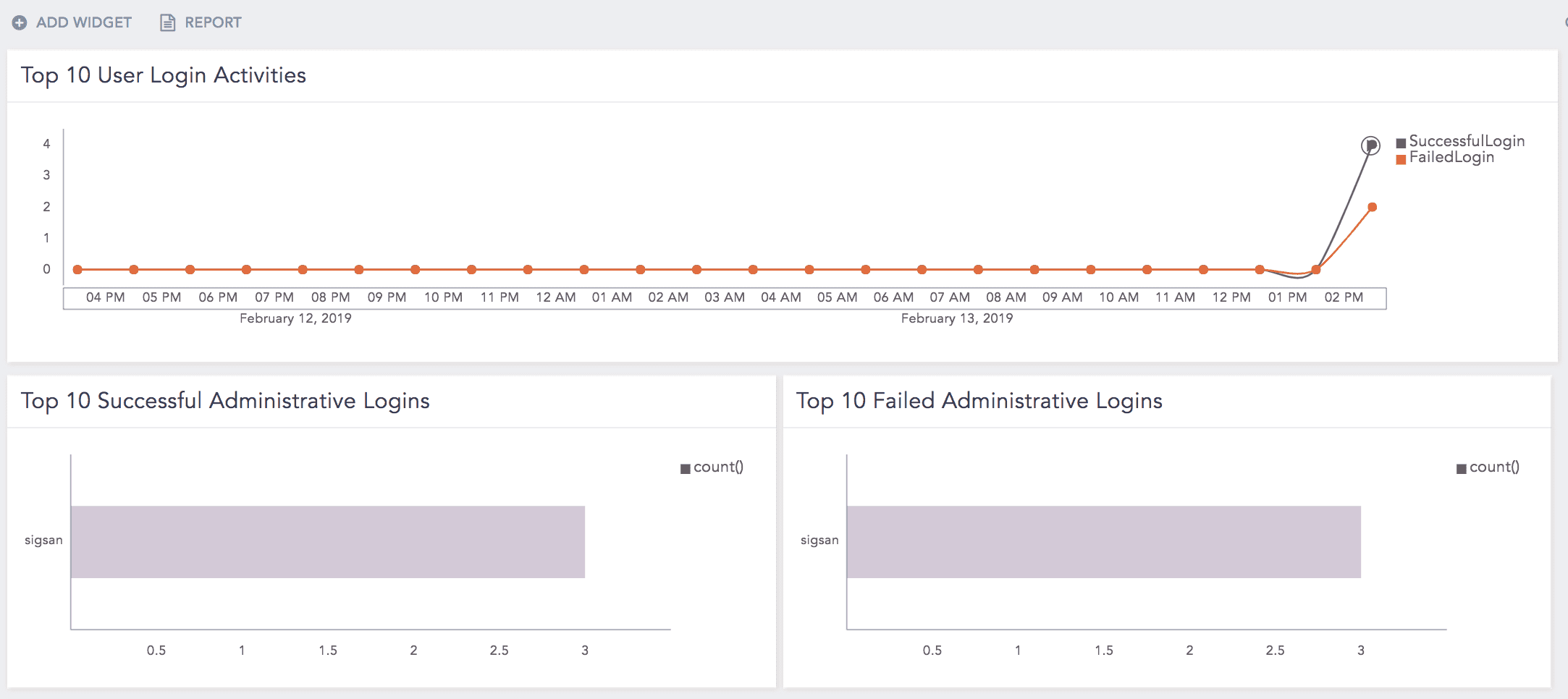
Top 10 Successful Administrative Logins

The widget provides an overview of the top 10 successful administrative logins. You need the list ADMINS to run this query.

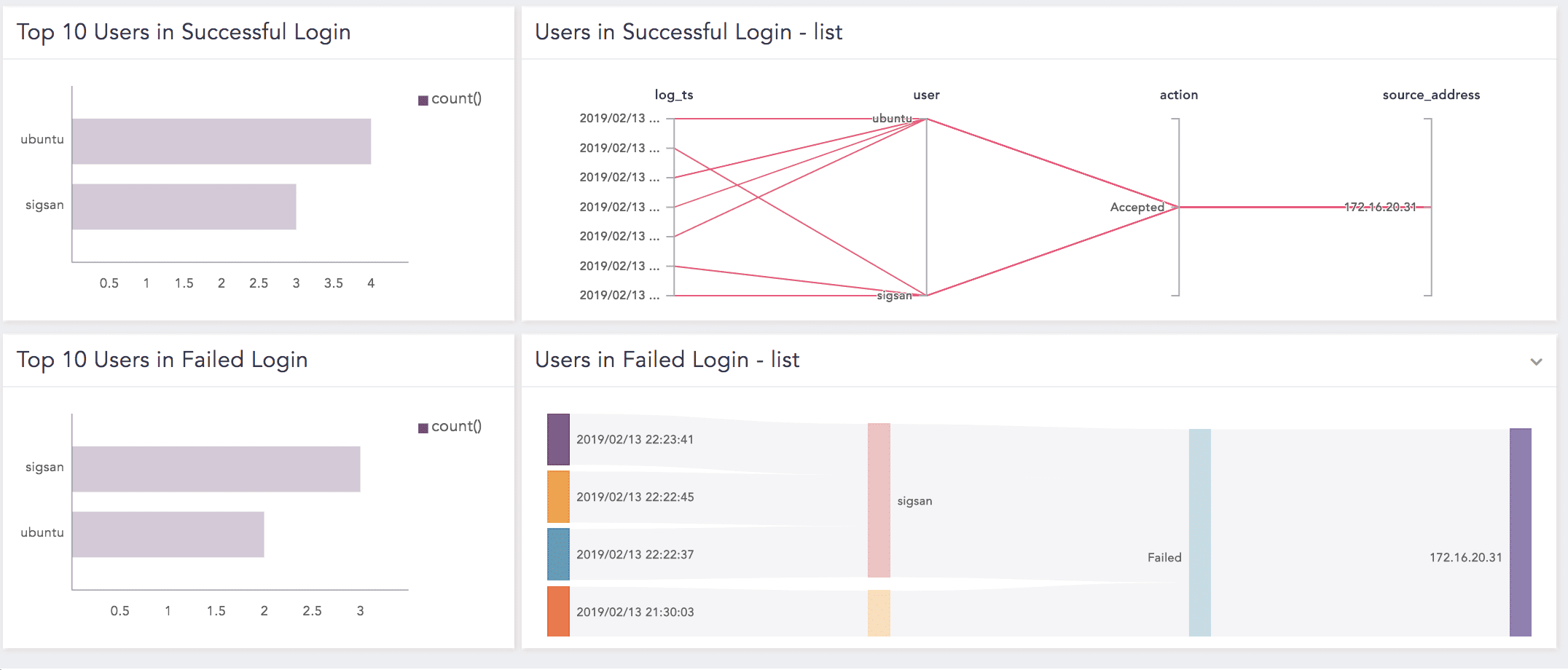
Top 10 Users in Successful Login

The widget provides an overview of the top 10 users who logged in successfully.

Users in Successful Login - List

The widget provides a detailed list of the successful user login by a user, action, and source address.

Top 10 Users in Failed Login

The widget provides an overview of the top 10 users who failed to log in successfully.

Users in Failed Login - List

The widget provides a detailed list of the failed user login by a user, action, and source address.

Top 10 Failed Administrative Logins

The widget provides an overview of the top 10 admin users who failed to log in successfully. You need a list ADMINS to run this query.

Top 10 User Login Activities

The widget provides an overview of the top 10 successful user activities, such as successful login or failed login.

The following widgets are available in LP_Unix:User Account Management:

Widget Name

Description

Created Accounts - List

The widget provides a detailed list of created accounts.

User Accounts Created

The widget provides an overview of the created user accounts.

User Accounts Deleted

The widget provides an overview of the deleted user accounts.

Activities in User Account Management

The widget provides an overview of the activities in the user account management, such as user add or group add.

Activities in User Account Management - List

The widget provides a detailed list of activities in user account management by user and action.

Top 10 Actions in User Account Management

The widget provides an overview of the top 10 actions performed in the user account management.

User Account Password Change

The widget provides an overview of the changed user account password.

Locked User Account

The widget provides an overview of the locked user account due to a bad password.

User Account Unlocked

The widget provides an overview of the unlocked user account.

User Account Locked/Unlocked - Status

The widget provides an overview of the locked or unlocked user account’s status by user, action, and object.

Newly Created Group - List

The widget provides a detailed list of a newly created group.

Deleted Group - List

The widget provides a detailed list of deleted groups.

Group User Deletion - List

The widget provides a detailed list of the users deleted or removed from a group.

User Added in Group

The widget provides an overview of the users added to a group.

Unix Alerts

The following alerts are available in Unix:

LP_Unix Possible Bruteforce Attack

  • Trigger Condition: An account is not present but is used repeatedly to login. This may be a brute force attack by a bot, malware, or threat agent.

  • ATT&CK Category: Credential Access

  • ATT&CK Tag: Brute Force

  • ATT&CK ID: T1110

  • Minimum Log Source Requirement: Unix

  • Query:

    norm_id=Unix ((label=Account label=Absent) OR (label=User label=Authentication label=Fail)) user=* | chart count() as cnt by user | search cnt>10
    

LP_Unix Kernel Logging Stopped

  • Trigger Condition: Unix Kernel stops logging that may violate the audit compliance of the organization.

  • ATT&CK Category: Defense Evasion

  • ATT&CK Tag: Impair Defenses, Indicator Blocking

  • ATT&CK ID: T1562, T1562.006

  • Minimum Log Source Requirement: Unix

  • Query:

    norm_id=Unix OR norm_id=Kernel label=Logging label=Stop "process"="kernel" action="stopped"
    

LP_Unix User Deleted

  • Trigger Condition: Deletion of a user account.

  • ATT&CK Category: Impact

  • ATT&CK Tag: Account Access Removal

  • ATT&CK ID: T1531

  • Minimum Log Source Requirement: Unix

  • Query:

    norm_id=Unix label=User label=Account label=Management label=Delete label=Remove user=*
    

LP_Unix Password Expiry Changed for User

  • Trigger condition: Information on password expiry information is changed for a user.

  • ATT&CK Category: N/A

  • ATT&CK Tag: N/A

  • ATT&CK ID: N/A

  • Minimum Log Source Requirement: Unix

  • Query:

    norm_id=Unix label=User label=Password label=Expire label=Account label=Management label=Change user=*
    

LP_Unix Group Deleted

  • Trigger condition: A group is deleted.

  • ATT&CK Category: N/A

  • ATT&CK Tag: N/A

  • ATT&CK ID: N/A

  • Minimum Log Source Requirement: Unix

  • Query:

    norm_id=Unix label=Group label=Management label=Remove group=*
    

LP_Unix Security Violation

  • Trigger condition: Security violation is detected.

  • ATT&CK Category: N/A

  • ATT&CK Tag: N/A

  • ATT&CK ID: N/A

  • Minimum Log Source Requirement: Vmware

  • Query:

    norm_id=Unix label=Security label=Violation message=*
    

LP_Unix User Account Unlocked

  • Trigger condition: Unlocked user account detected.

  • ATT&CK Category: N/A

  • ATT&CK Tag: N/A

  • ATT&CK ID: N/A

  • Minimum Log Source Requirement: Unix

  • Query:

    norm_id=Unix label=User label=Account label=Management label=Unlock user=*
    

LP_Unix Excessive Denied Connection

  • Trigger condition: An excessive denied connection from the same source is detected i.e., 100 denied connections within two minutes.

  • ATT&CK Category: N/A

  • ATT&CK Tag: N/A

  • ATT&CK ID: N/A

  • Minimum Log Source Requirement: Unix

  • Query:

    norm_id=Unix label=Connection label=Deny | chart count() as cnt by source_address | search cnt>100
    

LP_Unix User Removed from Privileged Group

  • Trigger condition: A user account is removed from the privileged group. For this alert to work, you must update the list ADMIN_GROUPS, with the name of privileged groups.

  • ATT&CK Category: N/A

  • ATT&CK Tag: N/A

  • ATT&CK ID: N/A

  • Minimum Log Source Requirement: Unix

  • Query:

    norm_id=Unix label=User label=Group label=Management label=Member label=Remove user=* (group=admin OR group IN ADMIN_GROUPS)
    

LP_Unix Privilege Escalation Failed

  • Trigger condition: The user account tries to escalate the privilege and fails.

  • ATT&CK Category: N/A

  • ATT&CK Tag: N/A

  • ATT&CK ID: N/A

  • Minimum Log Source Requirement: Unix

  • Query:

    norm_id=Unix label=User label=Fail (label=Login OR label=Authentication) user=root caller_user=*
    

LP_Unix User Session Alert

  • Trigger condition: A user session detected.

  • ATT&CK Category: N/A

  • ATT&CK Tag: N/A

  • ATT&CK ID: N/A

  • Minimum Log Source Requirement: Unix

  • Query:

    [norm_id=Unix  "successful su for" user=root user=* process_id=*] as s1 join [norm_id=Unix command=exit role_id=* session_id=*] as s2 on s1.user=s2.user and s1.process_id=s2.role_id |
    rename s1.log_ts as start_ts, s2.log_ts as end_ts, user as User, s2.role_id as role_id, s2.session_id as session_id | chart count() by start_ts, end_ts, User, role_id, session_id
    

Unix Labels

The following labels are available in LP_Unix:

Labels

Description

Cron, Job

Events with the pam_unix(cron:session) message.

Cron, Job

Events with the /USR/SBIN/CRON message.

Cron, Job

Events with the CRON or cron process.

NSCD

Events with the nscd process.

Successful

Events with the Successful, Success, or Login successful status.

Fail

Events with the Failed, Fail, or Login failed status.

Login

Events with the object in authentication, keyboardinteractive/pam, publickey, or password.

User, Login, Successful

Events with the Accepted Password, Accepted publickey, or Session opened.

User, Login, Fail

Events with the Authentication Failure or Failed Password.

User, Logoff

Events with the Session closed message.

User, Account, Management, Password, Change

Events with the Password changed message.

User, Account, Management, Remove

Events with the Delete user message.

User, Account, Management, Create

Events with the A new user message.

Privilege, Access

Events with the sudo or su process.

Service, Start

Events with the Starting or Start action for all Unix services.

Service, Restart

Events with the Re-starting, Restarting, or Restart action for all Unix services.

Service, Stop

Events with the Stop or Stopping action for all Unix services.

FTP

Events with the ftp or ftpd process.

ssh

Events with the sshd process.

Command, Execute

Events with the Unix command.

Remove

Events with the Delete or Deleted action.

Modify

Events with the Replace action.

Start, Change, Edit

Events with the Beign Edit action.

Add

Events with the Account added action.

Remove

Events with the Account removed action.

The following labels are available in LP_Unix SSHD:

Labels

Description

Session, Close

Events with the closed action or the closed status.

Session, Open

Events with the opened action or the opened status.

The following labels are available in LP_Common Unix Systems:

Labels

Description

Open

Events with the opened message.

Close

Events with the closed action

Add

Events with the added action.

Delete

Events with the deleted action.

User, Delete

Events with the userdel process.

User, Add

Events with the useradd process.

Add

Events with the account added action.

Remove

Events with the removed action.

Successful

Events with the successful status.

Fail

Events with the failed status.

Unix Report Templates

Using Unix Report Templates

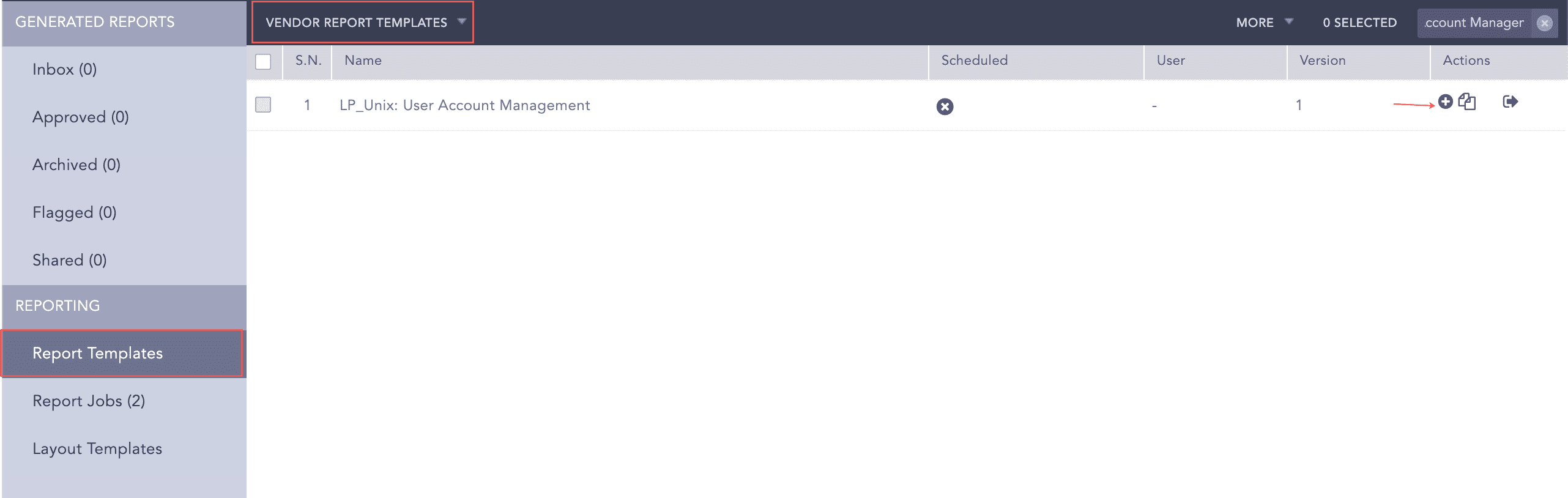
  1. Go to Report >> Report Template>>Vendor Report Templates.

Using Unix Report Template

Using the Unix Report Template

  1. Click Add under the Actions column.

Using Unix Report Template

Using Unix Report Template

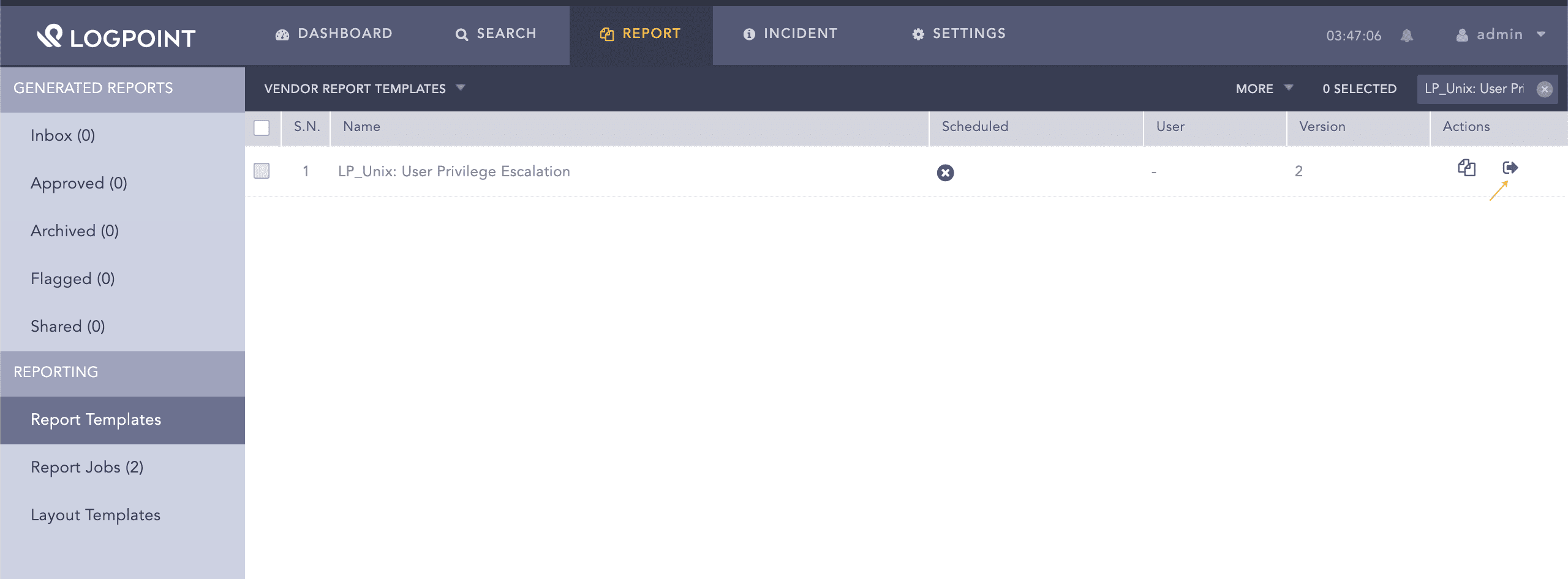
  1. Click Run this Report under the Actions column.

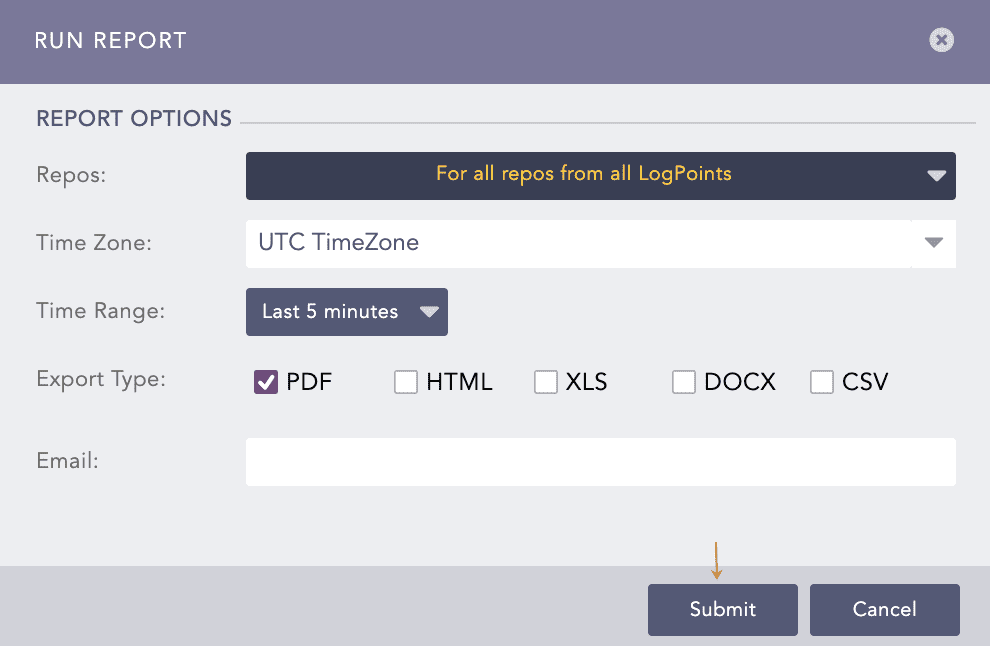
Run the Unix Activities Report Template

Running Unix Report Template

  1. Select Repos, Time Zone, Time Range, Export Type, and enter the Email address.

  2. Click Submit.

You can view the reports being generated under Report Jobs and download the generated reports from Inbox with .pdf extension by clicking PDF under the Download section.

A report contains widgets enabling you to analyze the data in different formats like graphs, time trends, lists, and text. Reports are time-bound, which means they are incident summaries over a period of time, for example, the last 24 hours or last five minutes. While generating a report, you can customize the calendar period according to your needs. The following are the Unix report templates:

  • LP_Unix: User Privilege Escalation is the incident summary report that provides statistical information on the session duration, commands executed, users in privilege escalation, and root privilege command execution in different formats, such as graphs and lists.

  • LP_Unix: User Account Management is the incident summary report that provides statistical information on the user account created or deleted, activities in user account management, user account locked or unlocked, newly created group or deleted group, and account status in different formats, such as graphs or lists.

  • LP_Unix: Authentication is the incident summary report that provides statistical information on the successful or unsuccessful administrative logins and user login activities in different formats, such as graphs or lists.


Helpful?

We are glad this guide helped.


Please don't include any personal information in your comment

Contact Support