
Log into the Director Console as the root user.
Click Users.
Click the Invalidate ( ) icon from the Action column in the Users List. This action invalidates all the API tokens generated by the selected user and invalidates their session.
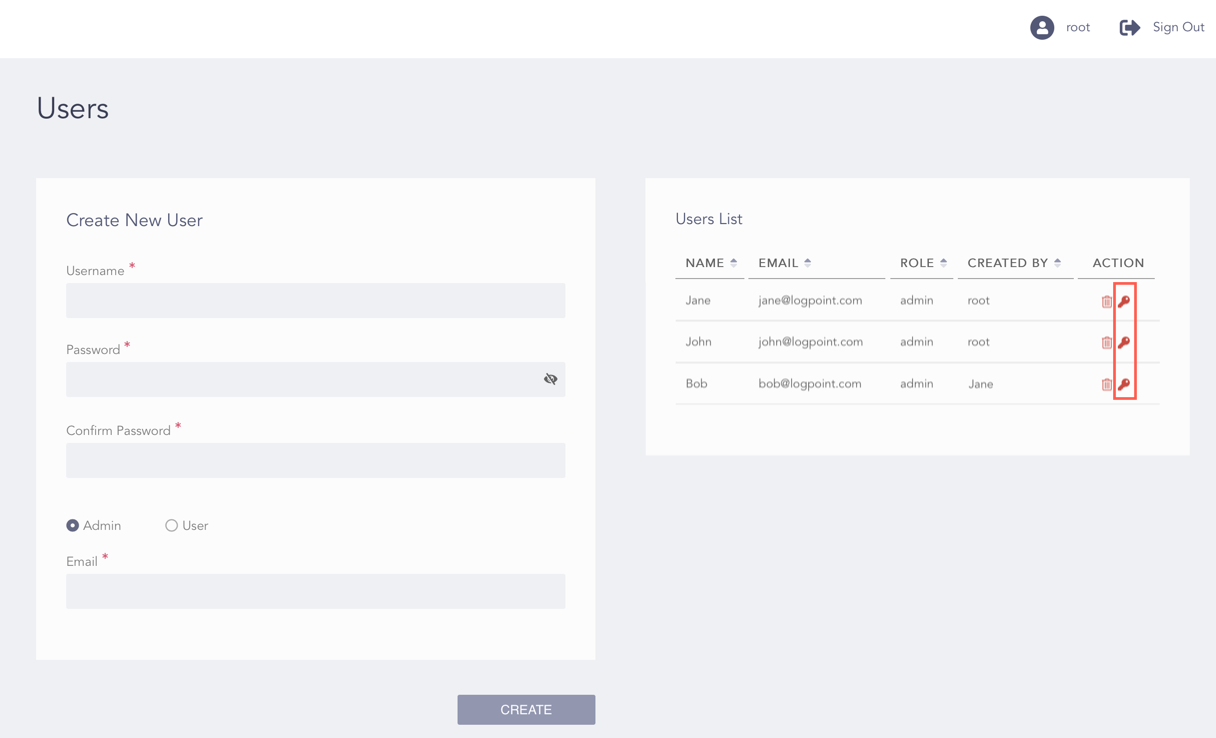
Root User’s View of the Users List
Click OK.