
You can log into Director Console using LDAP and ADFS authentication. To know more about configuring LDAP authentication and ADFS authentication, go to LDAP Authentication and ADFS Authentication.
To map roles and user groups with LDAP and ADFS groups, create an Authentication Group Mapping.
To create an Authentication Group Mapping:
Click USER MANAGEMENT from the navigation menu.
Under Authentication Group Mapping, click Create Group Mapping.
Select Authentication Type. You can either select LDAP or ADFS.
Under Authentication Groups, enter at least one authentication group of LDAP or ADFS to map it to the Director Console user role. You can enter one or more authentication groups.
Under Role, select Admin, Read-only or SIEM Engineer to map the authentication group into Director Console user role.
Select at least one User Group. You can select multiple user groups.
Click Create Group Mapping.
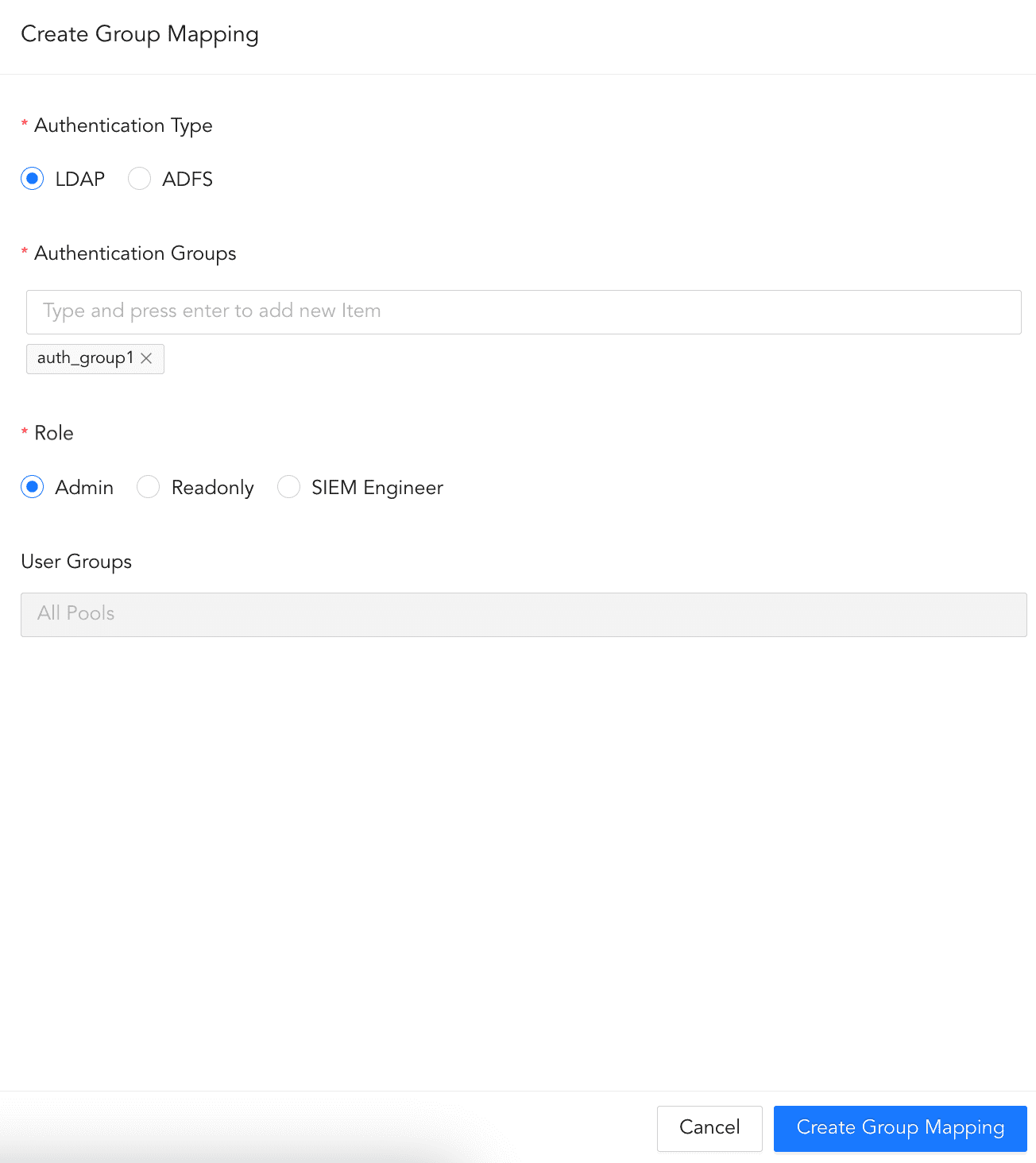
Create Authentication Group Mapping
To edit an Authentication Group Mapping:
Click USER MANAGEMENT from the navigation menu.
Under Authentication Group Mapping, click the authentication group mapping to edit.
Make the necessary changes.
Click Update Group Mapping.

Edit Authentication Group Mapping
To delete an Authentication Group Mapping:
Click USER MANAGEMENT from the navigation menu.
Under Authentication Group Mapping, click the user you want to delete.
Click Delete User.
Confirm by clicking Delete.
Delete Authentication Group Mapping
You can also delete a authentication group mapping by clicking the ( ) icon besides the user and clicking Delete.

Delete Authentication Group Mapping