Note
While the following endpoints use the POST methods, they function as GET.
This endpoint has five API actions and two mandatory parameters: username and secret_key. They are required for Authorization and Authentication. This API also has the additional parameter type.
API Action |
Request Type |
Additional Parameter |
Parameter Value |
|---|---|---|---|
Getting User Timezone |
POST |
type |
user_preference |
Getting Logpoints |
POST |
type |
loginspects |
Getting Repos |
POST |
type |
Logpoint_repos |
Getting Devices |
POST |
type |
devices |
Getting LiveSearches |
POST |
type |
livesearches |
To retrieve timezone and date and time format.
POST
https://Logpoint-IP/getalloweddata
Parameter |
Value Type |
Description |
|---|---|---|
username |
String |
A Logpoint username |
secret_key |
String |
Secret key of Logpoint. Refer to Finding the Access Key. |
type |
String |
An identifier for the API action. Its value must be user_preference. |
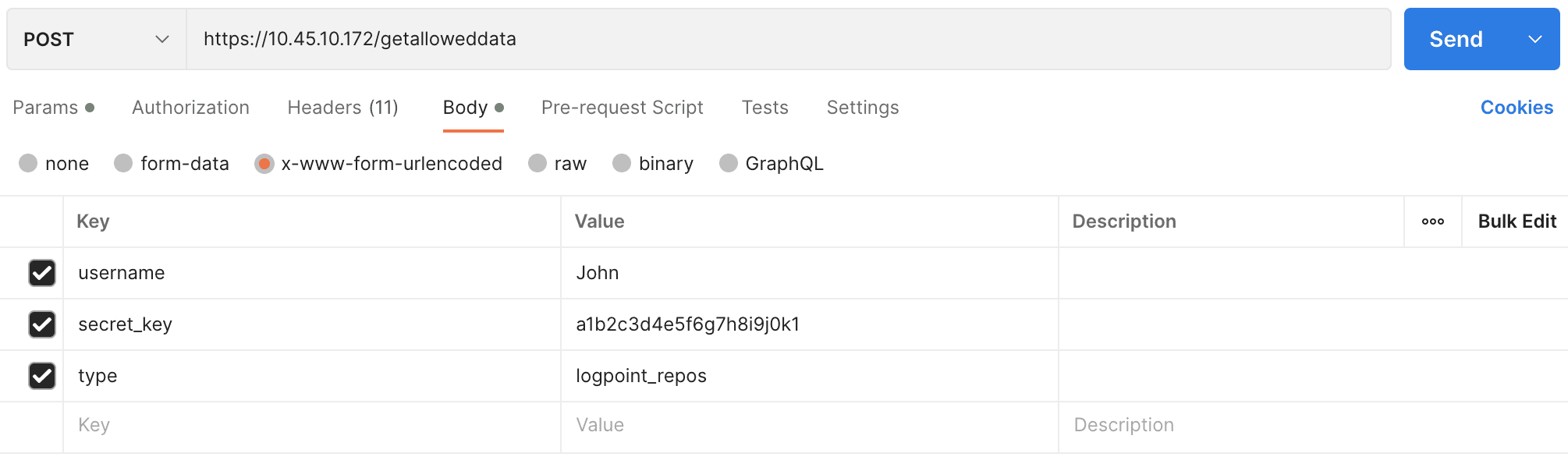
The parameters should be included in the request body as x-www-form-urlencoded.
{
        "username" : "John",
        "secret_key" : "a1b2c3d4e5f6g7h8i9j0k1",
        "type" : "user_preference"
        }
Note
Content-Type, Content-Length, and Host must be passed in the request header. Content-Type should be application/x-www-form-urlencoded.
curl --location 'https://10.45.10.172/getalloweddata' \
--header 'Content-Type: application/x-www-form-urlencoded' \
--data-urlencode 'username=John' \
--data-urlencode 'secret_key=a1b2c3d4e5f6g7h8i9j0k1' \
--data-urlencode 'type=user_preference'
{
        "success": true,
        "timezone": "UTC",
        "date_format": "%Y/%m/%d",
        "hour_format": "24 Hour"
}
To retrieve name and IP address of all the Logpoints configured in a distributed setup.
POST
https://Logpoint-IP/getalloweddata
Parameter |
Value Type |
Description |
|---|---|---|
username |
String |
A Logpoint username |
secret_key |
String |
Secret key of Logpoint. Refer to Finding the Access Key. |
type |
String |
An identifier for the API action. Its value must be loginspects. |
The parameters should be included in the request body as x-www-form-urlencoded.
{
        "username" : "John",
        "secret_key" : "a1b2c3d4e5f6g7h8i9j0k1",
        "type" : "loginspects"
        }
curl --location 'https://10.45.10.172/getalloweddata' \
--header 'Content-Type: application/x-www-form-urlencoded' \
--data-urlencode 'username=John' \
--data-urlencode 'secret_key=a1b2c3d4e5f6g7h8i9j0k1' \
--data-urlencode 'type=loginspects'
{
        "success": true,
        "allowed_loginspects": [
        {
                "name": "Logpoint",
                "ip": "127.0.0.1"
        }
        ]
}
To retrieve name and IP address of all the repos configured in a Logpoint.
POST
https://Logpoint-IP/getalloweddata
Parameter |
Value Type |
Description |
|---|---|---|
username |
String |
A Logpoint username |
secret_key |
String |
Secret key of Logpoint. Refer to Finding the Access Key. |
type |
String |
An identifier for the API action. Its value must be Logpoint_repos. |
The parameters should be included in the request body as x-www-form-urlencoded.
{
        "username" : "John",
        "secret_key" : "a1b2c3d4e5f6g7h8i9j0k1",
        "type" : "Logpoint_repos"
        }
curl --location 'https://10.45.10.172/getalloweddata' \
--header 'Content-Type: application/x-www-form-urlencoded' \
--data-urlencode 'username=John' \
--data-urlencode 'secret_key=a1b2c3d4e5f6g7h8i9j0k1' \
--data-urlencode 'type=Logpoint_repos'
{
        "success": true,
        "allowed_repos": [
                {
                        "repo": "default",
                        "address": "127.0.0.1:5504/default"
                },
                {
                        "repo": "_Logpoint",
                        "address": "127.0.0.1:5504/_Logpoint"
                }
                ....
                ....
                ],
        "Logpoint": [
                {
                        "name": "Logpoint",
                        "ip": "127.0.0.1"
                }
        ]
}
To retrieve name and IP address of all the devices configured in a Logpoint.
POST
https://Logpoint-IP/getalloweddata
Parameter |
Value Type |
Description |
|---|---|---|
username |
String |
A Logpoint username |
secret_key |
String |
Secret key of Logpoint. Refer to Finding the Access Key. |
type |
String |
An identifier for the API action. Its value must be devices. |
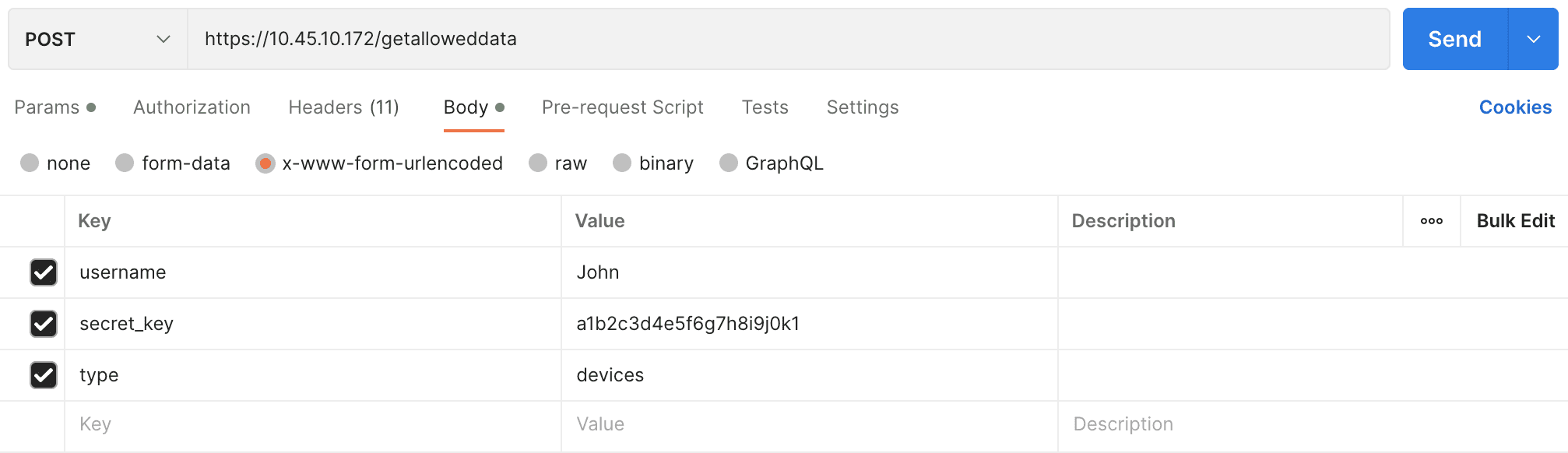
The parameters should be included in the request body as x-www-form-urlencoded.
{
        "username" : "John",
        "secret_key" : "a1b2c3d4e5f6g7h8i9j0k1",
        "type" : "devices"
        }
curl --location 'https://10.45.10.172/getalloweddata' \
--header 'Content-Type: application/x-www-form-urlencoded' \
--data-urlencode 'username=John' \
--data-urlencode 'secret_key=a1b2c3d4e5f6g7h8i9j0k1' \
--data-urlencode 'type=devices'
{
        "success": true,
        "allowed_devices": [
                {
                        "127.0.0.1/127.0.0.1": "localhost",
                        "127.0.0.1/::1": "localhost",
                        "127.0.0.1/10.45.3.107": "107"
                }
                ],
        "Logpoint": [
                {
                        "name": "Logpoint",
                        "ip": "127.0.0.1"
                }
        ]
}
To retrieve information related to the live searches performed for dashboards and alerts.
POST
https://Logpoint-IP/getalloweddata
Parameter |
Value Type |
Description |
|---|---|---|
username |
String |
A Logpoint username |
secret_key |
String |
Secret key of Logpoint. Refer to Finding the Access Key. |
type |
String |
An identifier for the API action. Its value must be livesearches. |
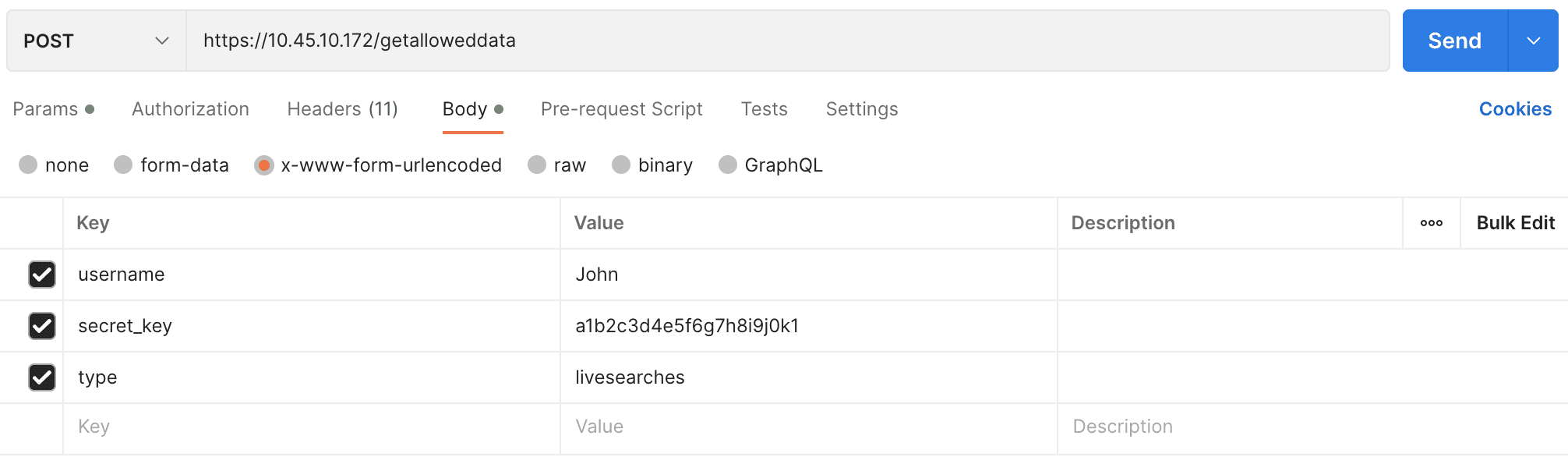
The parameters should be included in the request body as x-www-form-urlencoded.
{
        "username" : "John",
        "secret_key" : "a1b2c3d4e5f6g7h8i9j0k1",
        "type" : "livesearches"
        }
curl --location 'https://10.45.10.172/getalloweddata' \
--header 'Content-Type: application/x-www-form-urlencoded' \
--data-urlencode 'username=John' \
--data-urlencode 'secret_key=a1b2c3d4e5f6g7h8i9j0k1' \
--data-urlencode 'type=livesearches'
{
        "success": true,
        "livesearches": [
                {
                        "searchname": "device_ip",
                        "description": "",
                        "query": "| chart count() by device_ip",
                        "query_info": {
                                "fieldsToExtract": [],
                                "aliases": [
                                        "count()"
                                ],
                                "success": true,
                                "query_filter": "",
                                "columns": [
                                        "count()"
                                ],
                                "query_type": "chart",
                                "lucene_query": "",
                                "grouping": [
                                        "device_ip"
                                ]
                        },
                        "timerange_day": 0,
                        "timerange_hour": 0,
                        "timerange_minute": 1,
                        "timerange_second": 0,
                        "limit": 100,
                        "tid": "",
                        "generated_by": "dashboard",
                        "vid": "",
                        "flush_on_trigger": false,
                        "life_id": "3287dec3b4012b50f63e15fd6cbe6f77dc56aa4b"
                        }
                ]
}