Obtaining Logpoint AMI

Contact the Logpoint Support team and provide your AWS Account Number and Deployment Region to receive Logpoint AMI. Logpoint can share AMIs within the following AWS regions:

  • us-east-1

  • eu-west-1

  • ec-central-1

  • ap-south-1

Once shared, to copy the AMI to other regions within your private AWS account, follow the same steps outlined in Enabling EBS Encryption and Launching Instances from the EBS-encrypted AMI.
Obtaining the AWS Account Number

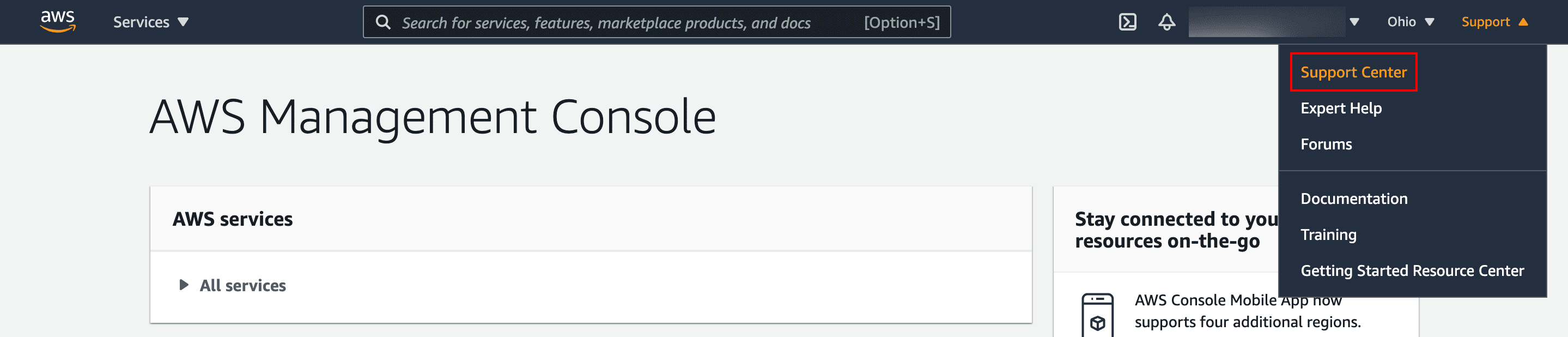
  1. Log in to the AWS management console.

  2. Click the Support drop-down and select Support Center.

    _images/LP_Cloud_AWS_SupportCenterSelected.png

    AWS Management Console

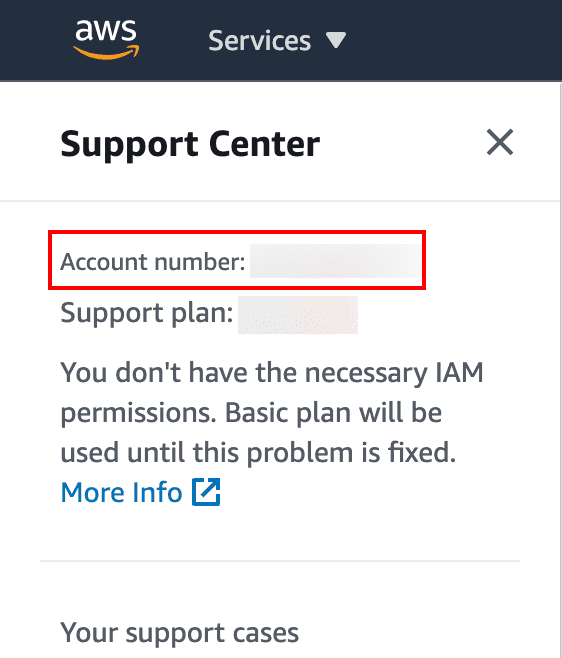
  3. Note down the Account number at the top of the Support Center page.

    _images/LP_Cloud_AWS_AccountNumber.png

    Obtaining the Account Number

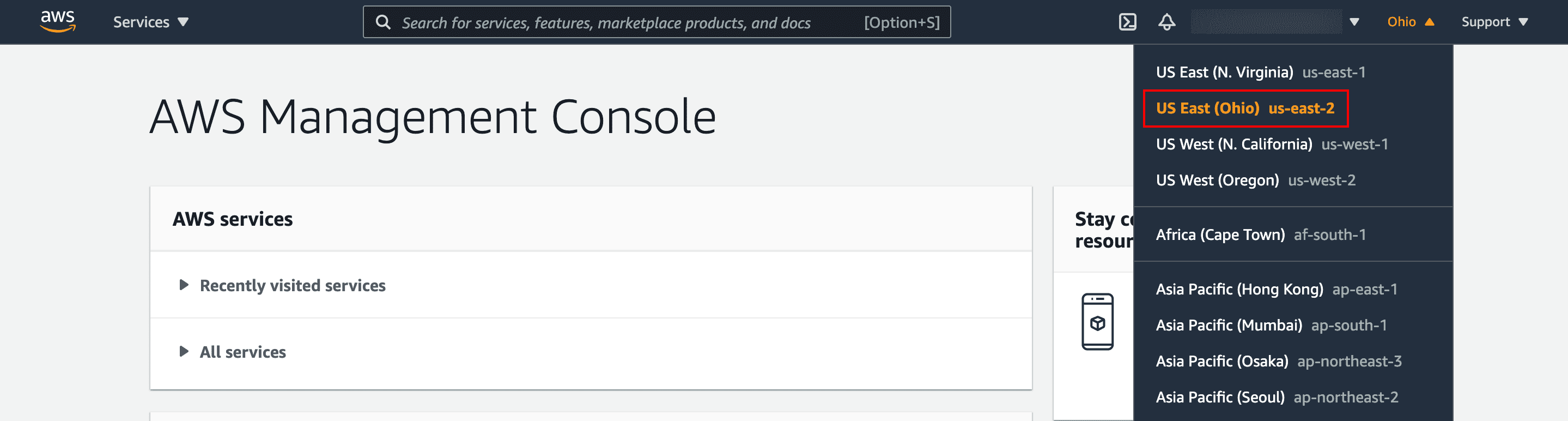
Selecting the Deployment Region

  1. Log in to the AWS management console.

  2. In the top right drop-down, select the Region to deploy the instance.

    _images/LP_Cloud_AWS_RegionSelected.png

    Selecting a Deployment Region

  3. Note down the selected Region.


Helpful?

We are glad this guide helped.


Please don't include any personal information in your comment

Contact Support