Process tree is a hierarchical representation of processes and their relationships within a Windows operating system. It details parent-child processes, showing how one process can spawn or create other processes over time. In Logpoint, Process Tree supports WindowsSysmon logs that assign each process a unique identity, process_guid.
For example:
In a Sysmon indexed log with the event ID 1, a LogonUI.exe process is assigned the GUID {F320C4D1-6051-6589-9A01-00000000A400}. Its parent process winlogon.exe is assigned the GUID {F320C4D1-5A94-6589-5201-00000000A400}.
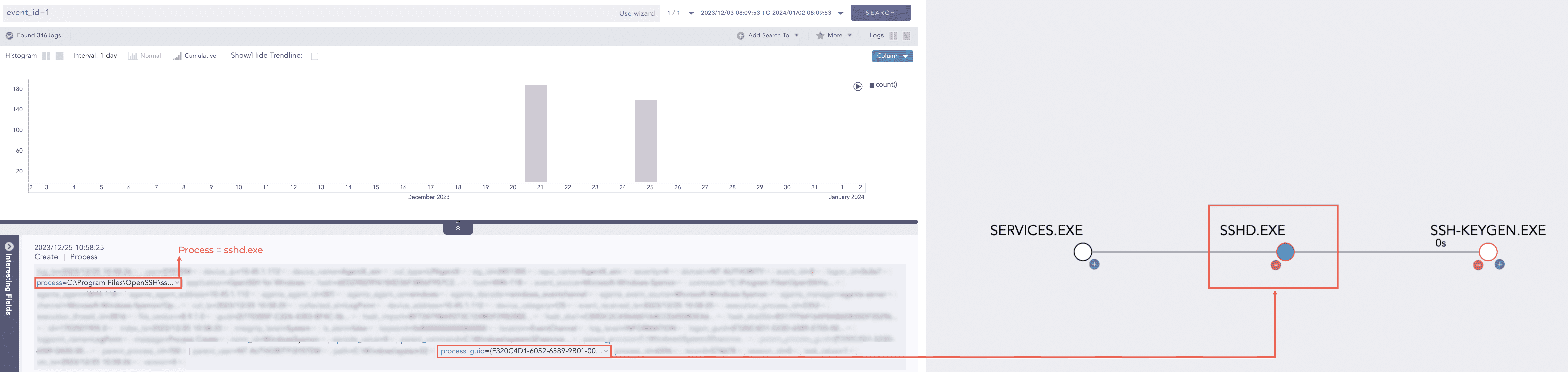
Process Tree helps you study the relationships between active processes, discover resource utilization, and debug process execution issues. Unusual process linkages or unexpected child processes might indicate security concerns. Viewing the Process Tree can help spot such anomalies or irregularities. To view a tree, search for Sysmon logs from Search, then click Visualize Process Tree With {guid} from the parent_process_guid or process_guid value drop-down.
Process Tree UI Labels
Each node in the tree represents a process, and the lines connecting nodes indicate parent-child relationships. A line displays the relative time a child process was created after the creation of its parent process.
A bright blue color node represents the focused node in Process Tree. It indicates from where in Search you are directed to a Process Tree. It can be parent_process_guid or process_guid.
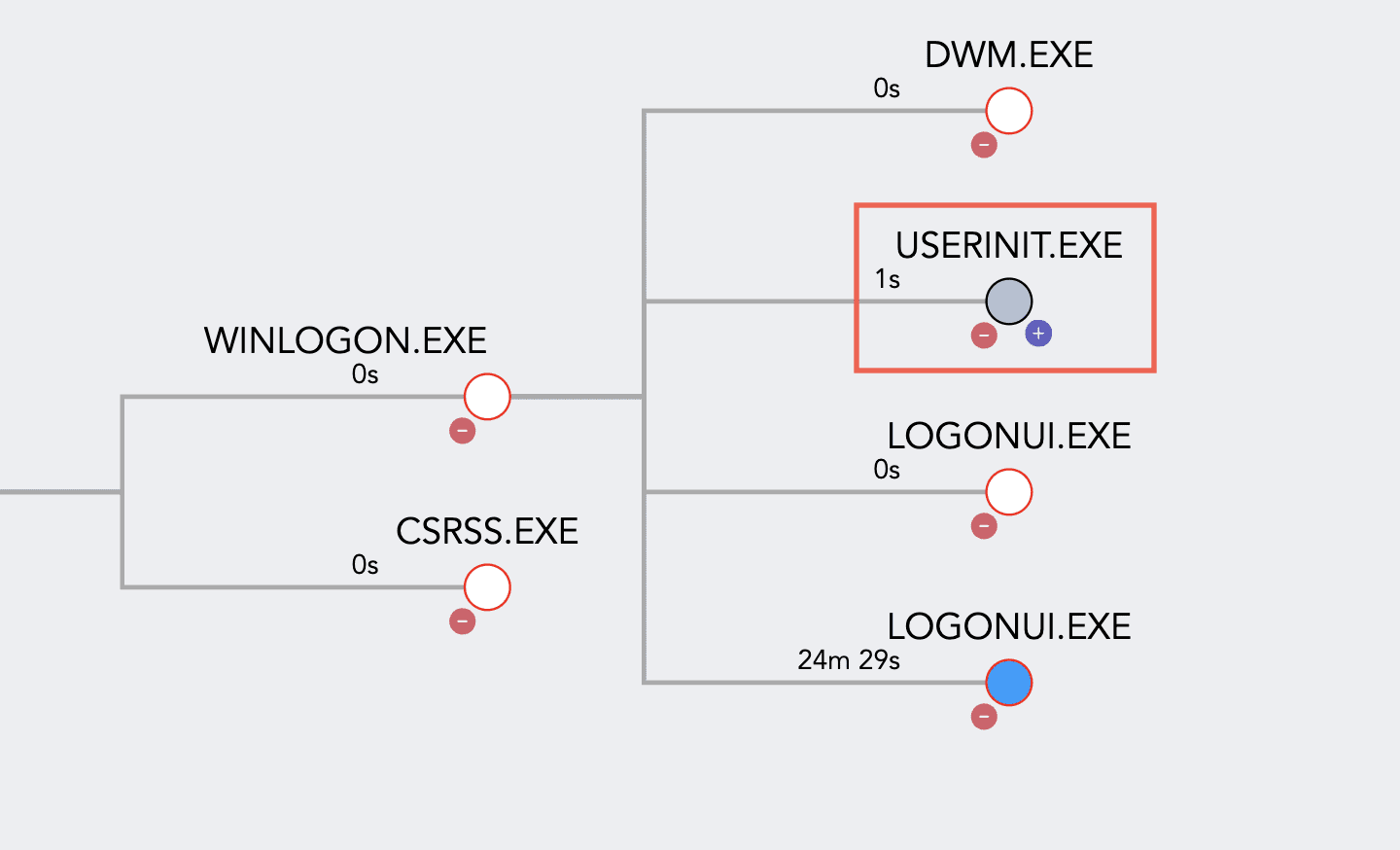
A light blue node represents the process’s child nodes are present but not expanded.
 button fetches and displays the child processes nodes related to the parent process.
 button hides the child processes nodes from its parent process node.
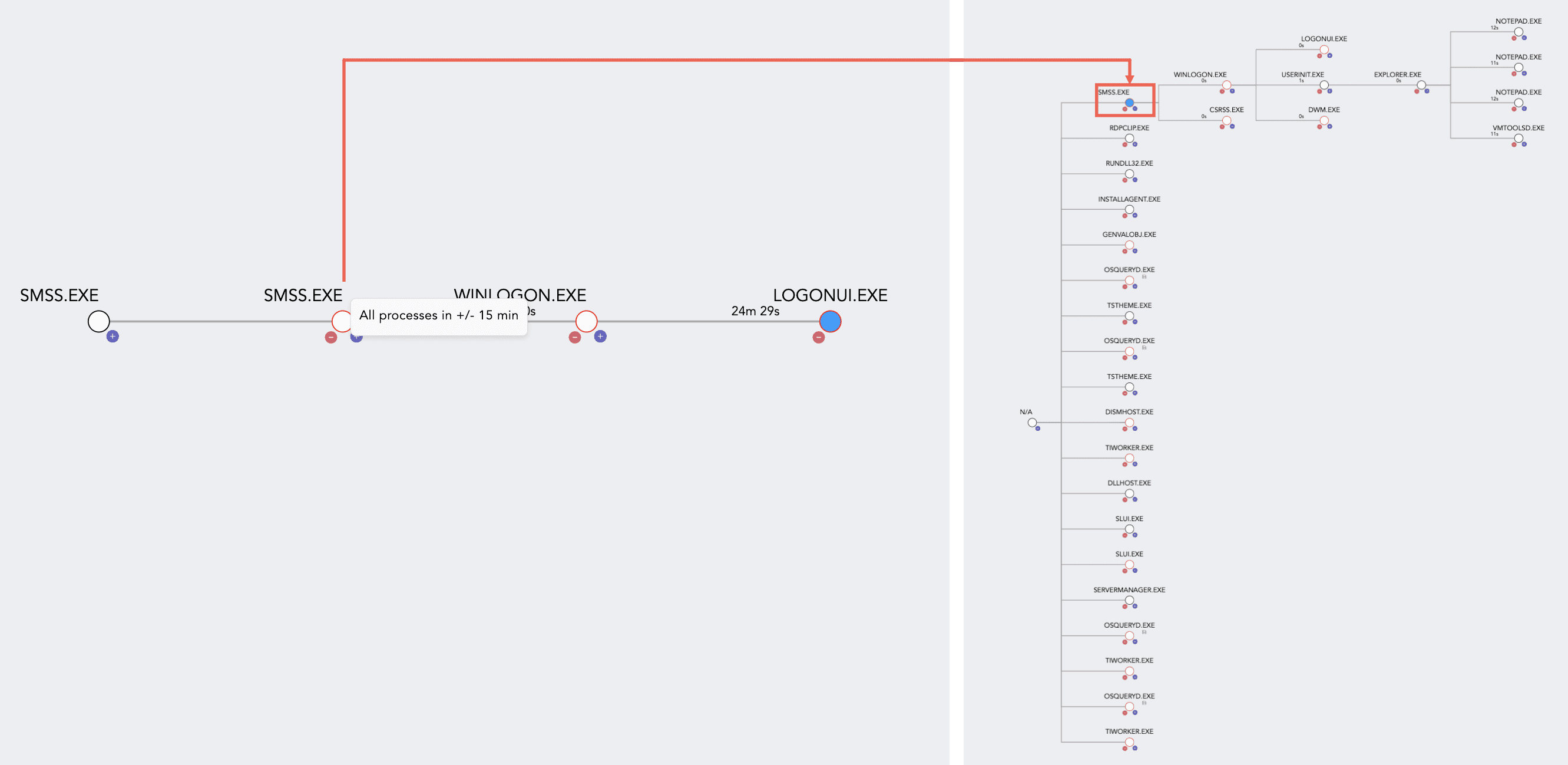
Right-click any node, you will get the All processes in +/- 15min button. Click it and you will see a new process tree that shows all the processes created 15 minutes prior and later, relative to the node you selected.
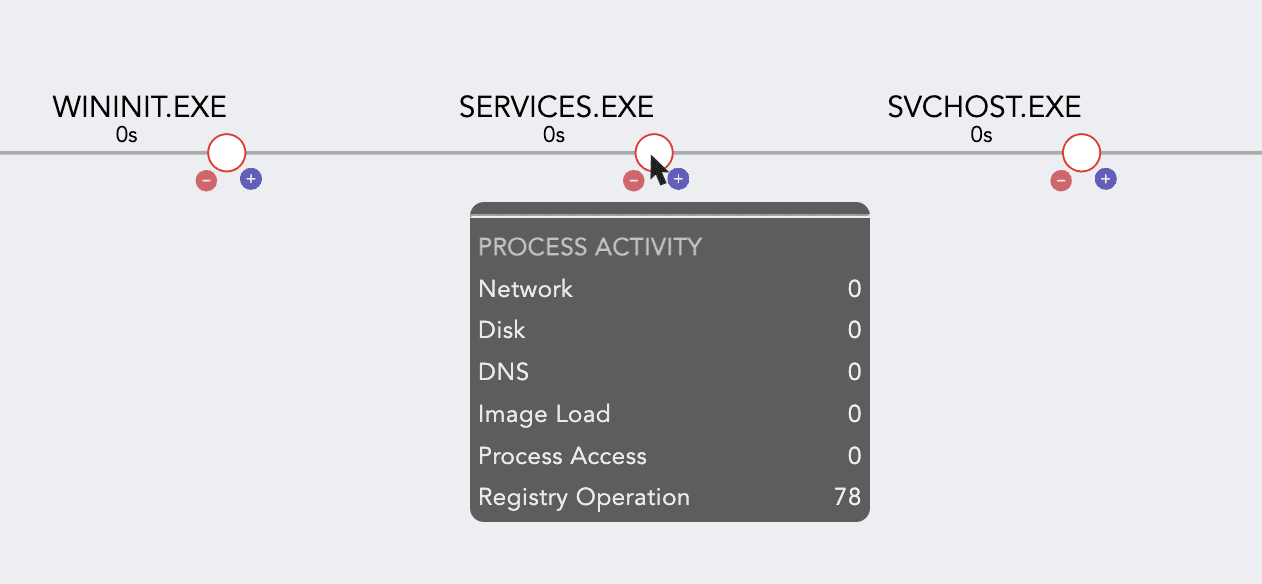
Hover on a node to view its process activity details like network, DNS, disk and registry operation.