
An SNMP fetcher allows you to make SNMP queries to network devices to get responses into LogPoint. You need an SNMP policy to make an SNMP walk query. An SNMP policy is a set of OIDs and their query time intervals.
Go to Configure >> Built-in Collectors/Fetchers >> SNMP Fetchers.
Select the LogPoint instances where you want to configure the SNMP fetcher.
Click Next.
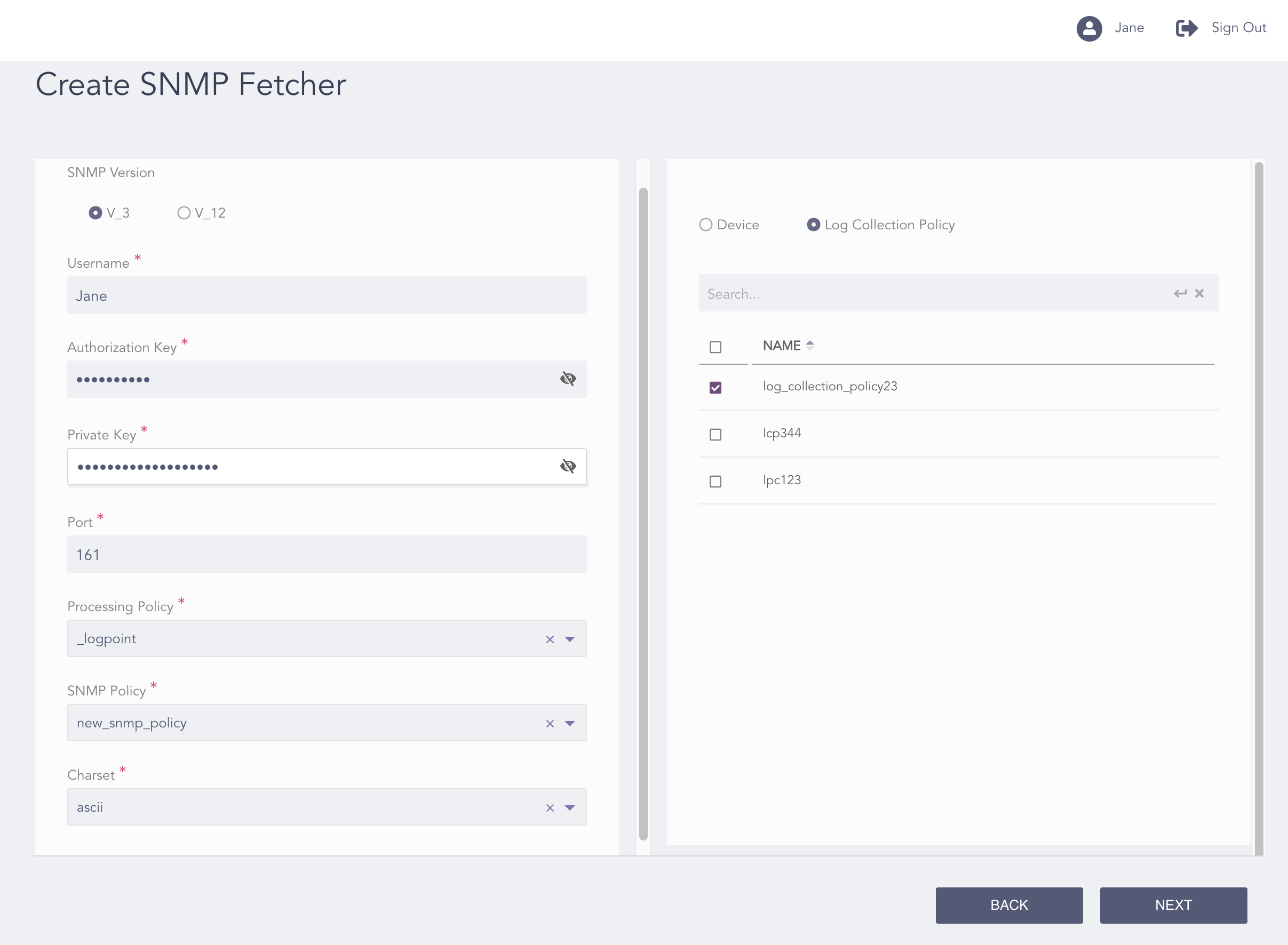
Configuring the SNMP Fetcher V_3
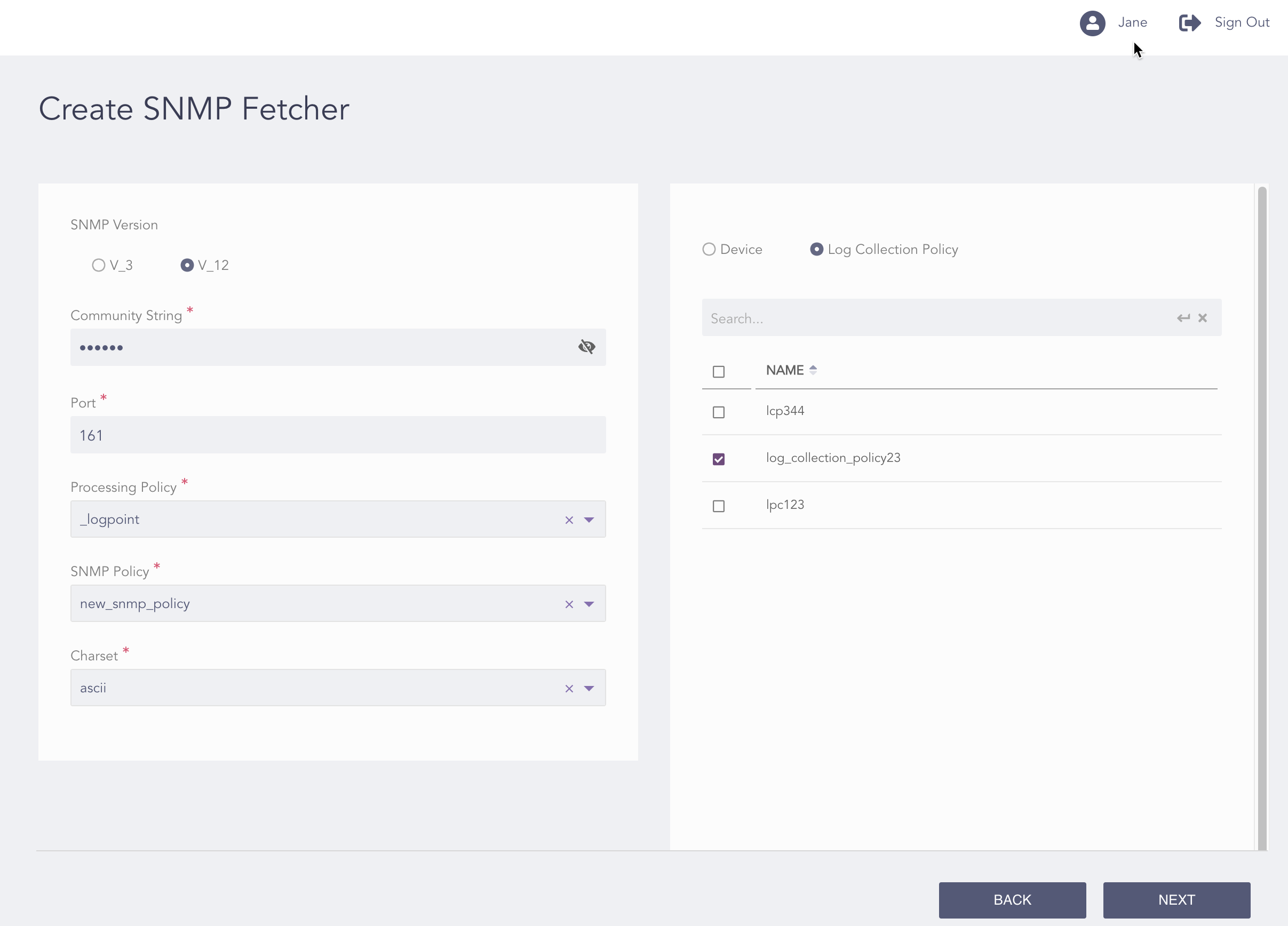
Configuring the SNMP Fetcher V_12
Select an SNMP Version:
If you select V_3:
Enter the Username of the user forwarding the logs to the server.
Enter the Authorization Key and Private Key used for Authentication of SNMP users, Privacy of communication, and Integrity of messages.
Click the View icon to view the authorization key and the private key.
If you select V_12:
Enter the Community String authentication of messages.
Click the View icon to view the community string.
Enter the Port number on which the SNMP service is running.
Select a Processing Policy.
Select an SNMP Policy.
Note
You need to configure the SNMP policy before adding an SNMP fetcher to any device.
Select an encoding format from the Charset drop-down.
You can either configure the SNMP fetcher to a device or a log collection policy.
If you select Device, select all the devices where you want to configure the fetcher.
Note
For multiple LogPoint instances, you can select the devices common to the selected LogPoint instances only.
If you select Log Collection Policy, select all the log collection policies where you want to configure the fetcher.
Click Next.
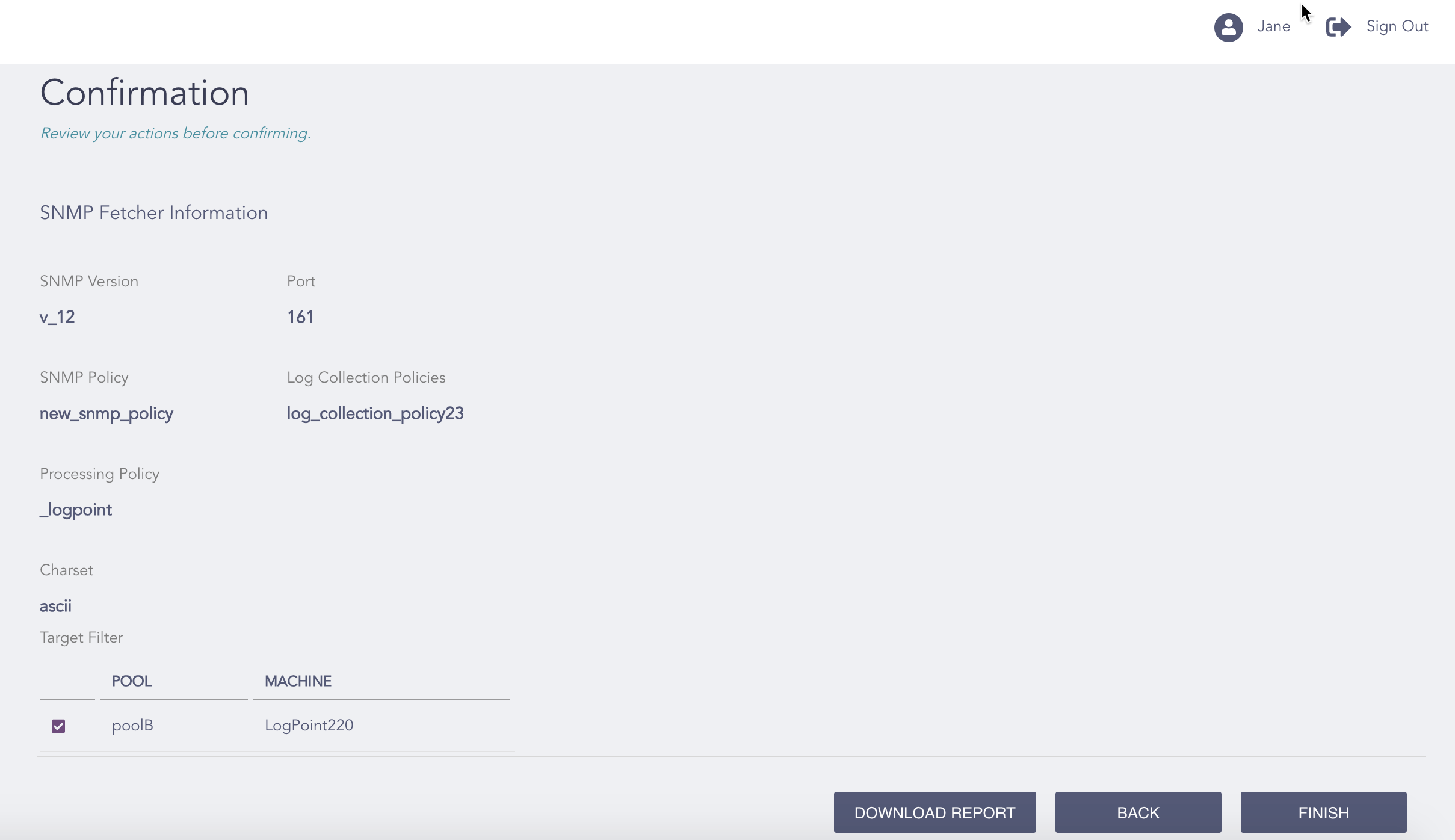
Confirming the Changes
Review your changes. You can go Back to make any changes if necessary.
Note
Click Download Report to save the summary of the task in PDF.
Click Finish.
Click OK.