
Permission Groups allow you to control the access levels of users. You can group multiple permissions into a permission group and assign it to user groups. For more details, go to Permission Groups.
Go to Configure >> User Management >> Permission Groups.
Select a Logpoint to create permission groups. You can select multiple Logpoint instances of different pools.
Click Next.
Enter a Name and a Description.
Under Site Permission Management, select the listed permission items and assign permissions as required: Read, Create, or Delete.
Note
If you select Delete, then Read and Create are enabled by default.
If you select Create, then Read is enabled by default.
To configure SOAR specific permissions, enable SOAR for LogPoint from Configure >> Settings >> System >> General Settings. In case of multiple instances, SOAR must be enabled in all of the selected instances.
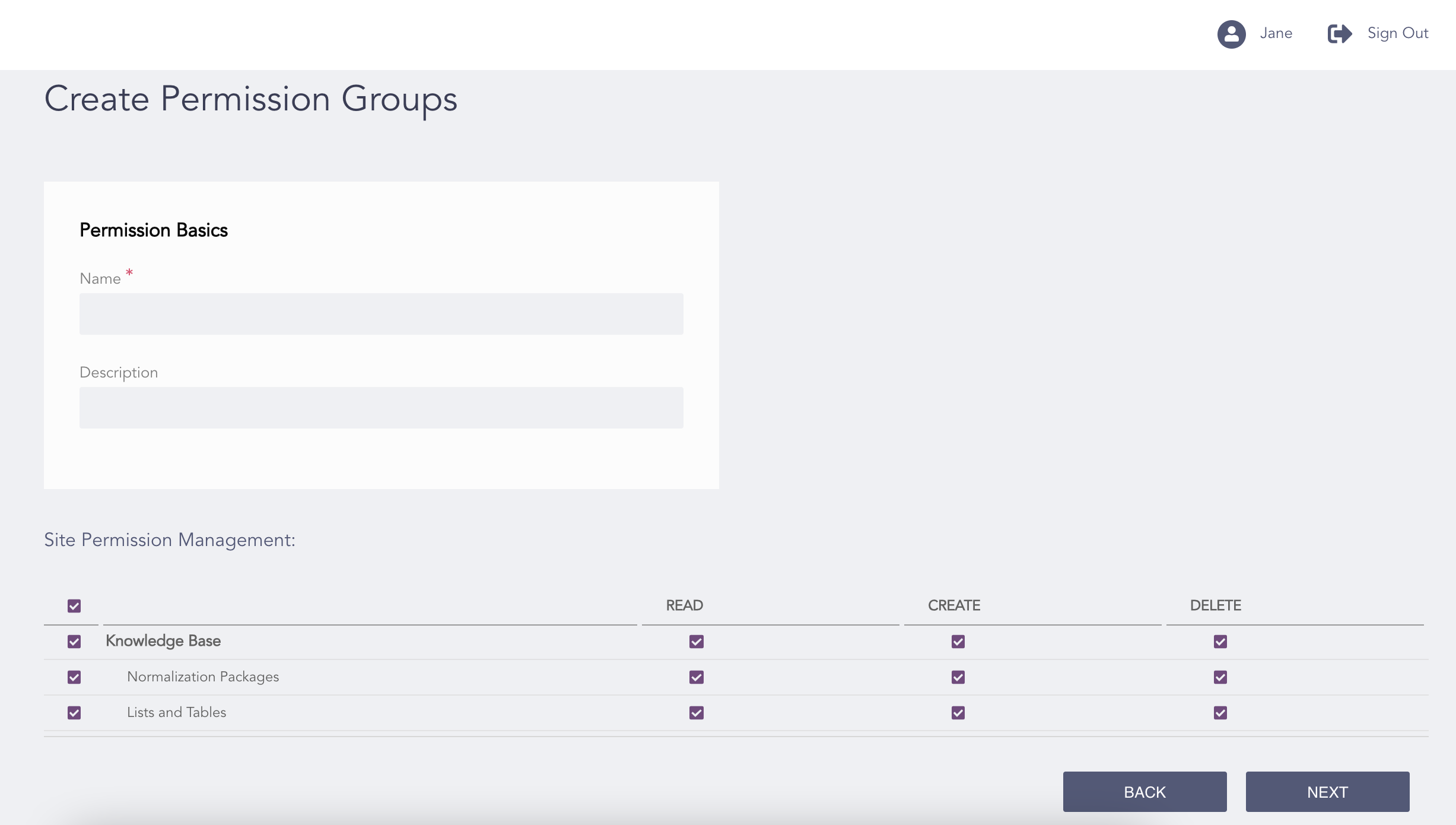
Creating Permission Groups
Click Next.
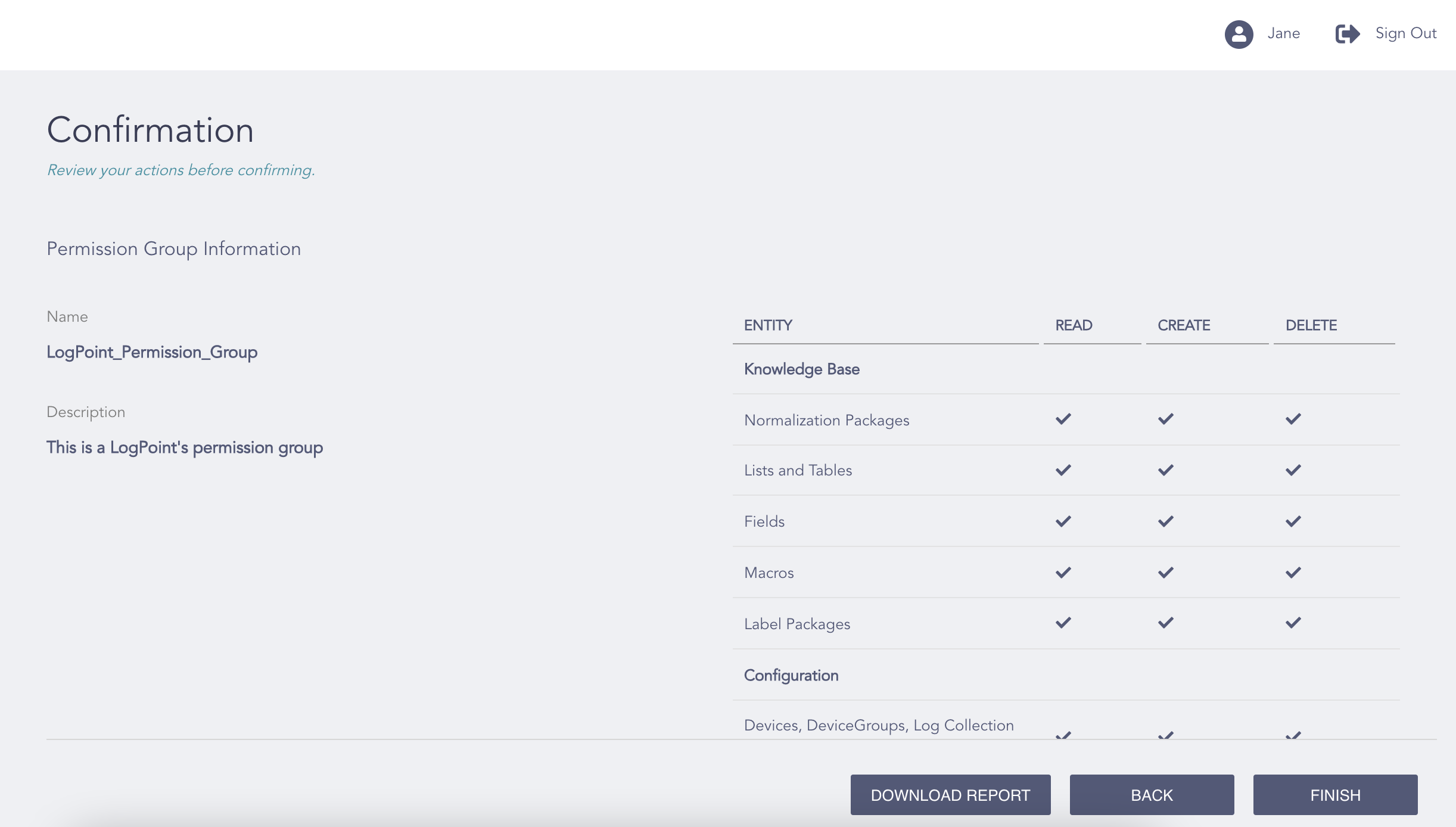
Confirming the Changes
Review your changes. You can go Back and make any changes if necessary.
Note
Click Download Report to save a summary of the selected permissions in PDF.
Click Finish and click Ok.