
You need the API Key to configure the Universal Rest API based TrendVisionOne log source template in Logpoint. The API Key enables you to authenticate and authorize access to an API.
To get the API Key:
Log in to the Trend Vision One console using your credentials.
Go to Administration >> API Keys from the navigation bar and click Add API Key.
Enter Name. It should be descriptive enough to identify its purpose or the system or application it will be used for. For example, Custom Dashboard Access, if the API key is for a custom-built dashboard.
Select the appropriate Role from the drop-down. The role determines the necessary permissions for the actions you want to perform with the API.
Set an Expiration Time from the drop-down. Choosing a time for an API Key must balance your security needs with the operational requirements of your application.
In Description, you can mention the purpose of the API Key.
Click Add to generate a API Key.
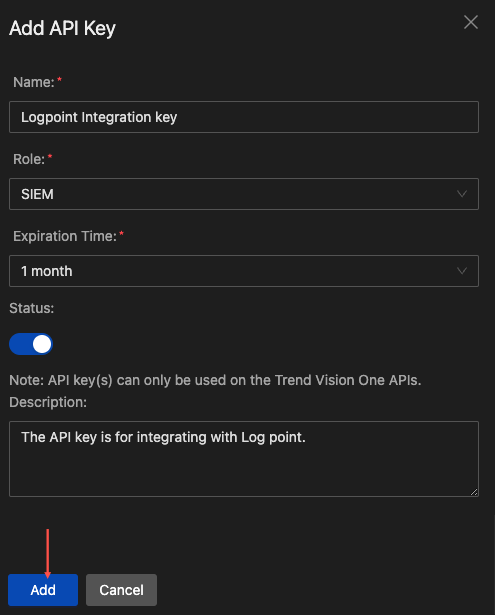
Creating API Key
Note down the API Key Value. You will need them when entering the authorization value while configuring the TrendVisionOne log source template.
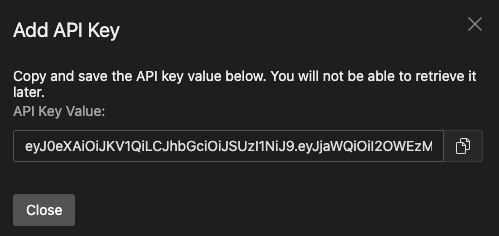
Generated API Key Value