
Syslog is used to send system logs to a specific server. You can add a custom TLS certificate for log collection via Syslog.
Go to Configure >> Settings >> System >> Syslog.
Select the Logpoint instances where you want to configure the Syslog.
Click Next.
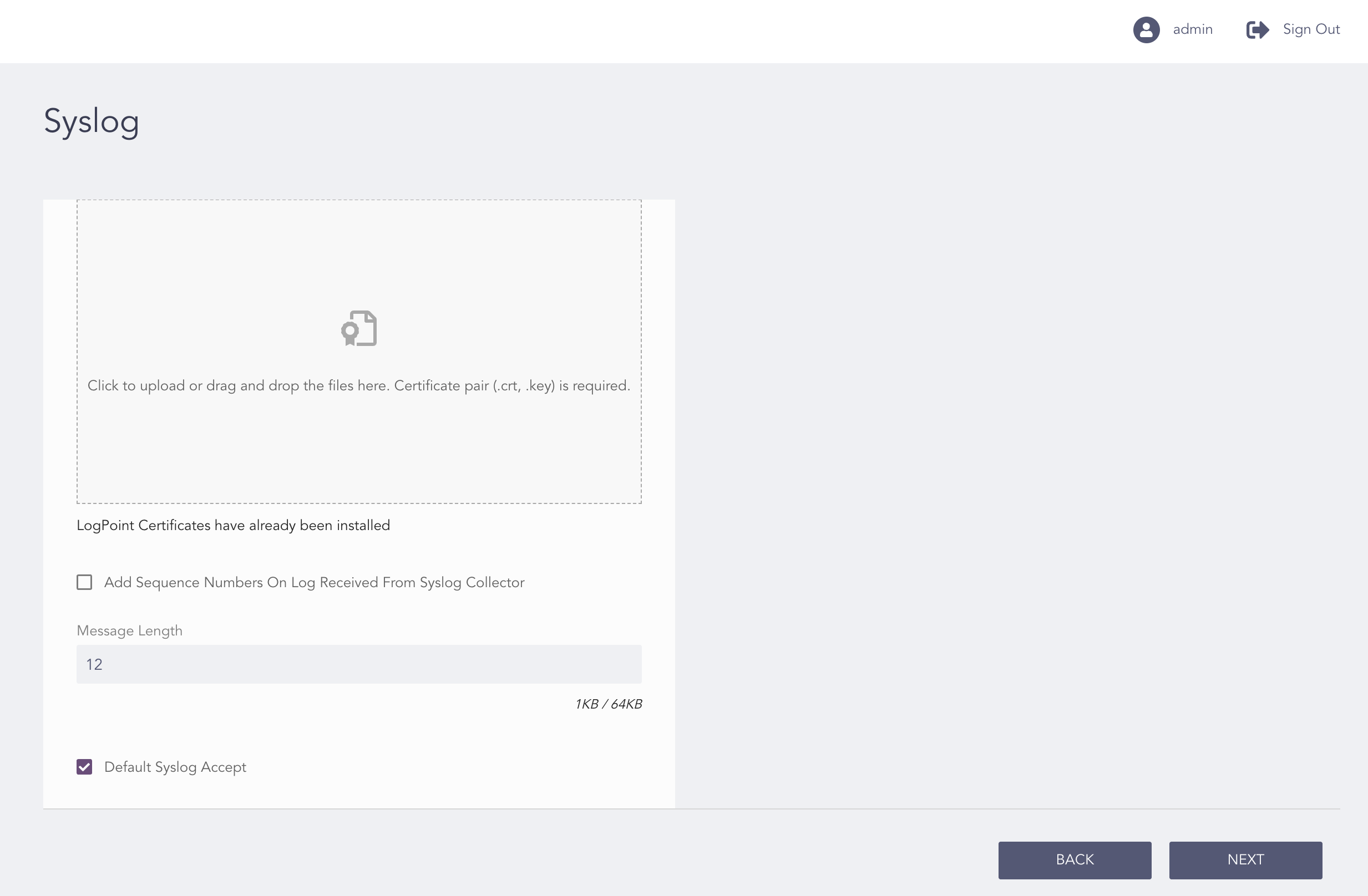
Configuring the Syslog
Upload the Certificate and the Key.
Select Add Sequence Numbers On Log Received From Syslog Collector to add a sequence number to the log.
Enter the Message Length.
Note
The default message length is 12KB.
Select Default Syslog Accept to allow Logpoint to accept unregistered logs from any syslog source by default. The received logs are normalized using _default_syslog normalization policy and stored in the default repo.
Click Next.
Review the details and click Back if anything needs to be changed.
Click Download Report to get a summary in PDF format.
Click Finish.
Click OK.