
Data Privacy allows you encrypt UEBA entities, and you can view the encrypted raw events using Explore Raw Events.
Go to Settings >> System Settings from the navigation bar and click System Settings.
Click Data Privacy Module.
Select Enable Data Privacy Module.
Select an Encryption Scheme.
Enter the Fields you want to encrypt and click Add.
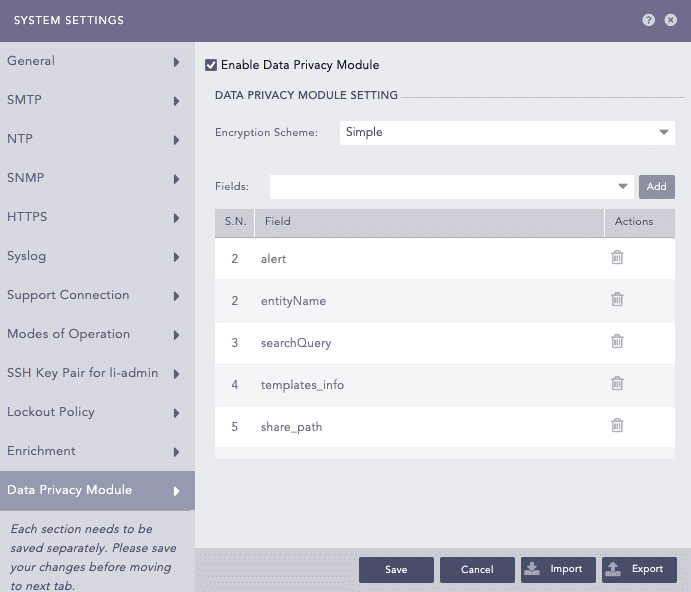
Configuring Data Privacy
The table contains the fields required for encrypting various entities. To ensure data encryption, you need to also add alert, entityName, searchQuery, and templates_info fields for all entities.
We recommend adding all the listed fields to ensure complete data privacy.
Entity |
Required Fields for Encryption |
|---|---|
User |
SI_user, SAMAccountName, userPrincipalName, sender, mail |
Website |
domain, destination_address, source_address |
Share |
share_path |
Server |
host, source_machine_id, destination_machine_id |
Resource |
obj_name |
mail, sender |
Click Save.