
LogPoint uses the repos (repositories) to collect streaming logs in LogPoint and store them securely.
Go to Configure >> Entities >> Repos.
Select the LogPoint instances where you want to configure the repo.
Click Next.
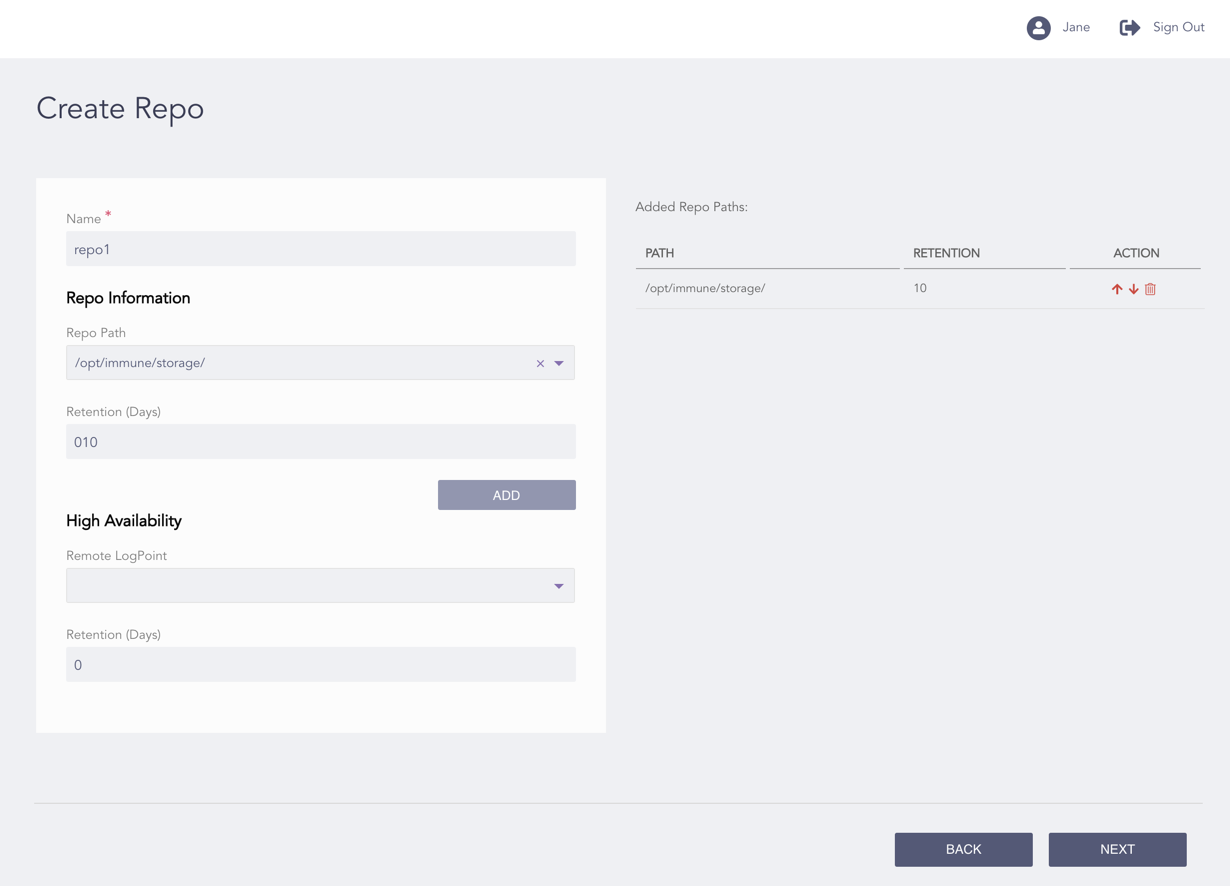
Configuring the Repo
Enter a Name.
Note
The length of the repo name must not exceed 29 characters.
Select a Repo Path.
Enter the Retention (Days) for storing logs in the repo.
Note
The number of Retention (Days) must be at least two.
Click Add.
Note
You can click the Move Up and Move Down icons from the Action column of a repo to re-order it.
To delete a repo, click Delete in the Action column.
Select a Remote LogPoint and Retention (Days) to configure High Availability. These fields are optional. The remote LogPoint lets you perform search operations even when the repo is not available.
Note
For multiple LogPoint instances, you can see the common remote LogPoint instances only in the Remote LogPoint drop-down.
Click Next.
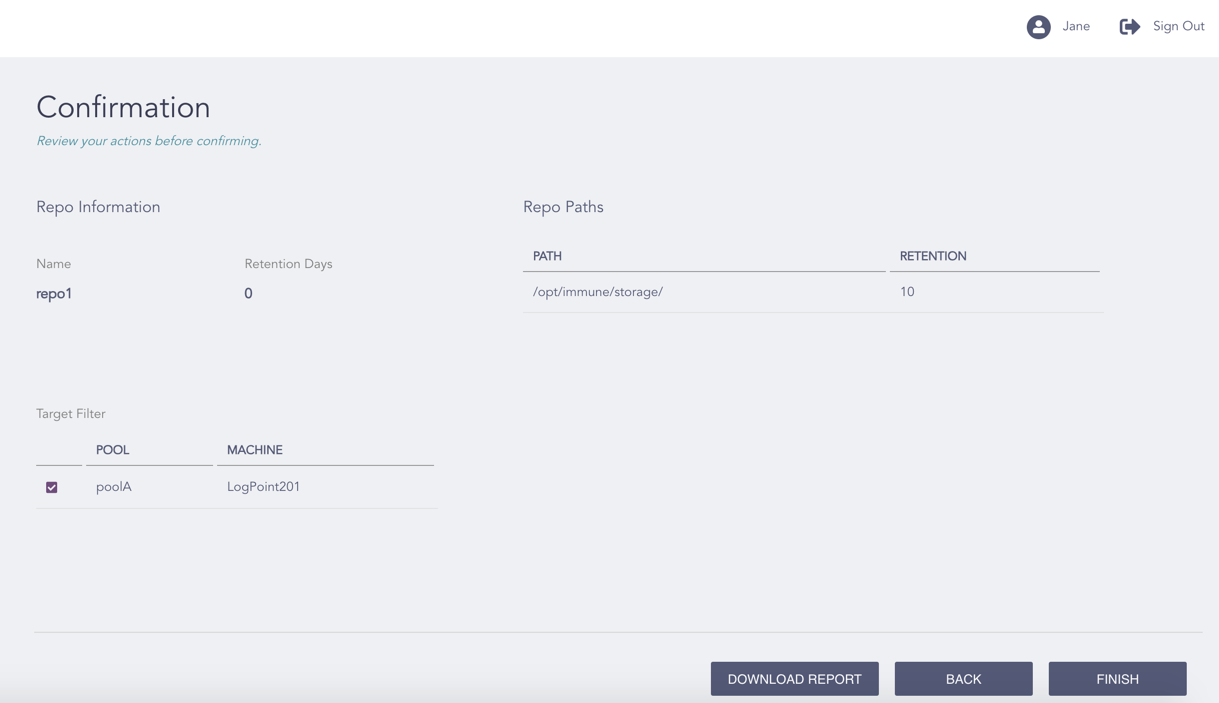
Confirming the Changes
Review your changes. You can go Back to make any changes if necessary.
Note
Click Download Report to save the summary of the task in PDF.
Click Finish.
Click OK.