
Tables store the data that you can use to enrich the logs. A dynamic table is a table where you can specify the fields and obtain the values for the specified fields during runtime for a limited or an unlimited period.
You can configure dynamic tables via Director Console and update the values for the table via runtime using a search query through a Fabric-enabled Logpoint or a Logpoint Search Master. Go to Tables for more details.
Note
You can configure tables for Fabric-enabled Logpoint v7.2.0 and later.
Go to Configure >> Entities >> Tables.
Select the Logpoint instances where you want to add and configure the table.
Click Next.
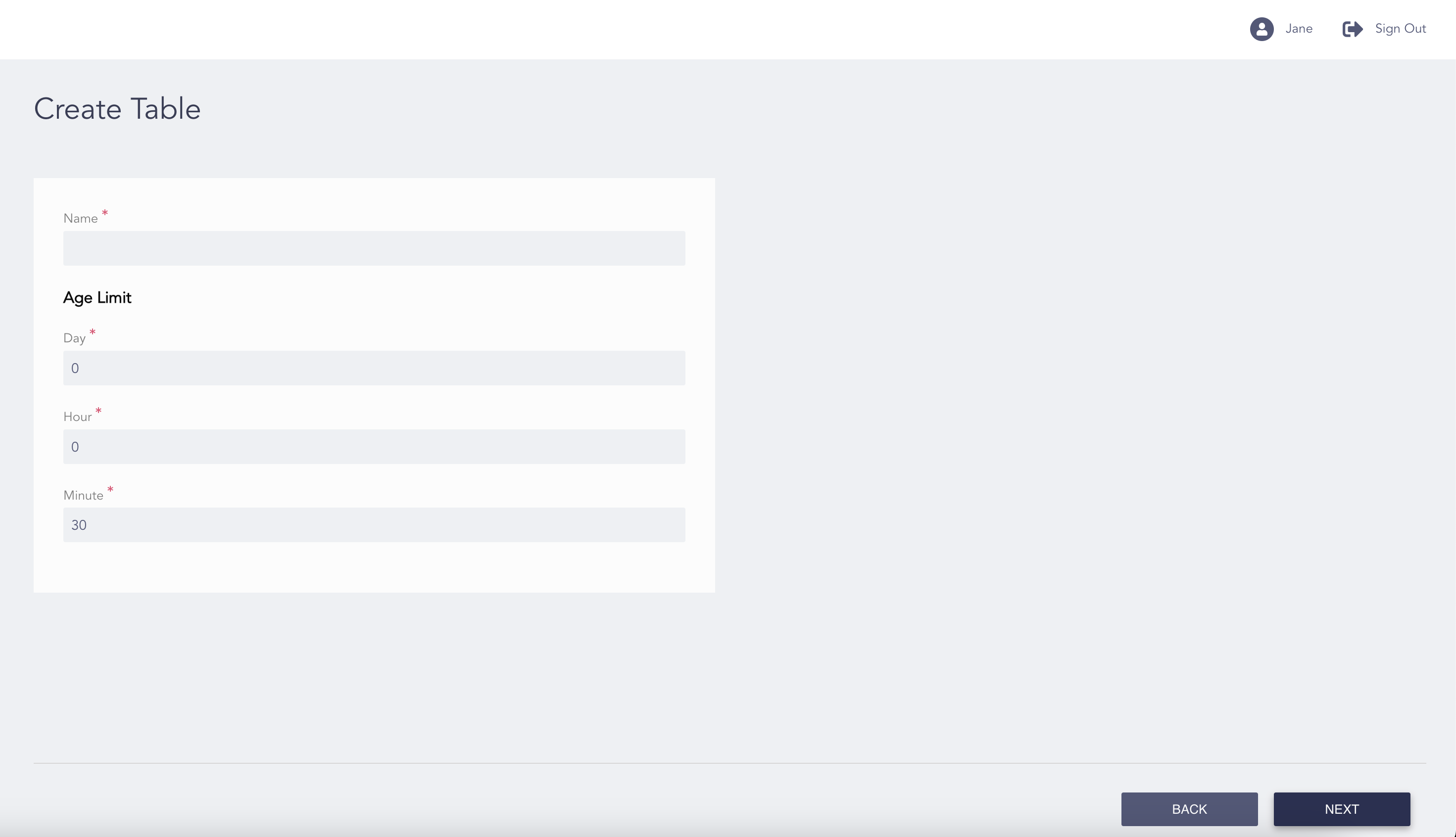
Configuring the Table
Enter a Name for the table.
Enter the values for Day, Hour and Minute to set the Age Limit of the table.
Click Next.
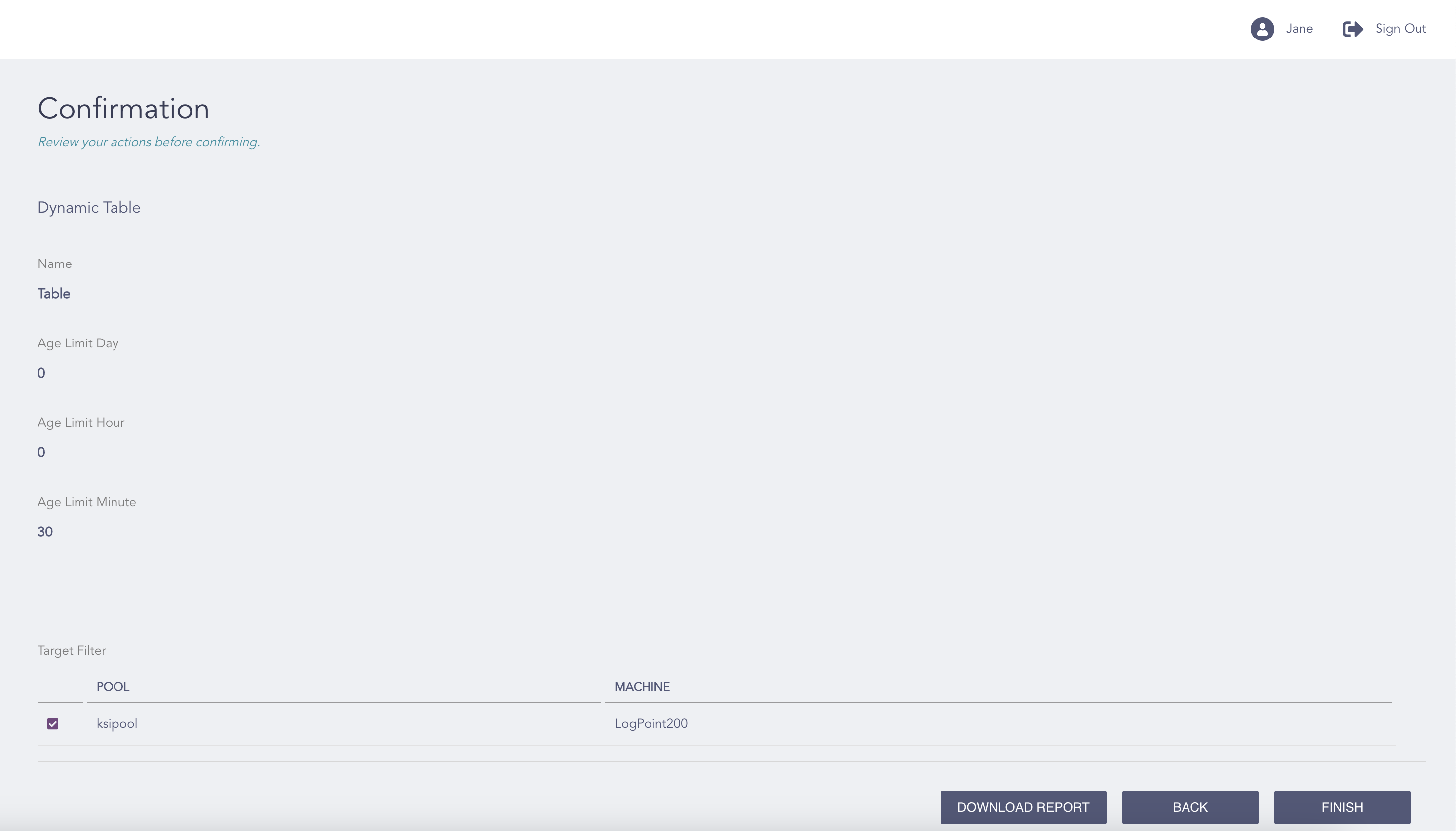
Confirming the Changes
Review your changes. You can go Back to make any changes if necessary.
Note
Click Download Report to get an overview as a PDF.
Click Finish.
Click OK.