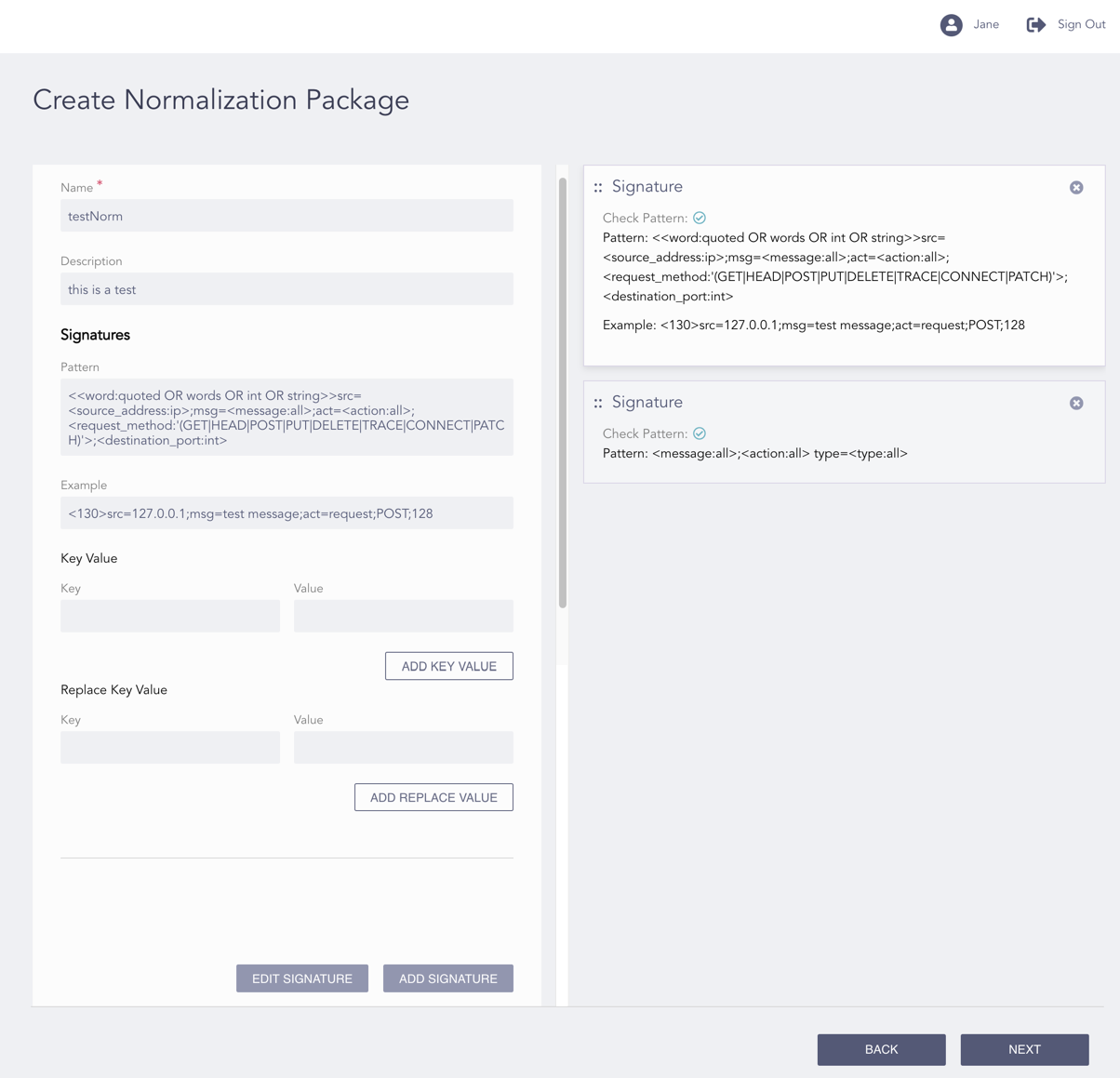
Normalization packages are the collections of log signatures. A log signature defines the rules to extract the key-value pairs from a log. A normalization package consists of the log signatures that normalize logs from a particular log source.
Go to Configure >> Entities >> Normalization Packages.
Select the LogPoint instances where you want to configure the normalization package.
Click Next.
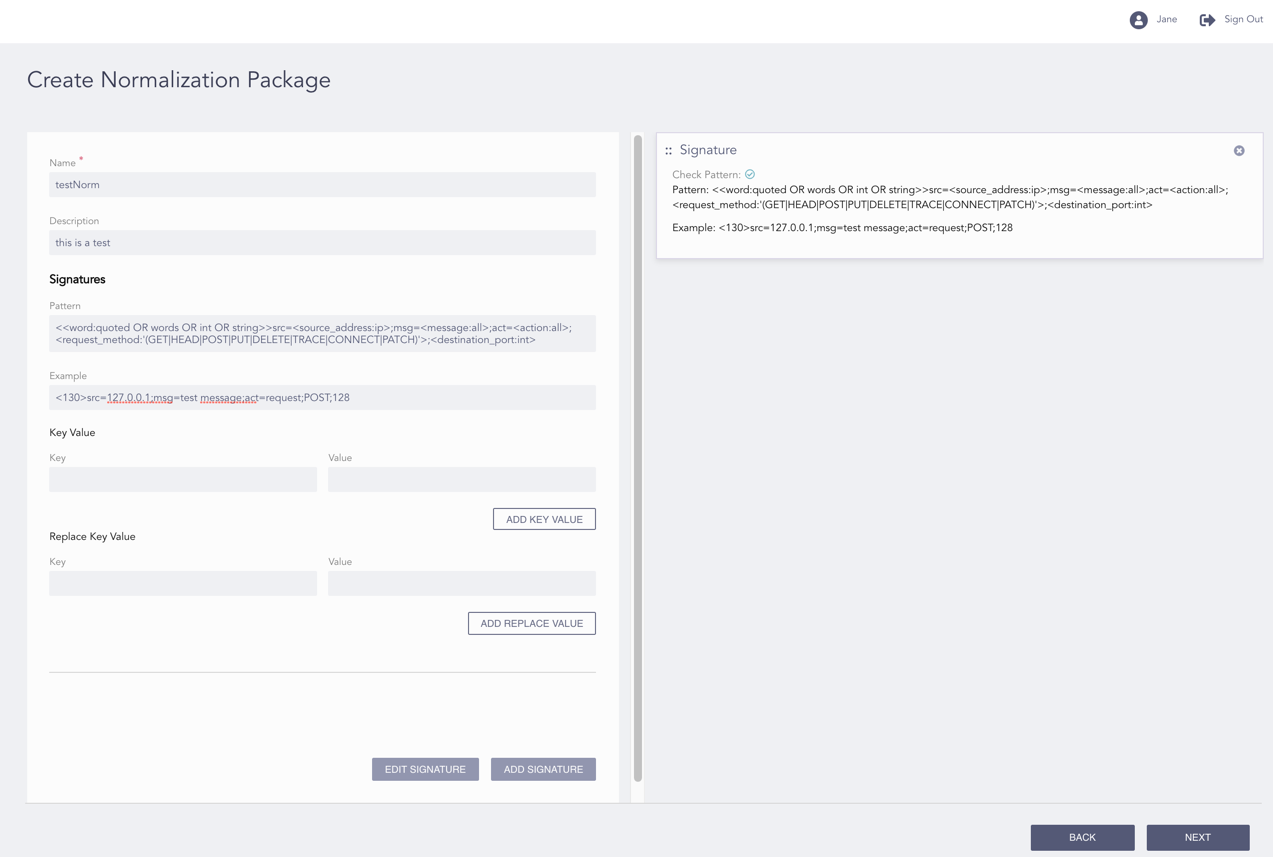
Configuring the Normalization Package
Enter a Name and a Description of the package.
Enter a Pattern and an Example that matches the pattern.
Enter a Key Value to add extra values to a signature.
Enter a Replace Key Value to replace a key-value pair with another one.
Note
You can add multiple key values and replace values in a signature.
Click Add Signature. You can add multiple signatures in a normalization package.
Note
You can click the Check Pattern ( ) icon of a signature to check if the pattern matches the example.
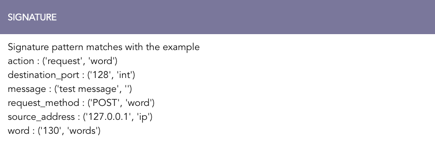
Checking a Signature Pattern
Click Next.
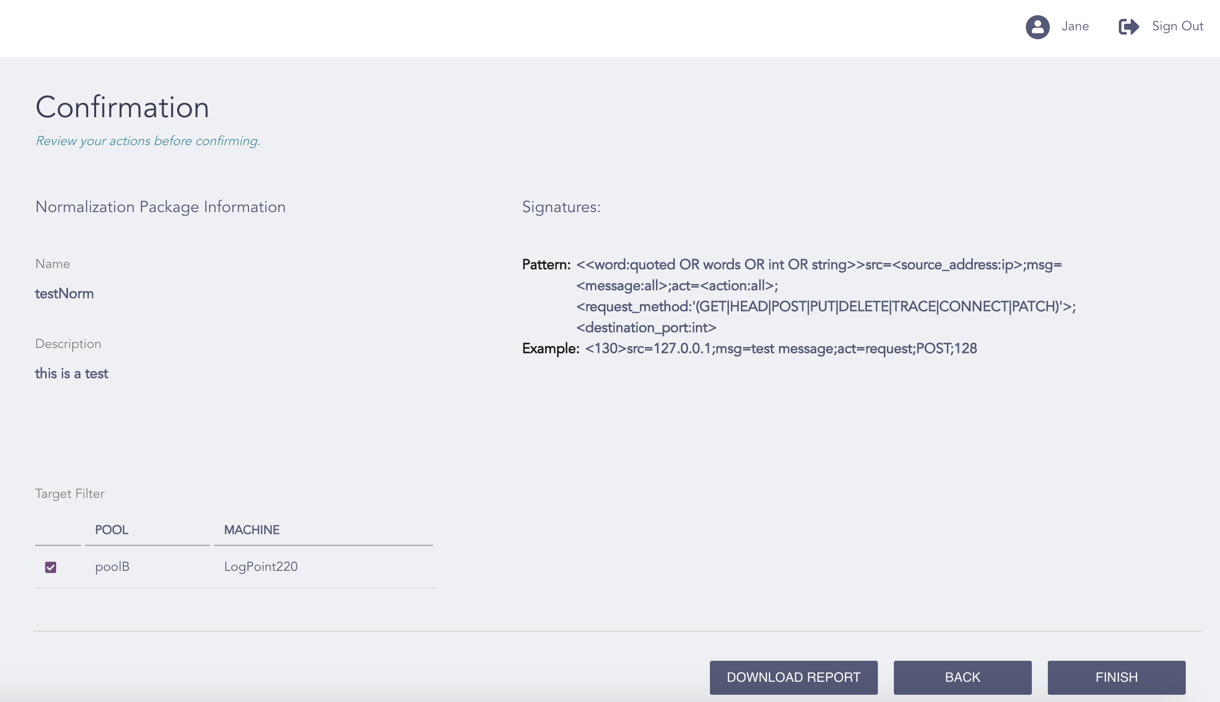
Confirming the Changes
Review your changes. You can go Back to make any changes if necessary.
Note
Click Download Report to save the summary of the task in PDF.
Click Finish.
Click OK.