
From the SOAR Settings, you can view and configure:
API Key
Licensing
Lists Management
Import
System Health
Execution Tracking
Vendors
Products
Actions
My Products
E-Mail Configurations
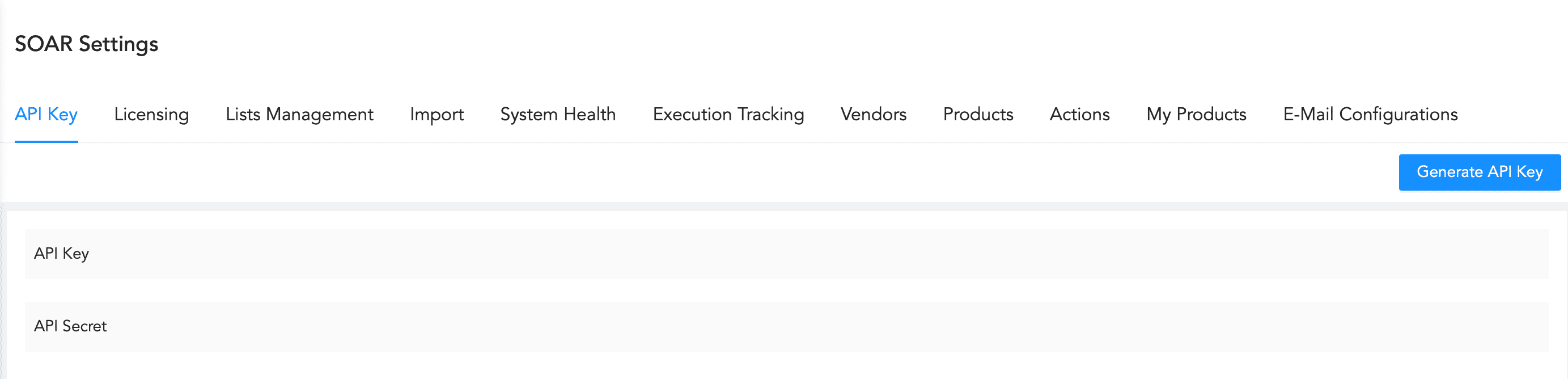
LogPoint SOAR Settings
The guide helps you to understand and perform the following tasks:
Add new vendors. Refer to Adding a Vendor.
Add new products. Refer to Adding a Product.
Add new product instance. Refer to Adding a Product Instance.
Add new actions. Refer to Adding an Action.
Add new list. Refer to Adding a List.
Add license to LogPoint SOAR. Refer to Licensing.
Update the information for the vendors. Refer to Editing a Vendor.
Update the information for the products. Refer to Editing a Product.
Update the information for the product instance. Refer to Editing a Product Instance.
Update the information for the actions. Refer to Editing an Action.
Update the information for the list or add or remove members of the list. Refer to Editing a List.
Clone an existing action. Refer to Cloning an Action.
Import configuration from other devices. Refer to Import.
Track the execution of playbooks. Refer to Execution Tracking.
View the health status of the services used by SOAR. Refer to System Health.
Delete the vendors. Refer to Deleting a Vendor.
Delete the products. Refer to Deleting a Product.
Delete the product instance. Refer to Deleting a Product Instance.
Delete the action. Refer to Deleting an Action.
Delete the list. Refer to Deleting a List.
Export the vendors. Refer to Exporting a Vendor.
Export the products. Refer to Exporting a Product.
Export the product instance. Refer to Exporting a Product Instance.
Export the actions. Refer to Exporting an Action.
Share data through LogPoint SOAR API. Refer to API Key.