Incident API
Get incidents within a specific timeframe
Retrieves incidents generated within a specified period of time.
GET
https://Logpoint-IP/incidentsRequest Parameters
Should be included in the request body as raw text.
Content-Type, Content-Length, and Host must be in the request header.
Content-Type should be application/json.
requestData— a JSON object containing:ts_from: Start timestamp value in Unix time format.ts_to: End timestamp value in Unix time format.
{
"username": "John",
"secret_key": "a1b2c3d4e5f6g7h8i9j0k1",
"requestData": {
"version": "0.1",
"ts_from": 1633085529,
"ts_to": 1640595047
}
}Request Example
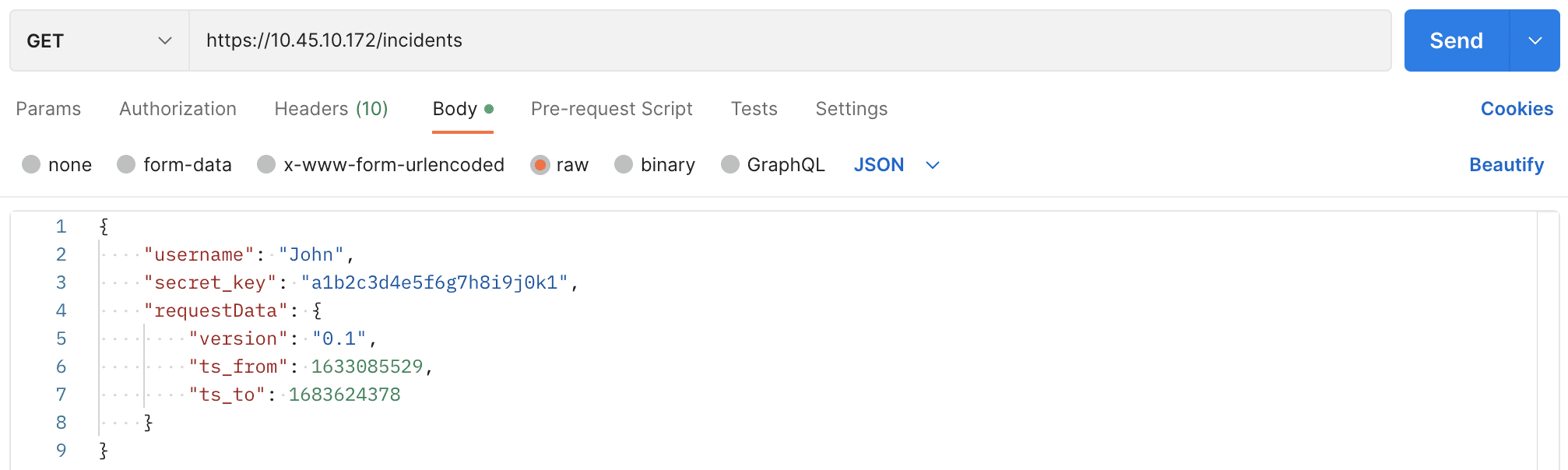
cURL
Sample JSON Response
Response Parameters
success
Boolean
True if successful; False if unsuccessful
incidents
Array of objects
Contains a list of incidents generated within the specified time period. Each object represents an individual incident.
Sample Incident
Filtering incident data
You can retrieve additional data about incidents using optional parameters inserted in the endpoint URL as a query string.
name
String
Identification parameters: Name: Name of the incidents.
Incident ID: Unique identifier of the incidents.
AlertRule ID: Unique identifier of the alert rule that generates the incidents.
status
String
incident status: closed, resolved, unresolved
type
String
Source of the incident: alert, search, ueba
risk
String
Severity level: critical, high, medium, low
attack_category
String
Attack category
attack_tag
String
Attack tag
log_source
String
Incident Log source
Metadata fields
String
User-defined parameter associated with the Metadata field of Alert or Incident Categorization
Sample Queries
The only supported method to include multiple query parameters in the query string is by using an ampersand (&). Use comma (,) to send multiple values in a single parameter.
The above query filters the incidents named Windows Registry Value Change generated from alert having critical and high severity level and are in unresolved state.
The above query filters the incidents whose attack categories are Command and Control and Collection, attack tag is Protocol Impersonation, log source value is Webserver, and System value is Microsoft Windows. Here System is the custom metadata field provided by the user while categorizing the alert or incident.
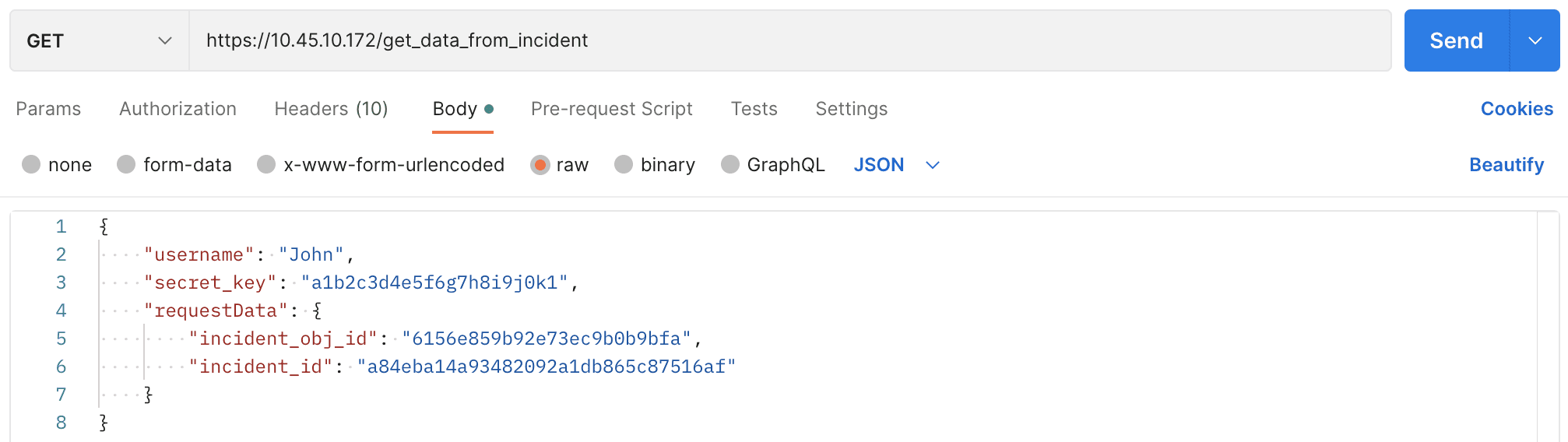
Get the data for a single incident
Retrieves data for a single incident.
GET
Request Parameters
Included in the request body as raw text.
Content-Type, Content-Length, and Host must be in the request header.
Content-Type should be application/json.
requestData— JSON object containing:incident_obj_id: Value of the id of the particular incident.incident_id: Value of the field incident_id of the particular incident.
Request Example

cURL
Sample JSON Response
Response Parameters
success
Boolean
True if successful; False if unsuccessful
rows
Array of objects
A list of log rows or data entries related to the single incident, with each object representing one row.
Sample Rows
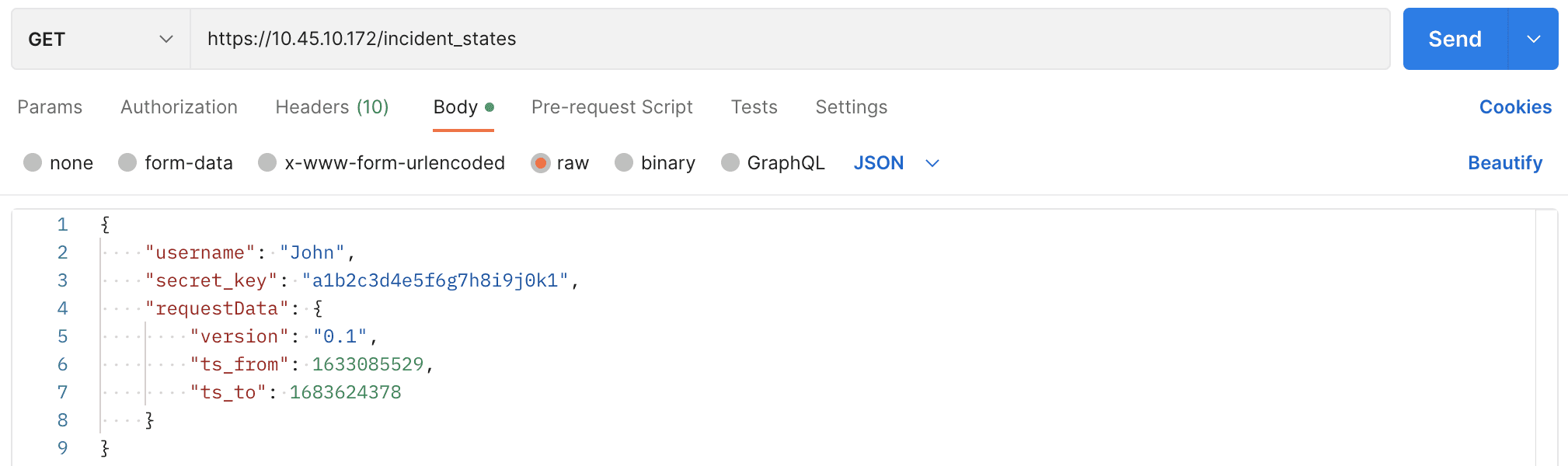
Get incident states
Retrieves the status of incidents modified within a specific time period.
GET
Request Parameters
Should be included in the request body as raw text.
Content-Type, Content-Length, and Host must be in the request header.
Content-Type should be application/json.
requestData— JSON object containing:ts_from: Start timestamp in Unix time format.ts_to: End timestamp in Unix time format.
Request Example

cURL
Sample JSON Response
Response Parameters
success
Boolean
True if successful; False if unsuccessful
incidents
Array of objects
A list of incidents with a status, modified within the specified time period.
Example Response
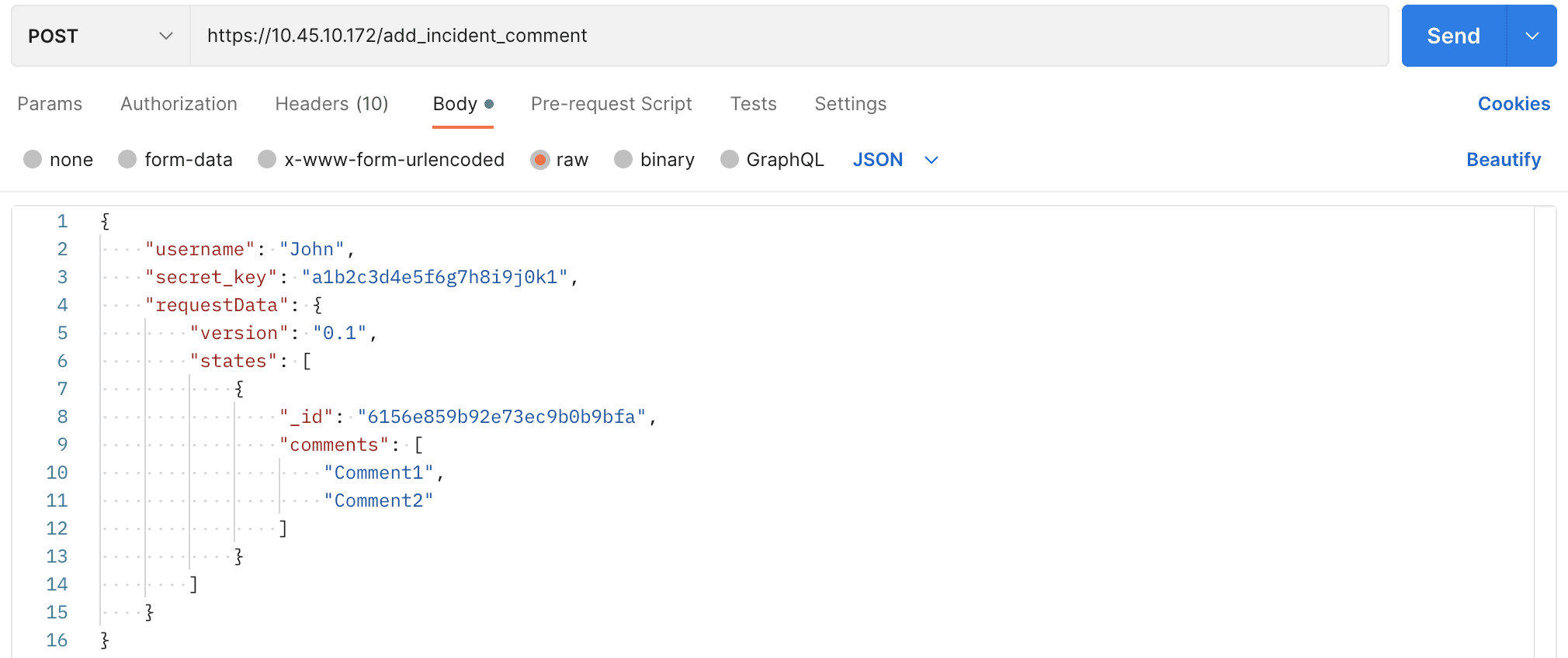
Add Comments to Incident
Add comments to an incident.
POST
Request Parameters
Should be included in the request body as raw text.
Content-Type, Content-Length, and Host must be in the request header.
Content-Type should be application/json.
requestData— JSON object containing:_ids: Object ID of the particular incident.comments: The comment(s) to add to the incident.
Request Example

cURL
Sample JSON Response
Response Parameters
success
Boolean
True if successful; False if unsuccessful
message
String
Confirmation that comment is added.
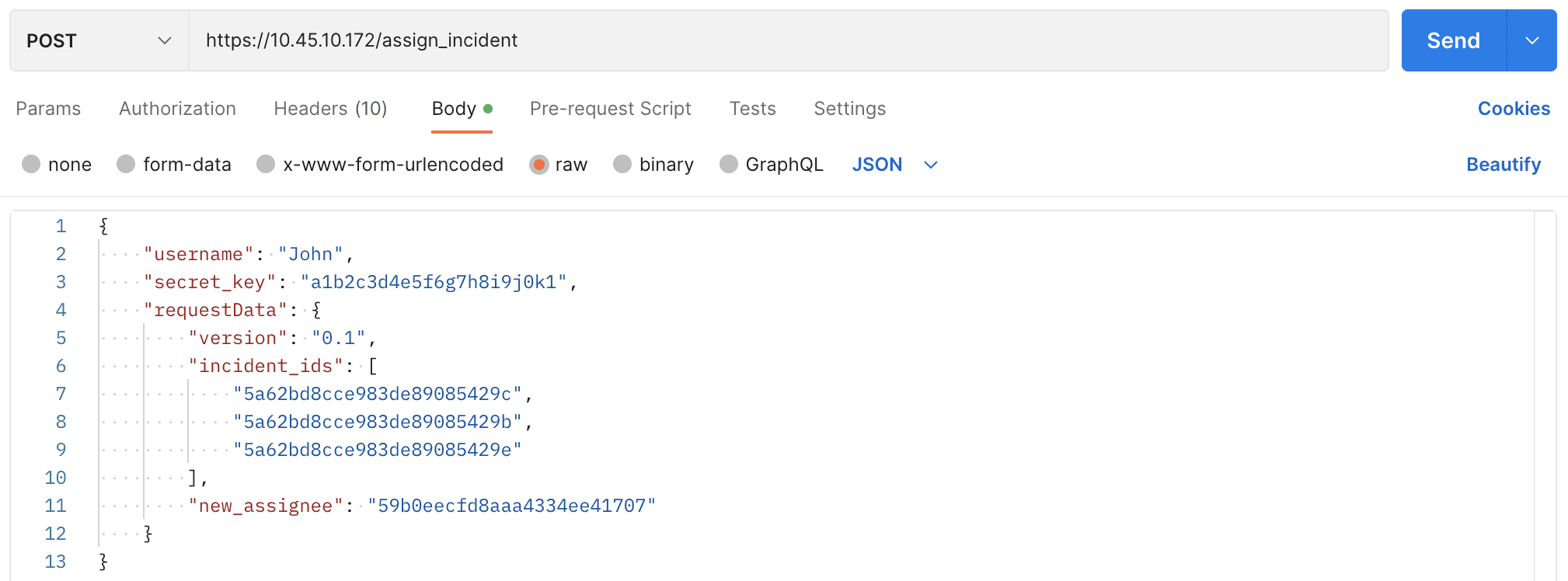
Assign or re-assign incident
To assign or re-assign an incident.
POST
Request Parameters
Should be included in the request body as raw text.
Content-Type, Content-Length, and Host must be in the request header.
Content-Type should be application/json.
requestData— JSON object containing:incident_ids: List of all incident IDs.new_assignee: ID of the user to assign to the incident.
Request Example

cURL
Sample JSON Response
Response Parameters
success
Boolean
True if successful; False if unsuccessful
message
String
Confirmation message incident reassigned.
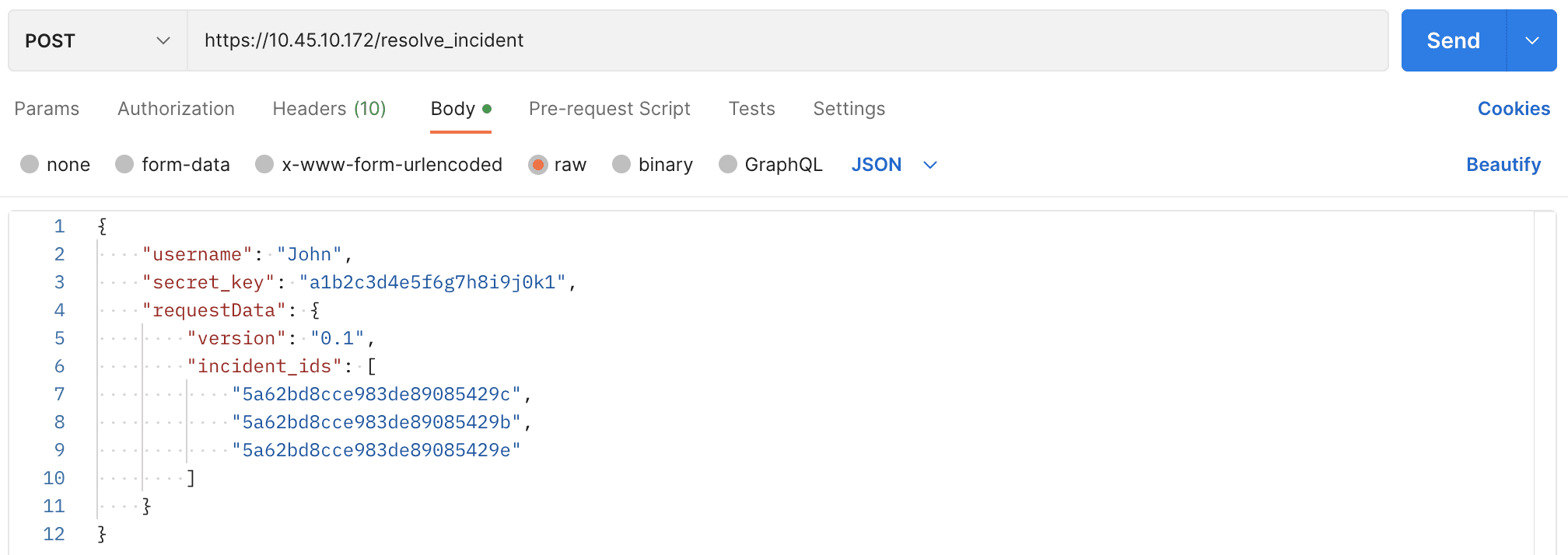
Resolve Incidents
Resolve incidents by identifying them using their incident id.
POST
Request Parameters
Should be included in the request body as raw text.
Content-Type, Content-Length, and Host must be in the request header.
Content-Type should be application/json.
requestData— JSON object containing:incident_ids: List of all incident IDs.
Request Example

cURL
Sample JSON Response
Response Parameters
success
Boolean
True if successful; False if unsuccessful
message
String
Confirmation of resolved incident.
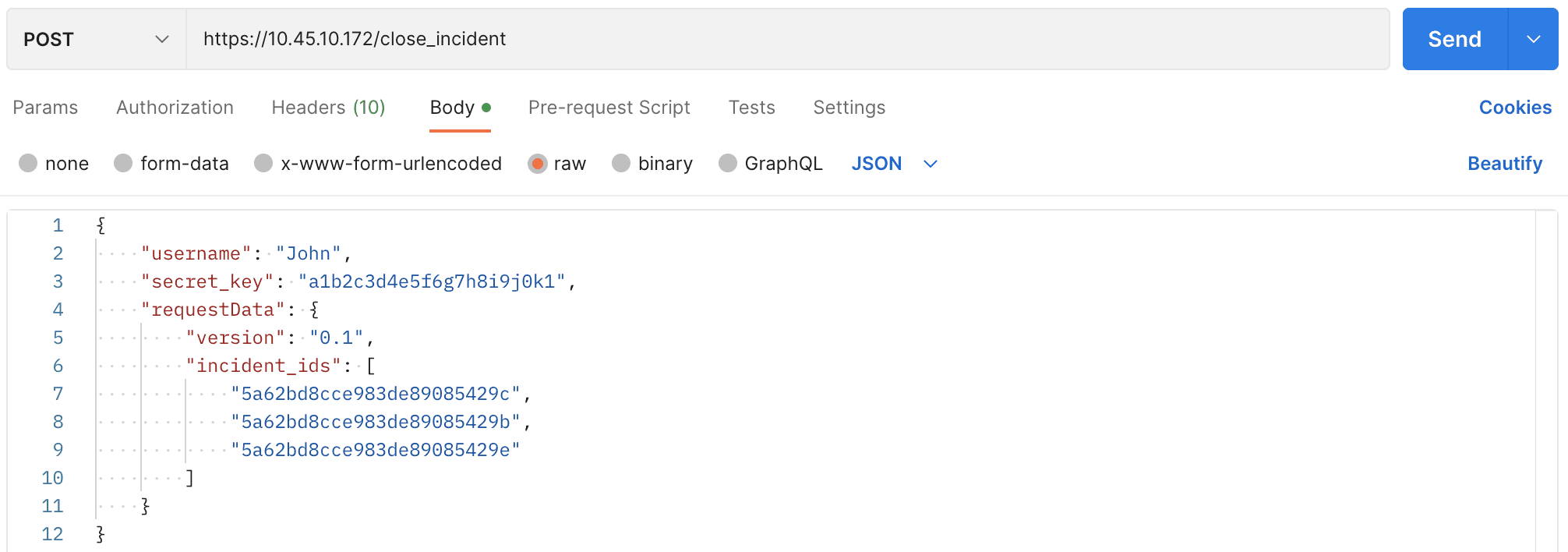
Close Incidents
POST
Request Parameters
Should be included in the request body as raw text.
Content-Type, Content-Length, and Host must be in the request header.
Content-Type should be application/json.
requestData— JSON object containing:incident_ids: All incidents to close based on their IDs.
Request Example

cURL
Sample JSON Response
Response Parameters
success
Boolean
True if successful; False if unsuccessful
message
String
Confirmation incident is closed.
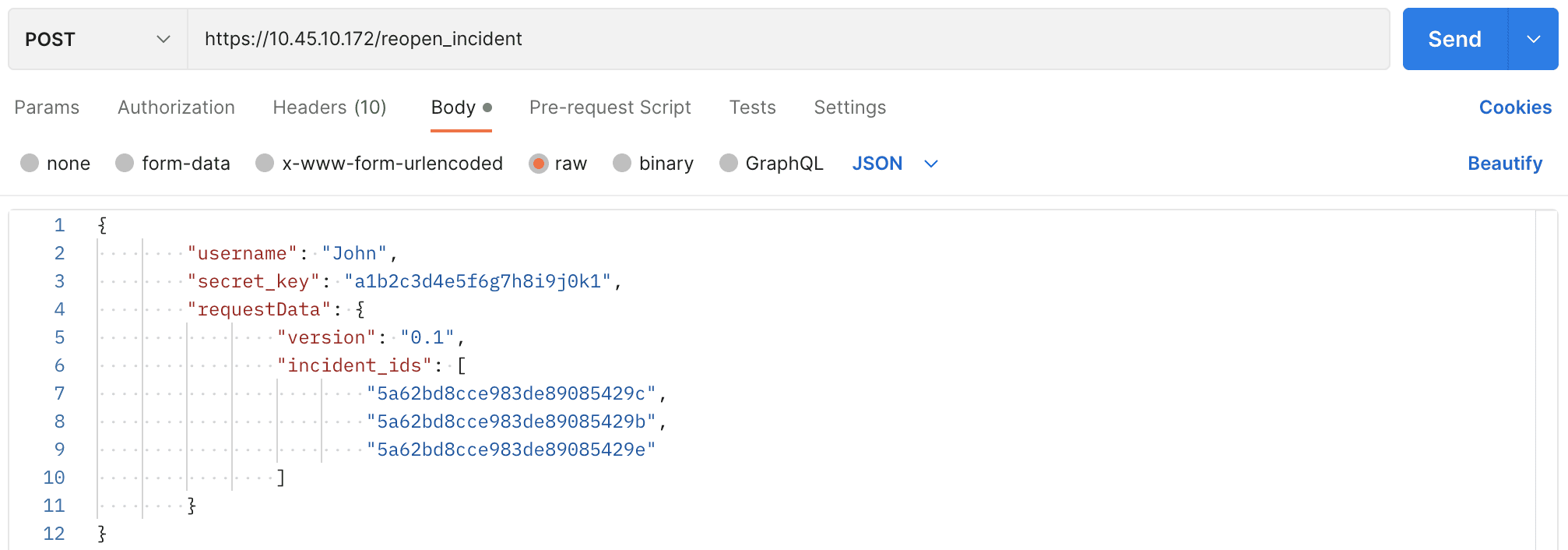
Reopening Incidents
Reopens incidents using incident IDs.
POST
Request Parameters
Should be included in the request body as raw text.
Content-Type, Content-Length, and Host must be in the request header.
Content-Type should be application/json.
requestData— JSON object containing:incident_ids: All incidents to re-open based on their IDs.
Request Example

cURL
Sample JSON Response
Response Parameters
success
Boolean
True if successful; False if unsuccessful
message
String
Confirmation incidents are re-opened.
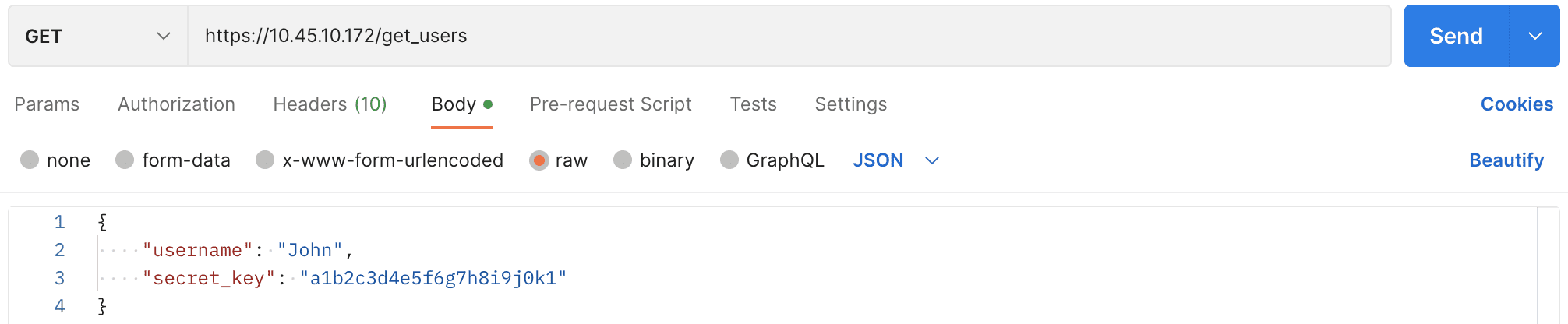
Getting Incident Users and User Groups
To retrieve user information.
GET
Request Parameters
Must be included in the request body as raw text.
Content-Type, Content-Length, and Host must be in the request header.
Content-Type should be application/json.
username= Name of the incident user.secret_key= Key that authorizes user.
Request Example

cURL
Sample JSON Response
Response Parameters
success
Boolean
True if successful; False if unsuccessful
users
Array of objects
List of user details and associated user groups.
usergroups
Array of objects
List of user group objects where the user belongs.
incident_ids
String
Unique identifier of user and user groups.
name
String
Name of user and user groups.
Last updated
Was this helpful?