Search API
getalloweddata
You can retrieve information about your Logpoint using getalloweddata. It has five API actions and two mandatory parameters which is required for authorization and authentication. It includes an additional parameter, type, which specifies the type of information to be retrieved from Logpoint.
username: Logpoint username for authorization and authenticationsecret_key: Access key to uniquely identify an authorized user.type— An identifier for the API action.
Parameters need to be included in the request body as application/x-www-form-urlencoded.
While the following endpoints use the POST method, they function as GET.
Get User Timezone
To retrieve timezone and date and time format.
POST
https://Logpoint-IP/getalloweddataRequest Parameters
Should be included in the request body as application/x-www-form-urlencoded.
type =
user_preference
Request Example
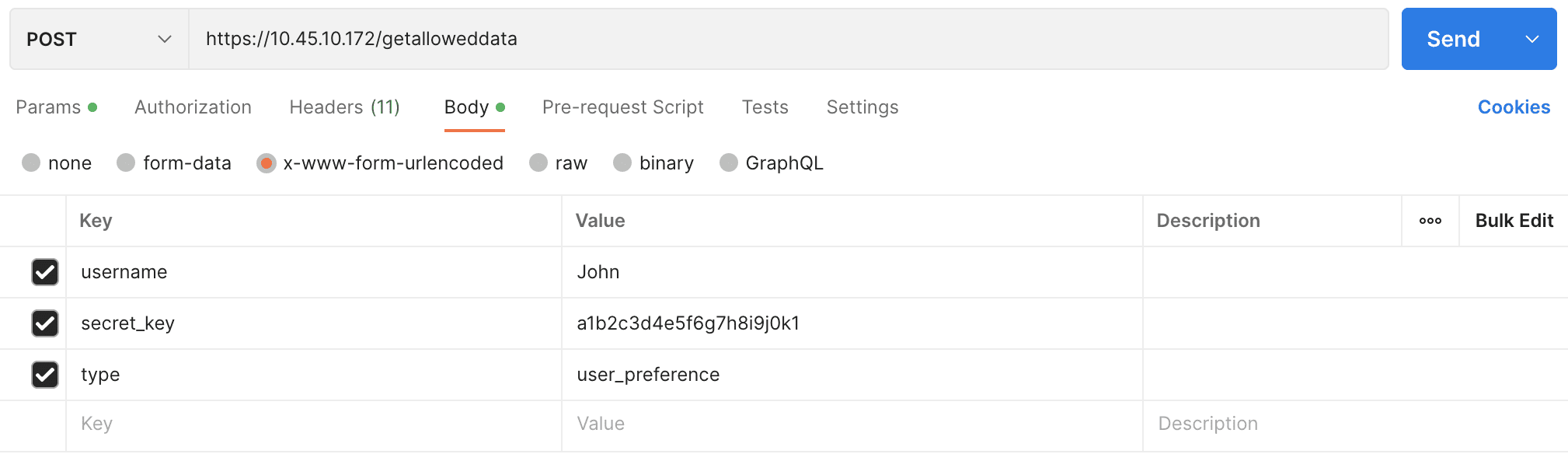
cURL
Success Response Example
Response Parameters
success
Boolean
True if successful; False if unsuccessful
timezone
String
Returns user's timezone applied in their user preferences.
date_format
String
Returns format applied in their user preferences. The format %Y/%m/%d represents the date as a four-digit year, month, and day separated by slashes. (Example: 2024/09/18)
hour_format
String
Returns format according to their user preferences.
Get Logpoint
Retrieves name and IP address of all Logpoint instances or servers in a distributed setup.
POST
Request Parameters
Should be included in the request body as application/x-www-form-urlencoded.
type =
loginspects
Request Example
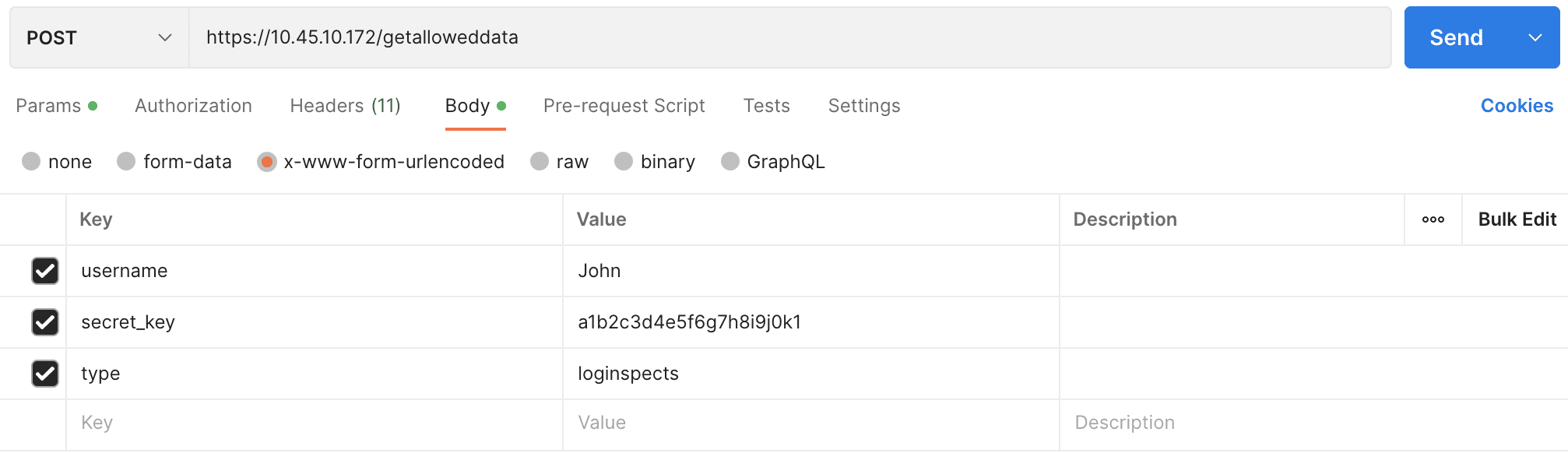
cURL
Response Parameters
success
Boolean
True if successful; False if unsuccessful
allowed_loginspects
String
Returns a list of Logpoint instance or server names and their IP addresses.
Success Response
Getting Repos
To retrieve name and IP address of all repos.
POST
Request Parameters
Should be included in the request body as application/x-www-form-urlencoded.
type =
logpoint_repos
Request Example
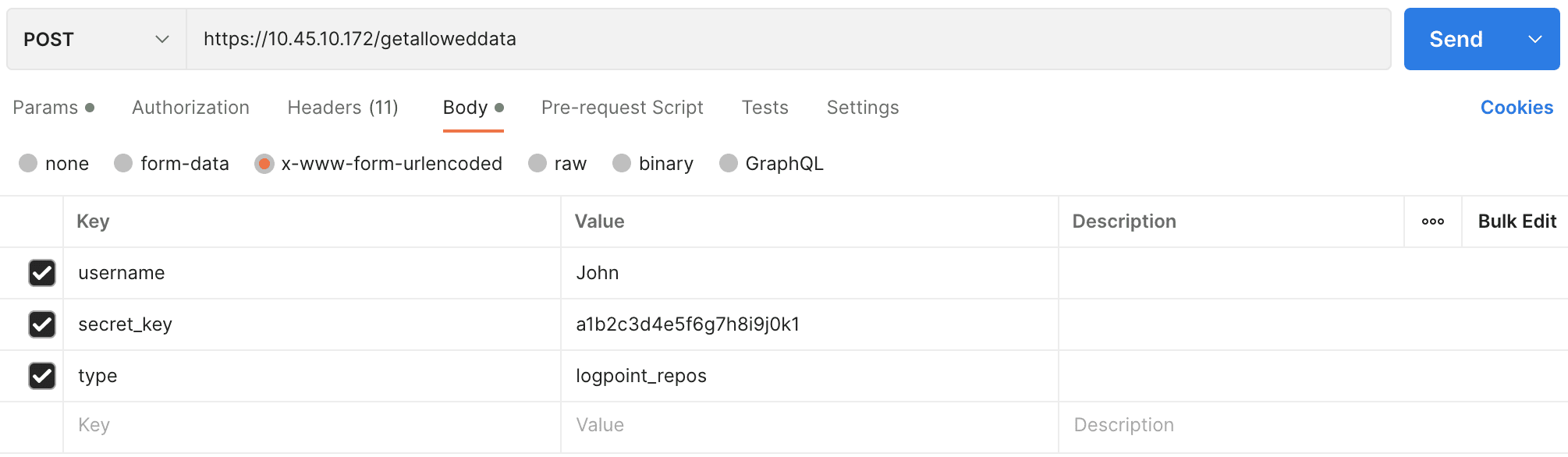
cURL
Success Response
Response Parameters
success
Boolean
True if successful; False if unsuccessful
allowed_repos
Array
List of names and IP addresses of all repos.
Get Devices
Retrieves the names and IP addresses of all devices.
POST
Request Parameters
Should be included in the request body as application/x-www-form-urlencoded.
type =
devices
Request Example
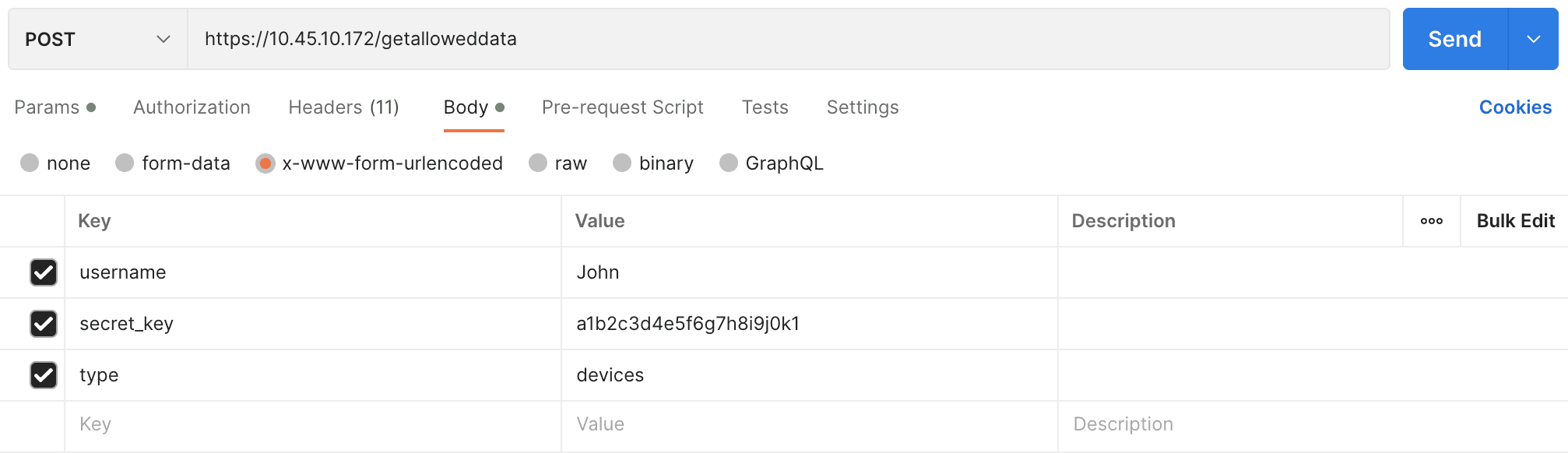
cURL
Success Response
Response Parameters
success
Boolean
True if successful; False if unsuccessful
allowed_devices
Array
Returns a list of the names and IP addresses of all devices
Get Live Searches
Retrieves live search results.
POST
Request Parameters
Should be included in the request body as application/x-www-form-urlencoded.
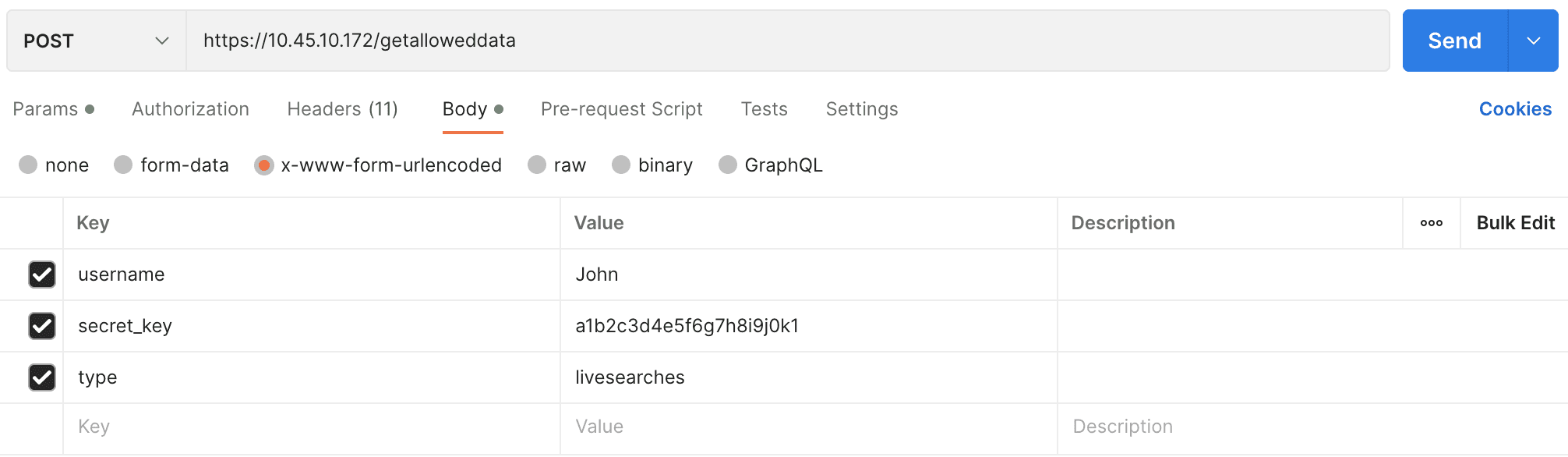
type =
livesearches
Request Example
cURL
Successful Response
Response Parameters
success
Boolean
True if successful; False if unsuccessful
livesearches
Array of objects
Returns an array of live search details
searchname
String
Name of the live search.
description
String
Information about the live search
query
Object
Search query
query_info
String
Search query metadata, including extracted fields, aliases, filter criteria, and query type.
fieldsToExtract
Array of strings
Lists fields extracted from the data during the live search.
aliases
Array of strings
Aliases used in the search query, if any.
query_filter
String
Any filters applied to the query.
columns
Array of strings
Lists the columns returned by the query, such as count().
query_type
String
Defines the type of query executed (for example: chart).
lucene_query
String
Any Lucene query filters applied to the data.
grouping
Array of strings
The fields used to group the search results. For example: device_ip.
timerange_day
Integer
The day range of the live search data.
timerange_hour
Integer
The hour range of the live search data.
timerange_minute
Integer
The minute range of the live search data.
timerange_second
Integer
The second range of the live search data.
limit
Integer
Defines the maximum number of results.
tid
String
Task ID associated with the live search, if applicable.
generated_by
String
Origin of the live search, such as dashboard.
vid
String
View ID associated with the live search, if applicable.
flush_on_trigger
Boolean
Whether to flush on trigger.
life_id
String
A unique identifier associated with the live search session.
getsearchlogs
To get search results using Logpoint Search API, perform a search request with all required parameters. A successful request responds with a search_id can be used as a request parameter to receive logs resulting from the search query request.
While the following endpoints use the POST method, they function as GET.
Required Parameters
query
String
A valid search query
time_range
String
Default search time range
repo
Array/List
Where the logs are stored
client_name
String
Interface of the search request. The default value is ‘UI’.
timeout
Integer
Waiting time (in seconds) for a request before canceling it.
search_id
String
Used to get logs of a search query. You receive it from the server only after the successful completion of a search request.
limit
Integer
The maximum amount of search results. Only applicable in case of simple search queries and not in case of aggregation queries.
Request search_id
This API request retrieves the search_id to perform a query-based search on designated repos for a limited number of logs within a defined time range.
POST
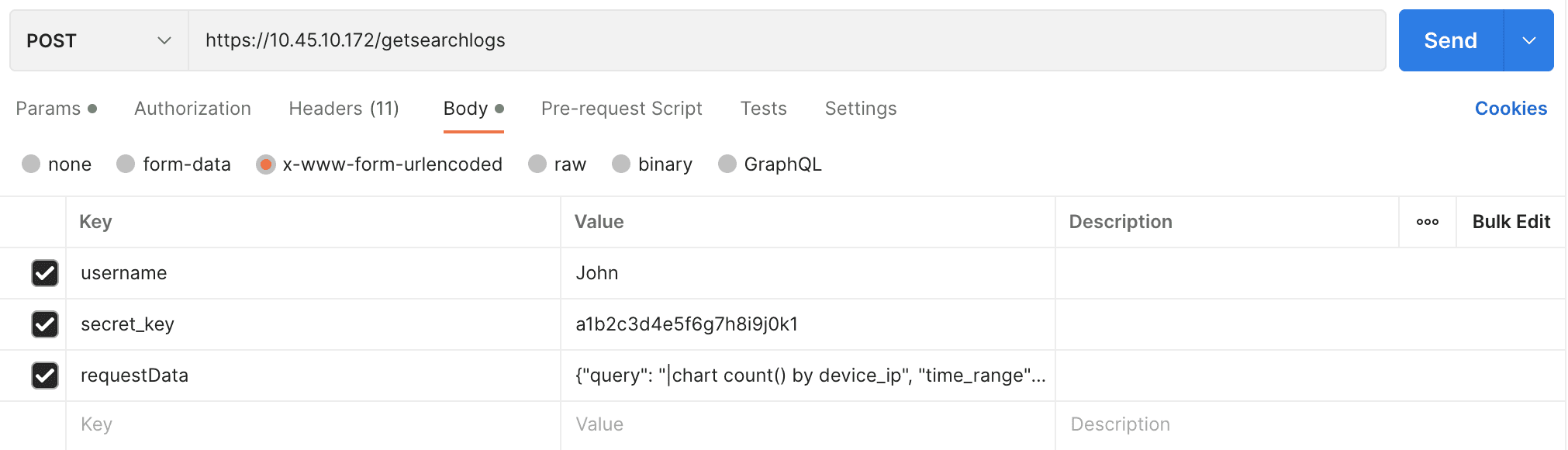
Request Parameters
Included in the request body as application/x-www-form-urlencoded.
Content-Type, Content-Length, and Host must be passed in the request header.
Content-Type should be application/x-www-form-urlencoded.
requestData— a list of JSON objects containing:query: A valid Logpoint search querytime_range: A time range for the searchlimit: The number of search resultsrepos: IP address of the repos
Request Example
cURL
Successful Response
Response Parameters
search_id
String
A unique identifier generated for the search
client_type
String
Type of client that initiated the request.
query_filter
String
Specifies any filters applied to the query.
latest
Boolean
True if the search fetches the latest logs; False if not
lookup
Boolean
True if the search includes a lookup operation; False if not
query_type
String
Defines the type of query executed (Example: chart).
time_range
Array of integers
Contains two timestamps that define the start and end of the search time range.
success
Boolean
True if successful; False if unsuccessful
Get Search Logs
Retrieves logs from a specific search based on the search_id. The server sends the search result logs in chunks. Continue sending the request with the same parameters until you receive a response where final is equal to true. This means you received all the search result logs.
POST
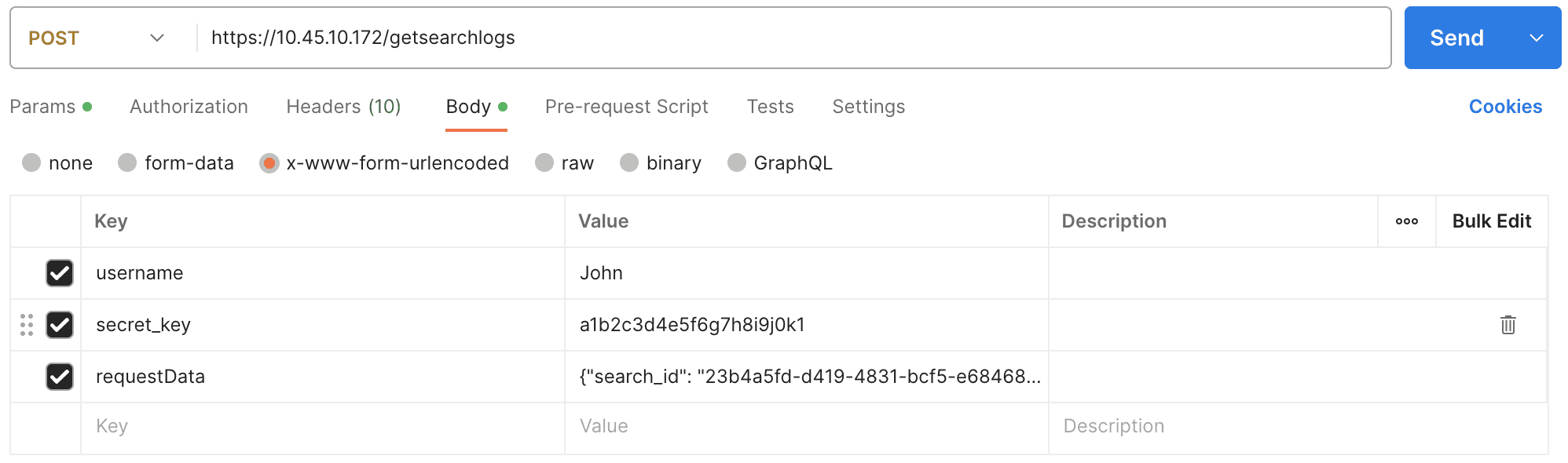
Request Parameters
Should be included in the request body as application/x-www-form-urlencoded.
requestData— a JSON object containing the uniquesearch_id.
Request Example
cURL
Success Response
Response Parameters
num_aggregated
Integer
The total number of logs aggregated in the result set.
columns
Array of strings
Lists the columns returned by the query, such as count().
query_type
String
Defines the type of query executed.
rows
Array of objects
Search results. Each object represents a log entry with relevant fields, for example device_ip.
grouping
Array of strings
Defines which fields group search results, for example device_ip.
version
Integer
Version of the search result format or API being used.
interesting_fields
Array of strings
Lists any fields deemed interesting in the result set.
time_range
Array of integers
Contains two timestamps that define the start and end of the search time range.
orig_search_id
String
The original search_id used to initiate the search.
final
Boolean
Returns true if all search result logs are retrieved; otherwise false.
success
Boolean
Returns true if the API call is successful; otherwise false.
totalPages
Integer
The total number of pages of results.
complete
Boolean
Returns true if the search is successful; otherwise false.
showAdditionalPanels
Boolean
Returns true if additional visualizations should be displayed with the search result; otherwise false.
status
object
Additional status information about the search, such as progress or execution details.
Was this helpful?