Jinja Placeholders
You can use the reserved Jinja placeholders in supported Logpoint fields as templates to customize the output of a subject, message, or view. Go to Setting Up Alert Notifications and Creating an Alert Rule to learn more. These are the publicly available Jinja placeholders, and Logpoint-supported Jinja placeholders that are designated as internal use only.
Syntax
Displays
{{alert_name}}
Name of the alert.
{{alertrule_id}}
ID of the alert.
{{attack_category}}
Mitre ATT&CK Attack categories associated with the alert.
{{attack_id}}
Mitre ATT&CK Framework ID of the attack tags associated with the alert.
{{attack_tag}}
Mitre ATT&CK Framework attack tag associated with the alert.
{{description}}
Alert description.
{{detection_timestamp}}
Epoch time when alert was triggered.
{{extra_info}}
Information related to alert in a key-value format.
{{format}}
Timestamp format of the alert- Year, Month, Day, Hour, Minutes, and Seconds.
{{incident_id}}
Incident ID generated by the alert.
{{loginspect_ip_dns}}
Logpoint instance or server IP where the alert was triggered.
{{logpoint_name}}
Name of Logpoint instance or server where the alert was triggered.
{{log_source}}
Log sources associated with the alert.
{{risk_level}}
Risk level of the alert.
{{rows}}
Log messages that triggered the alert.
{{rows_count}}
Total count of log messages that triggered the alert.
{{search_link}}
Link to search for alert related log.
{{status}}
Resolution status of incident generated by the alert.
{{time_range}}
Time-range of the alert in Epoch time.
{{timezone}}
Device timezone (UTC, GMT, ECT)
{{type}}
Query type of the alert.
{{user_id}}
User account that triggered the alert.
{{_id}}
Object ID of the incident generated by the alert.
Jinja Templates
Some examples of jinja commands that you can use to customize the output of a subject, message, or view:
Jinja template to display devices that sent logs:
Jinja template to display severity-based message:
Jinja template to display the timezone of devices that sent logs:
Jinja template to send syslog notification with alert name and timestamp
Jinja template to display list of alerts and associated device ips:
Jinja template to write list of log datetime on a file:
This command writes a list of log associated datetime on file.txt which is located inside /home/johndoe/.
Jinja template to display risk level of alerts:
Jinja Template when using Pattern Queries
When using Pattern Finding queries in Logpoint, multiple logs that match the same pattern are combined into a single row. This search result has a more complex structure, and Jinja templates must be added differently.
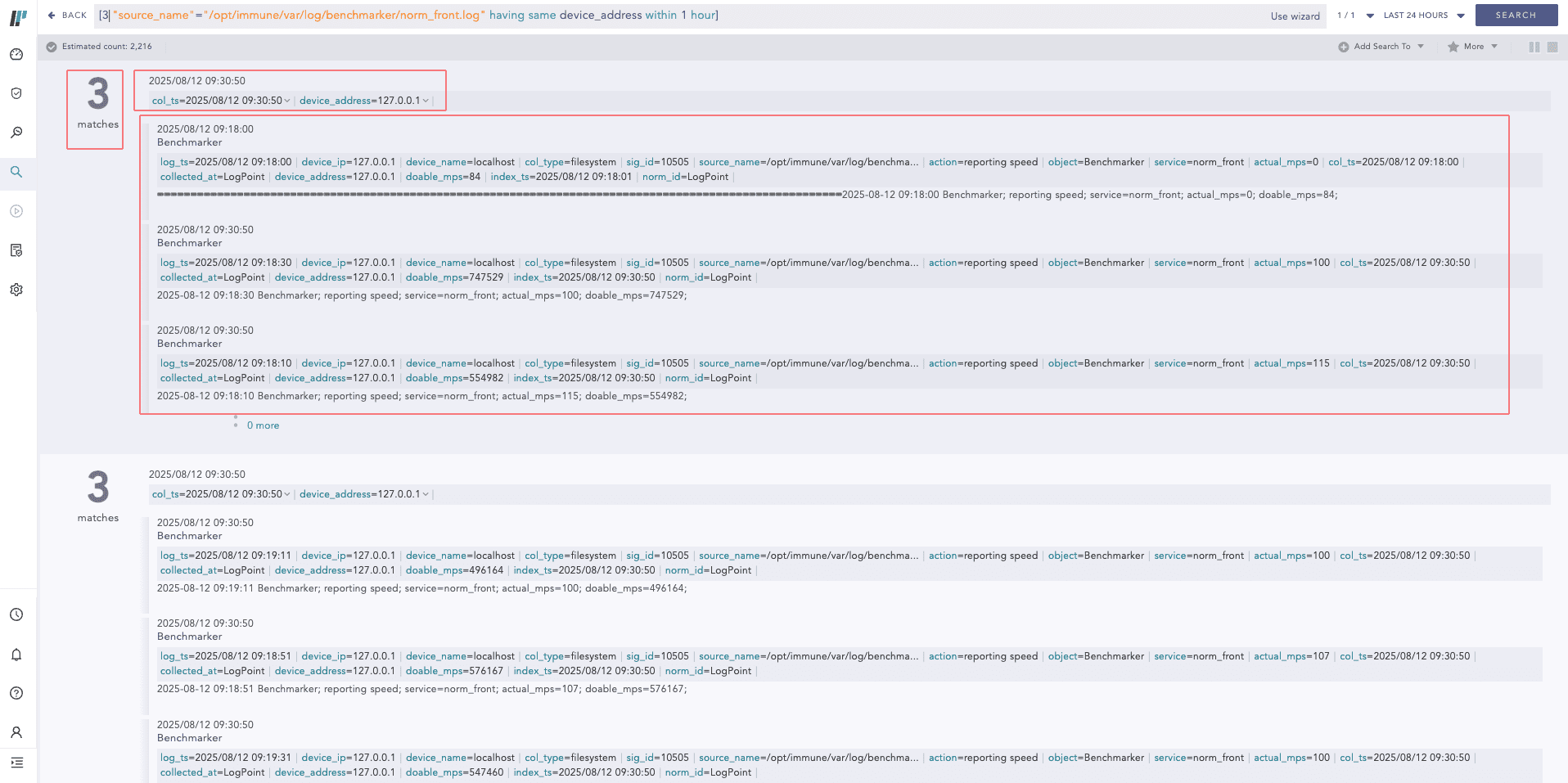
You must include common_info or participating_events in your Jinja templates to retrieve the correct values. If these structures are not used, the resulting alert notification may contain empty fields.
common_info contains fields common to all logs in the result row.
participating_events a list of individual logs that contributed to the Pattern Finding result.
Jinja template to display common information among all the logs:
Jinja template to display common information along with individual log information:
Was this helpful?